AllShare Cast ™: Spiegeln Sie Ihr iPhone sofort auf jedem Smart TV
Erleben Sie die Freiheit des drahtlosen Streamings. Bringen Sie Ihre Fotos, Videos und Spiele auf den großen Bildschirm, ohne teure Hardware oder lästige Kabel – kompatibel mit Samsung, Roku, LG und mehr.
Entdecken Sie die Oberfläche, die von 24K+ Nutzern verwendet wird.
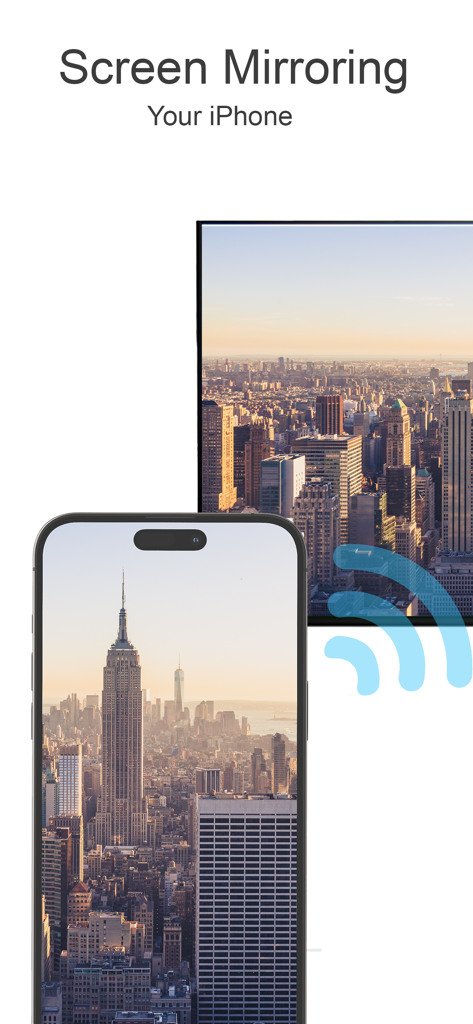
Ein iPhone spiegelt ein Stadtlandschaftsfoto auf den Bildschirm eines Smart-TVs
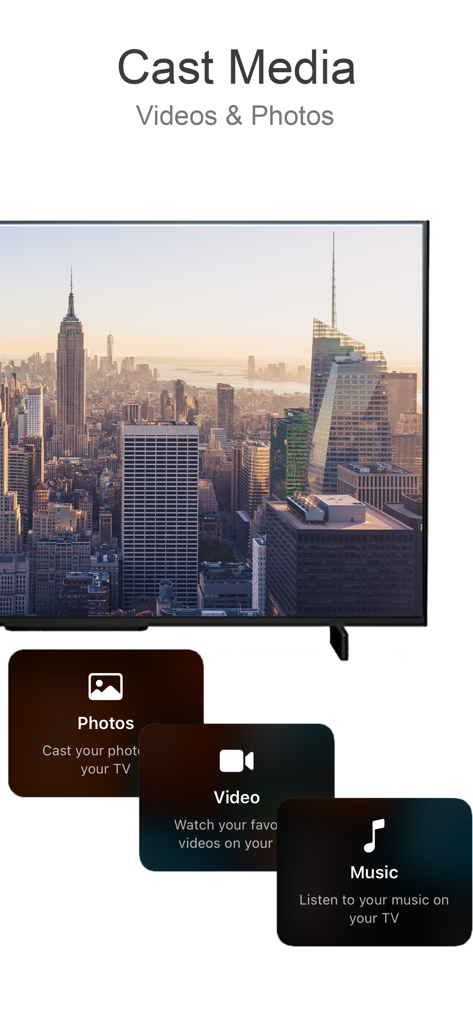
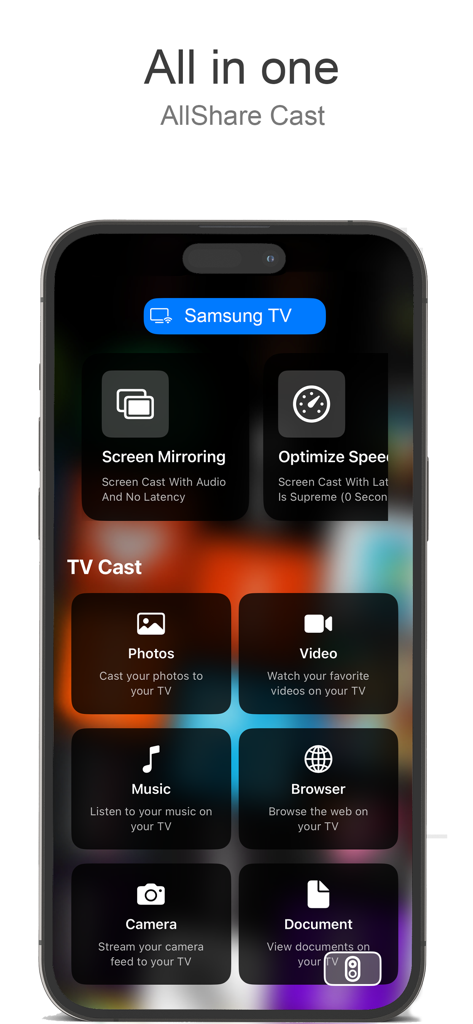
Benutzeroberfläche der AllShare Cast-App, die Optionen zum Übertragen von Fotos, Videos und Musik auf einen Fernseher anzeigt
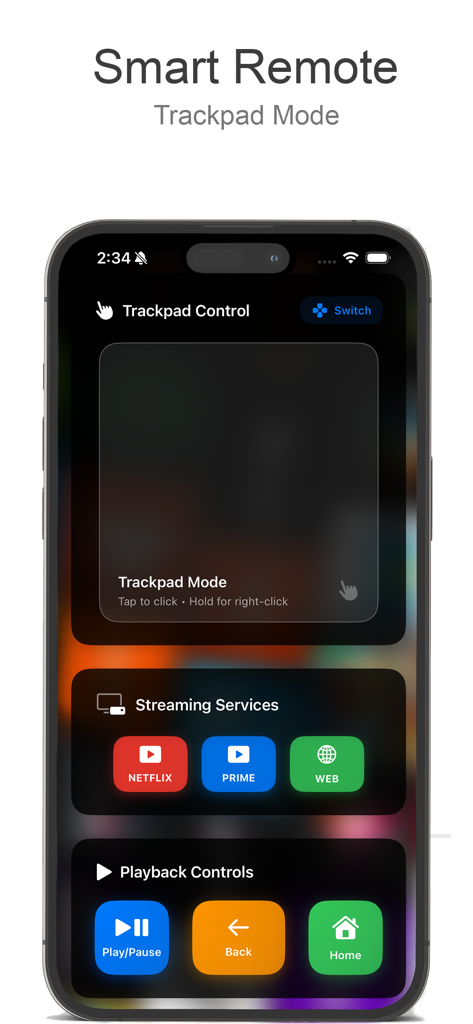
Smartphone-Bildschirm, der die intelligente AllShare Cast-Fernbedienung mit Trackpad und Wiedergabesteuerung anzeigt.
AllShare Cast-App-Oberfläche auf dem iPhone, die Bildschirmspiegelungs- und Medien-Casting-Optionen anzeigt.
Entfesseln Sie das volle Potenzial Ihres Fernsehers
Die Tools, die diese App auszeichnen, gewählt von 24K+ Nutzern.
🌐
Universelle TV-Synchronisation
Kein Apple TV? Kein Problem. Verbinden Sie sich nahtlos in Sekundenschnelle mit Samsung, LG, Roku und Chromecast.
🚀
Null-Latenz-Spiegelung
Streamen Sie Spiele, Videoanrufe und Apps in Echtzeit. Erleben Sie die Leistung Ihres Telefons im Kinosaal-Format.
🎬
Medien-Casting mit einem Fingertipp
Verwandeln Sie Ihr Wohnzimmer in ein Kino. Teilen Sie Fotos, Heimvideos und Musik in hochauflösender Klarheit.
Über die App
Alles, was Sie über wissen müssen AllShare Cast ™.
Beschreibung
Transform your TV into a smart, interactive screen with our easy-to-use screen mirroring and casting app. Designed to make sharing your favorite media effortless, our app allows you to cast photos, videos, music, and even web content directly from your phone to your TV. Whether you’re looking to enjoy personal memories on a bigger screen, present slideshows, or enjoy streaming content without restrictions, this app turns your TV into the ultimate multimedia center.
Key Features:
Instant Screen Mirroring:
Mirror your phone’s screen to your TV in real-time. With ultra-low latency, you can enjoy gaming, video calls, presentations, and more on a larger screen without interruptions. Screen mirroring is perfect for family gatherings, work meetings, or online learning—whatever you want to display, show it clearly and in high resolution.
Photo & Video Casting:
Bring your memories to life by casting your phone’s photos and videos directly to your TV. Relive family vacations, birthdays, and special events with vibrant clarity. With just a tap, share those moments with everyone in the room, no cables required.
Stream Online Content:
Take your favorite online videos and websites directly from your phone to the big screen. Browse through YouTube, Vimeo, and other video streaming platforms on your phone, and play content on your TV for an immersive experience. No need for separate apps or confusing setups—just select the content, cast, and enjoy.
Audio & Music Playback:
Fill the room with your favorite playlists by casting music from your phone to the TV. Connect to high-quality speakers for an immersive sound experience. Whether it’s for a workout, a family gathering, or relaxing alone, bring your music to life on larger speakers and experience every beat.
Easy Remote Control:
Use your phone as a remote to control your TV’s settings, such as adjusting volume, navigating apps, and more. This feature eliminates the need for additional remotes and keeps everything accessible from your phone, making it simpler to find what you want and enjoy your content uninterrupted.
Seamless Connectivity with Multiple Devices:
Our app supports various devices and TV brands, including Samsung, Roku, LG, Sony, Chromecast, and more. Connect with ease and switch between devices as you need. With universal compatibility, our app ensures you can use it with any major TV brand without hassles.
Web Content Projection:
Enjoy the convenience of browsing the internet from your phone and displaying it on the TV. Read news articles, view recipes while cooking, watch tutorials, or explore websites with family and friends. The bigger screen means everyone can see and enjoy the content at the same time.
How It Works:
Connect to the Same Wi-Fi Network:
Ensure both your phone and TV are connected to the same Wi-Fi network to enable fast and secure connectivity.
Select Your Media:
Choose photos, videos, music, or online content from your phone to cast.
Cast with a Single Tap:
Tap the cast icon, select your TV, and enjoy your content on the big screen instantly.
Ideal For:
Family Gatherings:
Share photos and videos with everyone in the room, bringing family memories to life on the big screen.
Gaming Enthusiasts:
Get a bigger view for mobile gaming, with minimal lag and better visuals, so you can immerse yourself in the gameplay.
Business & Education:
Use the screen mirroring function for presentations, educational content, or virtual meetings, making it easy to collaborate with others and share visual aids.
Movie Nights & Streaming Enthusiasts:
Turn any night into movie night by streaming your favorite films, series, and videos from your phone to the TV, creating a cinematic experience right at home.
Neueste Version
2.1
Größe
6.2 MB
Erstveröffentlichung
28. Okt. 2024
Schließen Sie die Lücke zwischen Ihrem iPhone und Ihrem Fernseher
Hören Sie auf, sich mit Kabeln und inkompatibler Hardware herumzuärgern. Schließen Sie sich über 24.000 Nutzern an und laden Sie AllShare Cast ™ noch heute herunter, um Ihren Bildschirm zu spiegeln und Ihre Lieblingsinhalte in Sekundenschnelle auf jeden Smart TV zu streamen.
FAQ
Häufig gestellte Fragen
Alles, was Sie über wissen müssen AllShare Cast ™
Was ist AllShare Cast ™?
AllShare Cast ™ verwandelt Ihren Fernseher in einen intelligenten, interaktiven Bildschirm und ermöglicht die mühelose gemeinsame Nutzung von Fotos, Videos, Musik und Webinhalten von Ihrem Telefon aus. Es fungiert als Multimedia-Center.
Kann ich meinen iPhone-Bildschirm mit AllShare Cast ™ auf den Fernseher spiegeln?
Ja, AllShare Cast ™ bietet sofortiges Screen-Mirroring für Ihr iPhone auf Ihren Fernseher in Echtzeit. Es unterstützt Spiele, Videoanrufe und Präsentationen mit hoher Auflösung und extrem geringer Latenz.
Unterstützt AllShare Cast ™ das Übertragen von Fotos und Videos auf meinen Fernseher?
Ja, AllShare Cast ™ ermöglicht es Ihnen, die Fotos und Videos Ihres Telefons direkt auf Ihren Fernseher zu übertragen. Erleben Sie Familienerinnerungen in brillanter Klarheit und teilen Sie Momente mit allen im Raum.
Welche TV-Marken sind mit AllShare Cast ™ kompatibel?
AllShare Cast ™ unterstützt verschiedene TV-Marken, darunter Samsung, Roku, LG, Sony und Chromecast. Es bietet universelle Kompatibilität für eine nahtlose Verbindung mit den wichtigsten TV-Marken.
Kann AllShare Cast ™ Online-Inhalte auf meinen Fernseher streamen?
Ja, AllShare Cast ™ ermöglicht es Ihnen, Online-Videos und Websites von Ihrem Telefon auf den großen Bildschirm zu streamen. Durchsuchen Sie YouTube, Vimeo und andere Plattformen für ein immersives Erlebnis.
Enthält AllShare Cast ™ eine Fernbedienungsfunktion?
Ja, AllShare Cast ™ verfügt über eine einfache Fernbedienung, mit der Sie Ihr Telefon verwenden können, um die Lautstärke anzupassen, durch Apps zu navigieren und andere TV-Einstellungen zu verwalten. Dies macht zusätzliche Fernbedienungen überflüssig.
Wie verbinde ich mein Telefon und meinen Fernseher mit AllShare Cast ™?
Um eine Verbindung mit AllShare Cast ™ herzustellen, stellen Sie sicher, dass sowohl Ihr Telefon als auch Ihr Fernseher mit demselben WLAN-Netzwerk verbunden sind. Wählen Sie dann Ihre Medien aus, tippen Sie auf das Übertragungssymbol und wählen Sie Ihren Fernseher aus.
Kann AllShare Cast ™ Webinhalte auf meinem Fernseher projizieren?
Ja, AllShare Cast ™ ermöglicht die Projektion von Webinhalten. Sie können vom Telefon aus im Internet surfen und Nachrichten, Rezepte, Tutorials anzeigen oder Websites auf Ihrem Fernsehbildschirm erkunden.
Unterstützt AllShare Cast ™ die Audio- und Musikwiedergabe auf dem Fernseher?
Ja, AllShare Cast ™ unterstützt die Audio- und Musikwiedergabe. Sie können Wiedergabelisten von Ihrem Telefon auf Ihren Fernseher übertragen und sich mit hochwertigen Lautsprechern für ein immersives Klangerlebnis verbinden.
Ist AllShare Cast ™ für Spiele geeignet?
Ja, AllShare Cast ™ ist ideal für Spiele-Enthusiasten. Es bietet eine größere Ansicht für mobiles Gaming mit minimaler Verzögerung und besseren Grafiken, was das immersive Spielerlebnis verbessert.
App information, icons, screenshots, and descriptions displayed on this page are sourced from the Apple App Store and are the property of their respective developers. Download estimates and rankings are based on MWM's proprietary models and may not reflect actual figures. This page is provided for informational and analytical purposes only.
Believe this page infringes your intellectual property? File a dispute