ApowerREC: Record Screen

ApowerREC: Record Screen

Herunterladen auf App Store
Logo von ApowerREC: Record Screen

ApowerREC: Der All-in-One Bildschirmrekorder & KI Video Editor

Erfassen Sie HD-Gameplay, Online-Kurse oder professionelle Meetings. Verbessern Sie Ihre Inhalte mit KI-Untertiteln, Bild-in-Bild-Reaktionen und professionellen Bearbeitungstools, die für den sofortigen Austausch entwickelt wurden.

Herunterladen auf App Store

Herausgeber

Apowersoft Limited

Kategorie

Utilities

Downloads

1M+

Bewertung

2.9/5

Bewertungen gesamt

1K+

Sprachen

9

Erleben Sie die Leistung

Entdecken Sie die Oberfläche, die von 1M+ Nutzern verwendet wird.
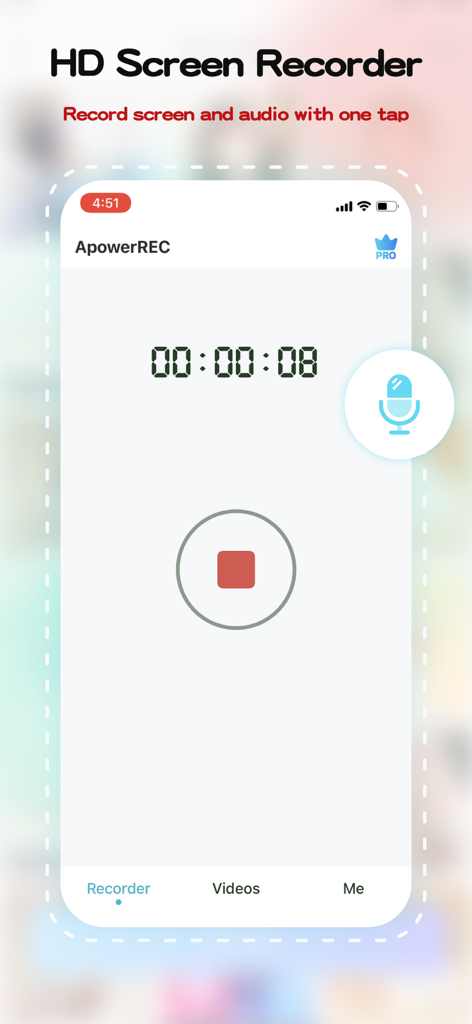
Die ApowerREC mobile App-Oberfläche zeigt eine laufende Bildschirmaufnahmesitzung mit einem Timer und einer Stopptaste

Die ApowerREC mobile App-Oberfläche zeigt eine laufende Bildschirmaufnahmesitzung mit einem Timer und einer Stopptaste

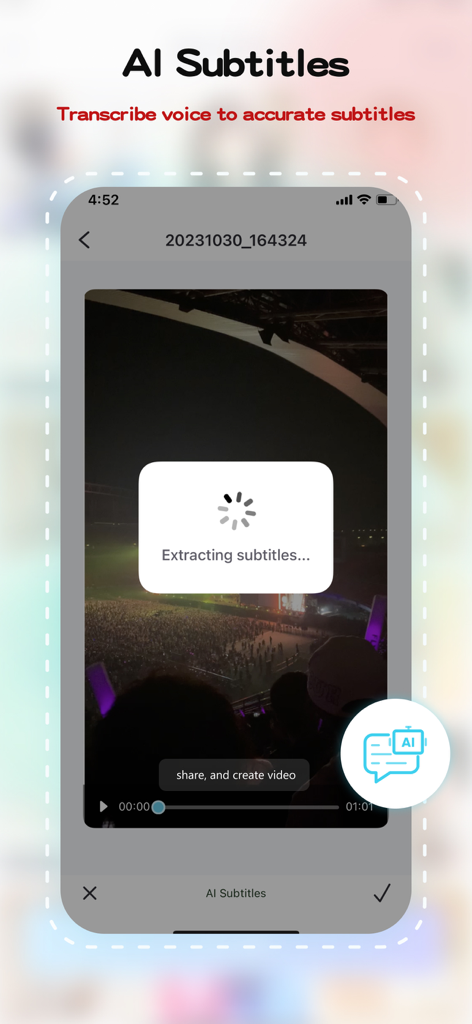
ApowerREC App-Oberfläche, die die KI-Untertitel-Funktion zeigt, die Text aus einem mobilen Video extrahiert

ApowerREC App-Oberfläche, die die KI-Untertitel-Funktion zeigt, die Text aus einem mobilen Video extrahiert

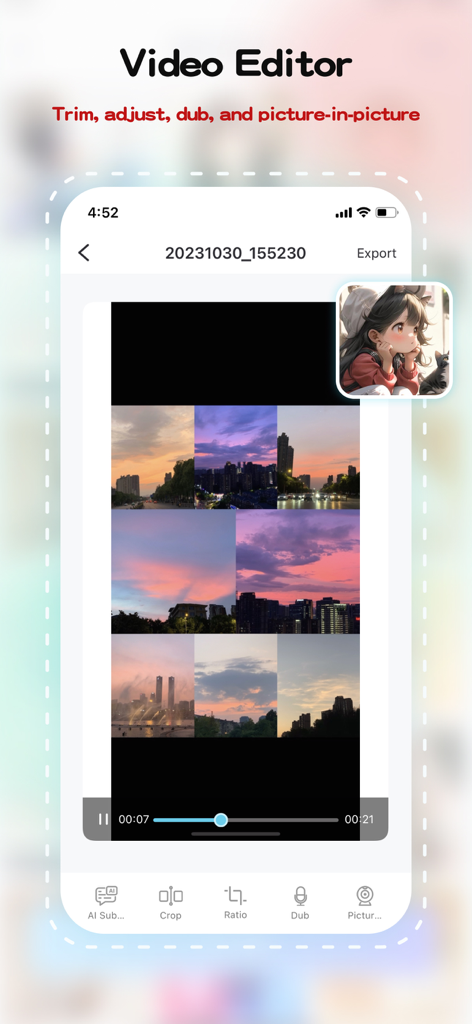
ApowerREC mobiler Video-Editor zeigt Bild-in-Bild- und Bearbeitungswerkzeuge

ApowerREC mobiler Video-Editor zeigt Bild-in-Bild- und Bearbeitungswerkzeuge

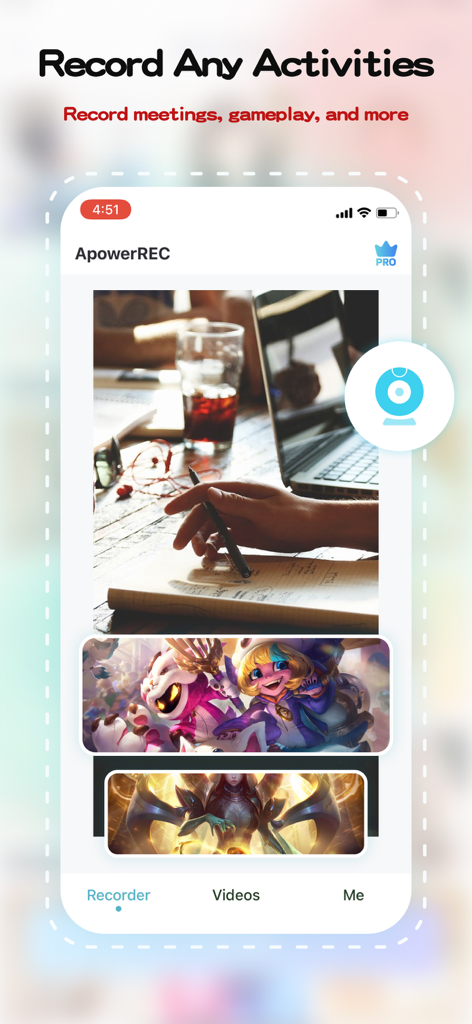
ApowerREC mobile App-Oberfläche, die Bildschirmaufnahmeoptionen für Meetings und Gameplay zeigt

ApowerREC mobile App-Oberfläche, die Bildschirmaufnahmeoptionen für Meetings und Gameplay zeigt

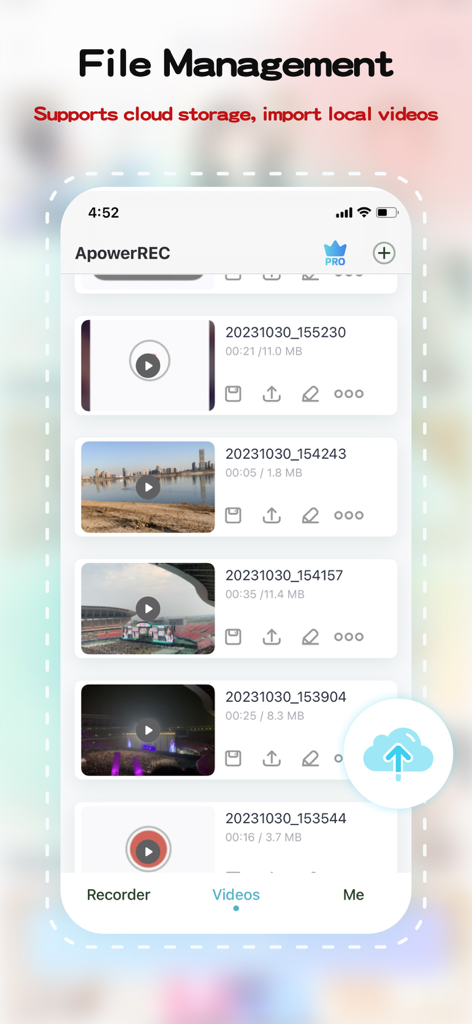
ApowerREC mobile App-Oberfläche, die eine Liste der aufgenommenen Videos und Dateiverwaltungsoptionen zeigt

ApowerREC mobile App-Oberfläche, die eine Liste der aufgenommenen Videos und Dateiverwaltungsoptionen zeigt

Erfassen, Erstellen und Erobern

Die Tools, die diese App auszeichnen, gewählt von 1M+ Nutzern.

🎮

Professionelle HD-Aufnahme

Nehmen Sie Ihre intensivsten Gaming-Sessions oder wichtigen Remote-Meetings in Ultra-HD auf. Mit einem Tippstart und perfekter Audiosynchronisation müssen Sie nie Qualität für Geschwindigkeit opfern.

🪄

Sofortige KI-Untertitel

Maximieren Sie Ihre Social-Media-Reichweite. Unsere KI transkribiert automatisch Ihren Dialog in Untertitel, wodurch Ihre Videos zugänglich und perfekt für Zuschauer sind, die stumm scrollen.

🤳

Bild-in-Bild & Synchronisation

Bauen Sie Ihre Marke mit Videos im Reaktionsstil auf. Verwenden Sie den PiP-Modus, um Ihr Gesicht und den Bildschirm gleichzeitig aufzunehmen, und fügen Sie dann benutzerdefinierte Voiceovers für diese persönliche Note hinzu.

Über die App

Alles, was Sie über wissen müssen ApowerREC: Record Screen.

Beschreibung

ApowerREC is not merely a free screen recorder - it's your one-stop solution for intuitive and versatile screen recording coupled with powerful video editing capabilities. Be it HD videos, live games, online classes, or remote meetings, a single click is all it takes to start recording. Save your recording instantaneously or generate a quick link for seamless sharing. Unleash the power of video editing with ApowerREC. Trim your videos, customize your content. Use our AI Subtitle feature for automatic subtitle generation. This not only enhances the viewer experience, it also increases your productivity. Our picture-in-picture feature adds layers to your videos, making them more dynamic and engaging. Add dubbing to your videos directly to make them more lively. With a single click, export your edited videos, share them with friends, or post them on popular social platforms. ApowerREC redefines professional screen recording, combining simplicity and professionalism in every recording. Advantages: HD screen recording: We provide ultra-high-definition screen recording services, ensuring your content is clear and detailed. Flexible settings: Personalize your recording with customizable resolution, bitrate, and frame rate options. One-click operation: Starting and stopping recording has never been easier - it takes just one click. Professional video editing features: Our comprehensive video editing suite offers AI subtitle generation, aspect ratio cropping, video editing, voiceover, and picture-in-picture features. Features: 1. Screen recording function: ● One-click start/stop recording ● Freely set resolution, bitrate, frame rate ● Supports automatic, horizontal, and vertical recording directions ● HD recording quality ● Perfect audio and video synchronized recording 2. Video editing features: ● AI Subtitle: Intelligently recognizes dialogue and automatically generates subtitles ● Aspect ratio cropping: Offers a variety of aspect ratio choices, including original, 1:1, 4:3, 16:9, 9:16 ● Video trimming: Accurately edit video content to optimize for sharing ● Dubbing: Personalize your video with voiceover features ● Picture-in-picture: Record your screen activity and live camera feed simultaneously, thereby creating an engaging and comprehensive viewing experience. ApowerREC is dedicated to offering you an efficient, simple, and professional screen recording experience. Regardless of whether you're working, studying, or seeking entertainment, you'll find the features and services you need right here. Let's use ApowerREC together to record every brilliant moment in life. If you find our software helpful, a positive review would be greatly appreciated! If you have any issues or suggestions, feel free to contact us at support@apowersoft.com - we're always here to help!

Neueste Version

1.1.7

Größe

112.1 MB

Erstveröffentlichung

7. Feb. 2018

Bereit, Ihren nächsten großen Moment aufzunehmen?

Schließen Sie sich über 1 Million Creatorn und Fachleuten an, die ApowerREC verwenden, um HD-Bildschirmaufnahmen sofort zu erfassen, zu bearbeiten und zu teilen. Laden Sie es jetzt herunter und beginnen Sie mit der Erstellung.

Herunterladen auf App Store

App information, icons, screenshots, and descriptions displayed on this page are sourced from the Apple App Store and are the property of their respective developers. Download estimates and rankings are based on MWM's proprietary models and may not reflect actual figures. This page is provided for informational and analytical purposes only.

Believe this page infringes your intellectual property? File a dispute