AR.DRAWING Art: Paint & Sketch

AR.DRAWING Art: Paint & Sketch

Herunterladen auf App Store
Logo von AR.DRAWING Art: Paint & Sketch

AR.DRAWING Art: Malen & Skizzieren — Meistere deinen inneren Künstler mit AR-Magie

Hör auf, leere Seiten anzustarren und fang an zu erschaffen. Nutze fortschrittliche erweiterte Realität, um beeindruckende Designs nachzuzeichnen, Fotos zu skizzieren und alles von Anime bis Porträts mühelos zu meistern – ganz ohne professionelle Erfahrung.

Herunterladen auf App Store

Herausgeber

TVGSOFT LLC

Kategorie

Graphics & Design

Downloads

4K+

Bewertung

4.0/5

Bewertungen gesamt

0

Sprachen

1

Vom Bildschirm zur Skizze

Entdecken Sie die Oberfläche, die von 4K+ Nutzern verwendet wird.
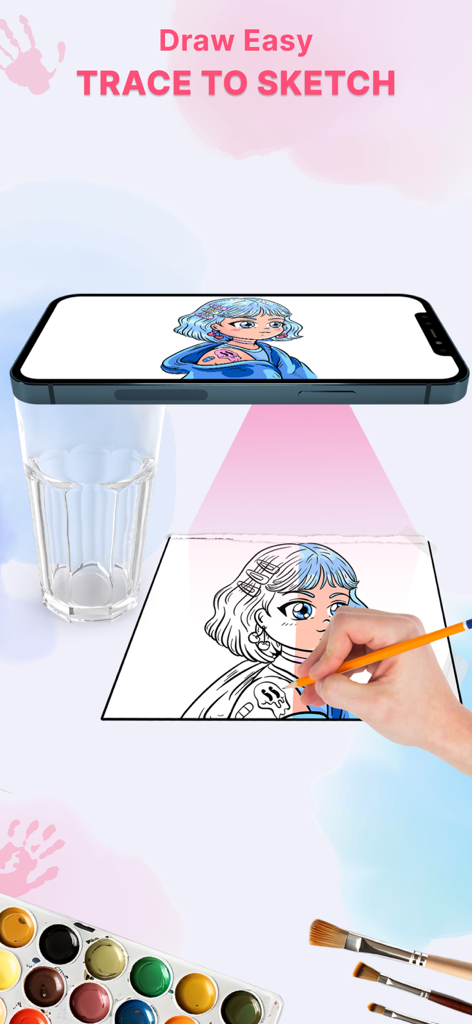
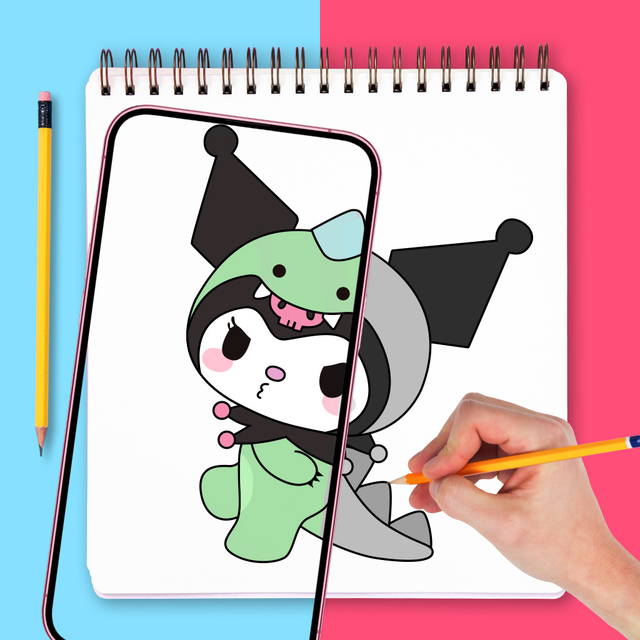
Eine Hand, die mit der AR Drawing App auf einem Smartphone, das über dem Arbeitsbereich balanciert ist, einen Anime-Charakter auf Papier nachzeichnet.

Eine Hand, die mit der AR Drawing App auf einem Smartphone, das über dem Arbeitsbereich balanciert ist, einen Anime-Charakter auf Papier nachzeichnet.

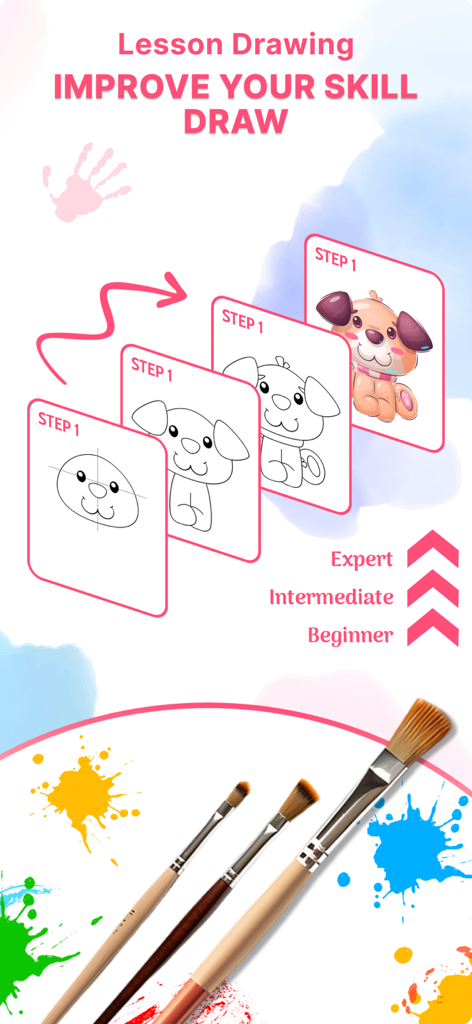
Schritt-für-Schritt-Zeichenanleitung, die den Fortschritt von Anfänger- bis Expertenniveau zeigt

Schritt-für-Schritt-Zeichenanleitung, die den Fortschritt von Anfänger- bis Expertenniveau zeigt

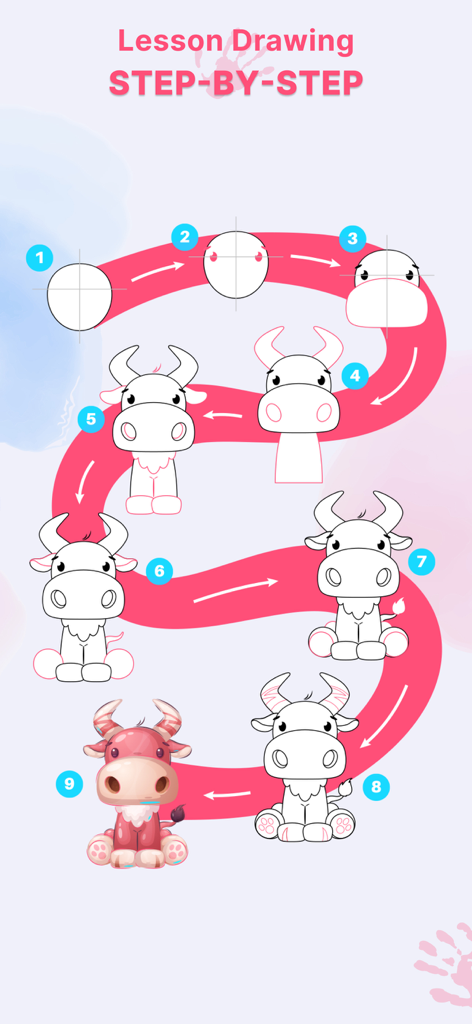
Eine Schritt-für-Schritt-Anleitung, die zeigt, wie man eine süße Cartoon-Kuh von einfachen Formen zu einem fertigen gefärbten Charakter zeichnet

Eine Schritt-für-Schritt-Anleitung, die zeigt, wie man eine süße Cartoon-Kuh von einfachen Formen zu einem fertigen gefärbten Charakter zeichnet

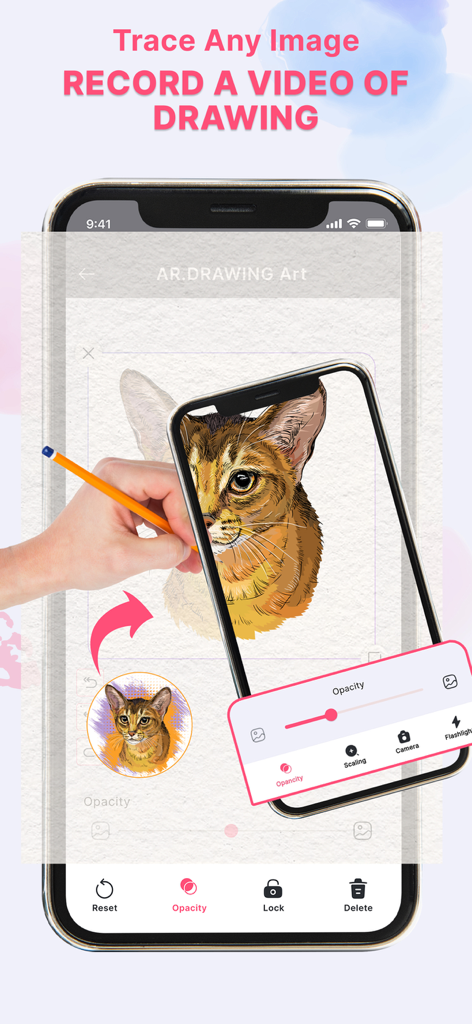
Eine Person, die ein Smartphone verwendet, um eine Katzenskizze mit erweiterter Realität auf Papier nachzuzeichnen

Eine Person, die ein Smartphone verwendet, um eine Katzenskizze mit erweiterter Realität auf Papier nachzuzeichnen

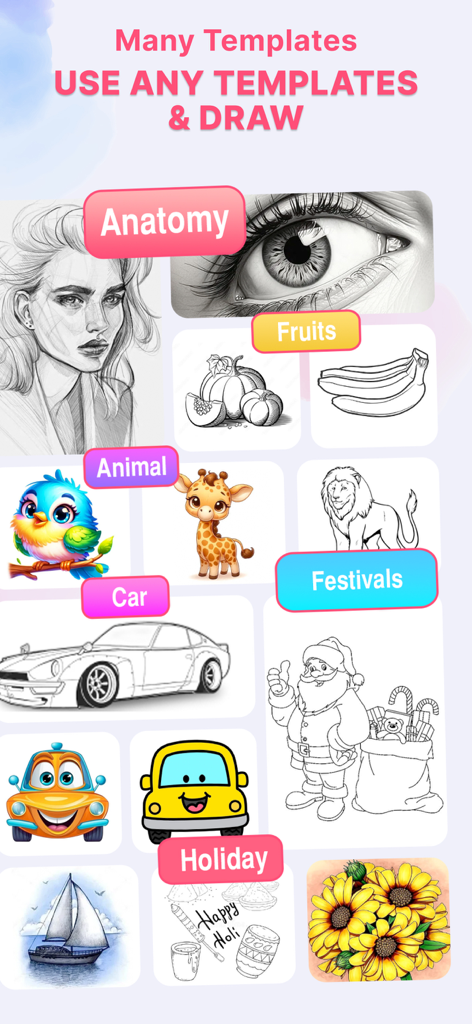
Eine Galerie, die verschiedene Zeichenvorlagen für Anatomie, Tiere, Autos und Feiertage in der AR Drawing App zeigt

Eine Galerie, die verschiedene Zeichenvorlagen für Anatomie, Tiere, Autos und Feiertage in der AR Drawing App zeigt

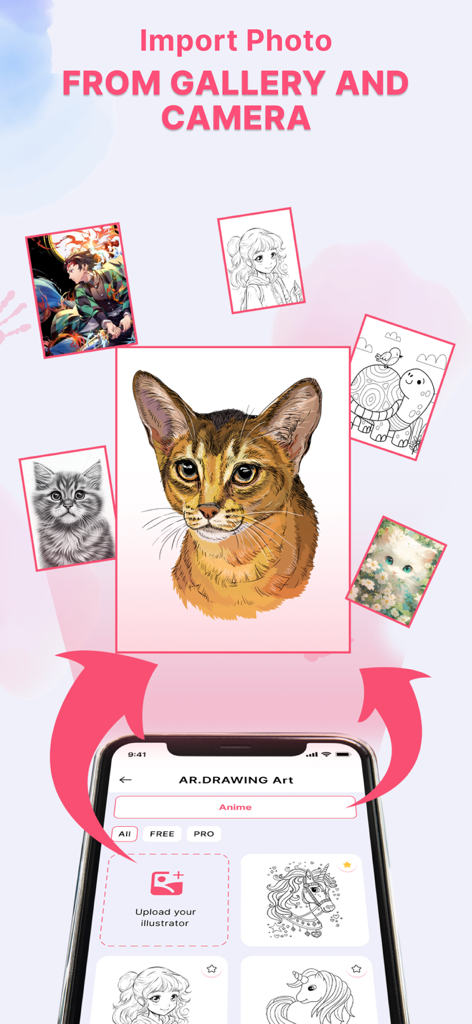
Eine mobile Oberfläche einer AR-Zeichen-App, die Optionen zum Importieren von Fotos aus der Galerie und der Kamera zum Skizzieren anzeigt

Eine mobile Oberfläche einer AR-Zeichen-App, die Optionen zum Importieren von Fotos aus der Galerie und der Kamera zum Skizzieren anzeigt

Entfalte dein verborgenes künstlerisches Talent

Die Tools, die diese App auszeichnen, gewählt von 4K+ Nutzern.

Magisches AR-Zeichnen

Nutze erweiterte Realität, um Bilder auf jede Oberfläche zu projizieren. Folge einfach den Linien auf deinem Bildschirm, um jedes Mal perfekte Proportionen und professionelle Ergebnisse zu erzielen.

🎨

Riesige Vorlagenbibliothek

Tauche ein in Hunderte von angesagten Kategorien, darunter Anime, Natur und Autos. Egal, ob du ein Fan von Fan-Art bist oder gerne bastelst, wir haben die perfekte Vorlage für dich.

📸

Foto-zu-Skizze-Umwandlung

Verwandle deine Lieblingserinnerungen in Meisterwerke. Wandle jedes Foto aus deiner Galerie sofort in eine individuelle Bleistiftskizzen-Vorlage um, die du nachzeichnen und personalisieren kannst.

Über die App

Alles, was Sie über wissen müssen AR.DRAWING Art: Paint & Sketch.

Beschreibung

Are you ready to draw with a more confident hand? Learning how to draw better can be easy and fun! AR.DRAWING has everything you need to start drawing from scratch. If you’re a true beginner, and want a fast way to learn the basics, AR.DRAWING Art is the drawing app for you. Harnessing the power of augmented reality, AR.DRAWING Art enables you to create breathtaking drawings and paintings on any surface with ease. Dive into the world of art with just a few simple steps! Easy Steps to Master Drawing: - Trace: Discover inspiration from any image or artwork, transforming them into line art. Simply place your drawing paper over the image and trace the lines to bring your artistic vision to life. - Sketch (Camera Sketch): Use your phone's camera to convert real-life images into freehand sketches. Tap on the screen to draw, and turn photos into unique works of art. Key Features: Draw and Trace with AR Technology: Experience the magic of augmented reality to create stunning art pieces. Versatile Tracing Templates: Choose from a wide variety of templates, including animals, cars, nature, food, anime, and more. Adjustable Opacity: Customize the opacity to your liking for a perfect sketch every time. Pencil Photo Conversion: Easily convert photos to pencil sketches for seamless drawing. Enhance Your Sketches: Use various options to refine and complete your drawings. How to Use: Set Up: Place your phone on a stable tripod or object. Open AR Drawing: Launch the AR.DRAWING Art: Paint & Sketch app. Select a Picture: Import a photo from your gallery or choose one from the app's Art Gallery. Convert to Sketch: Transform your chosen picture into a border sketch. Adjust Image: Position the AR version of the image on your canvas or paper. Start Drawing: Begin creating your masterpiece with ease. Transform your smart device into a powerful artistic tool by adjusting image settings such as brightness, contrast, rotation, and more. Whether you're a seasoned artist or a beginner, AR.DRAWING Art is the ultimate app to unleash your creativity and explore new artistic horizons. We Value Your Feedback: If you have any questions or suggestions to improve the AR.DRAWING Art: Paint & Sketch app, please feel free to email us. Thank you for choosing AR.DRAWING Art! You can upgrade to Premium with buy subscription options: - a lifetime subscription - a monthly subscription (which comes with a 3-day free trial). - a weekly subscription – Payment will be charged to iTunes Account at confirmation of purchase. – Subscription automatically renews unless auto-renew is turned off at least 24-hours before the end of the current period. – Account will be charged for renewal within 24-hours prior to the end of the current period, and identify the cost of the renewal. – Subscriptions may be managed by the user and auto-renewal may be turned off by going to the user’s Account Settings after purchase. – Any unused portion of a free trial period, if offered, will be forfeited when the user purchases a subscription to that publication, where applicable. Privacy Policy: https://tvgsoft.com/privacy-policy Terms of Service: https://tvgsoft.com/terms-of-service

Neueste Version

1.0.5

Größe

118.2 MB

Erstveröffentlichung

6. Juli 2024

Bereit, dein erstes Meisterwerk zu erschaffen?

Schließe dich Tausenden von Kreativen an, die AR-Technologie nutzen, um die Lücke zwischen Vorstellung und Realität zu schließen. Lade AR.DRAWING herunter und beginne noch heute, selbstbewusst zu skizzieren.

Herunterladen auf App Store

App information, icons, screenshots, and descriptions displayed on this page are sourced from the Apple App Store and are the property of their respective developers. Download estimates and rankings are based on MWM's proprietary models and may not reflect actual figures. This page is provided for informational and analytical purposes only.

Believe this page infringes your intellectual property? File a dispute