AVSub

AVSub

Herunterladen auf App Store
Logo von AVSub

AVSub: Die ultimative Hi-Fi-Streaming-Powerhouse für Subsonic

Übernehmen Sie die volle Kontrolle über Ihre persönliche Medienbibliothek. Erleben Sie bit-perfekte FLAC-Wiedergabe, fortschrittliches Offline-Caching und nahtlose Integration mit CarPlay und Apple Watch, entwickelt für den digitalen souveränen Audiophilen.

Herausgeber

Richard Levy

Kategorie

Music

Downloads

78K+

Bewertung

3.8/5

Bewertungen gesamt

200

Sprachen

5

Ihre Bibliothek, verfeinert

Entdecken Sie die Oberfläche, die von 78K+ Nutzern verwendet wird.
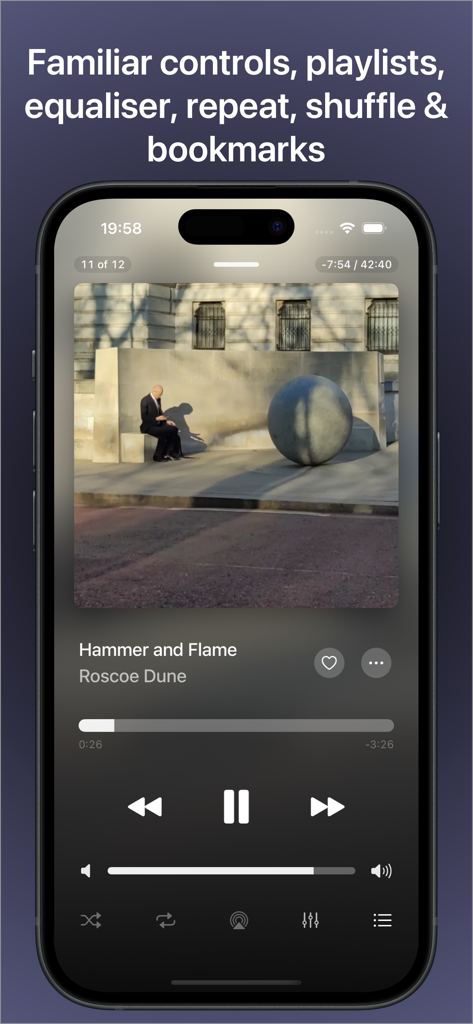
AVSub Musik-Player-Oberfläche auf dem iPhone mit Wiedergabesteuerung und Album-Cover

AVSub Musik-Player-Oberfläche auf dem iPhone mit Wiedergabesteuerung und Album-Cover

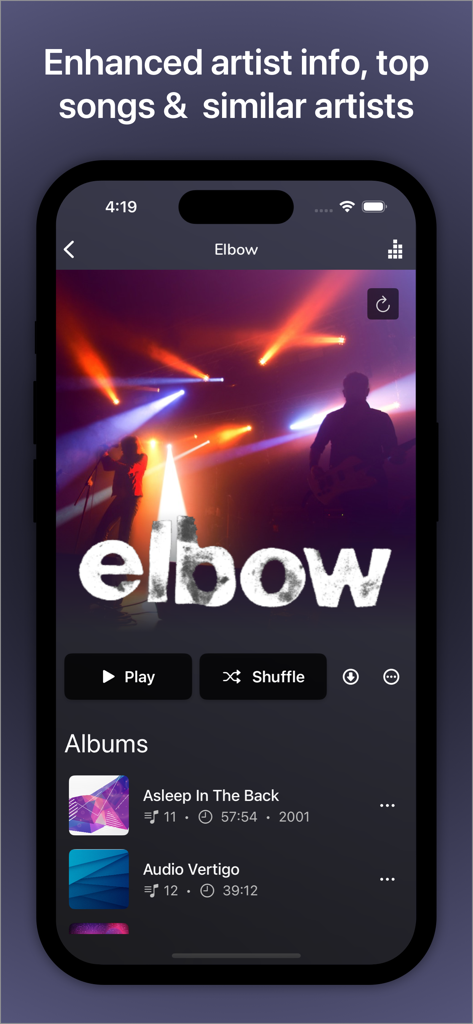
AVSub App-Oberfläche mit Details zum Künstler und Alben der Band Elbow

AVSub App-Oberfläche mit Details zum Künstler und Alben der Band Elbow

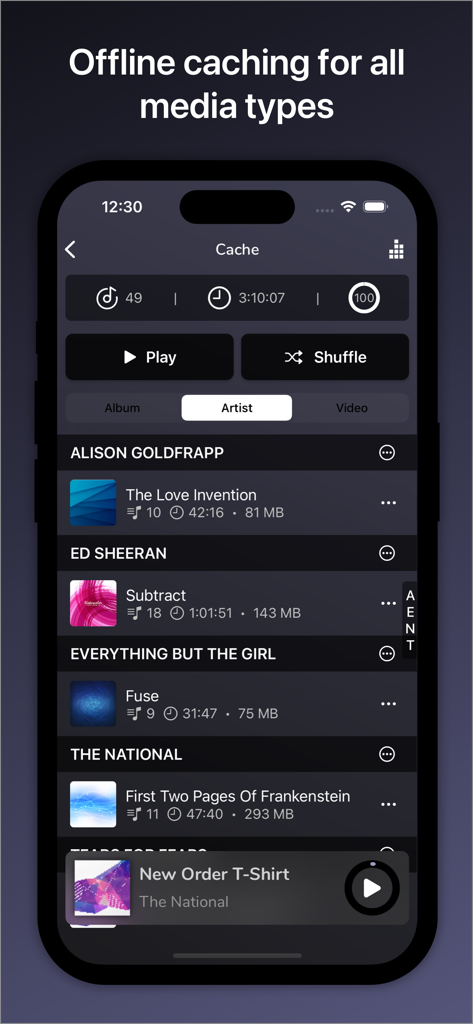
AVSub App-Oberfläche mit offline gecachten Musiktiteln und Künstlern zur Wiedergabe

AVSub App-Oberfläche mit offline gecachten Musiktiteln und Künstlern zur Wiedergabe

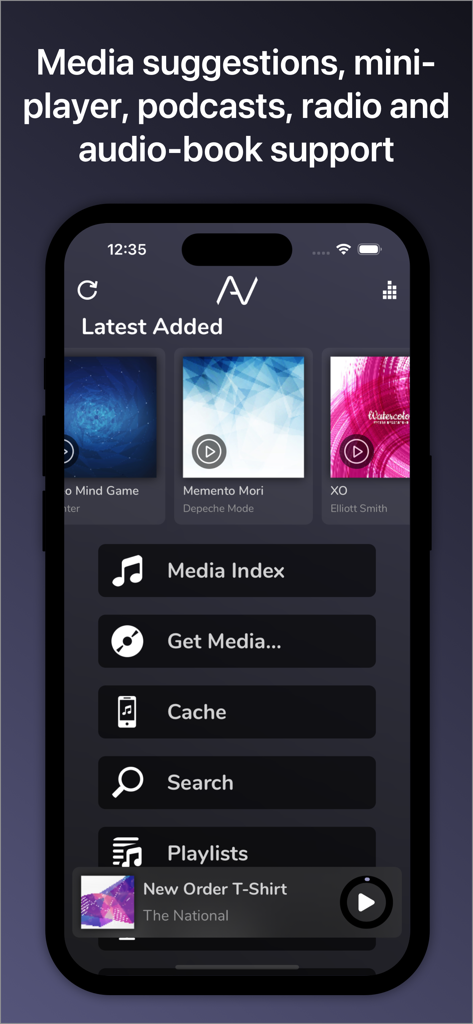
AVSub App Startbildschirm mit zuletzt hinzugefügten Alben und Mediennavigationsmenü

AVSub App Startbildschirm mit zuletzt hinzugefügten Alben und Mediennavigationsmenü

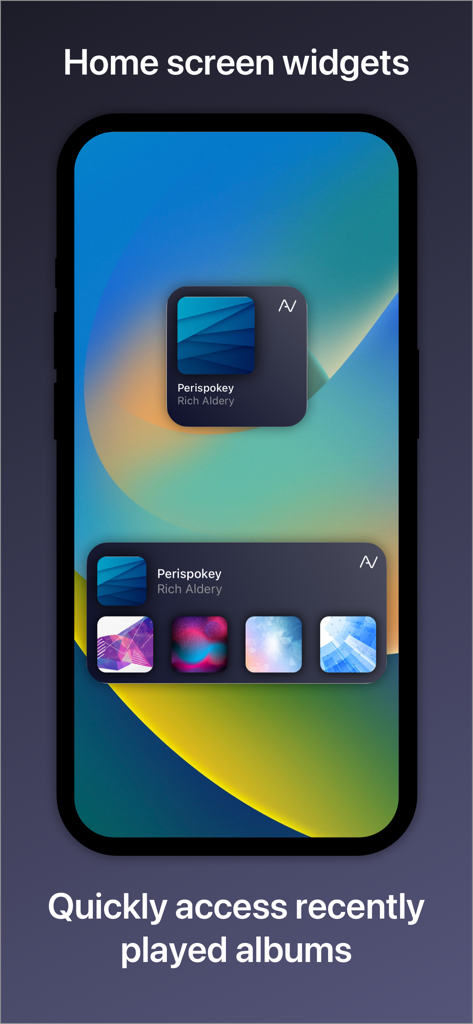
AVSub iOS Home-Bildschirm-Widgets mit zuletzt gespielten Musikalben

AVSub iOS Home-Bildschirm-Widgets mit zuletzt gespielten Musikalben

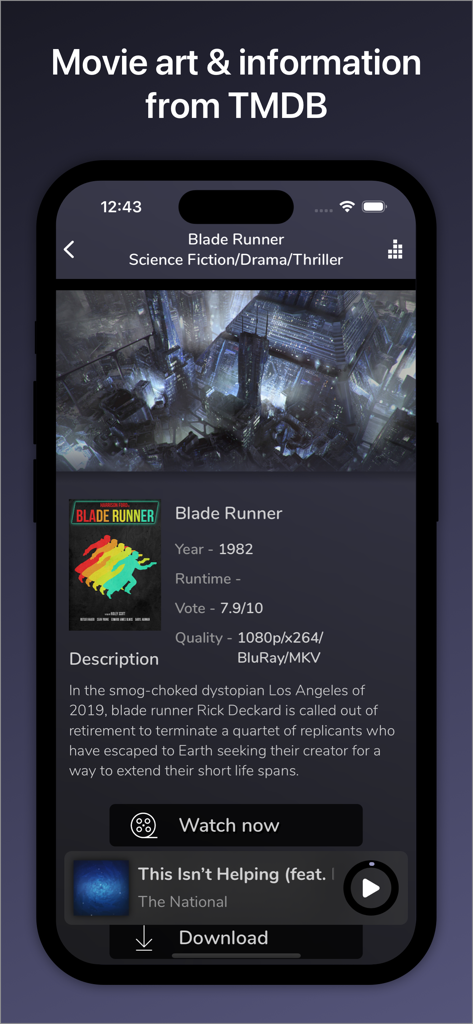
AVSub App-Oberfläche mit Film-Informationen und Poster für Blade Runner mit TMDB-Integration

AVSub App-Oberfläche mit Film-Informationen und Poster für Blade Runner mit TMDB-Integration

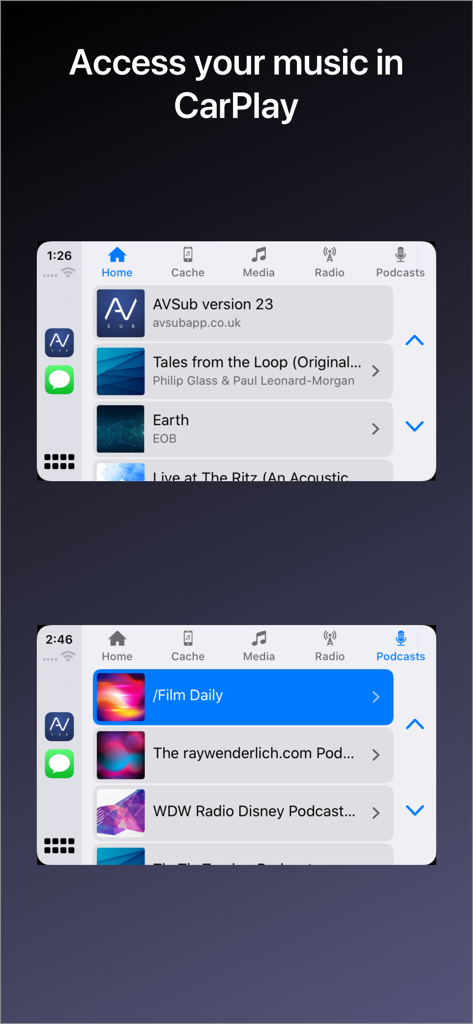
AVSub Musik- und Podcast-Streaming-Oberfläche auf Apple CarPlay

AVSub Musik- und Podcast-Streaming-Oberfläche auf Apple CarPlay

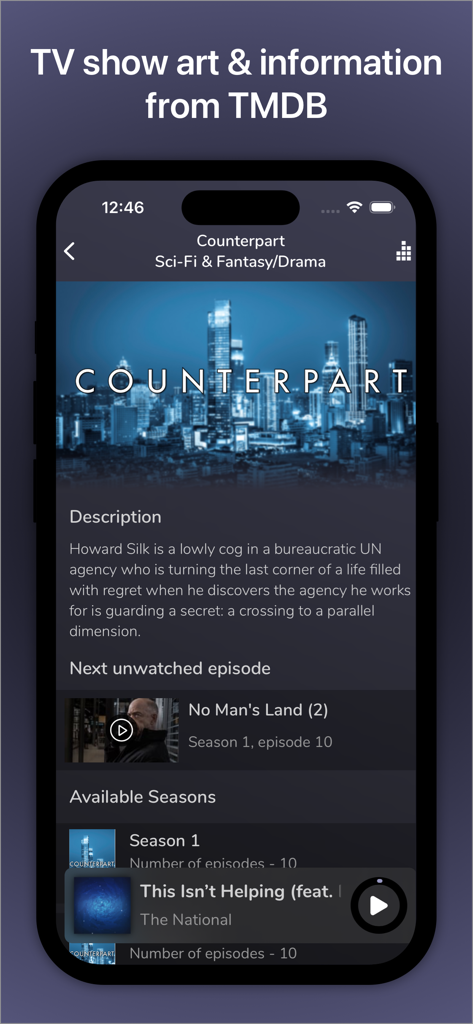
AVSub Mobile App-Bildschirm mit TV-Show-Metadaten und Episodenlisten, integriert von TMDB

AVSub Mobile App-Bildschirm mit TV-Show-Metadaten und Episodenlisten, integriert von TMDB

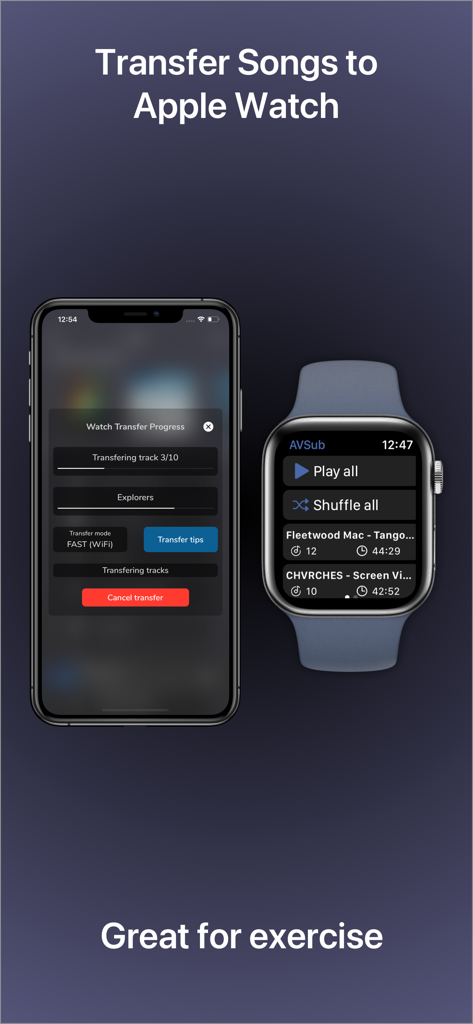
iPhone und Apple Watch zeigen den Fortschritt der Musikübertragung für Offline-Hören in der AVSub App

iPhone und Apple Watch zeigen den Fortschritt der Musikübertragung für Offline-Hören in der AVSub App

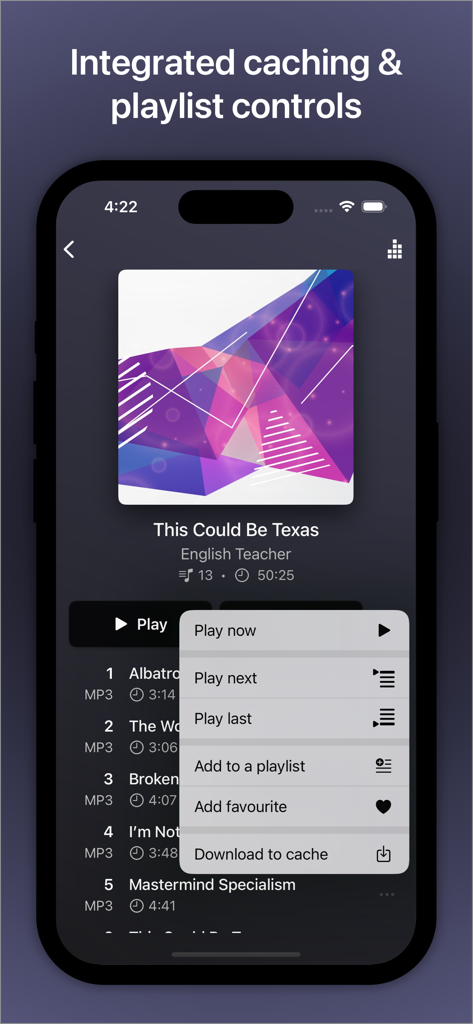
AVSub Musik-Player-Oberfläche mit integriertem Caching und Playlist-Steuerungsmenü

AVSub Musik-Player-Oberfläche mit integriertem Caching und Playlist-Steuerungsmenü

Meistern Sie Ihr persönliches Medienuniversum

Die Tools, die diese App auszeichnen, gewählt von 78K+ Nutzern.

🔊

Audiophile Leistung

Erleben Sie kompromisslosen Sound mit bit-perfekter Unterstützung für FLAC-, DSD- und 24-Bit/192kHz-Ausgabe, entwickelt für High-End-DACs und Kopfhörer.

📶

Vollständige Offline-Unabhängigkeit

Nehmen Sie Ihre Bibliothek überallhin mit intelligentem Hintergrund-Caching mit. Streamen Sie Ihre Musik und Videos ohne Datenlimits oder Funkzellen-Funklücken.

🚗

Nahtlose Apple-Integration

Ihr privater Server, modernisiert. Greifen Sie mit CarPlay, Apple Watch-Erweiterungen und hochwertigem AirPlay-Streaming problemlos auf Ihre Sammlung zu.

Über die App

Alles, was Sie über wissen müssen AVSub.

Beschreibung

AVSub is a fully featured, multi-language music and video streaming (after in-app purchase) app for SubSonic. With multi-format (including FLAC) support, quick & easy browsing, caching for offline listening or viewing, playlist support and a great user interface, accessing your media is fast and simple. With full Bluetooth Audio, Apple Watch, CarPlay, AVCast/Chromecast/FireTV & Airplay support too, you can have your media with you anywhere, anytime. Connect AVSub to your licensed SubSonic server and you'll have access to your entire media collection. AVSub supports any audio format that SubSonic supports and SSL. AVSub's user interface is easy to use. Buttons are large and clear and playback can be controlled by gestures. Optimized views for both portrait & landscape orientations make the most of your device. AVSub has full Bluetooth Audio support - stream to any Bluetooth device (car stereo, amplifier, speaker, headphones) with superb quality. Bluetooth remote-control is fully supported. AVSub also fully suports CarPlay. The AVSub Apple Watch extension is the easiest way to get your Subsonic playlists onto your watch. The extension supports full background playback. You can take your music with you even without your phone! AVSub supports caching so you can listen to your music or watch video even when you're not connected to the Internet. AVSub will intelligently cache what you listen to in the background, or you can choose to download tracks, albums or videos direct to the cache for quick pre-loading. Cache size is configurable, along with options such as cache reading & writing and the ability to control direct-downloading over a mobile/cellular network. Cache management in AVSub is easy too! When browsing the cache, simple swipe right-to-left on item to reveal a delete button. See the AVSub website for details. AVSub supports Subsonic playlists and will intelligently cache tracks on your device. AVSub can be used on both WiFi or a mobile/cellular connection (3G/4G). Audio caching ensure smoother playback. AVSub shows enhanced information for your media, recognising movies, TV, artists and giving bio information, top tracks and similar artists. AVSub supports the casting app AVCast. With AVSub you can access your full media library by browsing, selecting from the most recently added, most recently played, most frequently played or highest rated tracks, or search over your entire library. AVSub also supports multiple SubSonic top-level music folders, allowing you to select an individual top-level folder, or your entire collection. You can browse by folder structure or ID3 tags. AVSub Features: - Universal app for iPhone/iPad/iPod Touch - MP3/AAC/FLAC/MP4/ALAC/Vorbis/Opus/WAV/DSD - High-resolution digital audio output via CCK up to 24bit/192kHz - CarPlay - TMDb integration for full movie & TV posters and details - VLC integration - Equaliser - Mini player - AVCast support - Google Cast & Amazon Fire TV audio and video (after in-app purchase) - Portrait and landscape - Video streaming with caching (in-app purchase) - Subsonic Jukebox (in-app purchase) - Home screen & Notification center widget with recent items - 3D Touch quick action shortcuts - Internet radio - Crossfade - SSL support, including self-signed certificates - Caching for all media - Folder & ID3 mode - Multi-disc album support - Artist Radio/Similar Songs - Intelligent Bookmarks - Podcasts - Gapless playback - Track seeking - Subsonic playlist support - Streams over 3G/4G/5G/WiFi - Maximum streaming bitrate control - Bluetooth Audio/Airplay support - Remembers your playlist from the last session - Streams from any licensed SubSonic server (v4.0 and up) - Browse/search music collection - Browse most recently added, recently played, frequently played, highest rated - Random albums/songs - Shuffle and repeat - Album cover art - Lock-screen integration - Documentation & guides available at the AVSub website - Supports iOS10+

Neueste Version

27.1.1

Größe

89.1 MB

Erstveröffentlichung

25. Okt. 2014

Beherrschen Sie Ihre Medien. Überall.

Hören Sie auf, Ihre Musik zu mieten, und streamen Sie Ihre eigene High-Fidelity-Sammlung. Schließen Sie sich über 78.000 Audiophilen an, die AVSub für bit-perfekte FLAC-Wiedergabe, CarPlay-Integration und totale Medien-Souveränität vertrauen.

Herunterladen auf App Store
FAQ

Häufig gestellte Fragen

Alles, was Sie über wissen müssen AVSub

Welche Audioformate unterstützt AVSub?

AVSub unterstützt verschiedene Audioformate, darunter MP3, AAC, FLAC, MP4, ALAC, Vorbis, Opus, WAV und DSD. Es unterstützt auch jedes Audioformat, das Ihr SubSonic-Server unterstützt.

Unterstützt AVSub Video-Streaming?

Ja, AVSub unterstützt Video-Streaming mit Caching. Diese Funktion ist nach einem In-App-Kauf verfügbar. Sie beinhaltet auch die TMDb-Integration für Details zu Filmen und Fernsehsendungen.

Kann ich mit AVSub offline Musik hören?

Ja, AVSub unterstützt Caching für Offline-Hören und -Anzeigen. Sie können Inhalte intelligent im Hintergrund cachen oder Titel, Alben oder Videos direkt in den Cache herunterladen.

Funktioniert AVSub mit Apple Watch?

Ja, AVSub enthält eine Apple Watch-Erweiterung. Dies ermöglicht es Ihnen, Ihre Subsonic-Playlists auf Ihre Uhr zu übertragen und unterstützt die vollständige Hintergrundwiedergabe, sodass Sie Musik ohne Ihr Telefon hören können.

Ist AVSub mit Apple CarPlay kompatibel?

Ja, AVSub unterstützt Apple CarPlay vollständig. Sie können direkt über das Infotainmentsystem Ihres Autos auf Ihre Musikbibliothek und Podcasts zugreifen.

Welche Casting-Optionen bietet AVSub?

AVSub unterstützt AVCast, Google Cast und Amazon Fire TV für Audio- und Video-Streaming. Google Cast- und Amazon Fire TV-Funktionen erfordern einen In-App-Kauf für Audio und Video.

Wie verbessert AVSub Medieninformationen?

AVSub zeigt erweiterte Informationen für Ihre Medien an. Es erkennt Filme, Fernsehsendungen und Künstler, liefert Bio-Informationen, Top-Titel, ähnliche Künstler und integriert sich mit TMDb für Film- und TV-Poster und -Details.

Wie kann ich meine Medienbibliothek in AVSub durchsuchen?

AVSub ermöglicht es Ihnen, Ihre gesamte Medienbibliothek nach Ordnerstruktur, ID3-Tags oder durch Auswahl von kürzlich hinzugefügten, gespielten, häufig gespielten oder am besten bewerteten Titeln zu durchsuchen. Es unterstützt auch mehrere SubSonic Top-Level-Musikordner.

Hat AVSub Widgets für den Startbildschirm?

Ja, AVSub verfügt über Widgets für den Startbildschirm und das Mitteilungszentrum. Diese Widgets bieten schnellen Zugriff auf kürzlich gesehene Elemente und zuletzt gespielte Alben direkt vom Startbildschirm Ihres Geräts.

Welche iOS-Versionen unterstützt AVSub?

AVSub unterstützt iOS 10 und neuere Versionen. Es ist eine universelle App, die mit iPhone-, iPad- und iPod Touch-Geräten kompatibel ist.

App information, icons, screenshots, and descriptions displayed on this page are sourced from the Apple App Store and are the property of their respective developers. Download estimates and rankings are based on MWM's proprietary models and may not reflect actual figures. This page is provided for informational and analytical purposes only.

Believe this page infringes your intellectual property? File a dispute