Booklover - eBook Reader

Booklover - eBook Reader


Herunterladen auf App Store
Logo von Booklover - eBook Reader

Booklover: Die ultimative Bibliothek für Power-User und Sammler

Übernehmen Sie die volle Kontrolle über Ihre PDF- und Manga-Sammlung. Organisieren Sie mit erweiterten Metadaten, synchronisieren Sie über iCloud und passen Sie jedes Pixel Ihres Leseerlebnisses an.

Herausgeber

Plastic Software, Inc.

Kategorie

Books

Downloads

157K+

Bewertung

4.6/5

Bewertungen gesamt

1K+

Sprachen

2

Ihre Bibliothek, neu erfunden

Entdecken Sie die Oberfläche, die von 157K+ Nutzern verwendet wird.
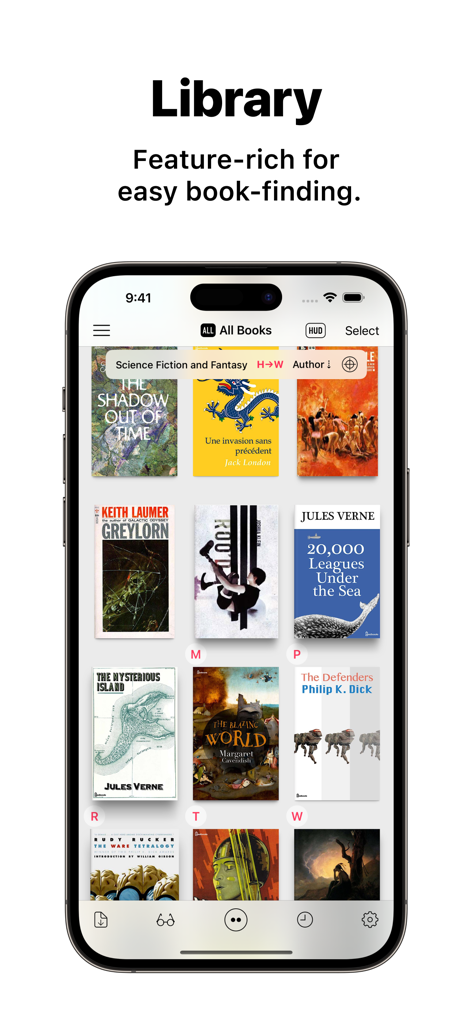
iPhone zeigt den Booklover App-Bibliotheksbildschirm mit einem Raster von Buchcovern und Bibliotheksverwaltungsfunktionen

iPhone zeigt den Booklover App-Bibliotheksbildschirm mit einem Raster von Buchcovern und Bibliotheksverwaltungsfunktionen

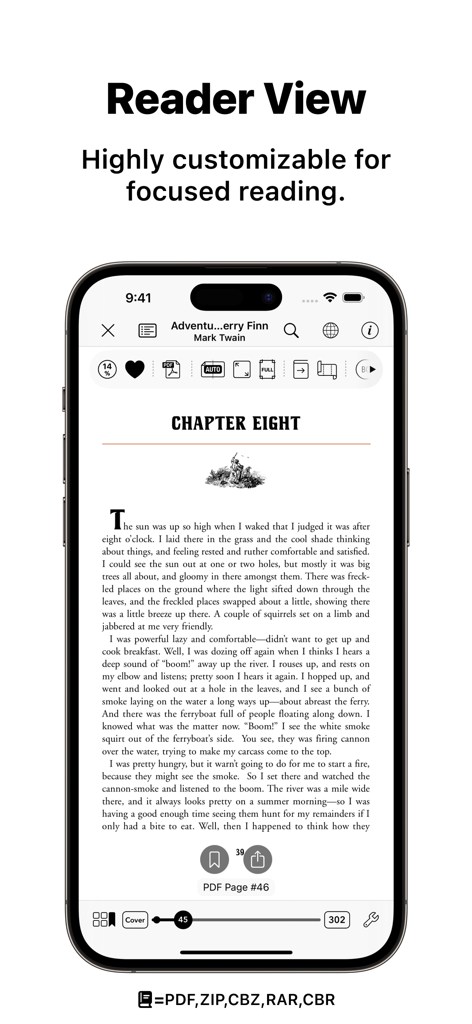
Booklover App-Reader-Ansicht, die die hochgradig anpassbare Benutzeroberfläche zum Lesen eines PDFs auf einem iPhone zeigt.

Booklover App-Reader-Ansicht, die die hochgradig anpassbare Benutzeroberfläche zum Lesen eines PDFs auf einem iPhone zeigt.

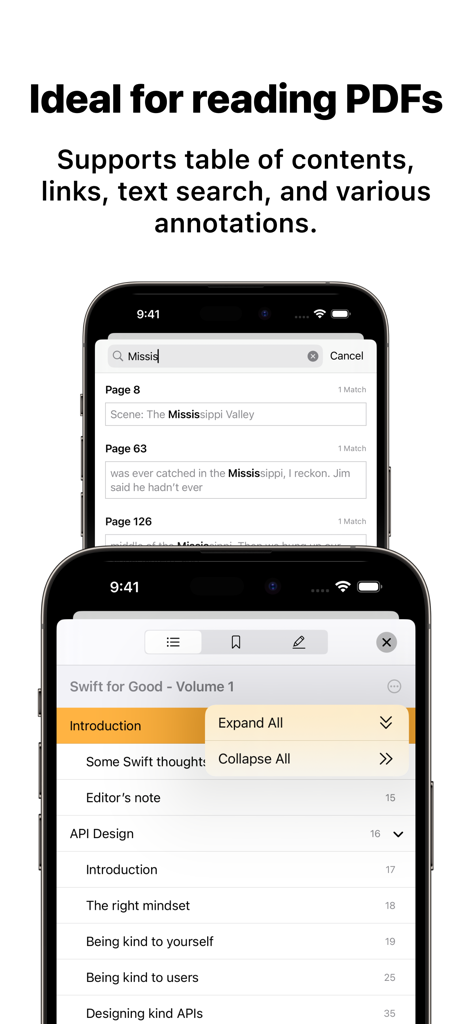
Booklover App zeigt PDF-Textsuchergebnisse und ein interaktives Inhaltsverzeichnis auf einem Smartphone

Booklover App zeigt PDF-Textsuchergebnisse und ein interaktives Inhaltsverzeichnis auf einem Smartphone

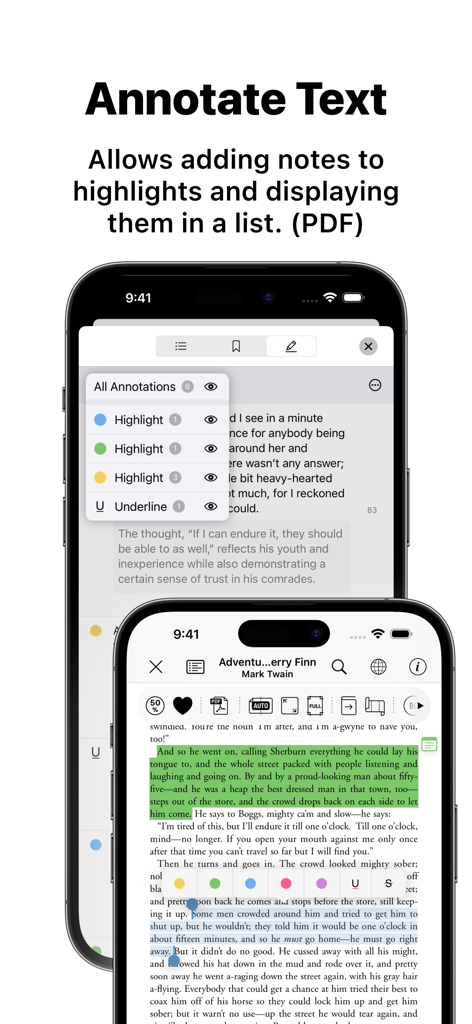
Booklover App zeigt eine Liste von PDF-Textanmerkungen und Hervorhebungen

Booklover App zeigt eine Liste von PDF-Textanmerkungen und Hervorhebungen

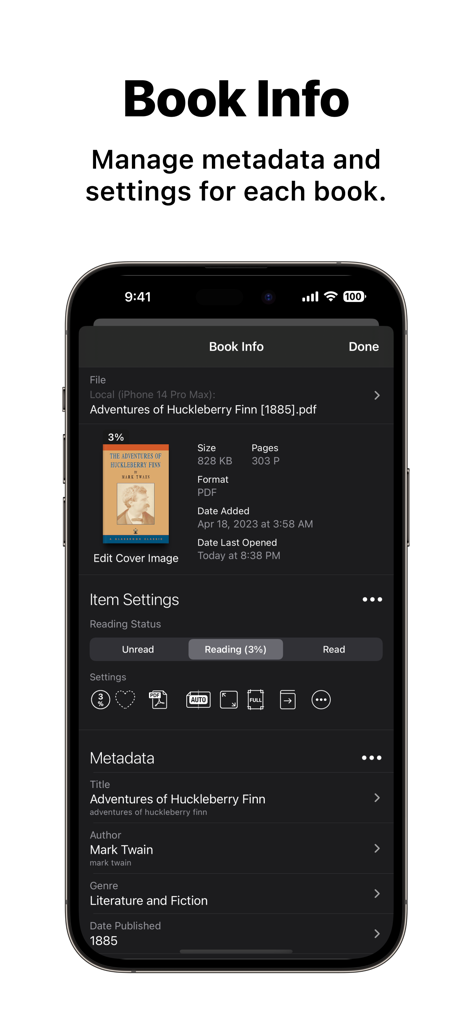
Screenshot des Bildschirms Buchinformationen in der Booklover App, der die Einstellungen für Metadatenbearbeitung und Lesestatus für ein PDF-EBook zeigt.

Screenshot des Bildschirms Buchinformationen in der Booklover App, der die Einstellungen für Metadatenbearbeitung und Lesestatus für ein PDF-EBook zeigt.

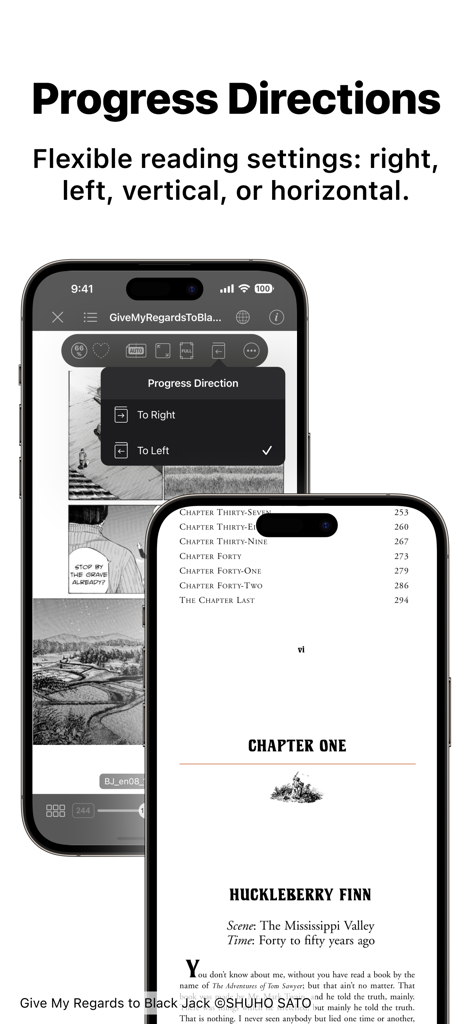
iPhone-Bildschirme, die die Lese-Einstellungen der Booklover App mit Optionen zur Änderung der Fortschrittsrichtung von rechts nach links für Bücher und Manga zeigen.

iPhone-Bildschirme, die die Lese-Einstellungen der Booklover App mit Optionen zur Änderung der Fortschrittsrichtung von rechts nach links für Bücher und Manga zeigen.

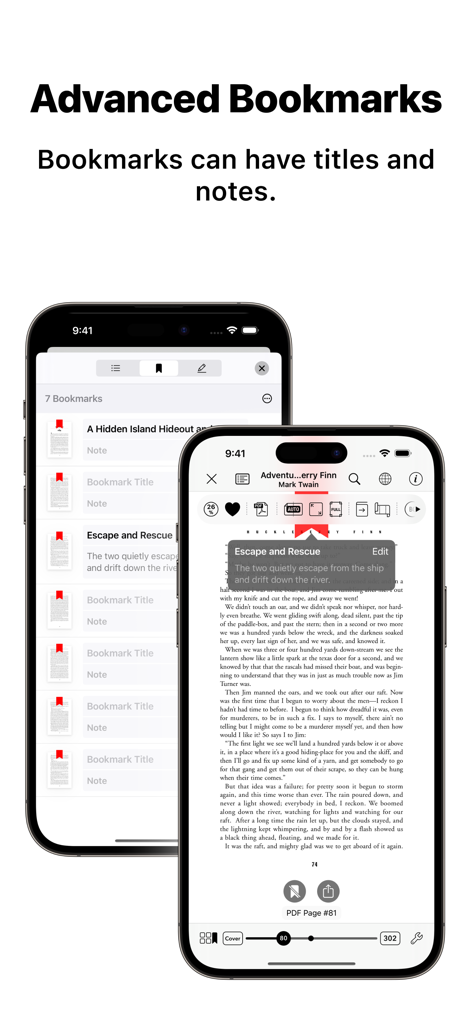
Oberfläche des Booklover eBook Readers, die erweiterte Lesezeichen mit Titeln und Notizen hervorhebt

Oberfläche des Booklover eBook Readers, die erweiterte Lesezeichen mit Titeln und Notizen hervorhebt

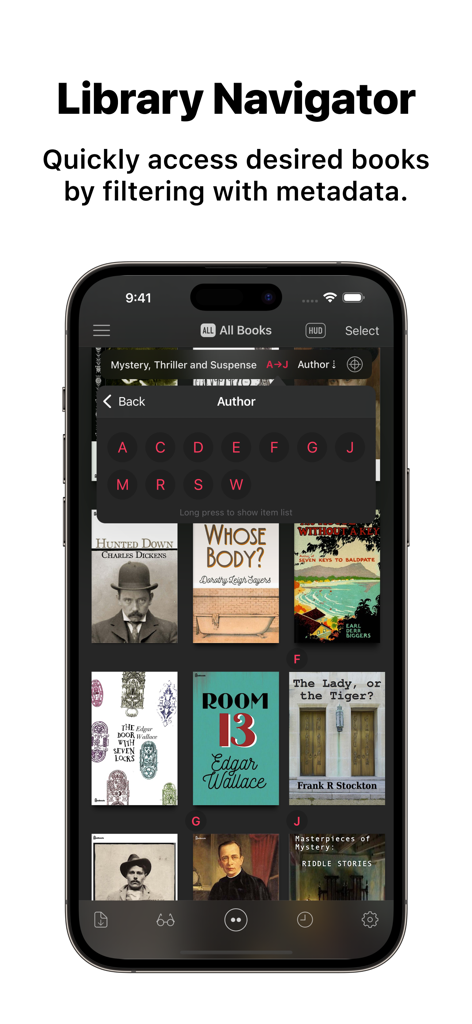
Booklover App zeigt die Funktion Bibliothek-Navigator mit einem alphabetischen Autorenfilter über einer Sammlung von eBook-Covern

Booklover App zeigt die Funktion Bibliothek-Navigator mit einem alphabetischen Autorenfilter über einer Sammlung von eBook-Covern

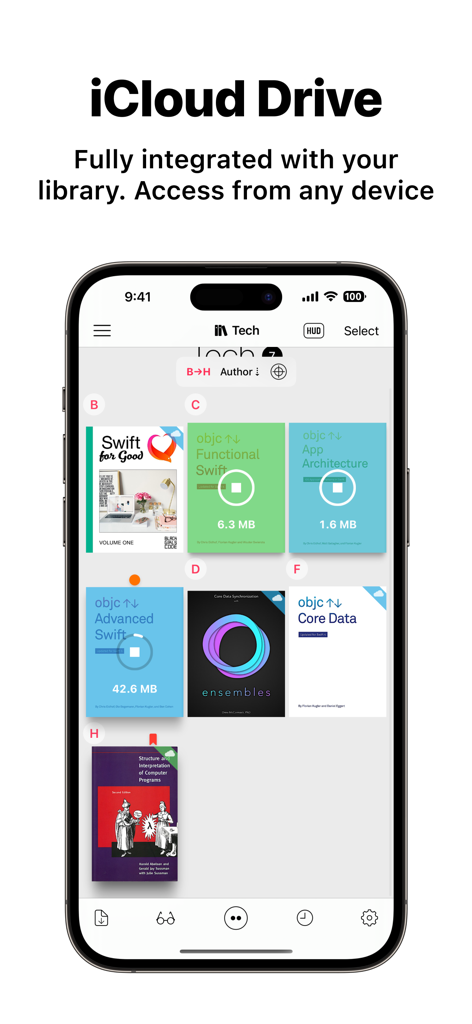
Booklover App auf dem iPhone zeigt die digitale Bibliothek mit technischen Büchern und dem Downloadfortschritt der iCloud Drive-Integration

Booklover App auf dem iPhone zeigt die digitale Bibliothek mit technischen Büchern und dem Downloadfortschritt der iCloud Drive-Integration

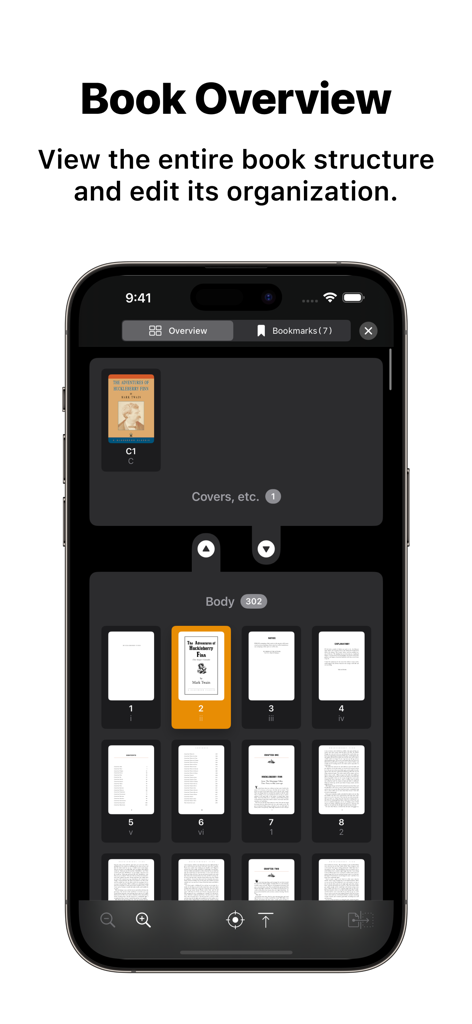
Die Benutzeroberfläche der Booklover App zeigt eine Buchübersicht mit Seiten-Thumbnails und Organisationstools

Die Benutzeroberfläche der Booklover App zeigt eine Buchübersicht mit Seiten-Thumbnails und Organisationstools

Das Power-Tool für Ihre digitale Bibliothek

Die Tools, die diese App auszeichnen, gewählt von 157K+ Nutzern.

🗂️

Grenzenlose Organisation

Verwalten Sie Genres, bearbeiten Sie detaillierte Metadaten und finden Sie jeden Titel sofort mit einem Bibliothekssystem, das für ernsthafte Sammler entwickelt wurde, die ein kuratiertes digitales Regal schätzen.

📐

Präzise Lesewerkzeuge

Perfektionieren Sie Ihre Ansicht mit intelligenter Randbeschneidung, Rechts-nach-Links-Unterstützung für Manga und Bildfiltern, die gescannte Bücher auf Ihrem iPad gestochen scharf aussehen lassen.

☁️

Nahtloses Cloud-Ökosystem

Legen Sie Dateien in Ihren iCloud-Ordner, damit sie sofort angezeigt werden. Synchronisieren Sie Ihre Sammlung mühelos über AirDrop, Dropbox oder OneDrive nach Ihren eigenen Vorstellungen.

Über die App

Alles, was Sie über wissen müssen Booklover - eBook Reader.

Beschreibung

Booklover is a highly responsive and robust eBook reader. It excels at handling PDFs, manga, and scanned books. The metadata-driven library management system makes it easy to organize and enjoy a large collection of books in PDF, ZIP/CBZ, and RAR/CBR formats. Seamlessly integrated with iCloud Drive, books in the iCloud Drive/Booklover folder automatically appear in the app’s library and can be downloaded on demand. In the library, you can organize books by genres and arrange them using various bibliographic details such as title, author, publisher, and more. With the search field and powerful Library Navigator, you can quickly locate a book among thousands in your collection. Customize your reading experience with settings for each book, including page layout, transition axis and style, cropping, filters, progress direction, background, and more. Booklover supports bookmarks with titles and notes, as well as PDF text annotations (highlights), text search, and a table of contents. Main Features: # General • Manage and view eBooks (PDF, ZIP/CBZ, RAR/CBR) • Support for archived image files in JPG, PNG, GIF, HEIF, WEBP, AVIF, and JPEG XL formats • Automatic syncing of book files placed in iCloud Drive/Booklover. On-demand caching (download) of the remote files • Import files via iTunes (Windows), Finder (Mac), AirDrop, Drag & Drop, "Open with..." etc. • Import files via apps from various cloud storage services, such as Dropbox and OneDrive, as well as other services accessible through the iOS Files app. • Slide Over / Split View (iPad) • Hardware keyboard support (mainly in the reader) # Library • Section books by genre (ON/OFF) • The Library Navigator (ON/OFF) • Histories of added and opened books • Context Menu for individual books (long-press a book cover) • Change sort order: By Title, Author, Publisher, Filename, Added Date, etc. • Alphanumeric Index Labels (ON/OFF) • Toggle display of cover accessories • Adjust cover grid size • Responsive Shadow (shows page volume with shadow) • Filter books by Status, Genre, Tags, etc. • Search books by various bibliographic details, file name, and tags # Reader • PDF text annotations (highlights) with notes, text search, and a table of contents • Bookmarks with titles and notes • Lists of bookmarks and PDF annotations • Page transition settings: Axis (Horizontal, Vertical), Style (Scroll, Continuous Scroll, Stack, Crossfade, Zoom fade, Instant) • Progress direction setting: Left to Right, Right to Left (for vertical text, manga, Arabic, etc.) • Page layout setting: Automatic, Single-Page, Two-Pages (spread) • Separate page layout settings for view orientation (Portrait / Landscape) • Page trimming (for images only) • Page sizing: Show All, Width-Fit, Height-Fit • Page thumbnail view (overview, bookmarks) • Image correction filters • Dynamic background (When the "Background Color" option for a book is set to "Dynamic") • Adjust page spread position (Insert adjuster page at the beginning of the book body) • Text recognition within images (with compatible devices only) • Export (share) the currently displayed page # Book Management • Edit metadata: Title, Author, Genre, Publisher, Published Date, ISBN, etc. • Edit Tags (Can be used as filter criteria in the side menu) • Extract metadata (title/author) from PDFs • Extract various metadata from file names with configurable extraction rules • Automatic/Manual cropping of book covers • Batch modification of book settings and metadata • Transfer book files: "Open with...", AirDrop, Drag & Drop, etc. • Can manage the content files and data separately ("Ghost Book") ——————————————— # Acknowledgments [Books used in the screenshots] • "Give My Regards to Black Jack" by SHUHO SATO (Manga on Web: http://mangaonweb.com) • Public domain books from Feedbooks (http://www.feedbooks.com) • Public domain comics from digitalcomicmuseum.com (http://digitalcomicmuseum.com)

Neueste Version

3.6.1

Größe

18.8 MB

Erstveröffentlichung

7. Jan. 2015

Meistern Sie Ihre digitale Bibliothek

Schließen Sie sich über 150.000 Power-Usern an, die mehr von ihrem Reader erwarten. Laden Sie Booklover jetzt herunter und übernehmen Sie die vollständige Kontrolle über Ihre PDF-, Manga- und eBook-Sammlung auf iPhone und iPad.

Herunterladen auf App Store

App information, icons, screenshots, and descriptions displayed on this page are sourced from the Apple App Store and are the property of their respective developers. Download estimates and rankings are based on MWM's proprietary models and may not reflect actual figures. This page is provided for informational and analytical purposes only.

Believe this page infringes your intellectual property? File a dispute