Cardflow+ by Qrayon

Cardflow+ by Qrayon

Herunterladen auf App Store
Logo von Cardflow+ by Qrayon

Cardflow+ von Qrayon: Der visuelle Arbeitsbereich für Ihre größten Ideen

Verabschieden Sie sich von der starren Struktur traditioneller Notizen. Storyboarden, brainstormen und organisieren Sie Ihre Projekte mit der taktilen Freiheit von Papierkarteikarten, neu erfunden für das iPad und den Apple Pencil.

Herausgeber

Qrayon, LLC

Kategorie

Productivity

Downloads

122K+

Bewertung

4.6/5

Bewertungen gesamt

3K+

Sprachen

4

Sehen Sie Ihr großes Bild

Entdecken Sie die Oberfläche, die von 122K+ Nutzern verwendet wird.
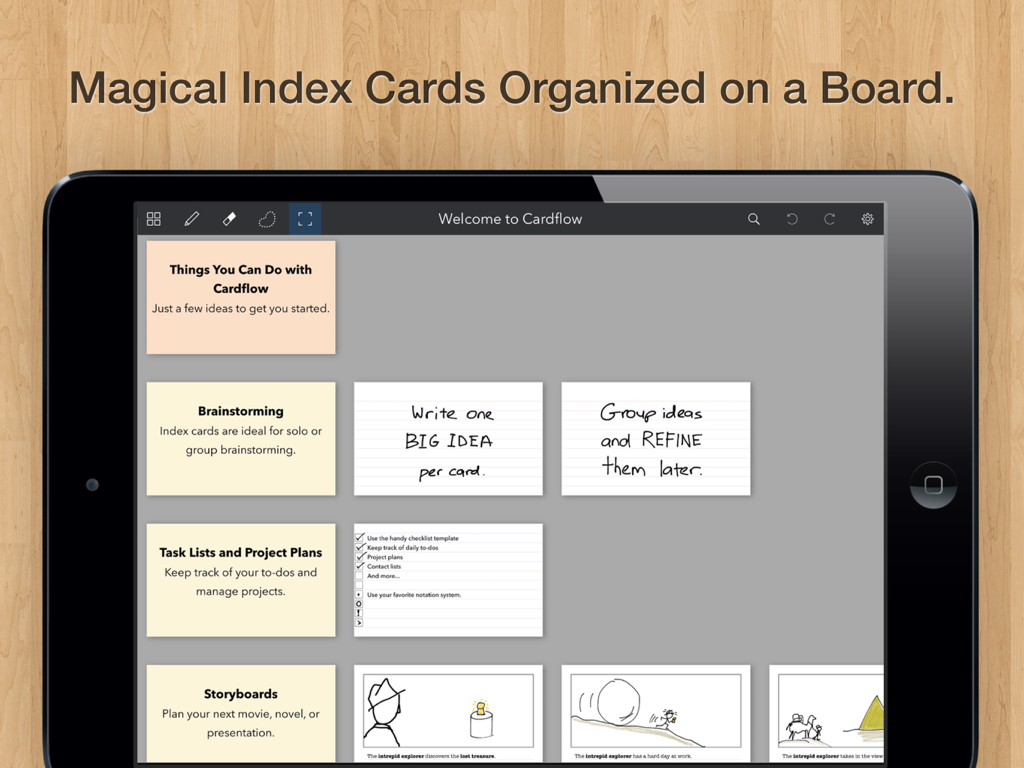
Ein iPad-Bildschirm, der digitale Karteikarten anzeigt, die auf einem Board für Brainstorming und Projektplanung organisiert sind

Ein iPad-Bildschirm, der digitale Karteikarten anzeigt, die auf einem Board für Brainstorming und Projektplanung organisiert sind

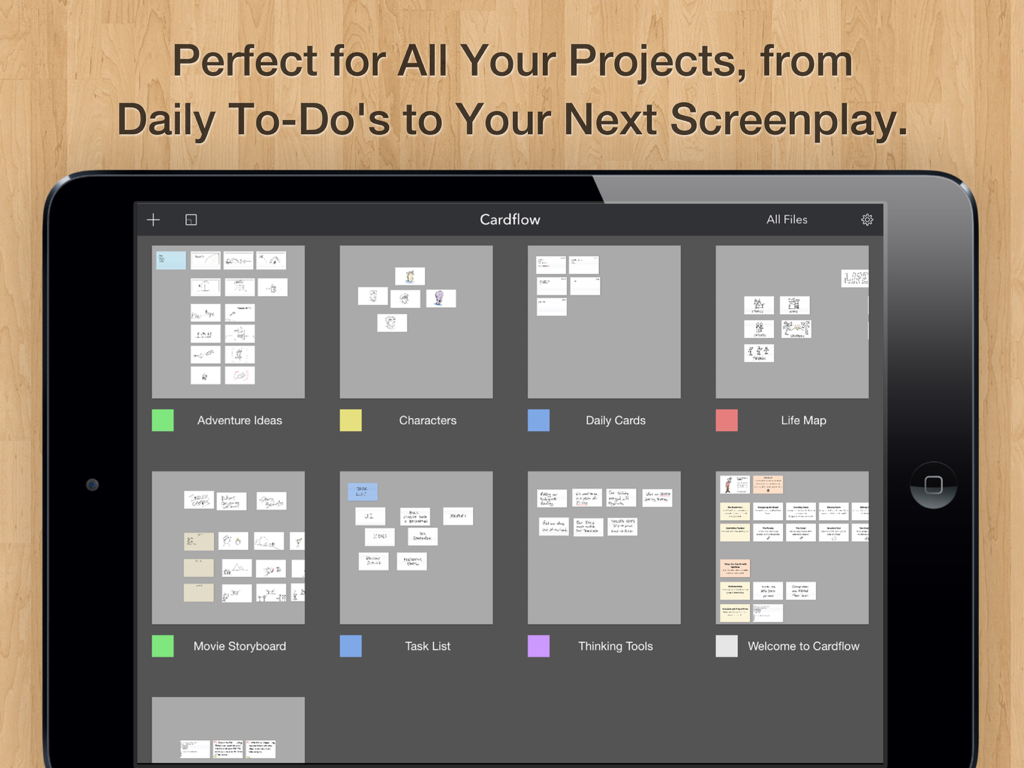
iPad-Galerieansicht von Cardflow Plus mit verschiedenen Projektboards mit virtuellen Karteikarten

iPad-Galerieansicht von Cardflow Plus mit verschiedenen Projektboards mit virtuellen Karteikarten

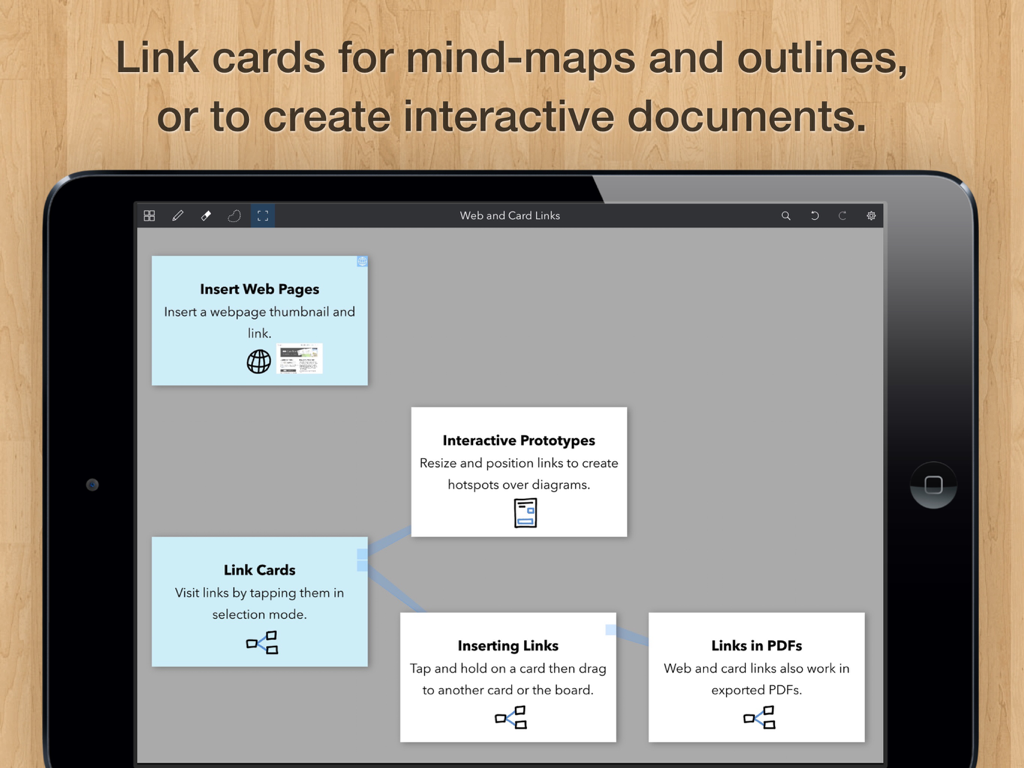
iPad-Bildschirm, der digitale Karteikarten zeigt, die miteinander verbunden sind, um eine Mindmap in Cardflow Plus zu erstellen

iPad-Bildschirm, der digitale Karteikarten zeigt, die miteinander verbunden sind, um eine Mindmap in Cardflow Plus zu erstellen

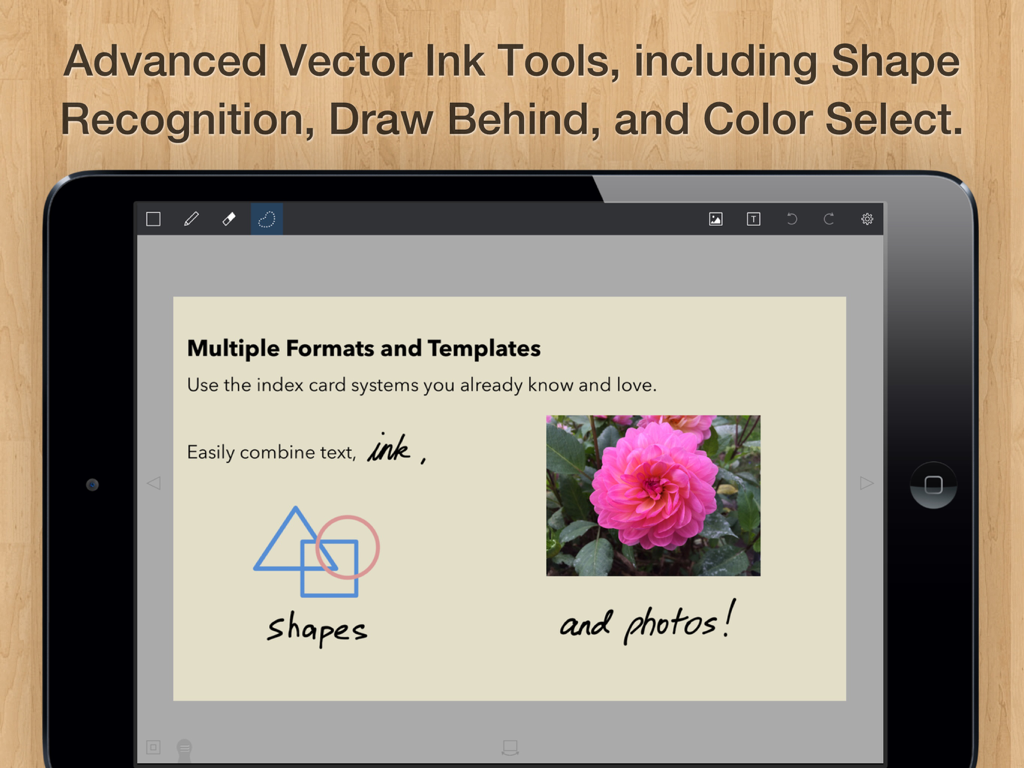
iPad-Bildschirm, der die Cardflow plus App mit einer digitalen Karteikarte zeigt, die Tuschezeichnungen, geometrische Formen und ein Foto enthält

iPad-Bildschirm, der die Cardflow plus App mit einer digitalen Karteikarte zeigt, die Tuschezeichnungen, geometrische Formen und ein Foto enthält

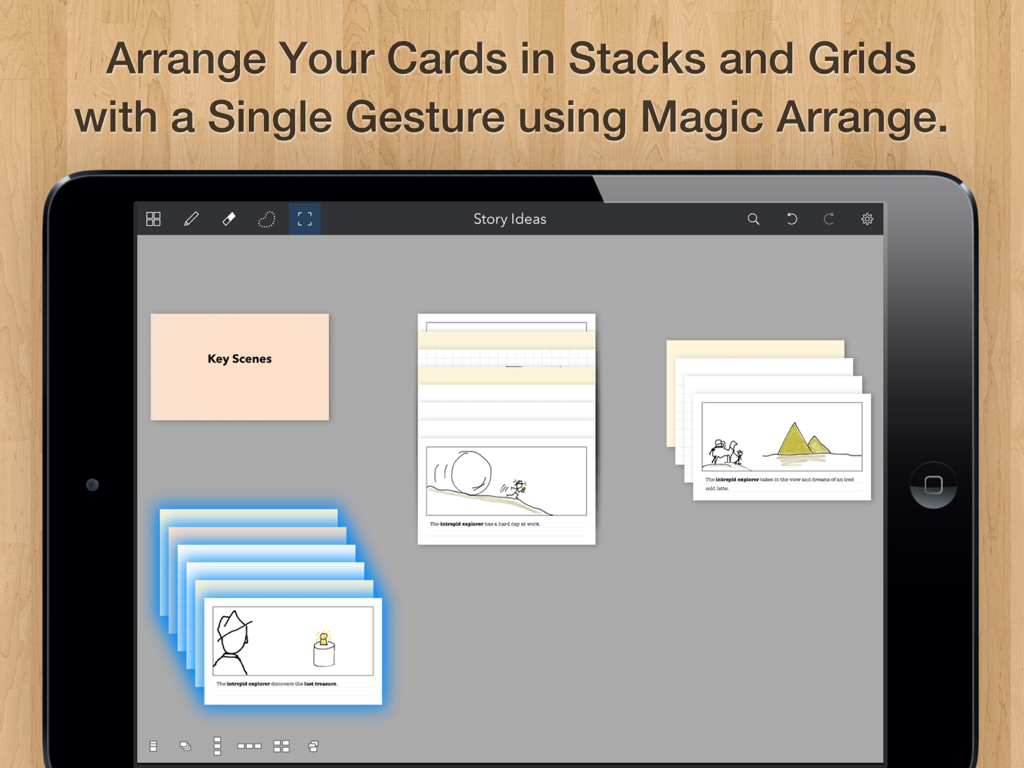
Cardflow plus iPad App-Oberfläche, die Karteikarten zeigt, die in Stapeln und Gittern organisiert sind.

Cardflow plus iPad App-Oberfläche, die Karteikarten zeigt, die in Stapeln und Gittern organisiert sind.

Visuelles Denken, grenzenlos

Die Tools, die diese App auszeichnen, gewählt von 122K+ Nutzern.

✍️

Natürliches Farbsystem

Erfassen Sie Ideen so schnell, wie sie kommen, mit butterweicher Vektorfarbe und Apple Pencil-Unterstützung, die sich so reaktionsschnell anfühlt wie Papier.

🗺️

Unendliches räumliches Canvas

Befreien Sie sich von linearen Listen, indem Sie Karten auf einem riesigen Board anordnen, stapeln und gruppieren – perfekt für Storyboards, Plot-Mapping und Agile Sprints.

📸

Hybrider kreativer Workflow

Machen Sie Fotos von physischen Karten, um sie als Hintergründe zu verwenden, oder mischen Sie Handschrift mit getipptem Text, um einen Arbeitsbereich zu erstellen, der sich Ihrem einzigartigen kreativen Prozess anpasst.

Über die App

Alles, was Sie über wissen müssen Cardflow+ by Qrayon.

Beschreibung

We love index cards. We use them a lot. They are a versatile and surprisingly powerful tool for all kinds of tasks. From brainstorming to storyboards, to planning entire projects, they have a place in your workflow. Cardflow captures the ease and flexibility of paper index cards and brings that experience to the iPad. Rather than impose a rigid structure up front, Cardflow allows you to lay things out however you like, and organize them in the way that makes sense to you. Jot down ideas or sketch diagrams on cards and arrange them on a large board. Write and draw using the buttery smooth Inkflow vector ink system, or type in a variety of fonts. You can even snap photos of actual cards to use as a background. Turbocharge your workflow today! Whether you are drafting story boards for a movie, laying out the plot and characters for your novel, or learning a new language, Cardflow has a place in your toolbox. Have all the fun of using index cards, without the forest-pulping guilt of paper. EDUCATORS: Cardflow+ qualifies for Apple's Volume Purchase Program. Purchase it in quantities of 20 or more at a discount from Apple's VPP site. HOW TO TRANSFER FILES FROM CARDFLOW Cardflow+ is installed as a separate App. To transfer a file from Cardflow to Cardflow+: 1. Tap on the file name in the Cardflow Gallery. 2. Tap "Transfer" in the context menu. 3. Select Cardflow+ from the list of Apps. Cardflow is perfect for: + Storyboards for videos or movies + Studying for an exam + Learning a new language + Writing the plot for a novel or book + Organizing weddings, parties, and other events + Corporate training + Project management + Agile, Scrum, and other methodologies + Group brainstorming + Writing your daily goals and to-dos + And much more! CREATIVE TOOLS FOR THE ULTIMATE CREATIVITY DEVICE We strongly believe that the iPad is not just a consumption device; It's a creativity device. Thanks for supporting us in our journey of building Creative Apps like Cardflow. We hope you enjoy using it! -- The App Makers @ Qrayon

Neueste Version

7.0

Größe

15.8 MB

Erstveröffentlichung

2. Sept. 2015

Bereit, Ihre nächste große Idee zu entwerfen?

Schließen Sie sich über 122.000 Kreativen, Autoren und Studenten an, die Papierchaos durch das ultimative Werkzeug für räumliches Brainstorming für das iPad ersetzt haben.

Herunterladen auf App Store

App information, icons, screenshots, and descriptions displayed on this page are sourced from the Apple App Store and are the property of their respective developers. Download estimates and rankings are based on MWM's proprietary models and may not reflect actual figures. This page is provided for informational and analytical purposes only.

Believe this page infringes your intellectual property? File a dispute