Casambi

Casambi

Herunterladen auf App StoreHerunterladen auf Google Play
Logo von Casambi

Casambi: Veredeln Sie Ihr Zuhause mit professioneller drahtloser Lichtsteuerung

Erleben Sie das Nonplusultra im Smart-Lighting-Design. Von der intuitiven fotobasierten Steuerung bis hin zu automatisierten Szenen – verwalten Sie Ihre gesamte Umgebung mit einem hochentwickelten Bluetooth-Mesh-System, das für modernes Wohnen entwickelt wurde.

Herausgeber

Casambi Technologies Oy

Kategorie

Lifestyle

Downloads

320K+

Bewertung

2.7/5

Bewertungen gesamt

100

Sprachen

20

Intuition in jedem Pixel

Entdecken Sie die Oberfläche, die von 320K+ Nutzern verwendet wird.
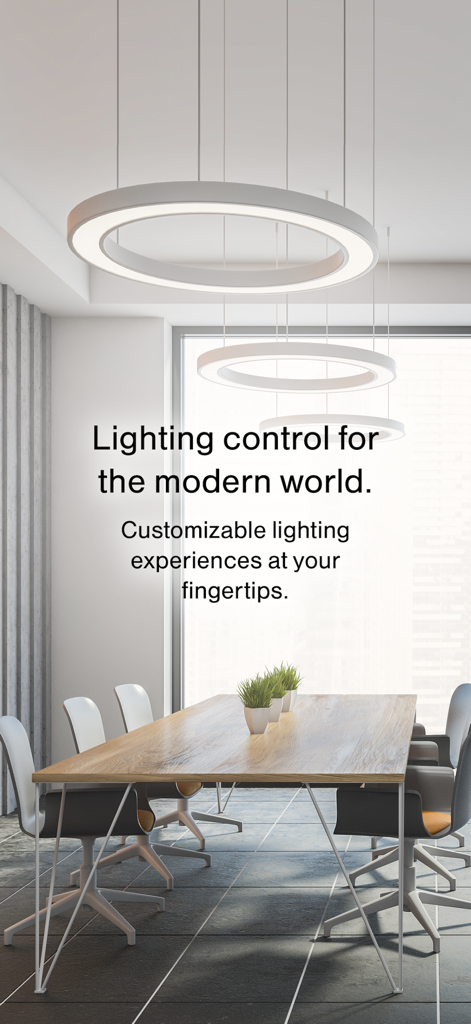
Modernes Bürointerieur mit runden Pendelleuchten und Casambi-Lichtsteuerungstext

Modernes Bürointerieur mit runden Pendelleuchten und Casambi-Lichtsteuerungstext

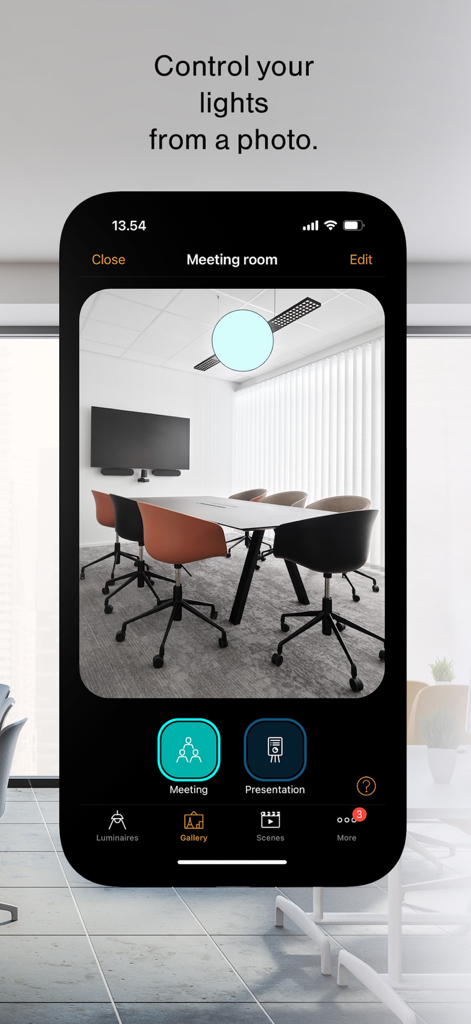
Casambi-App-Oberfläche, die zeigt, wie die Raumbeleuchtung direkt von einem Foto aus gesteuert wird

Casambi-App-Oberfläche, die zeigt, wie die Raumbeleuchtung direkt von einem Foto aus gesteuert wird

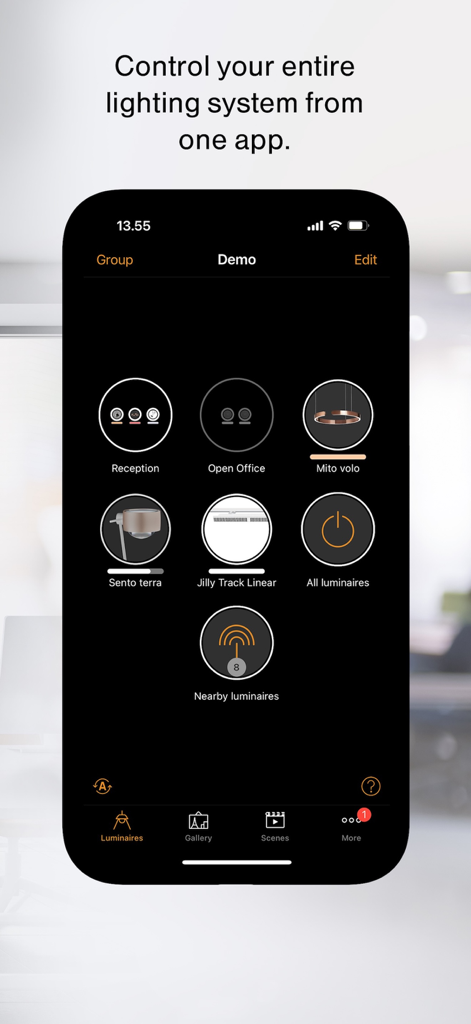
Smartphone-Bildschirm, der das Casambi-App-Dashboard mit verschiedenen Leuchtensteuerungs-Icons und Gruppen anzeigt

Smartphone-Bildschirm, der das Casambi-App-Dashboard mit verschiedenen Leuchtensteuerungs-Icons und Gruppen anzeigt

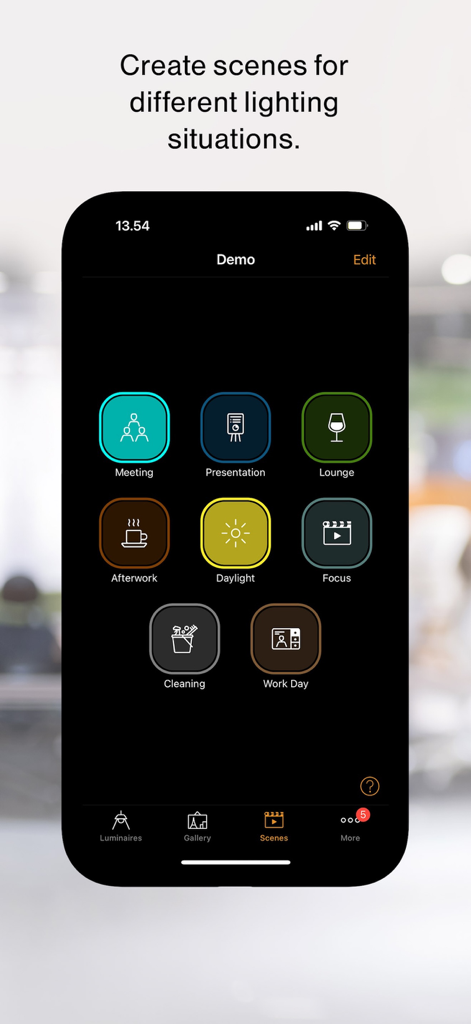
Casambi-App-Oberfläche mit anpassbaren Lichtszenen für Besprechungen, Lounge und Arbeit

Casambi-App-Oberfläche mit anpassbaren Lichtszenen für Besprechungen, Lounge und Arbeit

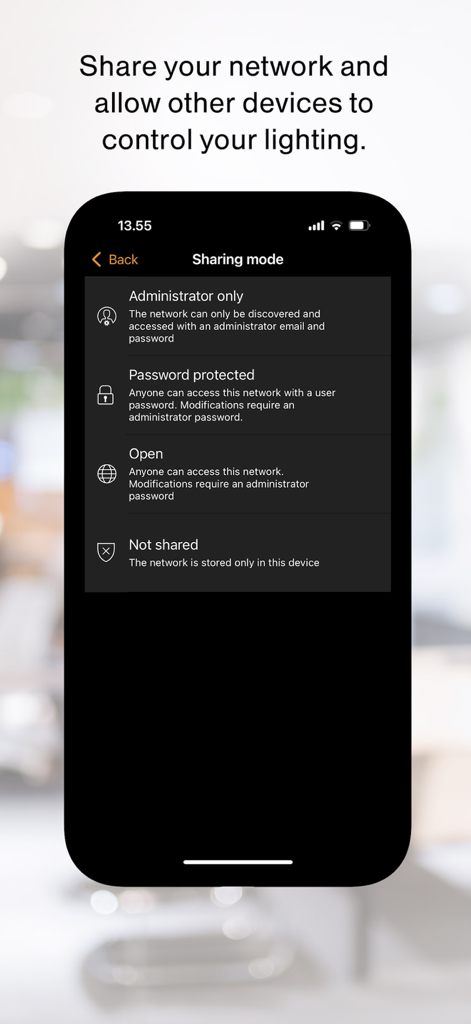
Casambi-App-Einstellungen für den Freimodus zur Zugriffskontrolle des Lichtnetzwerks

Casambi-App-Einstellungen für den Freimodus zur Zugriffskontrolle des Lichtnetzwerks

Intelligente Beleuchtung, raffiniert einfach

Die Tools, die diese App auszeichnen, gewählt von 320K+ Nutzern.

📸

Steuerung per Foto

Vergessen Sie das Scrollen durch lange Listen. Machen Sie einfach ein Foto von Ihrem Raum und tippen Sie auf die tatsächlichen Leuchten im Bild, um sie sofort zu dimmen oder ein- und auszuschalten.

Gestalten Sie Ihre perfekte Stimmung

Entwerfen Sie individuelle Szenen für Filmabende, Dinnerpartys oder zirkadianes Wohlbefinden. Stellen Sie automatische Timer ein, damit sich die Atmosphäre Ihres Zuhauses perfekt mit Ihrem Tag entwickelt.

🛡️

Professionelle Zuverlässigkeit & Datenschutz

Auf sicherer Bluetooth-Mesh-Technologie aufgebaut, funktioniert Ihr System ohne zentralen Hub. Skalieren Sie mühelos von einem einzelnen Raum auf ein ganzes Anwesen mit Zugriffskontrolle auf Administratorenebene.

Über die App

Alles, was Sie über wissen müssen Casambi.

Beschreibung

People today want to personalize their lighting experience and to do so in an instant. Casambi’s simple wireless lighting control system opens up a whole new world of possibilities in this respect. This uncomplicated yet feature-rich application enables you to seamlessly control your lighting from a smartphone or tablet. From daylight control to timed scenes, animations, and more… everything can be configured in this app. It contains everything you need for intelligent, flexible, and fully automated lighting controls. At your fingertips. Easy Commissioning: All Casambi-enabled products are configured and used with the Casambi app. The app’s intuitive design makes commissioning tasks so simple that they can be easily handled by nearly anyone. The pairing process is quick: The app will search for all powered Casambi-enabled devices within Bluetooth range of your mobile device. Control your entire lighting system from one app: Casambi provides one platform from which to control multiple components from luminaires to sensors, blinds, and more. Within the Casambi app, it is possible to create luminaire groups within a network, and then create multiple networks that can all link together. A single Casambi network can contain up to 250 devices and an endless number of networks can be created in a single site. From a single room, it is easy to upscale to building-level functionality and even expand to outdoor lighting. Control your lights from a photo: The app allows you to control lighting visually from a photo. Simply take a photo of the room in which the lights you wish to control are, upload it to the Gallery, and drag the desired control commands over the lighting fixtures within the picture. No need to remember which luminaire is which, you have a visual guide for decision-making ease. Create scenes for different lighting situations: The Scenes tab allows you to create and recall personalized lighting set-ups. One scene can control any variation of luminaires in your network, and luminaires can be used in multiple scenes. From simple lighting scenarios (such as circadian or daylight scenes) to animated and timed scenes, virtually any set-up can be configured, saved, and recalled in the app. Share your network and allow other devices to control your lighting: It is possible to control access rights to your lighting network and to define who interacts with it. An assigned ‘administrator’ can make all network changes and give access rights to new users. A ‘manager’ can make changes to all lighting control functionalities but cannot get access to passwords or decide who can access the network. A ‘user’ can only use the network but not make any changes. If you have several users and devices using the same network, any changes made with one device will be automatically adopted across all other devices using Casambi’s cloud service.

Neueste Version

3.18.1 B757

Größe

67.8 MB

Erstveröffentlichung

22. Nov. 2013

Beherrschen Sie Ihre Atmosphäre mit professioneller Steuerung

Schließen Sie sich Tausenden von technikaffinen Hausbesitzern und Designern an, die Casambi für die ultimative Umgebungsverwaltung vertrauen. Laden Sie die App noch heute herunter und erleben Sie das intuitivste Lichtsystem der Welt.

Herunterladen auf App StoreHerunterladen auf Google Play

App information, icons, screenshots, and descriptions displayed on this page are sourced from the Apple App Store and are the property of their respective developers. Download estimates and rankings are based on MWM's proprietary models and may not reflect actual figures. This page is provided for informational and analytical purposes only.

Believe this page infringes your intellectual property? File a dispute