Chapters

Chapters

Herunterladen auf App Store
Logo von Chapters

Chapters: Schreiben und bearbeiten Sie professionelle E-Books überall

Der einfache, leistungsstarke ePub-Editor für Autoren und Indie-Kreative. Gestalten Sie Ihr Manuskript, verwalten Sie Metadaten und synchronisieren Sie nahtlos auf Ihrem iPhone, iPad und Mac.

Herunterladen auf App Store

Herausgeber

Two-Byte Software Inc.

Kategorie

Productivity

Downloads

200

Bewertung

1.0/5

Bewertungen gesamt

0

Sprachen

1

Ein Blick ins Innere

Entdecken Sie die Oberfläche, die von 200 Nutzern verwendet wird.
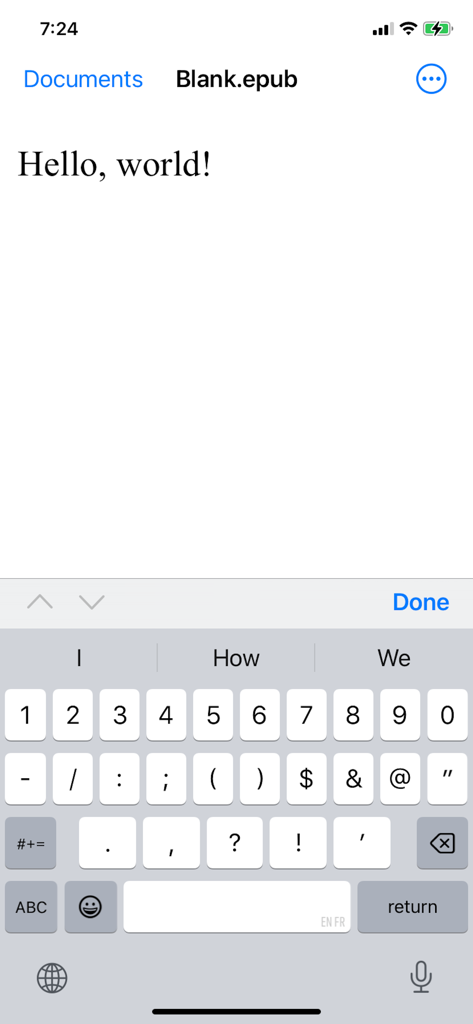
Die Benutzeroberfläche der Chapters-App auf dem iPhone zeigt einen Texteditor für eine ePub-Datei

Die Benutzeroberfläche der Chapters-App auf dem iPhone zeigt einen Texteditor für eine ePub-Datei

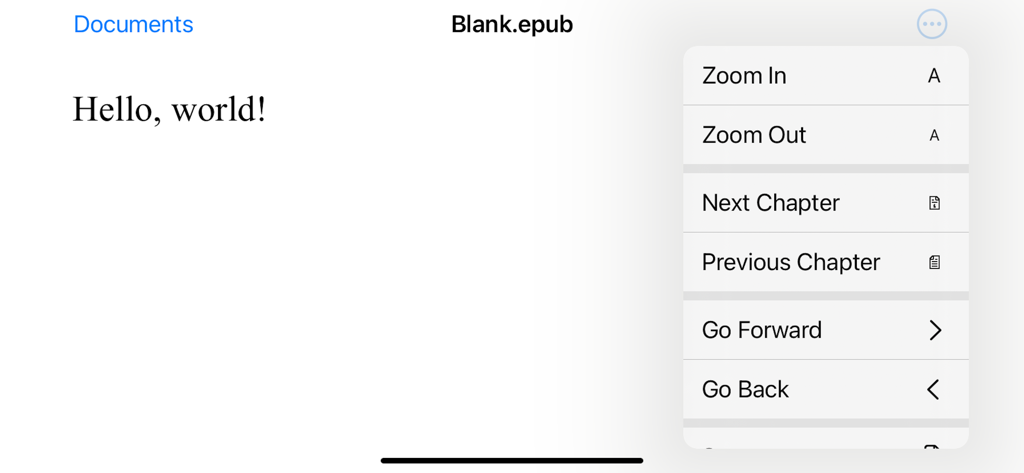
Screenshot der Chapters-App, der ein Dokument mit dem Titel Blank epub mit einem geöffneten Navigationsmenü mit Zoom- und Kapitelsteuerelementen zeigt.

Screenshot der Chapters-App, der ein Dokument mit dem Titel Blank epub mit einem geöffneten Navigationsmenü mit Zoom- und Kapitelsteuerelementen zeigt.

Verwandeln Sie Ihr Manuskript in ein professionelles E-Book

Die Tools, die diese App auszeichnen, gewählt von 200 Nutzern.

☁️

Synchronisieren Sie Ihren kreativen Fluss

Bearbeiten Sie Ihr iPhone während des Pendelns und beenden Sie es auf Ihrem Mac. Die iCloud-Integration stellt sicher, dass Ihr Fortschritt automatisch auf jedem Gerät gespeichert wird.

✍️

Intuitive visuelle Bearbeitung

Vergessen Sie komplizierten Code oder HTML. Formatieren Sie Ihren Text, verwalten Sie das Inhaltsverzeichnis und passen Sie Layouts mit einer übersichtlichen Benutzeroberfläche an, die für fokussiertes Schreiben entwickelt wurde.

📖

Veröffentlichungsfertige Standards

Erstellen Sie hochwertige, umfließende ePubs, die auf jedem Bildschirm perfekt aussehen. Fügen Sie einfach benutzerdefinierte Coverbilder und Metadaten hinzu, um Ihrem Werk einen professionellen Touch zu verleihen.

Über die App

Alles, was Sie über wissen müssen Chapters.

Beschreibung

Chapters can create new ePub documents and open existing ePub files for editing. ePub is the most widely adopted file format for ebooks. ePub files reflow their content for comfortable reading on screen of any size from smartphones to desktops. Each document's content zipped into a single file for maximum portability. It is an open and vendor-independent file format based on popular web standards, such as HTML and CSS. With Chapters, you can ▪ Open existing files and create new ePub documents ▪ View an entire document in vertical scroll view ▪ Pinch to zoom and smart zoom with double-tap ▪ Edit and format document’s text ▪ Save your changes back to the file ▪ Use Table of Contents to jump ahead (on Mac only at the moment) ▪ Print and export to PDF (on Mac only at the moment) ▪ Add cover image and modify metadata (on Mac only at the moment) Chapters also supports ▪ iCloud Drive for keeping documents in sync on all your devices ▪ Autosaving automatically saves changes in background while you are editing ▪ Unlimited undo and redo as you edit ▪ Browsing previous changes and restoring them ▪ Resume your work right where you left off once app launches ▪ Side by side multitasking with another app in full screen split view on Mac and iPad ▪ Sharing documents with others via Messages, Mail and AirDrop If you encounter a bug or app crashing, please contact app’s support at chapters@shaw.ca Thank you!

Neueste Version

1.2

Größe

1.1 MB

Erstveröffentlichung

11. Dez. 2014

Bereit, Ihr Meisterwerk zu veröffentlichen?

Schließen Sie sich noch heute Tausenden von Indie-Kreativen an. Laden Sie Chapters herunter und beginnen Sie nahtlos mit der Erstellung professioneller ePub-Dateien auf Ihrem iPhone, iPad und Mac.

Herunterladen auf App Store

App information, icons, screenshots, and descriptions displayed on this page are sourced from the Apple App Store and are the property of their respective developers. Download estimates and rankings are based on MWM's proprietary models and may not reflect actual figures. This page is provided for informational and analytical purposes only.

Believe this page infringes your intellectual property? File a dispute