Clipboard Manager - OneTap

Clipboard Manager - OneTap

Herunterladen auf App Store
Logo von Clipboard Manager - OneTap

Zwischenablage-Manager - OneTap: Ihre ultimative Workflow- & KI-Tastatur

Hören Sie auf, Apps zu wechseln, um Links, Fotos oder Text zu finden. Greifen Sie direkt von Ihrer Tastatur auf Ihren gesamten Zwischenablageverlauf, organisierte Verknüpfungen und ChatGPT-4 für blitzschnelle Kommunikation zu.

Herunterladen auf App Store

Herausgeber

Alexander Picard

Kategorie

Utilities

Downloads

4K+

Bewertung

4.6/5

Bewertungen gesamt

400

Sprachen

1

Ihre Tastatur, aufgerüstet

Entdecken Sie die Oberfläche, die von 4K+ Nutzern verwendet wird.
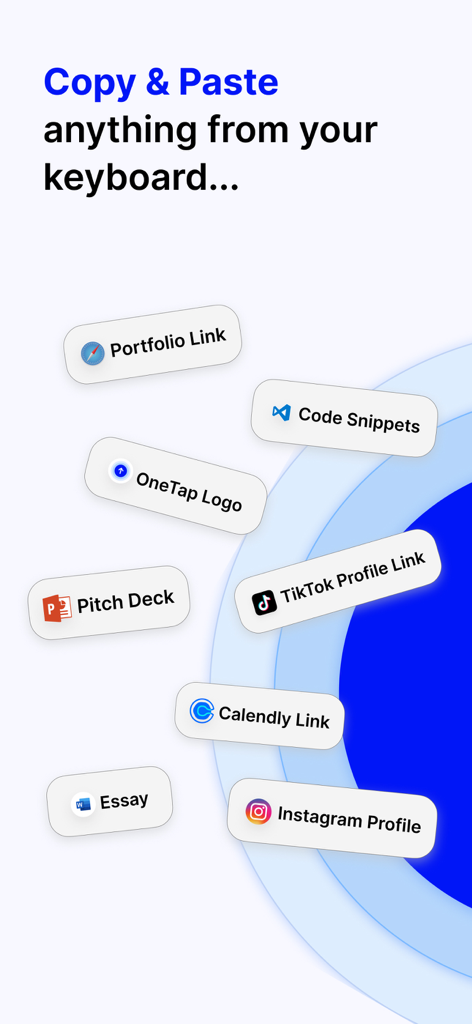
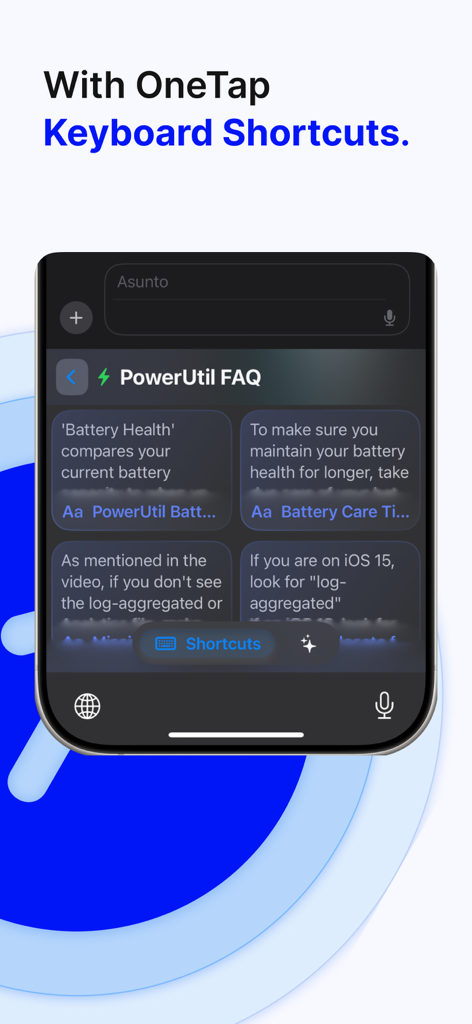
Zwischenablage-Manager, der verschiedene Tastatur-Verknüpfungen für Links, Dateien und Social-Media-Profile anzeigt

Zwischenablage-Manager, der verschiedene Tastatur-Verknüpfungen für Links, Dateien und Social-Media-Profile anzeigt

OneTap-Tastaturoberfläche, die benutzerdefinierte Text-Verknüpfungen für Produktivität anzeigt

OneTap-Tastaturoberfläche, die benutzerdefinierte Text-Verknüpfungen für Produktivität anzeigt

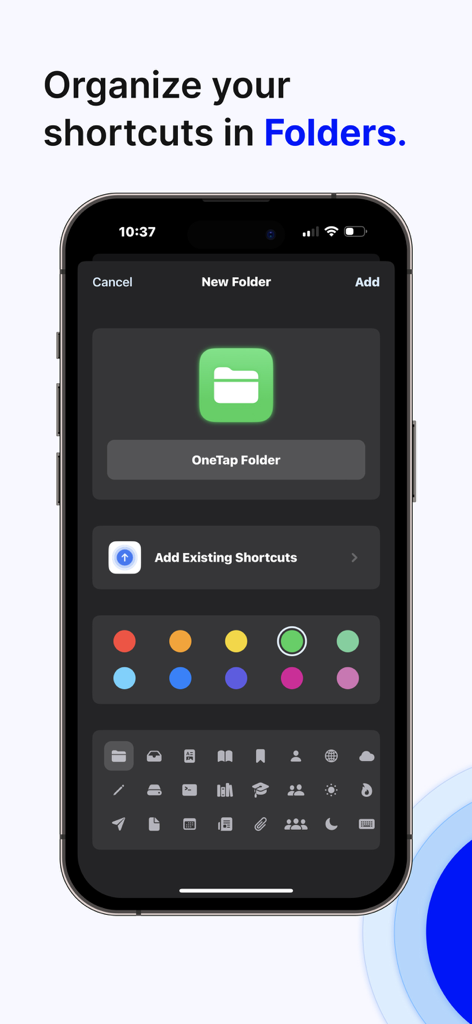
Erstellen und organisieren Sie Tastatur-Verknüpfungen in Ordnern in der OneTap-App

Erstellen und organisieren Sie Tastatur-Verknüpfungen in Ordnern in der OneTap-App

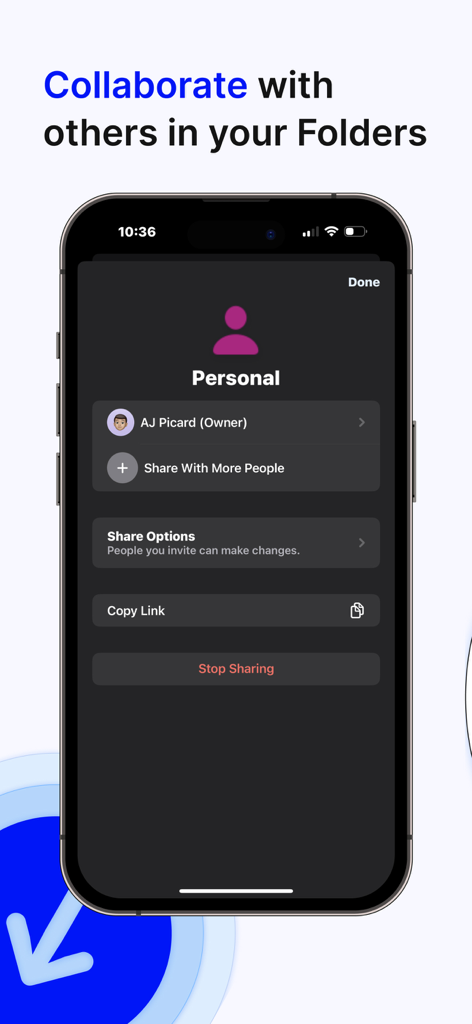
Oberfläche der OneTap-App, die Ordnerkollaboration und Freigabeoptionen zeigt

Oberfläche der OneTap-App, die Ordnerkollaboration und Freigabeoptionen zeigt

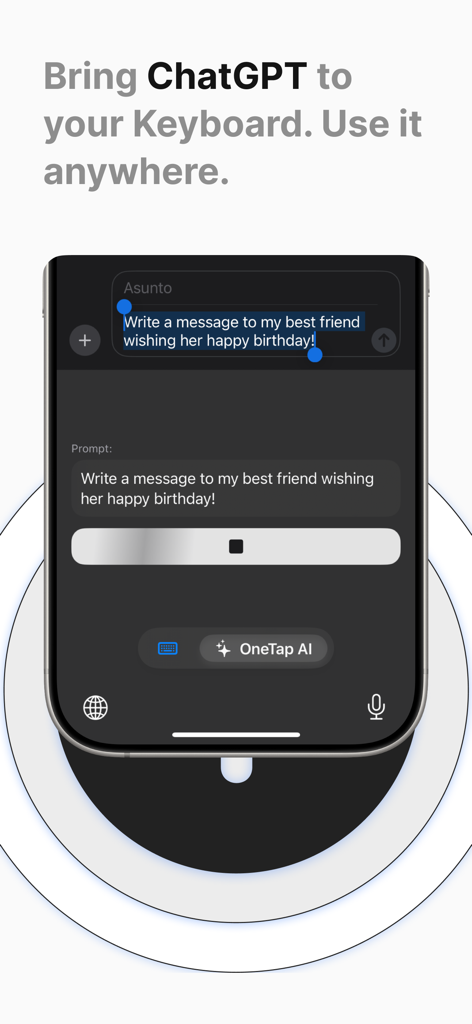
OneTap mobile Tastaturoberfläche, die ChatGPT KI-Integration zum Entwerfen einer Textnachricht zeigt

OneTap mobile Tastaturoberfläche, die ChatGPT KI-Integration zum Entwerfen einer Textnachricht zeigt

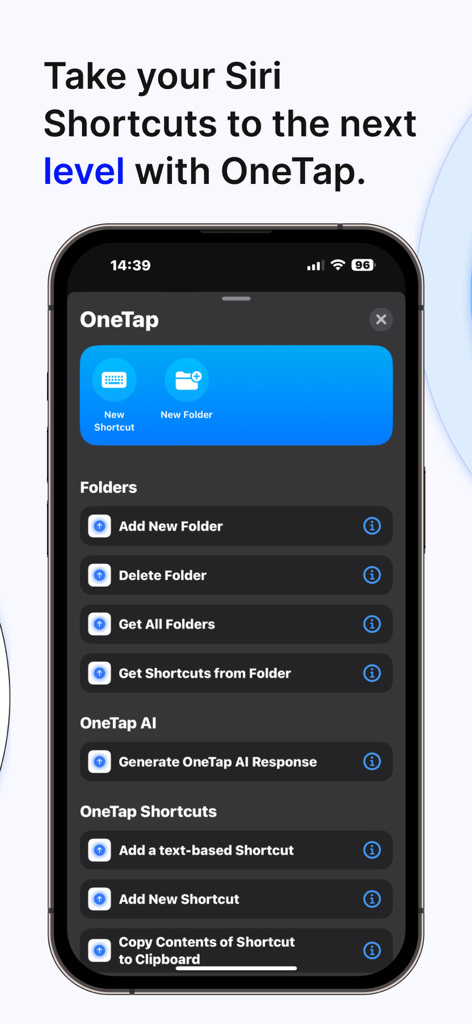
OneTap-App-Oberfläche, die Siri Shortcuts-Integration für die Verwaltung von Zwischenablagen und Ordnern auf einem iPhone zeigt

OneTap-App-Oberfläche, die Siri Shortcuts-Integration für die Verwaltung von Zwischenablagen und Ordnern auf einem iPhone zeigt

Datenschutzrichtlinien-Bildschirm für OneTap Clipboard Manager, der die iCloud-Datensicherheit mit einem Schloss-Symbol zeigt

Datenschutzrichtlinien-Bildschirm für OneTap Clipboard Manager, der die iCloud-Datensicherheit mit einem Schloss-Symbol zeigt

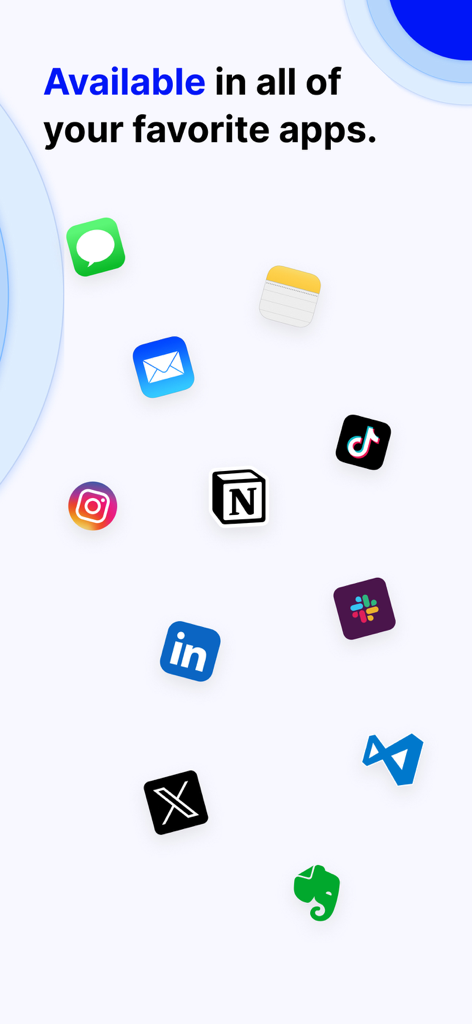
Eine Anzeige beliebter Social-Media- und Produktivitäts-App-Symbole, die mit OneTap Clipboard Manager kompatibel sind

Eine Anzeige beliebter Social-Media- und Produktivitäts-App-Symbole, die mit OneTap Clipboard Manager kompatibel sind

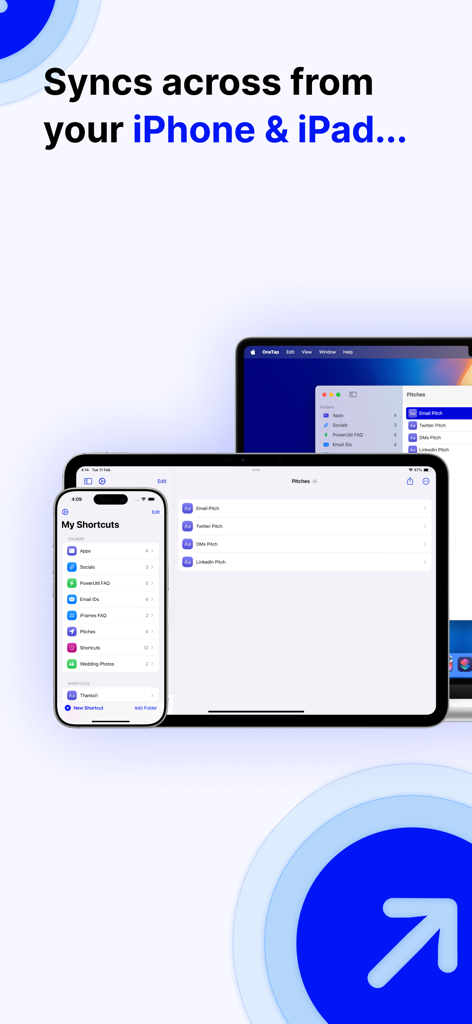
Zwischenablage-Manager OneTap-App-Oberfläche synchronisiert über iPhone, iPad und Mac

Zwischenablage-Manager OneTap-App-Oberfläche synchronisiert über iPhone, iPad und Mac

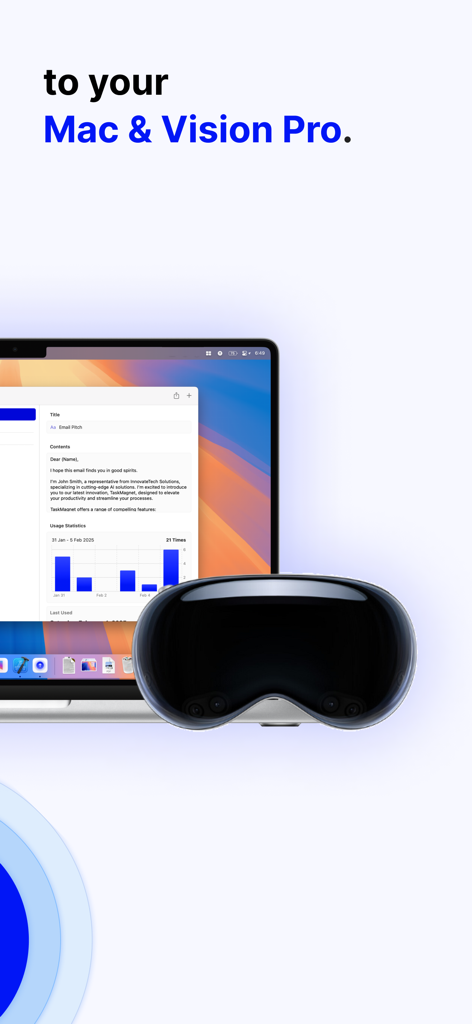
Zwischenablage-Manager-App-Oberfläche angezeigt auf einem MacBook und Apple Vision Pro

Zwischenablage-Manager-App-Oberfläche angezeigt auf einem MacBook und Apple Vision Pro

Optimieren Sie Ihren mobilen Workflow

Die Tools, die diese App auszeichnen, gewählt von 4K+ Nutzern.

Sofortige Tastatur-Verknüpfungen

Hören Sie auf zu suchen und fangen Sie an zu senden. Greifen Sie direkt von Ihrer Tastatur in jeder App, von iMessage bis zu CRM-Tools, auf Ihre am häufigsten verwendeten Links, Fotos und Dateien zu.

🤖

KI auf Knopfdruck

Nutzen Sie ChatGPT-4, ohne Apps wechseln zu müssen. Entwerfen Sie professionelle Antworten, polieren Sie E-Mails und fassen Sie Inhalte sofort zusammen, während Sie tippen.

📋

Unbegrenzter Zwischenablage-Verlauf

Verlieren Sie nie wieder einen wichtigen Ausschnitt. Speichern Sie automatisch alles, was Sie kopieren, und wandeln Sie wiederkehrende Texte in dauerhafte, mit einem Fingertipp erreichbare Verknüpfungen um.

Über die App

Alles, was Sie über wissen müssen Clipboard Manager - OneTap.

Beschreibung

At OneTap, our mission is to reinvent how we share content and utilize the keyboard on our iOS devices. OneTap Keyboard elevates your iOS experience with innovative OneTap Keyboard Shortcuts, transforming how you interact with your device. What are OneTap Keyboard Shortcuts? OneTap Keyboard Shortcuts empower you to use ChatGPT, share specific photos, links, text phrases, and files directly from your keyboard. Simply download the OneTap App, add OneTap's Keyboard to your device's keyboard settings, and create your custom Keyboard Shortcuts within the app. These shortcuts are instantly available on your keyboard, making sharing content seamless and efficient. OneTap also has a Clipboard feature, which you access right from your keyboard. Anything you manually copy will show up on this tab and is available to copy again whenever you need to. You can long press on a piece of content on the Clipboard that you want to turn into a OneTap shortcut so that you can copy & paste that content even faster. Features: - Share photos, links, files, or text phrases from your keyboard with OneTap Keyboard Shortcuts. - Clipboard quickly copy the content you’ve already copied previously. - Use ChatGPT4 directly from your keyboard with OneTap AI Keyboard Shortcut. - Create folders to organize your keyboard shortcuts. - Share folders with friends or colleagues, giving them access to your shortcuts. - Integrate OneTap into Siri Shortcuts for enhanced productivity. - OneTap is compatible with all iOS devices. Access OneTap's Keyboard by tapping the world icon on the bottom left of your keyboard. Here, you'll find all your custom shortcuts along with the ChatGPT shortcut. Tap on any shortcut to use it instantly. Transform your keyboard into a powerful tool for productivity and communication. Share content effortlessly, use ChatGPT anytime, and keep your favorite items just OneTap away. No more searching for your resume, favorite photo, or important links. Everything you need is now within reach. Terms: https://app.termly.io/document/terms-of-service/b5002e65-2c63-4367-ac78-49f355bf22f7

Neueste Version

8.2

Größe

103.8 MB

Erstveröffentlichung

24. Sept. 2022

Verwandeln Sie Ihre Tastatur in ein Produktivitäts-Kraftpaket

Schließen Sie sich Tausenden von Fachleuten an, die digitale Reibungsverluste beseitigt haben. Laden Sie OneTap noch heute herunter und halten Sie Ihre Links, Dateien und ChatGPT-4 nur einen Fingertipp entfernt.

Herunterladen auf App Store

App information, icons, screenshots, and descriptions displayed on this page are sourced from the Apple App Store and are the property of their respective developers. Download estimates and rankings are based on MWM's proprietary models and may not reflect actual figures. This page is provided for informational and analytical purposes only.

Believe this page infringes your intellectual property? File a dispute