CompassTip: AR Compass

CompassTip: AR Compass

Herunterladen auf App Store
Logo von CompassTip: AR Compass

CompassTip: AR Kompass & 3D-Navigator

Erleben Sie intuitive Head-Up-Navigation. Überlagern Sie präzise 3D-Wegbeschreibungen und Live-Karten auf Ihren Kamera-Feed, um Ihren Weg zu finden, ohne den Blick von Ihrer Umgebung abzuwenden.

Herunterladen auf App Store

Herausgeber

Tanadium Pte. Ltd.

Kategorie

Navigation

Downloads

3K+

Bewertung

1.0/5

Bewertungen gesamt

0

Sprachen

1

Eine Vision der Richtung

Entdecken Sie die Oberfläche, die von 3K+ Nutzern verwendet wird.
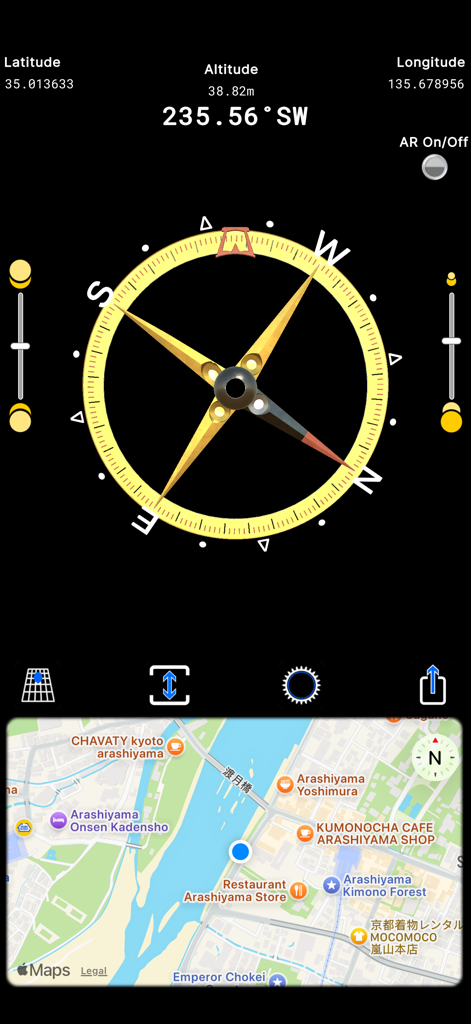
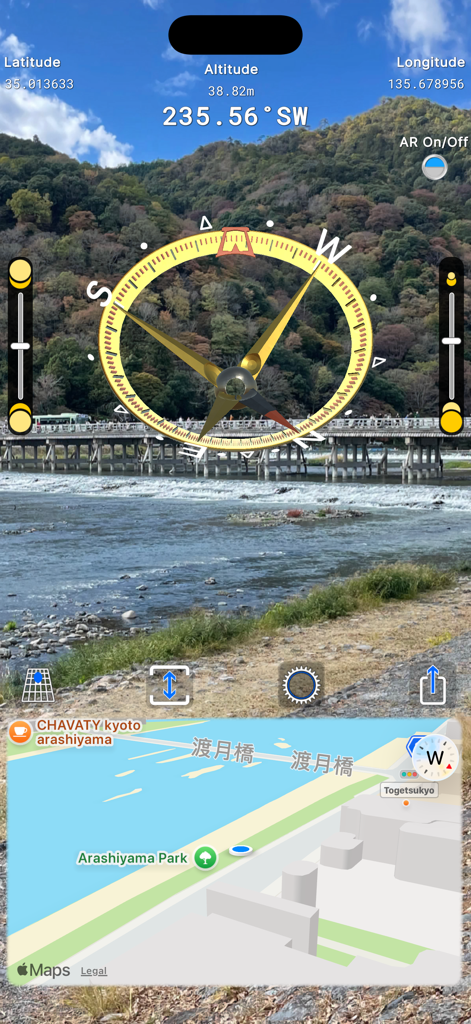
CompassTip-App-Oberfläche mit einem 3D-Kompass-Zifferblatt mit GPS-Koordinaten und einer synchronisierten Kartenansicht

CompassTip-App-Oberfläche mit einem 3D-Kompass-Zifferblatt mit GPS-Koordinaten und einer synchronisierten Kartenansicht

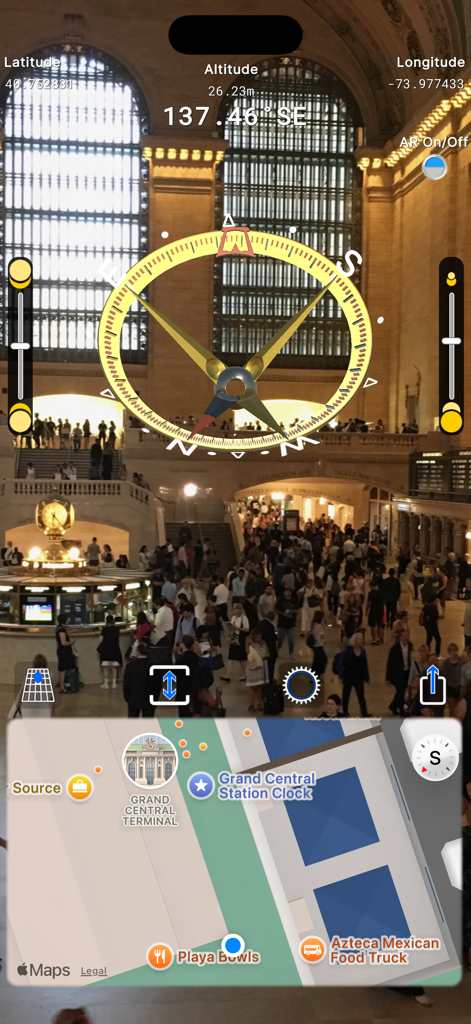
Augmented-Reality-Oberfläche der CompassTip-App mit einer 3D-Kompassüberlagerung und Kartenavigation

Augmented-Reality-Oberfläche der CompassTip-App mit einer 3D-Kompassüberlagerung und Kartenavigation

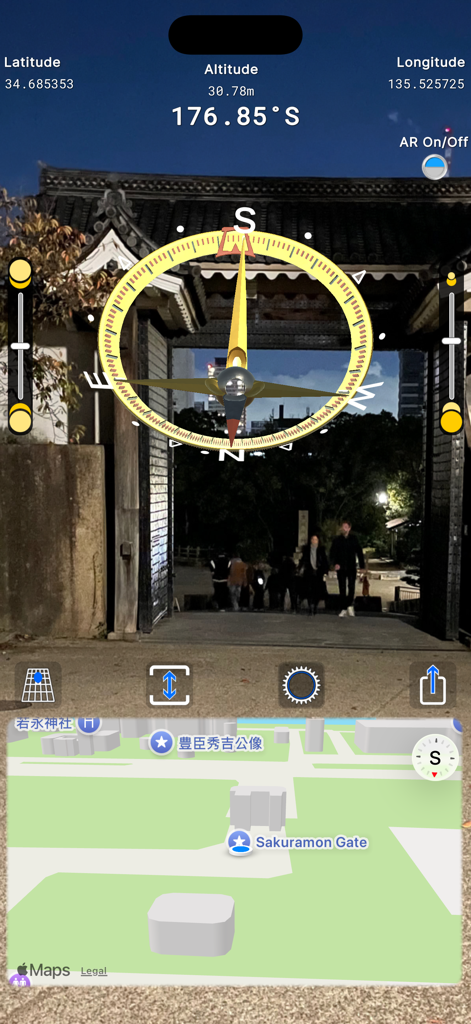
Augmented-Reality-Kompass überlagert eine Live-Kameraansicht mit einer digitalen Karte und GPS-Daten

Augmented-Reality-Kompass überlagert eine Live-Kameraansicht mit einer digitalen Karte und GPS-Daten

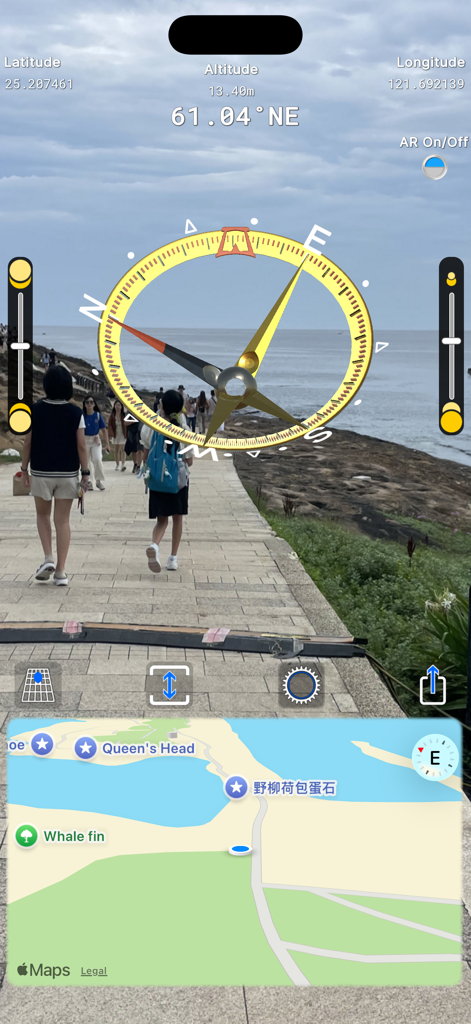
Augmented-Reality-Kompassoberfläche mit 3D-Überlagerung und Kartenanzeige

Augmented-Reality-Kompassoberfläche mit 3D-Überlagerung und Kartenanzeige

CompassTip-Mobile-App-Oberfläche mit einem Augmented-Reality-3D-Kompass und Kartenüberlagerung auf einer Live-Kameraansicht

CompassTip-Mobile-App-Oberfläche mit einem Augmented-Reality-3D-Kompass und Kartenüberlagerung auf einer Live-Kameraansicht

Navigieren Sie die Welt in 3D

Die Tools, die diese App auszeichnen, gewählt von 3K+ Nutzern.

🧭

Augmented Reality-Führung

Sehen Sie 3D-Richtungspfeile, die über Ihren Live-Kamera-Feed gelegt sind, sodass Sie Sehenswürdigkeiten finden können, ohne jemals den Blick vom Weg abzuwenden.

📍

Live-Karte & Pro-Telemetrie

Verfolgen Sie Ihren genauen Längen- und Breitengrad sowie Ihre Höhe in Echtzeit auf einer synchronisierten Karte, die sich während Ihrer Erkundung automatisch aktualisiert.

🔄

Intelligente Neigungsreaktion

Eliminieren Sie Navigationsrätsel mit einzigartigen 3D-Anzeigen, die sich sanft an die Neigung Ihres Geräts anpassen, auch wenn es vertikal gehalten wird.

Über die App

Alles, was Sie über wissen müssen CompassTip: AR Compass.

Beschreibung

CompassTip app features an augmented reality virtual 3D compass presented on the live camera feed of your device. Easily find your point of interest via your camera and also through the focus eyelet in the middle of the compass. From there, you can read the compass directions without having to lift your head or shift your eyes to away from your point of interest. The compass also features a map that automatically updates as you move your device. The app features a unique responsive compass where the indicators tilt and move according to the tilt of your device. The indicators are designed to tilt and move in a way that display intuitive directions in 3D space. For example, normal standard compasses and standard indicators of direction have a fixed arrow that points downwards when you have your device held vertically in front of you even if that direction is directly behind you. CompassTip is designed to tilt that arrow so that it points inwards towards the screen to indicate a direction that is behind you, and this happens accurately and smoothly as you move your device around. This is coupled with augmented reality so that you can view what you are pointing at and have a proper indication of directions in relation to your camera. Key features: • Augmented reality compass with 3D direction needles that also moves according to the tilt of your device; • A map that is synchronized to your current location and heading, which automatically updates as you move your device; • Adjustable map size; • Ability to turn AR on and off; • Ability to share a screenshot of your compass screen; and • Information display that includes current heading, longitude, latitude and elevation. This app uses an in-app credit system called, CompassTip Beans. You earn CompassTip Beans by interacting with advertisements or making consumable in-app purchases that top-up the number of beans. You may then exchange and redeem these beans for other features in the app including activating ad-free periods. The app offers the following consumable items: • Title: Purchase 10000 Beans - Description: Adds 10000 CompassTip Beans to your account - Price: (Please check the app or the App Store for the latest price as it may be subject to change) • Title: Purchase 200 Beans - Description: Adds 200 CompassTip Beans to your account - Price: (Please check the app or the App Store for the latest price as it may be subject to change) For more information, please see our Terms of Use (https://compasstip.com/terms) and Privacy Policy (https://compasstip.com/privacy-policy).

Neueste Version

2.0.2

Größe

238.9 MB

Erstveröffentlichung

8. Feb. 2020

Erleben Sie Navigation in echtem 3D-AR

Schließen Sie sich Tausenden von Entdeckern an, die aufgehört haben, ihre Richtung zu erraten. Laden Sie CompassTip noch heute herunter, um Ihren Weg durch eine reaktionsschnelle AR-Linse zu sehen und Ihr Ziel nie wieder aus den Augen zu verlieren.

Herunterladen auf App Store

App information, icons, screenshots, and descriptions displayed on this page are sourced from the Apple App Store and are the property of their respective developers. Download estimates and rankings are based on MWM's proprietary models and may not reflect actual figures. This page is provided for informational and analytical purposes only.

Believe this page infringes your intellectual property? File a dispute