Console Remote

Console Remote

Herunterladen auf App Store
Logo von Console Remote

Console Remote: Das professionelle PS5-Streaming-Erlebnis für iPad und iPhone

Schöpfen Sie das volle Potenzial Ihrer PS5 mit nativem 2K-Streaming, extrem niedriger Latenz und voller DualSense-Haptik aus. Entwickelt mit Apple Metal für die Elite-Leistung und visuelle Wiedergabetreue, die Power-User verlangen.

Herausgeber

莼乾 沈

Kategorie

Entertainment

Downloads

2K+

Bewertung

4.8/5

Bewertungen gesamt

100

Sprachen

2

Höchstleistung visualisiert

Entdecken Sie die Oberfläche, die von 2K+ Nutzern verwendet wird.
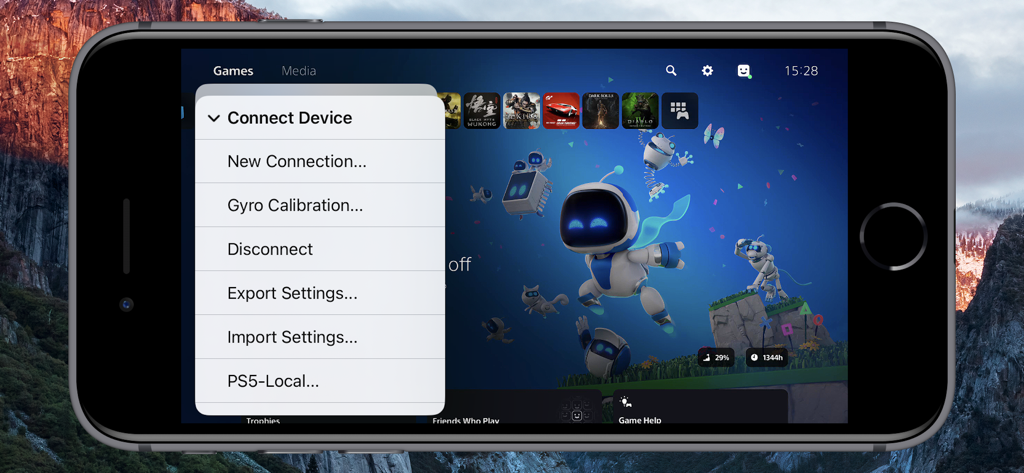
iPhone-Bildschirm zeigt das Menü Gerät verbinden in der Console Remote App mit einem PlayStation 5 Dashboard im Hintergrund

iPhone-Bildschirm zeigt das Menü Gerät verbinden in der Console Remote App mit einem PlayStation 5 Dashboard im Hintergrund

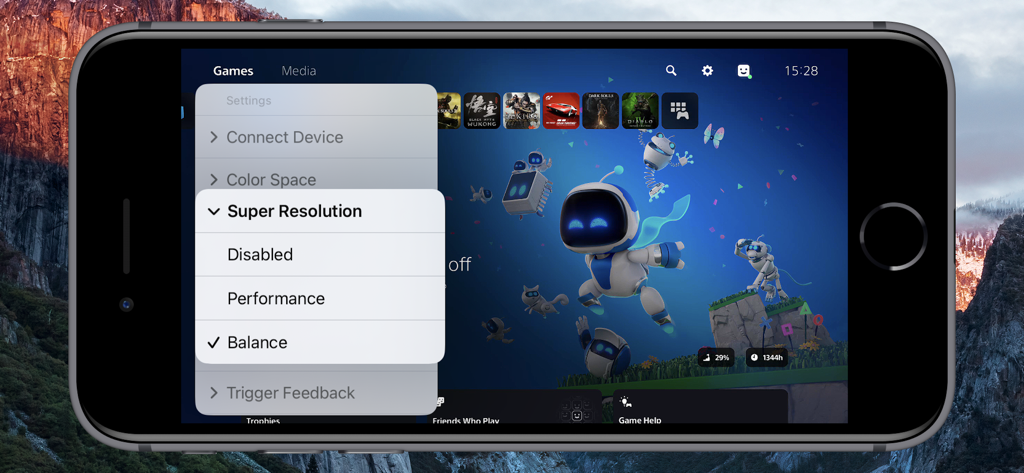
Console Remote App-Oberfläche auf dem iPhone zeigt das Menü PS5 Super Resolution Einstellungen

Console Remote App-Oberfläche auf dem iPhone zeigt das Menü PS5 Super Resolution Einstellungen

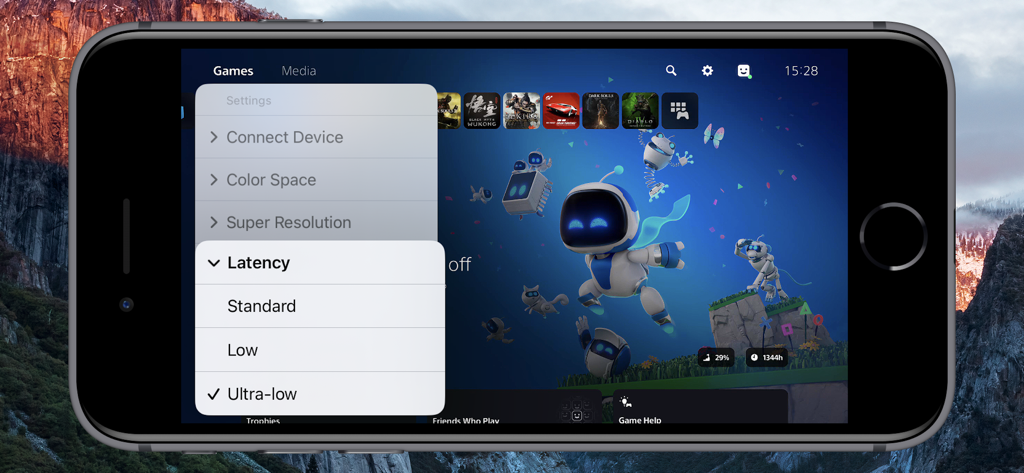
Console Remote App auf dem iPhone zeigt die PS5-Spielebibliothek mit ausgewählter Ultra-Low-Latency-Einstellung.

Console Remote App auf dem iPhone zeigt die PS5-Spielebibliothek mit ausgewählter Ultra-Low-Latency-Einstellung.

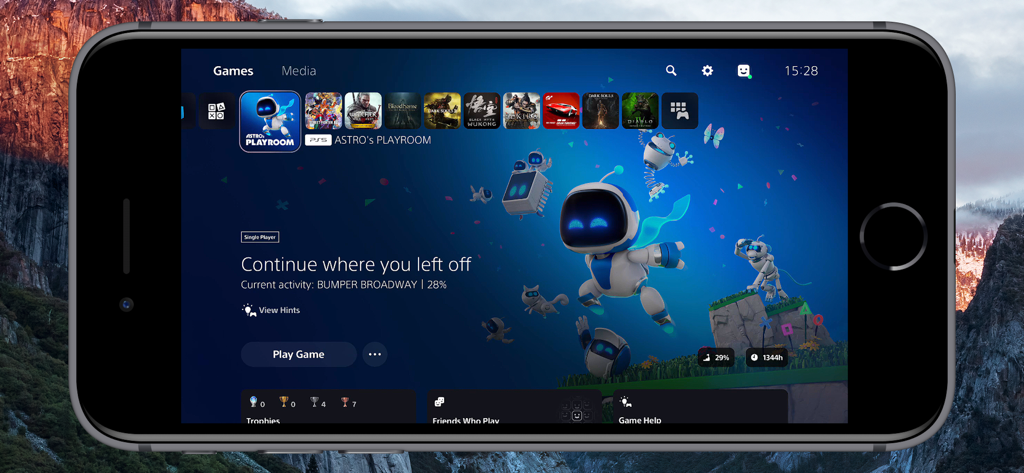
PlayStation 5-Startbildschirm angezeigt auf einem iPhone mit der Console Remote App

PlayStation 5-Startbildschirm angezeigt auf einem iPhone mit der Console Remote App

Profi-Funktionen für Elite-Gamer

Die Tools, die diese App auszeichnen, gewählt von 2K+ Nutzern.

Lag-freie Leistung

Eine kundenspezifische Synchronisierungs-Engine, die auf Apple Metal basiert, liefert nahezu keine Latenz und gewährleistet eine bildperfekte Reaktionsfähigkeit für kompetitives Gameplay.

💎

Native 2K visuelle Wiedergabetreue

Erleben Sie beeindruckende Klarheit mit nativem 2K-Streaming und fortschrittlicher Bild-Upsampling-Optimierung für High-End-iPad- und iPhone-Displays.

🎮

Vollständiges Eintauchen

Schalten Sie die volle DualSense-Unterstützung frei, einschließlich haptischem Feedback und adaptiven Triggern, gepaart mit Low-Latency-Audio, optimiert für AirPods.

Über die App

Alles, was Sie über wissen müssen Console Remote.

Beschreibung

Turn Your iPad and iPhone into the Ultimate PS5 Streaming Companion! Console Remote is a powerful remote play tool built specifically for iPad and iPhone, designed to deliver a premium PlayStation 5 streaming experience. With ultra-low latency, native 2K resolution, and full DualSense controller support, it transforms your iPad and iPhone into a true PS5 companion-anytime, anywhere. Whether you are on the couch, in bed, or on the go, enjoy console-quality gameplay directly on your iPad and iPhone. Key Features Ultra-low Latency Mode New synchronization engine, experience near-zero delay. Perfect sync with iPad and iPhone refresh rate for smooth, responsive gameplay. Native 2K Video Streaming Enjoy enhanced visuals with up to native 2K resolution, powered by advanced super-resolution and image upsampling technologies. Full DualSense Controller Support Connect via native Bluetooth with full support for adaptive triggers, haptic feedback, touchpad, and gyroscope. Optimized Rendering Engine Built on Apple Metal and Audio Unit for high-performance video and audio rendering with reduced power consumption. Advanced Upscaling & Sampling Choose from low, medium, or high sampling modes to boost image clarity without sacrificing performance. Professional Color Space Support Switch between sRGB, Display P3, and Adobe RGB for accurate color tuning based on your screen. AirPods Optimized Audio Enjoy stable, low-latency wireless audio with seamless AirPods integration. Requirements Virtual Button and Touchpad Only the virtual touchpad is supported, virtual buttons are not supported. Open Console Remote > Check [Virtual Touchpad]. Remote Streaming Configure port forwarding on your router for ports 9295, 9296, 9297 and 9302 (UDP/TCP), or directly enable DMZ. Enable UPnP on your router. Open [Connect Device] > [PS5-Local] > [Edit] > [Connect Channel] > Select [Remote Connect]. Network Environment To avoid lag or pixelation, please follow the recommendations below Connect using a Wi-Fi 6 5GHz network Set your router channel to 149 (or 44 for EU/JP users) For improved stability, disable Location Services in your iPad and iPhone system settings Devices PlayStation 5 console DualSense wireless controller (third-party controllers are not officially supported) Systems iPad and iPhone running iOS 17.0 or higher, can work perfectly. Terms of Service https://www.apple.com/legal/internet-services/itunes/dev/stdeula/ Disclaimer PS5, PS4, PlayStation 5, PlayStation 4, DualShock, DualSense and PSN are trademarks of Sony Computer Entertainment Inc. Console Remote is in no way endorsed by or affiliated with Sony Computer Entertainment lnc, or any associated subsidiaries, logos or trademarks.

Neueste Version

26.0.39

Größe

4.3 MB

Erstveröffentlichung

24. Nov. 2024

Bereit, PS5 in nativem 2K zu erleben?

Geben Sie sich nicht mit Standard-Streaming zufrieden. Schließen Sie sich noch heute den Power-Usern an und schalten Sie extrem niedrige Latenz mit voller DualSense-Unterstützung auf Ihrem iPad und iPhone frei.

Herunterladen auf App Store

App information, icons, screenshots, and descriptions displayed on this page are sourced from the Apple App Store and are the property of their respective developers. Download estimates and rankings are based on MWM's proprietary models and may not reflect actual figures. This page is provided for informational and analytical purposes only.

Believe this page infringes your intellectual property? File a dispute