DJ DEX - The DJ Mixing App

DJ DEX - The DJ Mixing App

Herunterladen auf App Store
Logo von DJ DEX - The DJ Mixing App

DJ DEX - Professionelle DJ-Software für ernsthafte mobile Performance

Verwandeln Sie Ihr iPad in eine professionelle Mixing-Konsole. DJ DEX wurde für DJs, die Gigs spielen, und Side-Hustler entwickelt und bietet taktile Hardware-Unterstützung, interaktive Wellenformen und felsenfeste Zuverlässigkeit – denn das ist kein Spiel.

Herunterladen auf App Store

Herausgeber

Digital 1 Audio, Inc.

Kategorie

Music

Downloads

3K+

Bewertung

3.1/5

Bewertungen gesamt

0

Sprachen

1

Professionelle Performance, visualisiert

Entdecken Sie die Oberfläche, die von 3K+ Nutzern verwendet wird.
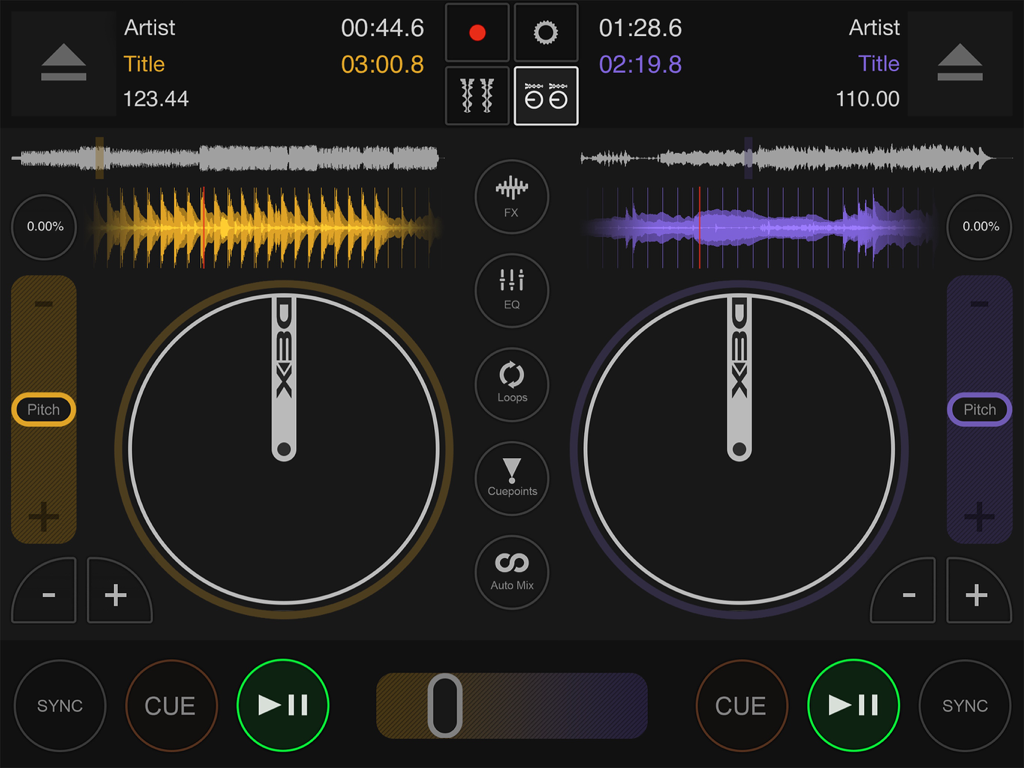
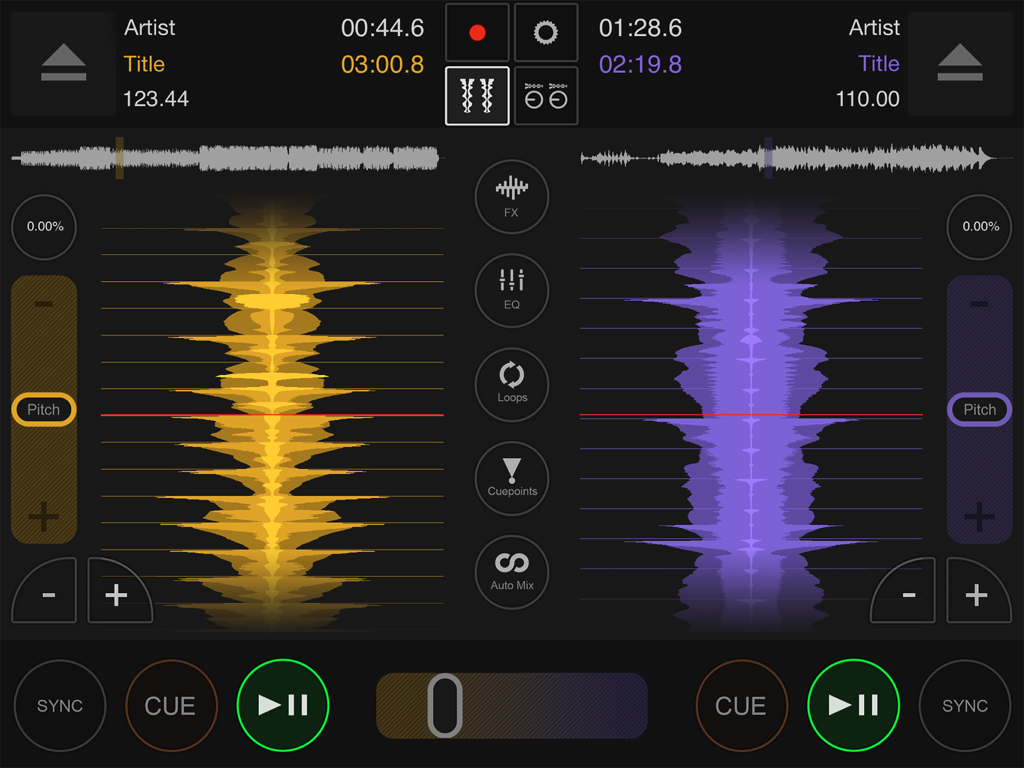
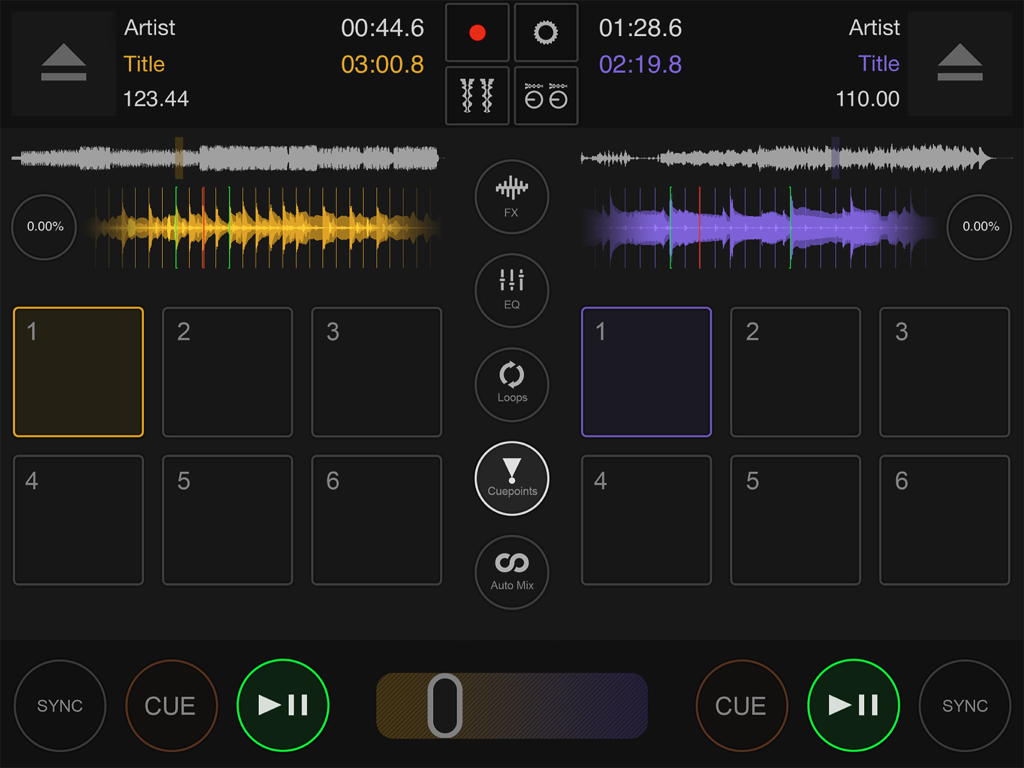
Professionelle DJ-Mixing-Oberfläche mit Dual-Decks und Wellenformen auf dem iPad

Professionelle DJ-Mixing-Oberfläche mit Dual-Decks und Wellenformen auf dem iPad

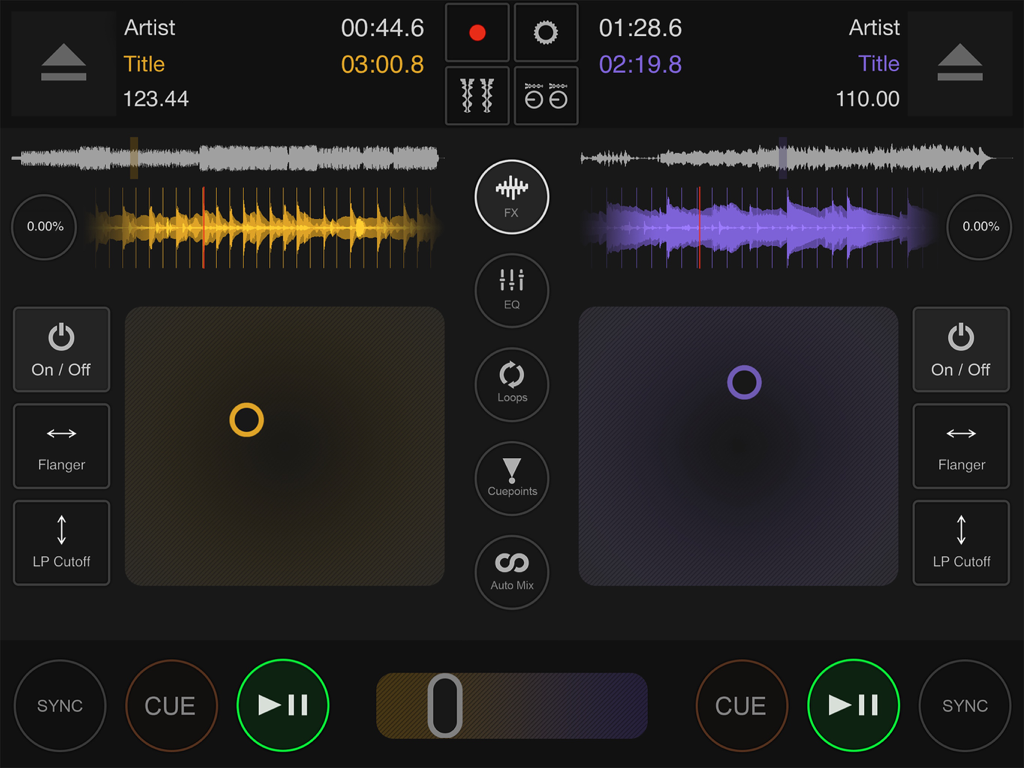
Professionelle DJ-Mixing-Oberfläche mit interaktiven Wellenformen und manuellen Bedienelementen

Professionelle DJ-Mixing-Oberfläche mit interaktiven Wellenformen und manuellen Bedienelementen

Professionelle Dual-Deck-DJ-Mixing-Oberfläche mit interaktiven Wellenformen und Tempo-Reglern

Professionelle Dual-Deck-DJ-Mixing-Oberfläche mit interaktiven Wellenformen und Tempo-Reglern

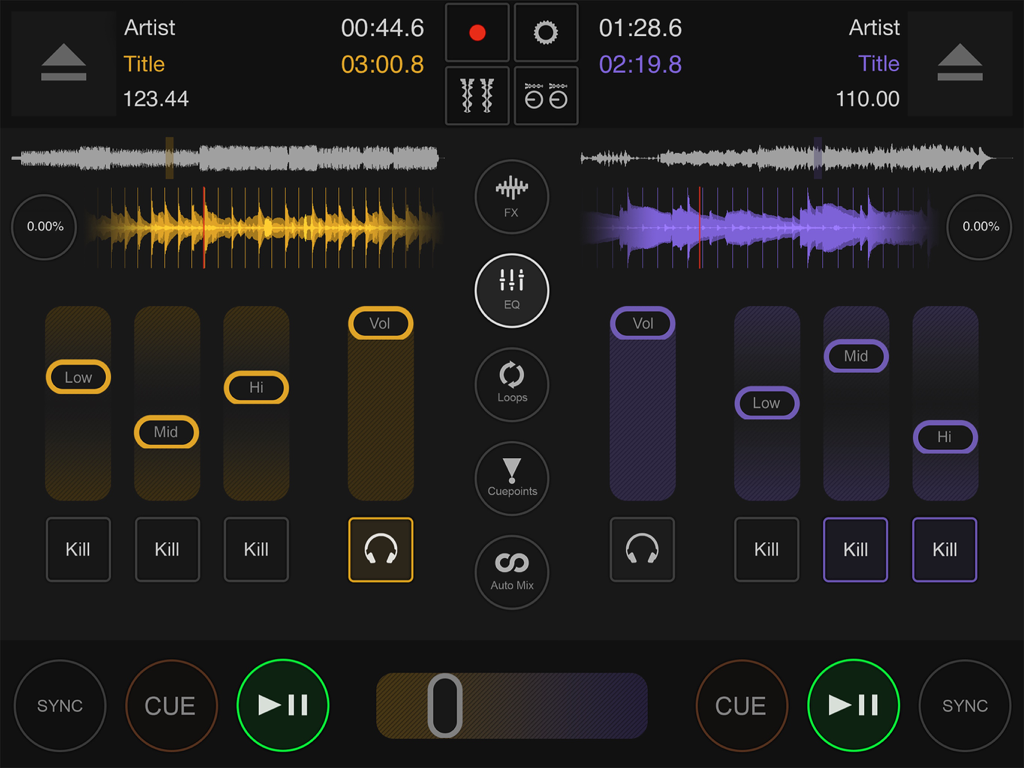
DJ DEX App-Oberfläche auf dem iPad zeigt zwei Mixing-Decks mit interaktiven Wellenformen und EQ-Fadern

DJ DEX App-Oberfläche auf dem iPad zeigt zwei Mixing-Decks mit interaktiven Wellenformen und EQ-Fadern

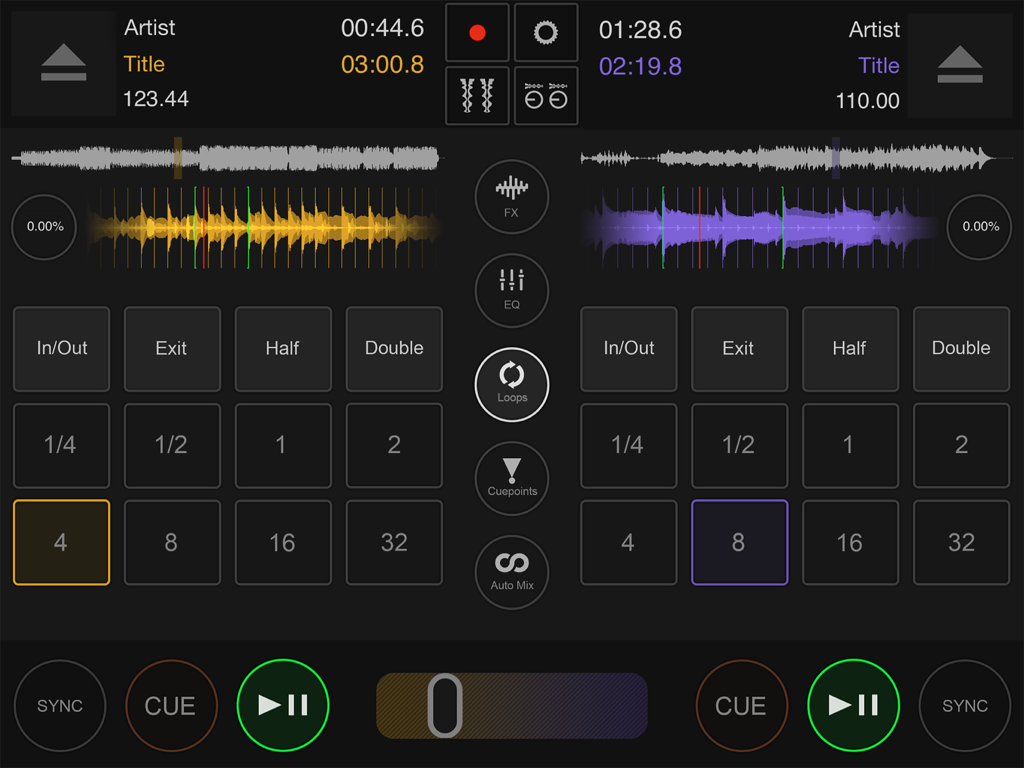
Professionelle DJ-Mixing-Oberfläche mit Dual-Decks und Loop-Reglern in der DJ DEX App.

Professionelle DJ-Mixing-Oberfläche mit Dual-Decks und Loop-Reglern in der DJ DEX App.

Professionelle DJ-Mixing-Oberfläche auf dem iPad mit Dual-Decks, Wellenformen und Hot Cues

Professionelle DJ-Mixing-Oberfläche auf dem iPad mit Dual-Decks, Wellenformen und Hot Cues

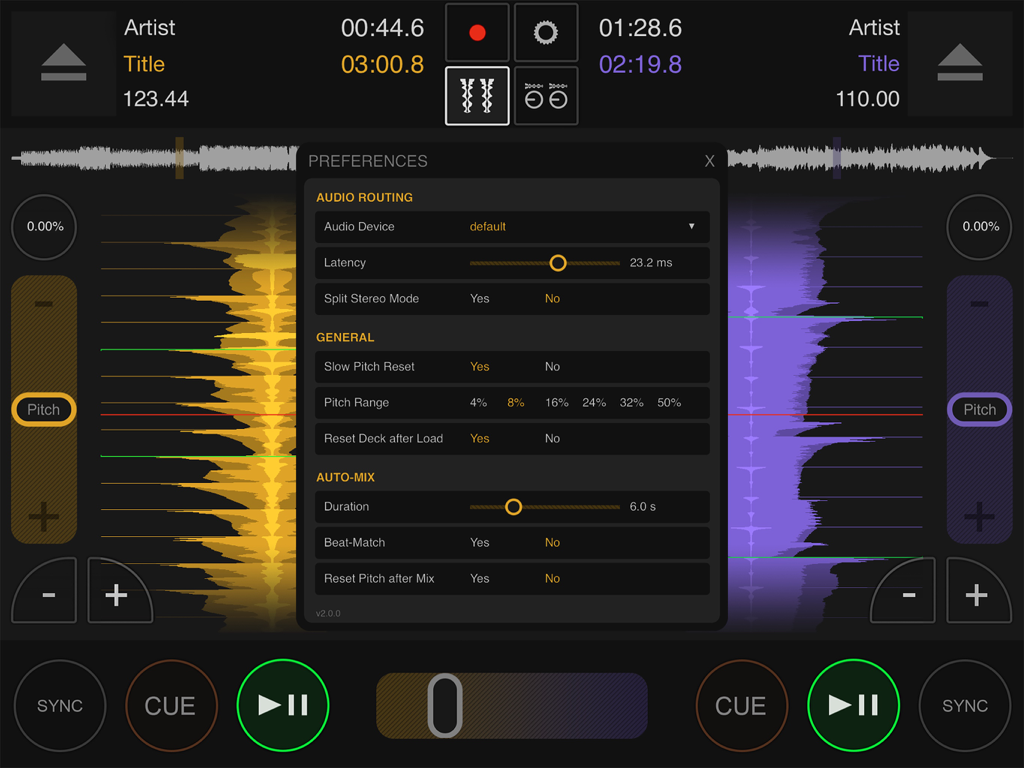
Einstellungen-Menü-Overlay in der DJ DEX Mixing App zeigt Audio-Routing und Auto-Mix-Einstellungen

Einstellungen-Menü-Overlay in der DJ DEX Mixing App zeigt Audio-Routing und Auto-Mix-Einstellungen

DJ DEX App-Logo mit einem stilisierten 45-U/min-Plattenspieler-Adapter-Symbol auf einem lila-orangen Farbverlauf

DJ DEX App-Logo mit einem stilisierten 45-U/min-Plattenspieler-Adapter-Symbol auf einem lila-orangen Farbverlauf

Professionelles Mixing auf dem iPad

Die Tools, die diese App auszeichnen, gewählt von 3K+ Nutzern.

🎛️

Plug-and-Play Controller-Unterstützung

Erleben Sie taktile Kontrolle mit nativer Unterstützung für über 100 DJ-Controller von Marken wie Pioneer, Numark und Denon, ohne komplexe Mappings.

Präzisions-Performance-Decks

Meistern Sie jeden Übergang mit interaktiven Wellenformen, automatischer Beat-Grid-Erkennung und 6 Hot Cues pro Deck für ultimative kreative Freiheit während Live-Sets.

🛡️

Gig-taugliche Zuverlässigkeit

Gebaut für die Bühne mit einer felsenfesten Audio-Engine, Mono-Split-Ausgang für professionelles Kopfhörer-Monitoring und optimierter Flight-Mode-Leistung.

Über die App

Alles, was Sie über wissen müssen DJ DEX - The DJ Mixing App.

Beschreibung

DJ DEX turns your iPad into veritable DJ software console that rivals features found in top professional DJ applications. Get touchy with the intuitive interface or plug in a supported DJ controller for tactile hands-on control over features like BPM sync, interactive waveform displays, pitch/tempo control, scratching, seamless automatic looping, automix, and effects. DJ DEX also supports mono split output so you can easily monitor each deck in your headphones just like a traditional DJ setup. DJ DEX is not a game – it was created using the same technology found in DEX 3 Pro for macOS. Whether you use DJ DEX as your go-to solution for DJing events or as backup you’ll have the features you need to create tantalizing mixes that keep ’em dancing. See for yourself and take it for a spin today! Key Features: + 2 DJ DECKS and a Mixer + Hands-on manual mixing or hands-free automation + Pitch/Tempo Control + BPM Snap-To-Beat Mixing + Seamless quantized looping + Automatic Beat-Grid based BPM detection + High-Quality effects (Flanger, Echo, Cutoff filters, etc) + Interactive waveforms that allow you to scratch, pitch bend, reverse play, backspin, etc + Library browsing and search + 6 hot cues can be set per deck, with cue-play + Record your mixes + Free updates! DJ Controller Support: + supports multichannel audio controllers + over 100 controllers supported (from Pioneer, Numark, Denon, Hercules, American Audio, Reloop, Gemini, Akai, Vestax, etc). No configuration needed, but you do need the iPad Camera Kit connector or a Lightning to USB adapter to connect the controller to your iPad. You must use DJ Controllers that consume very little power (so that the iPad can power them) or have their own power adapter. Optimize for performance: + Turn on “Flight Mode” when doing live mixes + If you need both speakers and headphones preview and you don't have a multi-channel audio interface or controller you can use a special inexpensive “splitter” that splits the headphones output so that the left channel will go to the speakers (master output) and right channel will go to the headphones (monitor)

Neueste Version

2.1.0

Größe

71.3 MB

Erstveröffentlichung

6. Apr. 2012

Das professionelle Rig, das in Ihren Rucksack passt

Hören Sie auf zu spielen und fangen Sie an zu mixen mit der Leistung von DEX 3 Pro auf Ihrem iPad. Ob als Ihr wichtigstes mobiles Setup oder als zuverlässiges Notfall-Backup, DJ DEX liefert die professionelle Kontrolle, Hardware-Unterstützung und die felsenfeste Leistung, die Ihr nächster Gig erfordert.

Herunterladen auf App Store

App information, icons, screenshots, and descriptions displayed on this page are sourced from the Apple App Store and are the property of their respective developers. Download estimates and rankings are based on MWM's proprietary models and may not reflect actual figures. This page is provided for informational and analytical purposes only.

Believe this page infringes your intellectual property? File a dispute