Doc : Image to Excel Converter

Doc : Image to Excel Converter

Herunterladen auf App Store
Logo von Doc : Image to Excel Converter

Doc: Bild-zu-Excel-Konverter: Verwandeln Sie jedes Dokument sofort in eine bearbeitbare Tabellenkalkulation

Hören Sie auf, stundenlang manuelle Dateneingaben zu machen. Extrahieren Sie mühelos Tabellen, Text und Handschriften von Belegen, Rechnungen und Notizen in professionelle Excel-, CSV- oder PDF-Dateien mit hochgenauer OCR.

Herunterladen auf App Store

Herausgeber

Muhammad Shahid

Kategorie

Productivity

Downloads

24K+

Bewertung

3.4/5

Bewertungen gesamt

0

Sprachen

14

Effizienz visualisiert

Entdecken Sie die Oberfläche, die von 24K+ Nutzern verwendet wird.
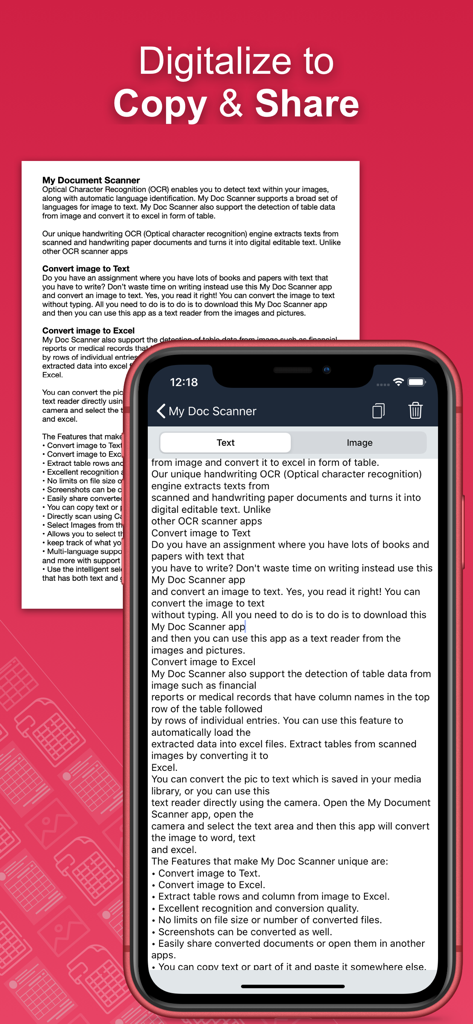
Ein Bildschirm einer mobilen App, der Text aus einem gescannten Dokument zeigt, der zum einfachen Kopieren und Teilen bereit ist.

Ein Bildschirm einer mobilen App, der Text aus einem gescannten Dokument zeigt, der zum einfachen Kopieren und Teilen bereit ist.

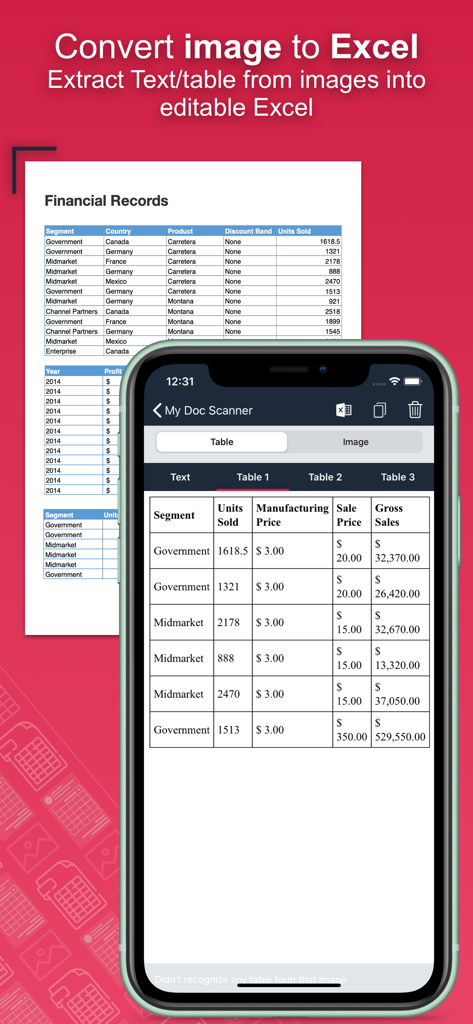
Smartphone-App-Bildschirm, der ein physisches Finanzdokument in eine bearbeitbare digitale Tabelle umwandelt

Smartphone-App-Bildschirm, der ein physisches Finanzdokument in eine bearbeitbare digitale Tabelle umwandelt

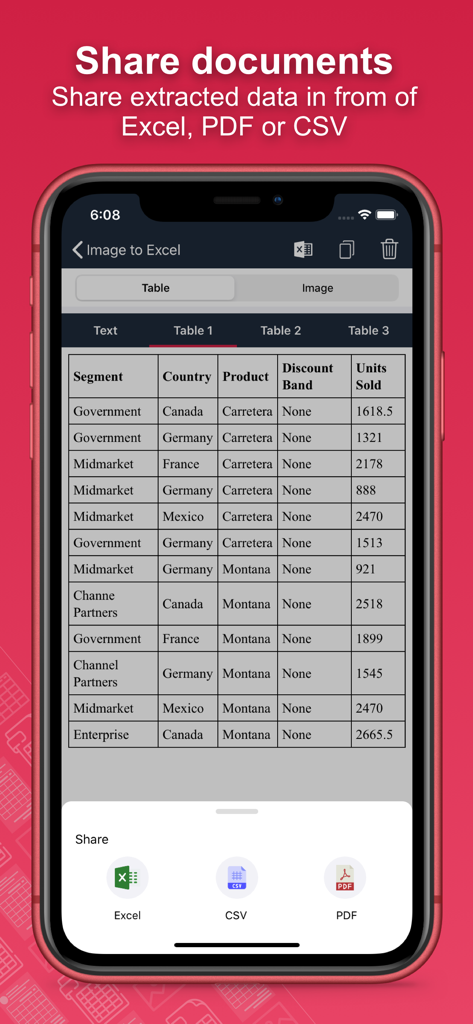
Mobile App-Oberfläche mit Optionen zum Teilen und Exportieren extrahierter Dokumentdaten als Excel-, CSV- oder PDF-Dateien

Mobile App-Oberfläche mit Optionen zum Teilen und Exportieren extrahierter Dokumentdaten als Excel-, CSV- oder PDF-Dateien

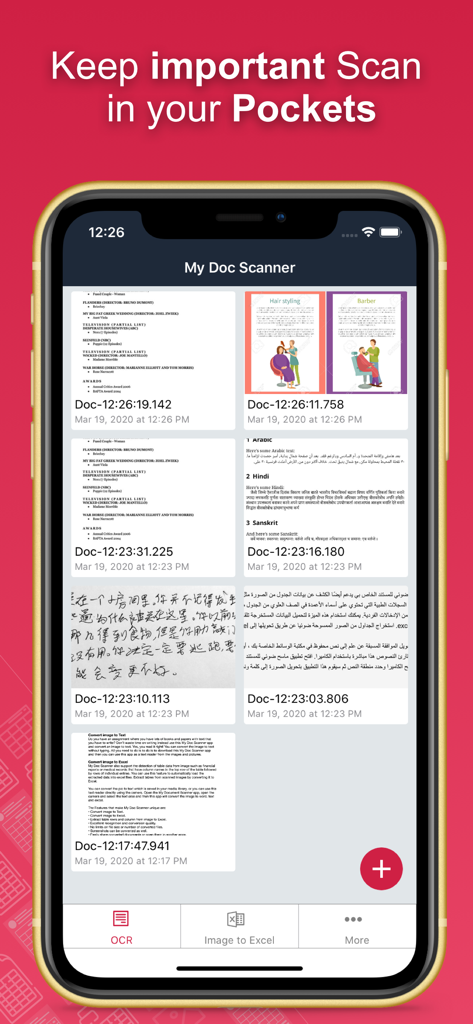
Oberfläche der Doc Image to Excel Converter-App, die eine Liste gescannter Dokumente und Tabellenkalkulationen anzeigt.

Oberfläche der Doc Image to Excel Converter-App, die eine Liste gescannter Dokumente und Tabellenkalkulationen anzeigt.

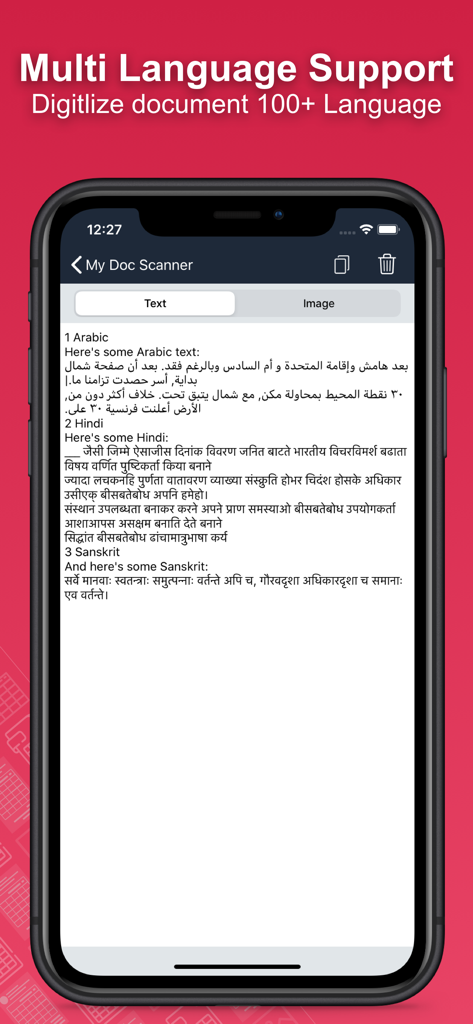
Bildschirm einer mobilen App, der die Dokumentendigitalisierung in mehreren Sprachen zeigt

Bildschirm einer mobilen App, der die Dokumentendigitalisierung in mehreren Sprachen zeigt

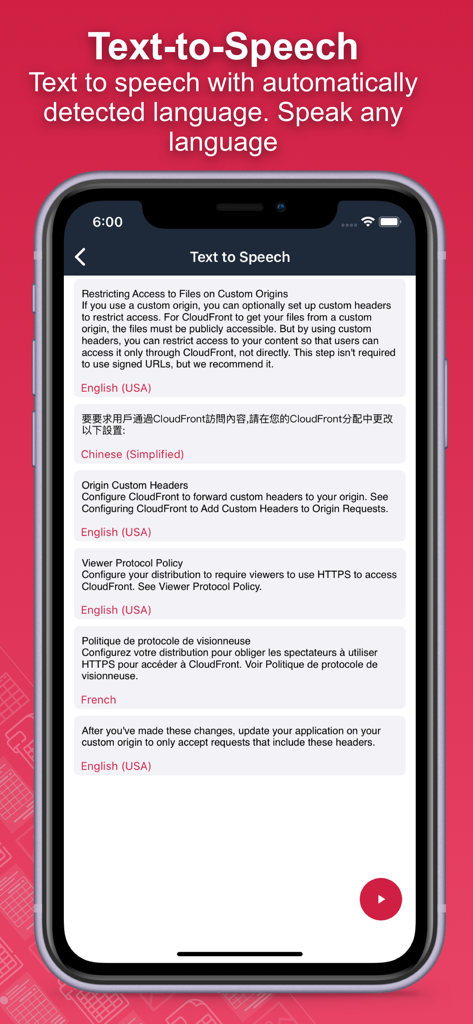
Text-to-Speech-Funktion mit automatischer mehrsprachiger Erkennung, die englische, chinesische und französische Beispiele anzeigt.

Text-to-Speech-Funktion mit automatischer mehrsprachiger Erkennung, die englische, chinesische und französische Beispiele anzeigt.

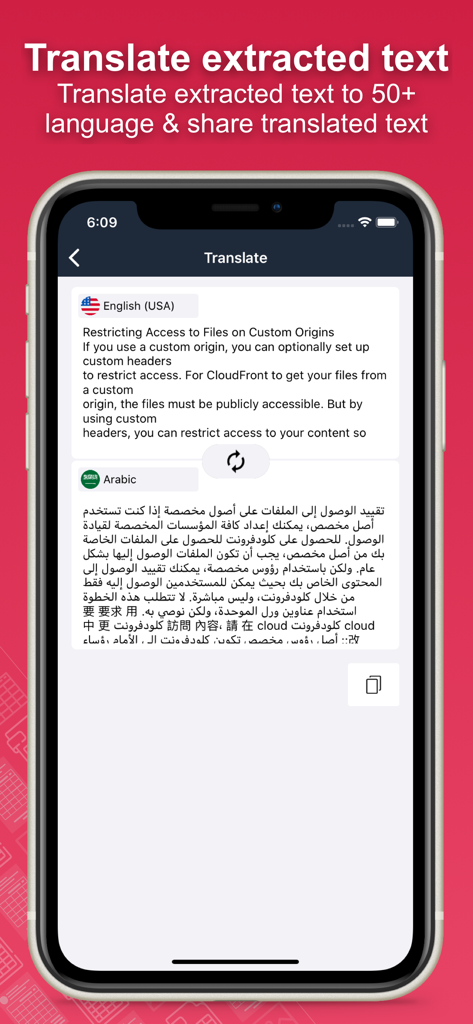
Ein mobiler Bildschirm, der die Übersetzungsfunktion der App zeigt, bei der englischer Text in Arabisch umgewandelt wird.

Ein mobiler Bildschirm, der die Übersetzungsfunktion der App zeigt, bei der englischer Text in Arabisch umgewandelt wird.

Hören Sie auf zu tippen, fangen Sie an zu automatisieren

Die Tools, die diese App auszeichnen, gewählt von 24K+ Nutzern.

📊

Sofortige Tabellenextraktion

Vergessen Sie die manuelle Dateneingabe. Erfassen Sie Kontoauszüge, Belege oder Rechnungen und wandeln Sie sie in perfekt strukturierte Excel- oder CSV-Dateien um, die zur Analyse bereit sind.

✍️

Handschrifterkennung

Digitalisieren Sie Ihren Workflow. Unsere fortschrittliche OCR-Technologie wandelt handgeschriebene Besprechungsnotizen und Vorlesungsskizzen präzise in bearbeitbaren digitalen Text um.

🔒

Sichere Stapelverarbeitung

Maximieren Sie die Produktivität, indem Sie Dutzende von Seiten auf einmal scannen, während sensible Finanzdaten mit integriertem biometrischem Schutz und Passcode-Schutz sicher bleiben.

Über die App

Alles, was Sie über wissen müssen Doc : Image to Excel Converter.

Beschreibung

Document Scanner - OCR Image to Text and Spreadsheet Converter Optical Character Recognition (OCR) enables accurate detection and extraction of text from images, with built-in support for automatic language identification. The Doc: Image to Excel Converter app goes beyond traditional OCR by offering advanced features like handwriting recognition and intelligent table extraction from scanned documents, forms, and images. Effortlessly convert images into editable text, spreadsheets (CSV or Excel), or PDFs. Perfect for digitizing books, notes, financial statements, receipts, and more. Key Features: • Convert Image to Text Tired of manually typing notes from books or printed pages? Just snap a photo or choose an image, and the app will accurately convert it to text without typing. • Convert Image to Excel, Spreadsheet, and PDF Extract both text and structured table data from documents. Ideal for financial reports, medical forms, invoices, and more. Convert scanned images into .xlsx, .csv, or .pdf formats instantly. • Batch Scan Support Scan and convert multiple images at once for handling large volumes of documents efficiently. • Tabular Data Extraction Extract rows and columns from images and load them directly into Excel. Supports intelligent table detection for accurate conversion. • Multi-language OCR (60+ languages) Supports text recognition in English, Spanish, French, German, Italian, and many more. • Translate Extracted Data Translate extracted tables or text into 50+ languages for seamless international use. • Secure Your Documents Protect your scans using a passcode or biometric authentication. • Smart Area Selection Focus only on the part of the image containing text, even if it includes graphics. • Scan History and Clipboard Actions Keep track of all scanned documents. Easily copy text, open URLs, make calls, send emails, or paste content anywhere. • Handwriting Recognition Convert handwritten notes and scanned paper documents into digital, editable text. • Capture or Import Images Use your camera to scan in real-time or import from your gallery. Supports text extraction from screenshots as well. Why Choose Document Scanner OCR++? • Highly accurate text and table recognition • No limits on file size or number of conversions • Instant conversion of bank e-statements, receipts, and more • Output files ready to use in Word, Excel, or PDF • Clean and user-friendly interface • Fast, lightweight, and powerful Stop wasting time typing manually. Download the Doc: Image to Excel Converter app today and instantly convert your images into editable, shareable, and searchable content.

Neueste Version

1.60

Größe

30.3 MB

Erstveröffentlichung

20. März 2020

Stoppen Sie die manuelle Dateneingabe noch heute

Schließen Sie sich Tausenden von Profis und Studenten an, die jede Woche Stunden sparen. Laden Sie den Doc: Bild-zu-Excel-Konverter herunter und verwandeln Sie Ihren Papierstapel sofort in umsetzbare Tabellenkalkulationen.

Herunterladen auf App Store

App information, icons, screenshots, and descriptions displayed on this page are sourced from the Apple App Store and are the property of their respective developers. Download estimates and rankings are based on MWM's proprietary models and may not reflect actual figures. This page is provided for informational and analytical purposes only.

Believe this page infringes your intellectual property? File a dispute