ES File Explorer: Der Desktop-fähige Dateimanager für Ihr iPhone
Übernehmen Sie die volle Kontrolle über Ihren mobilen Speicher. Organisieren, anzeigen und analysieren Sie mühelos Ihre Dokumente, Fotos und Medien mit einer leistungsstarken Oberfläche, die für maximale Produktivität und Geschwindigkeit entwickelt wurde.
Herausgeber
alkesh dudhat
Kategorie
Utilities
Downloads
27K+
Bewertung
2.4/5
Bewertungen gesamt
0
Sprachen
15
Ihre Dateien, visualisiert
Entdecken Sie die Oberfläche, die von 27K+ Nutzern verwendet wird.
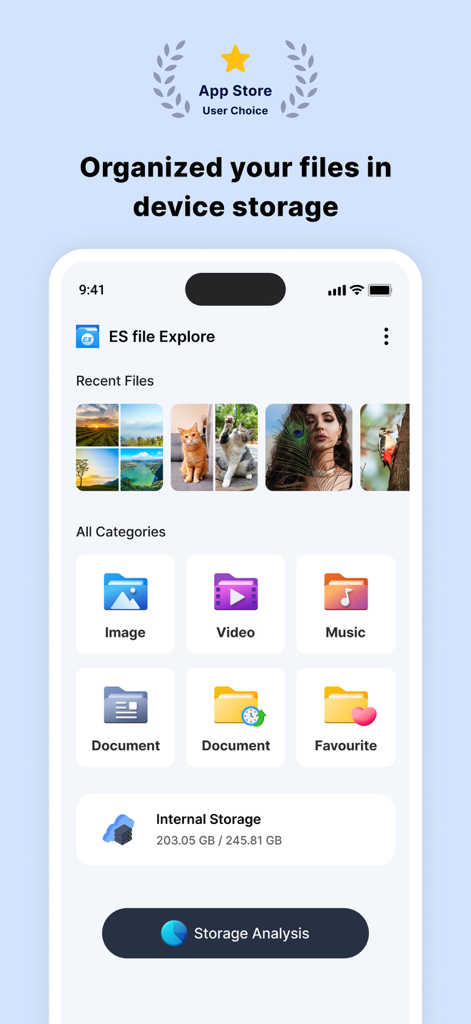
ES File Explorer Dashboard zeigt Dateikategorien und Speicheranalyse auf einem iPhone an
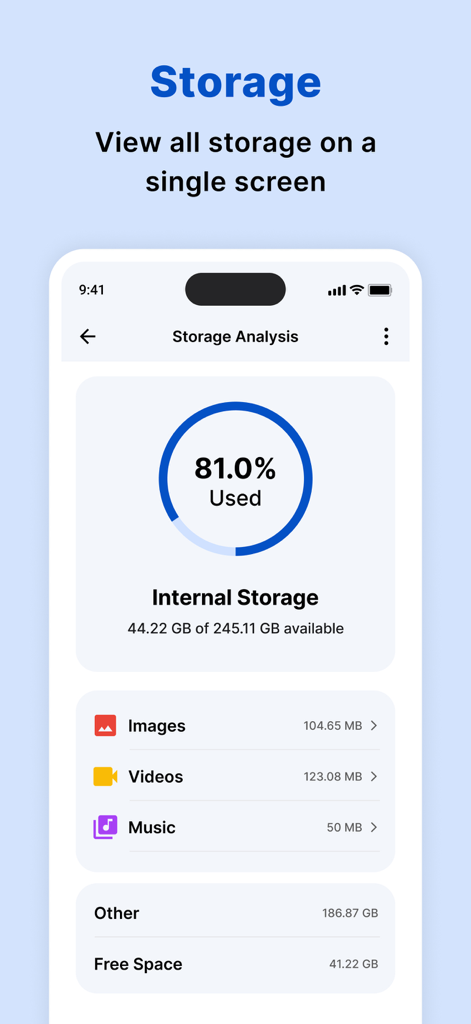
Speicheranalyse-Dashboard, das die interne Speichernutzung und die Kategorieaufschlüsselung zeigt
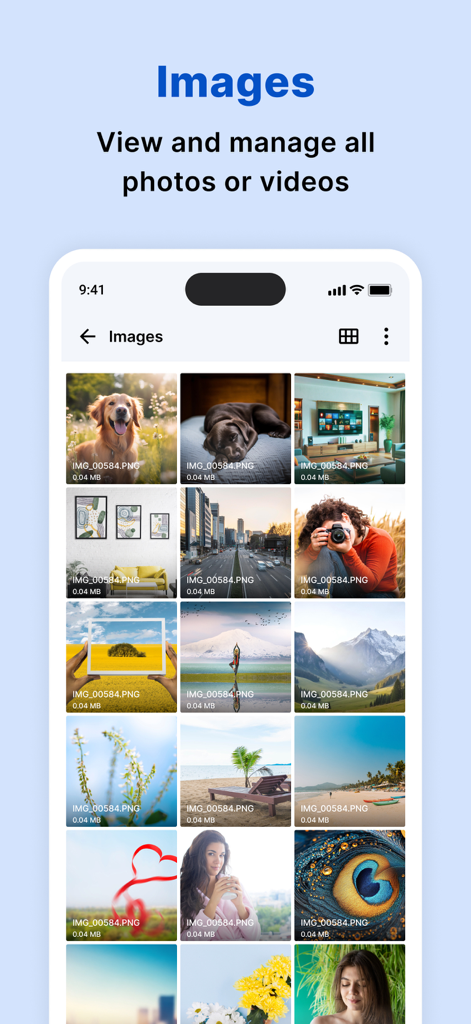
ES File Explorer App zeigt ein organisiertes Raster von Bildern und Fotos auf einem iPhone an
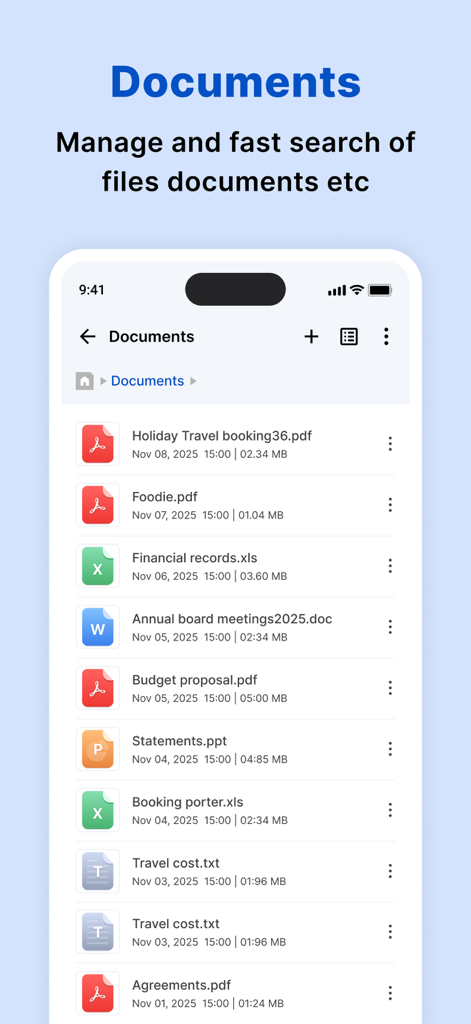
Eine Liste verschiedener Dokumente, darunter PDF- und Excel-Dateien, in der ES File Explorer App.
ES File Explorer integrierter HD-Videoplayer, der eine Person beim Schwimmen unter Wasser zeigt.
Übernehmen Sie das volle Kommando über Ihren mobilen Speicher
Die Tools, die diese App auszeichnen, gewählt von 27K+ Nutzern.
📊
Intelligente Speicheranalyse
Identifizieren Sie sofort große Dateien und Unordnung mit einem visuellen Dashboard, um den wertvollen Speicherplatz Ihres iPhones zurückzugewinnen und die Leistung zu optimieren.
📁
Organisation auf Desktop-Niveau
Navigieren Sie Ihre Dateien mit einer vertrauten Ordnerstruktur und intelligenten Kategorien, die das mühelose Auffinden aktueller Dokumente und Medien ermöglichen.
⚡
Integrierter Mediaplayer
Öffnen und spielen Sie jedes Video-, Audio- oder Dokumentformat direkt in der App ab – kein Wechseln mehr zwischen verschiedenen Tools von Drittanbietern.
Über die App
Alles, was Sie über wissen müssen ES file explorer.
Beschreibung
My Files helps you manage and organise any file stored on your device.
Using My Files, you can view your images, videos, audio files and documents,To find the My Files folder, search using the app search or in the default iPhone folder on your apps screen.
My Files sorts your files into categories, such as Images, Videos, Audio and documents. If you have recently opened a file and are trying to locate it, tap “recents” to access or delete the file.
My Files can perform an analysis of the storage usage of the files stored on your device.
How to manage files on your iPhone?
iPhone devices have a My Files app to access and manage files such as documents, pictures, videos, audio files, and documents.One of the strengths of My Files app is that the manager has a very simple interface. This simplicity turns out to be highly useful to help you find any element you're looking for in seconds. Another interesting aspect is that it displays the files you've modified recently to access them more quickly.
features:
• Built-in viewers and players for various file types: click to play music/videos, check image(s) and document(s)
• Quick browsing through categories like: file type, downloads, recent files, and large files.
• Check available storage with just a glance on a simple dashboard.
• Search your photos by date, size, date created, date opened.
• Multiple selection and various sorting support.
My Files helps you manage and organise any file stored on your device.
Using My Files, you can view your images, videos, audio files and documents,To find the My Files folder, search using the app search or in the default iPhone folder on your apps screen.
My Files sorts your files into categories, such as Images, Videos, Audio and documents. If you have recently opened a file and are trying to locate it, tap “recents” to access or delete the file.
My Files can perform an analysis of the storage usage of the files stored on your device.
How to manage files on your iPhone?
iPhone devices have a My Files app to access and manage files such as documents, pictures, videos, audio files, and documents.One of the strengths of My Files app is that the manager has a very simple interface. This simplicity turns out to be highly useful to help you find any element you're looking for in seconds. Another interesting aspect is that it displays the files you've modified recently to access them more quickly.
festures:
• Built-in viewers and players for various file types: click to play music/videos, check image(s) and document(s)
• Quick browsing through categories like: file type, downloads, recent files, and large files.
• Check available storage with just a glance on a simple dashboard.
• Search your photos by date, size, date created, date opened.
• Multiple selection and various sorting support.
Subscription Details:
Payment will be charged to iTunes Account at confirmation of purchase
Subscription automatically renews unless auto-renew is turned off at least 24-hours before the end of the current period
Account will be charged for renewal within 24-hours prior to the end of the current period, and identify the cost of the renewal
No cancellation of the current subscription is allowed during active subscription period
Any unused portion of a free trial period, if offered, will be forfeited when the user purchases a subscription to that publication, where applicable
Note:-
Privacy Policy: https://www.privacypolicycenter.com/alkesh_dudhat_ios/privacy.html
Terms of use: https://www.privacypolicycenter.com/view_custom.php?v=TXlabGhTL1NMSU14Q0Z1Rk1oS2NVZz09&n=Terms-Of-Use
Neueste Version
2.1
Größe
43.7 MB
Erstveröffentlichung
21. Apr. 2022
Holen Sie sich noch heute die volle Kontrolle über Ihren iPhone-Speicher
Schließen Sie sich Tausenden von Benutzern an, die digitales Durcheinander gegen organisation auf Desktop-Niveau eingetauscht haben. Laden Sie ES File Explorer herunter und verwalten Sie Ihre Dateien wie ein Profi.
App information, icons, screenshots, and descriptions displayed on this page are sourced from the Apple App Store and are the property of their respective developers. Download estimates and rankings are based on MWM's proprietary models and may not reflect actual figures. This page is provided for informational and analytical purposes only.
Believe this page infringes your intellectual property? File a dispute