Export Contacts to CSV Excel

Export Contacts to CSV Excel


Herunterladen auf App Store
Logo von Export Contacts to CSV Excel

Kontakte nach CSV & Excel exportieren: Das ultimative Werkzeug für professionelles Datenmanagement

Verwandeln Sie Ihr Adressbuch sofort in organisierte Tabellenkalkulationen für Ihr CRM, Backups oder geschäftliche Arbeitsabläufe. Sichere, lokale Verarbeitung gewährleistet, dass Ihre wertvollen Netzwerkdaten zu 100% privat bleiben.

Herunterladen auf App Store

Herausgeber

Ertugrul Sari

Kategorie

Utilities

Downloads

100

Bewertung

4.4/5

Bewertungen gesamt

0

Sprachen

49

Präzision in jedem Pixel

Entdecken Sie die Oberfläche, die von 100 Nutzern verwendet wird.
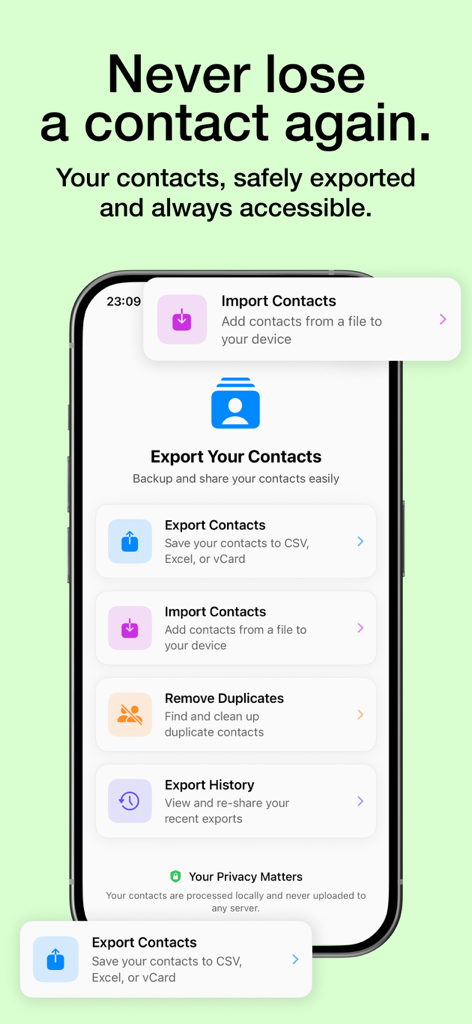
Hauptbildschirm der "Kontakte exportieren"-App auf einem iPhone mit Optionen zum Exportieren nach CSV und Excel, zum Importieren von Dateien und zum Entfernen von Duplikaten

Hauptbildschirm der "Kontakte exportieren"-App auf einem iPhone mit Optionen zum Exportieren nach CSV und Excel, zum Importieren von Dateien und zum Entfernen von Duplikaten

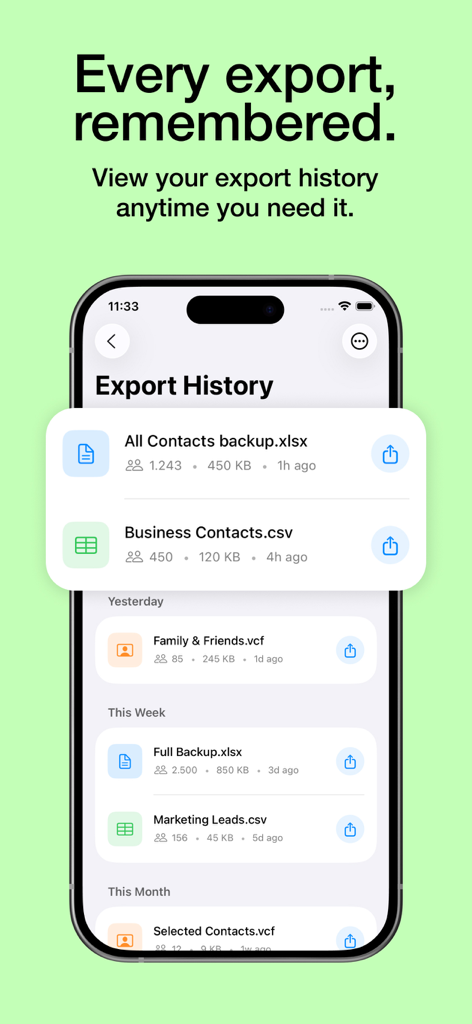
Smartphone-Bildschirm, der eine Historie exportierter Kontaktdaten im Excel- und CSV-Format anzeigt.

Smartphone-Bildschirm, der eine Historie exportierter Kontaktdaten im Excel- und CSV-Format anzeigt.

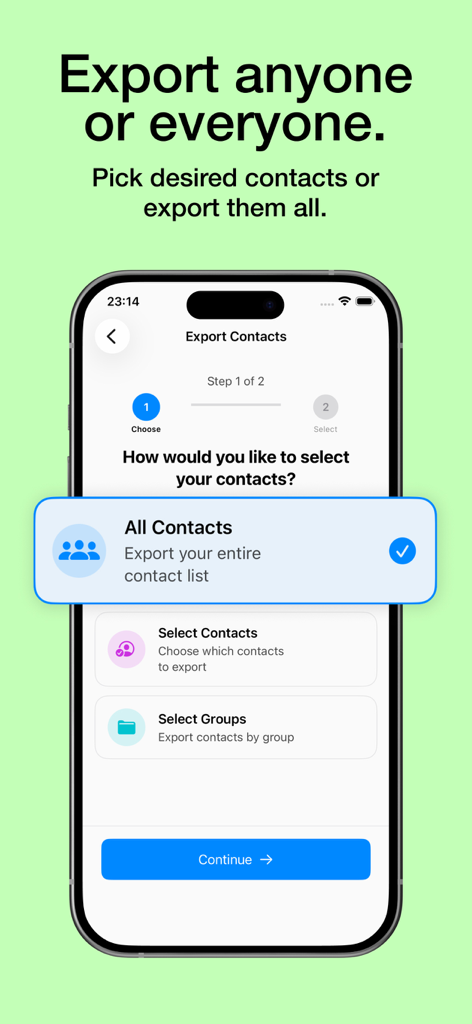
Mobile Benutzeroberfläche der "Kontakte exportieren"-App mit Optionen zum Exportieren aller Kontakte, bestimmter Kontakte oder Kontaktgruppen

Mobile Benutzeroberfläche der "Kontakte exportieren"-App mit Optionen zum Exportieren aller Kontakte, bestimmter Kontakte oder Kontaktgruppen

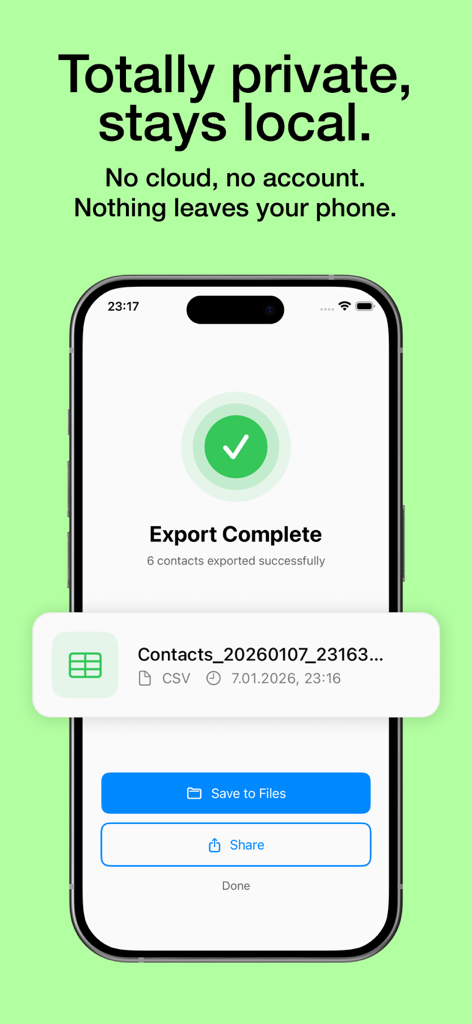
iPhone-Bildschirm, der einen erfolgreichen und privaten Kontaktexport nach CSV anzeigt

iPhone-Bildschirm, der einen erfolgreichen und privaten Kontaktexport nach CSV anzeigt

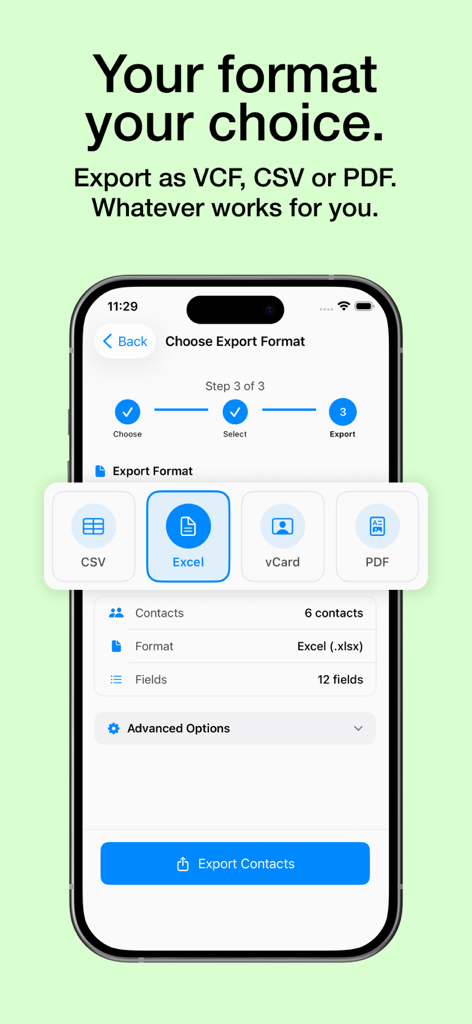
iPhone-Bildschirm mit Optionen zum Exportieren von Kontakten als CSV, Excel, vCard oder PDF

iPhone-Bildschirm mit Optionen zum Exportieren von Kontakten als CSV, Excel, vCard oder PDF

Volle Kontrolle über Ihre Kontaktdaten

Die Tools, die diese App auszeichnen, gewählt von 100 Nutzern.

🔒

100% privat & lokal

Ihre Daten verlassen niemals Ihr Gerät. Alle Exporte werden lokal verarbeitet, wodurch sichergestellt wird, dass Ihr professionelles Netzwerk vollständig vertraulich und sicher bleibt.

📊

Professionelle Exporte

Formatieren Sie Ihre Kontakte in Sekundenschnelle für Excel oder CSV. Perfekt strukturierte Dateien, bereit für den Import in Salesforce, HubSpot oder Ihren benutzerdefinierten CRM-Workflow.

🛡️

Zuverlässiges Backup & Wiederherstellung

Schützen Sie Ihr soziales Kapital. Erstellen Sie sofortige, originalgetreue Backups Ihrer gesamten Kontaktliste, um sicherzustellen, dass Sie niemals eine wertvolle Geschäftsverbindung verlieren.

Über die App

Alles, was Sie über wissen müssen Export Contacts to CSV Excel.

Beschreibung

Looking for the best way to export contacts to Excel, CSV, or vCard? "Export Contacts to CSV Excel" is the ultimate solution for contact backup, transfer, and management. With this powerful contacts exporter, you can seamlessly export contacts to CSV Excel, organize your address book, and ensure your contacts are always backed up and accessible. Effortless Contact Backup & Transfer Exporting contacts has never been easier! With "Export Contacts to CSV Excel," you can quickly export contacts to Excel CSV with just a few taps. Whether you need a contacts backup for safety or want to share your contact list, our app ensures a smooth and reliable process. Export contacts to CSV or export contacts to Excel CSV format effortlessly. Backup and restore contacts with ease, ensuring your contacts are never lost. Transfer contacts to another device or share via email, cloud storage, or messaging apps. Export backup of your entire address book, including recent contacts and contact groups. Take control of your contact data with customizable export settings: Select specific contacts groups or individual contacts for export. Choose from multiple formats: CSV, Excel, vCard. Customize exported fields, including names, phone numbers, emails, and addresses. Preview and manage your exported contact backup before saving. Why Choose "Export Contacts to CSV Excel"? Fast & Simple: A user-friendly interface makes it easy to export contacts in seconds. Secure & Reliable: Backup restore contacts safely, ensuring your data is always protected. Multiple Export Formats: Export contacts to CSV Excel, vCard, or other popular formats. Organize Your Address Book: Sort, filter, and manage contacts with ease. 100% Privacy Guaranteed: No data is transferred anywhere—everything runs locally on your phone. Whether you're an individual looking for a my contacts backup solution or a professional needing an efficient contacts backup restore tool, this app is designed for you. Save time by exporting contacts to Excel for professional use, sharing with colleagues, or keeping a secure backup of your business connections. How to Use: Open the app and allow access to your contacts. Select the desired contact backup and restore option. Choose CSV, Excel, or vCard format. Customize fields and confirm the export. Save, share, or transfer your exported contacts instantly. Need to transfer contacts? Easily move contacts between devices. Looking for a contacts exporter? Get all contacts in one organized file. Worried about losing contacts? Backup restore contacts in a secure format. Need to share contacts? Export backup and send to colleagues or friends. Don't risk losing your valuable contacts! Download Export Contacts to CSV Excel now and experience the easiest way to export contacts and manage your address book. This application is free to download, but you may need to purchase premium to use any of the app's features and functionality. Privacy Policy: https://sites.google.com/view/estifie-exportcontacts/privacy-policy Terms of Use: https://sites.google.com/view/estifie-exportcontacts/terms-of-use

Neueste Version

1.0.17

Größe

22.4 MB

Erstveröffentlichung

30. März 2025

Übernehmen Sie die volle Kontrolle über Ihr professionelles Netzwerk

Schließen Sie sich Tausenden von Fachleuten an, die ihre Kontakte in Sekundenschnelle sicher exportieren und sichern. Keine Cloud, keine Datenfreigabe – nur Ihre Daten, genau dort, wo Sie sie brauchen.

Herunterladen auf App Store

App information, icons, screenshots, and descriptions displayed on this page are sourced from the Apple App Store and are the property of their respective developers. Download estimates and rankings are based on MWM's proprietary models and may not reflect actual figures. This page is provided for informational and analytical purposes only.

Believe this page infringes your intellectual property? File a dispute