Filerev for Google Drive

Filerev for Google Drive


Herunterladen auf App Store
Logo von Filerev for Google Drive

Filerev für Google Drive: Holen Sie sich Ihren Speicher zurück und zahlen Sie nicht mehr zu viel

Haben Sie genug von den Warnungen „Speicher voll“? Finden Sie mühelos Duplikate, riesige Ordner und versteckte Dateien, um Ihr digitales Leben zu entrümpeln und unnötige Abonnement-Upgrades zu vermeiden.

Herunterladen auf App Store

Herausgeber

Filerev Inc

Kategorie

Utilities

Downloads

0

Bewertung

1.0/5

Bewertungen gesamt

0

Sprachen

1

Klarheit auf einen Blick

Entdecken Sie die Oberfläche, die von 0 Nutzern verwendet wird.
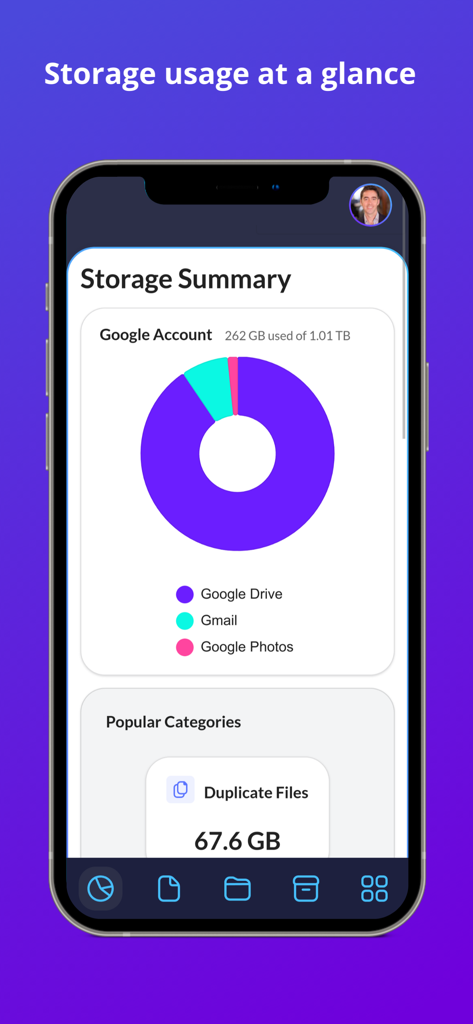
Dashboard, das die Google Drive-Speichernutzung und doppelte Dateien in Filerev anzeigt

Dashboard, das die Google Drive-Speichernutzung und doppelte Dateien in Filerev anzeigt

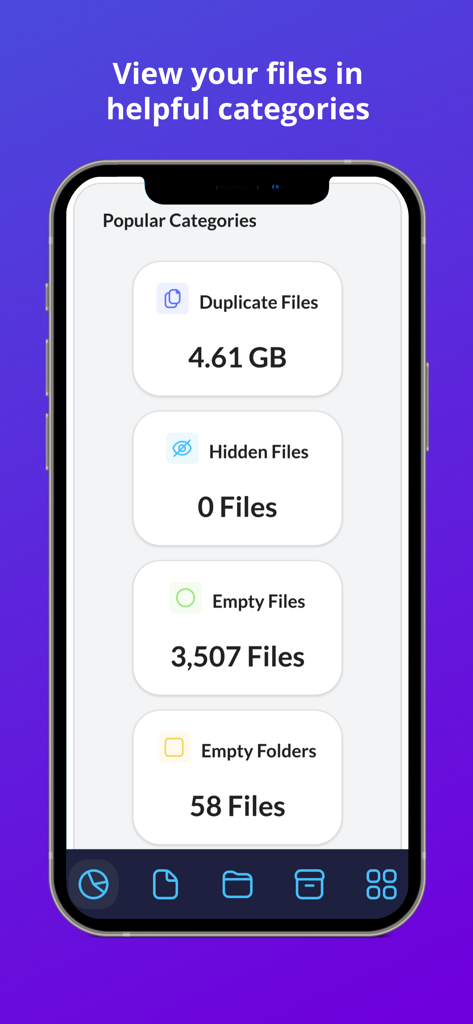
Filerev App-Bildschirm, der Speicher-Kategorien anzeigt, einschließlich doppelter Dateien, versteckter Dateien und leerer Ordner zur Organisation von Google Drive

Filerev App-Bildschirm, der Speicher-Kategorien anzeigt, einschließlich doppelter Dateien, versteckter Dateien und leerer Ordner zur Organisation von Google Drive

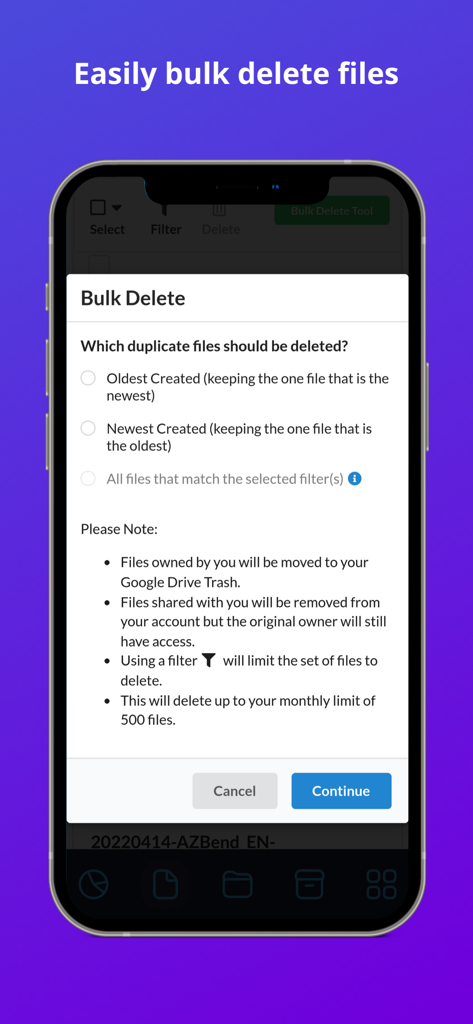
Oberfläche des Filerev-Stapel Löschwerkzeugs zur Verwaltung des Google Drive-Speichers und doppelter Dateien.

Oberfläche des Filerev-Stapel Löschwerkzeugs zur Verwaltung des Google Drive-Speichers und doppelter Dateien.

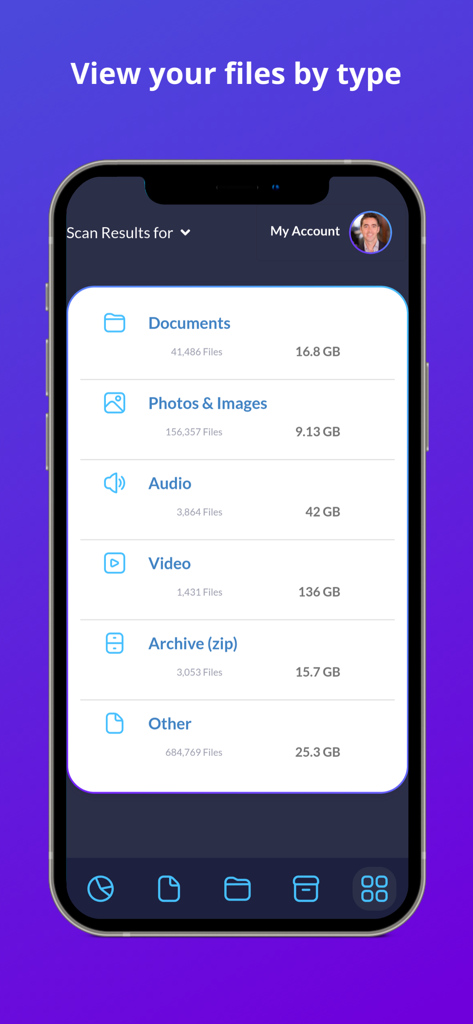
Eine mobile Oberfläche der Filerev App, die Google Drive-Dateien nach Typ und Speichergröße kategorisiert

Eine mobile Oberfläche der Filerev App, die Google Drive-Dateien nach Typ und Speichergröße kategorisiert

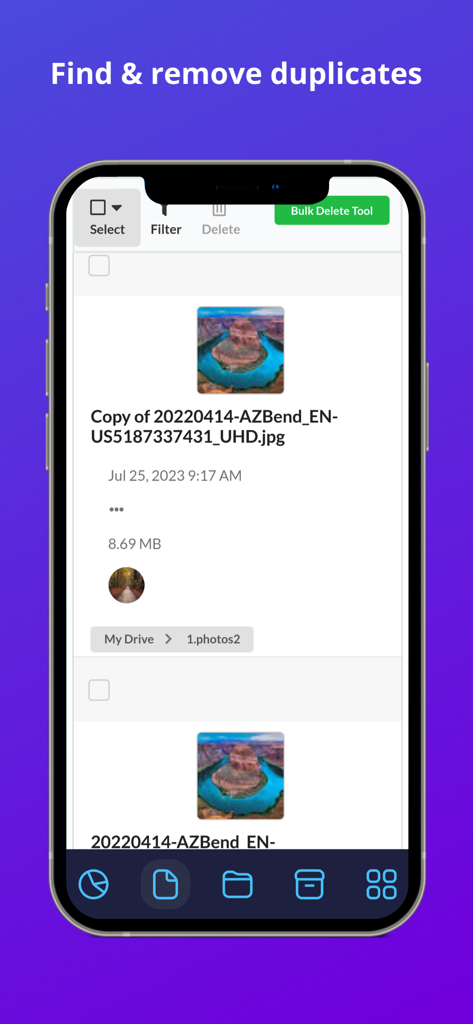
Filerev App-Oberfläche mit einer Liste doppelter Bilddateien in Google Drive mit einer Option zum Massenlöschen.

Filerev App-Oberfläche mit einer Liste doppelter Bilddateien in Google Drive mit einer Option zum Massenlöschen.

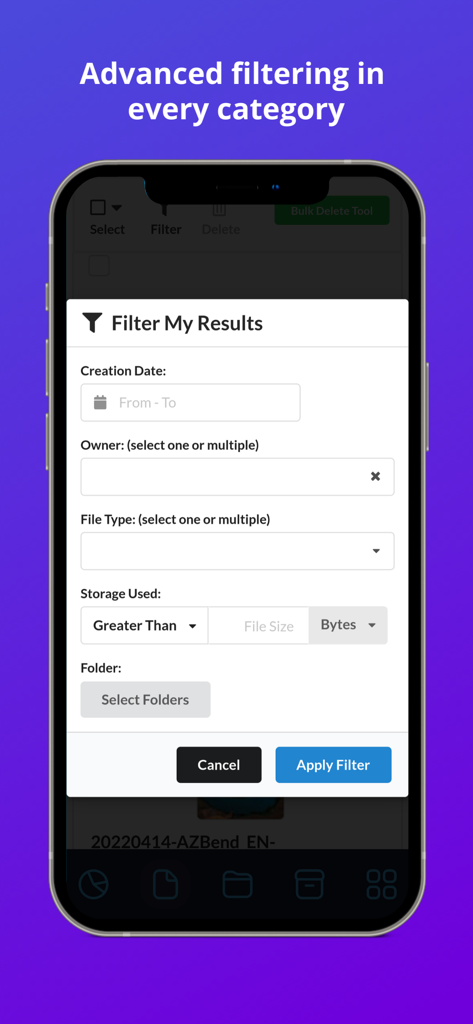
Oberfläche mit erweiterten Filteroptionen für Google Drive-Dateien in der Filerev App

Oberfläche mit erweiterten Filteroptionen für Google Drive-Dateien in der Filerev App

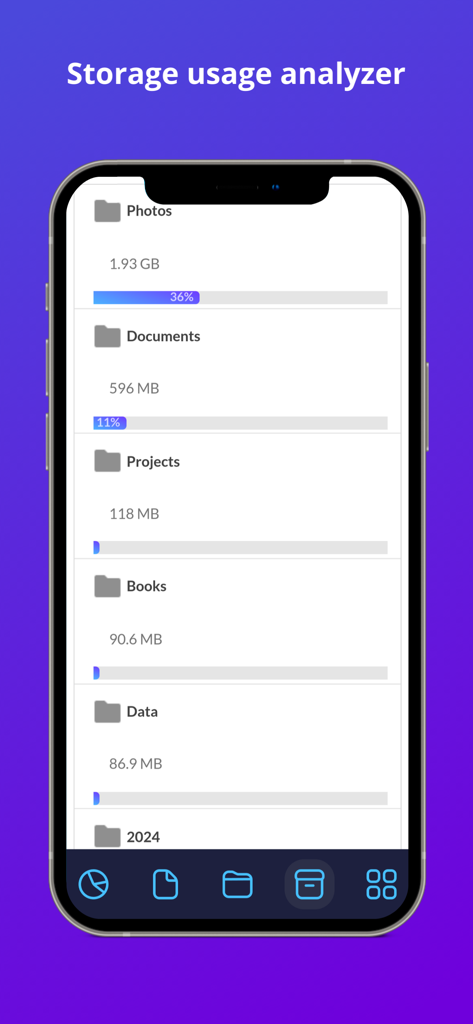
Speichernutzungsanalyse-Bildschirm in der Filerev App, der Ordnergrößen und Speicherprozentsätze für Google Drive anzeigt

Speichernutzungsanalyse-Bildschirm in der Filerev App, der Ordnergrößen und Speicherprozentsätze für Google Drive anzeigt

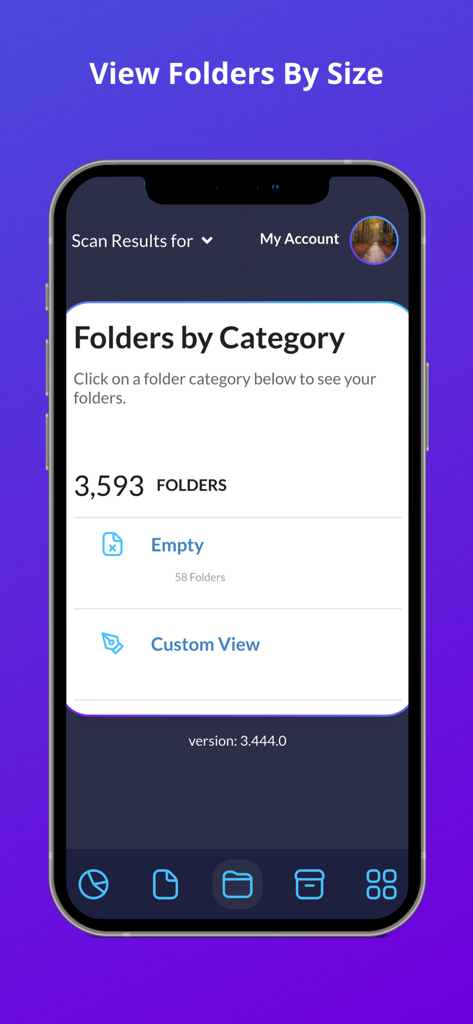
Filerev App-Screenshot, der Google Drive-Ordner nach Kategorien sortiert, einschließlich leerer Ordner

Filerev App-Screenshot, der Google Drive-Ordner nach Kategorien sortiert, einschließlich leerer Ordner

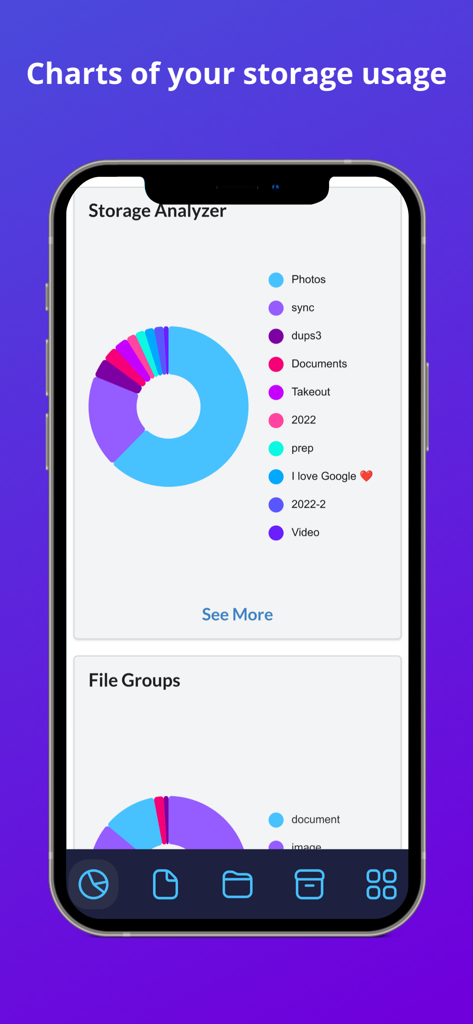
Speicheranalyse-Diagramm in Filerev für Google Drive, das die Speicheraufschlüsselung nach Kategorien zeigt

Speicheranalyse-Diagramm in Filerev für Google Drive, das die Speicheraufschlüsselung nach Kategorien zeigt

Übernehmen Sie die Kontrolle über Ihren Cloud-Speicher

Die Tools, die diese App auszeichnen, gewählt von 0 Nutzern.

📑

Versteckte Duplikate eliminieren

Identifizieren und löschen Sie identische Dateien und Fotos im Stapel, die Speicherplatz verschwenden und Verwirrung in Ihrem digitalen Arbeitsbereich stiften.

📂

Große Ordner visualisieren

Entdecken Sie mit tiefen Einblicken, welche Ordner Ihren Speicher wirklich beanspruchen und die die native Google Drive-Oberfläche vor Ihnen verbirgt.

Intelligente Stapelbereinigung

Sparen Sie Stunden manueller Sortierung mit erweiterten Filtern, um leere Ordner, alte Archive und temporäre Dateien mit nur einem Klick zu entfernen.

Über die App

Alles, was Sie über wissen müssen Filerev for Google Drive.

Beschreibung

Organize your Google Drive files with Filerev and reduce your storage usage. This software will find your duplicate files, large files, large folders, hidden files, empty folders and so much more. It displays your files in an organized way so you can quickly see the files that are cluttering up your Google Drive account. When you first log in to the Filerev app with your Google account the software will scan your files and then present you with a report of how your storage is being used. The software will show your duplicate files, large files, hidden files, large folders, empty folders and let you browse files by specific file types. You can use filters to further drill down to specific files and folders. It can also bulk delete files and folders, making tasks like removing thousands of duplicate files a breeze. After your scan is complete you will be presented with a report of your storage usage. You will see a graph showing your storage usage by Google Drive, Gmail and Google Photos as well as the number of files and folders that exist in your account. Then you will see your files in specific categories such as: - Duplicate Files - Hidden Files - Empty Files - Files Larger than X MB - Files Older than X years - Files not owned by me - Temporary Files - Files by Extension - Custom Files, where you can view files by custom criteria. - Google Drive Trash In each category, you will see the total storage space that your files are consuming and how many files are in the category. Below the files there is another category for your folders where you will see: - Folders Larger than X MB - Empty Folders - Custom Folders where you can filter folders by custom criteria. You can also browse your files by specific file types. The file types are first broken down into high-level types such as: - Documents - Photos & Images** - Audio - Video - Archive (zip) - Other ** Please note, you can find and remove photos that exist in Google Drive but Filerev does not currently find files in Google Photos. When you view any one of these categories you will see your files further broken down into categories for specific file types (Microsoft Word, PDF, JPG, Excel, Google Sheets, Powerpoint, etc). When you view your files or folders in any of the categories listed above you will be presented with information about each file and folder. You can easily clear the clutter from your Google Drive account by selecting specific files or folders. You can also use the bulk delete feature to remove specific files or folders with a simple click. * PRICING * With the free plan, you can scan up to 1 million files in your Google Drive account and view how your storage is being used. You can see the number of duplicate files, empty folders, large folders and more that are taking up space in your Google Drive account. Then each month, you can delete up to 100 files and folders. Upgrade to a paid plan that starts for as little as 4 per month (paid annually) to unlock more features. The paid plans have additional features, and you can scan more files, delete more files and view large folders and empty folders. * SECURE & PRIVATE * We care about the privacy of your data and are committed to protecting it. Our motivation is to help you organize your Google Drive account, and we will not use your information for anything other than that. Everything is transferred over a secure SSL connection, and we encrypt any account information that we store. You can read more about this in our Privacy Policy (https://filerev.com/privacy) and our terms (https://filerev.com/terms). We also submit Filerev to security reviews and audits to ensure your data stays safe.

Neueste Version

3.786.0

Größe

18.4 MB

Erstveröffentlichung

31. Okt. 2023

Zahlen Sie nicht für Speicherplatz, den Sie nicht benötigen

Schließen Sie sich Tausenden von Fachleuten und Freiberuflern an, die Filerev nutzen, um Duplikate zu finden, versteckten Unrat zu entfernen und ihren Google Drive-Speicherplatz in wenigen Minuten zurückzugewinnen.

Herunterladen auf App Store

App information, icons, screenshots, and descriptions displayed on this page are sourced from the Apple App Store and are the property of their respective developers. Download estimates and rankings are based on MWM's proprietary models and may not reflect actual figures. This page is provided for informational and analytical purposes only.

Believe this page infringes your intellectual property? File a dispute