FormConnect Pro

FormConnect Pro

Herunterladen auf App Store
Logo von FormConnect Pro

FormConnect Pro: Die professionelle mobile Formularlösung für Ihr iPad und iPhone

Verabschieden Sie sich von Papierkram und revolutionieren Sie Ihren Geschäftsablauf. Erstellen Sie benutzerdefinierte digitale Formulare, erfassen Sie Unterschriften und sammeln Sie Daten offline, um die Produktivität im Außendienst zu steigern und Ihre Kunden zu begeistern.

Herausgeber

FormConnections

Kategorie

Business

Downloads

181K+

Bewertung

4.5/5

Bewertungen gesamt

900

Sprachen

1

Ein Einblick in die Effizienz

Entdecken Sie die Oberfläche, die von 181K+ Nutzern verwendet wird.
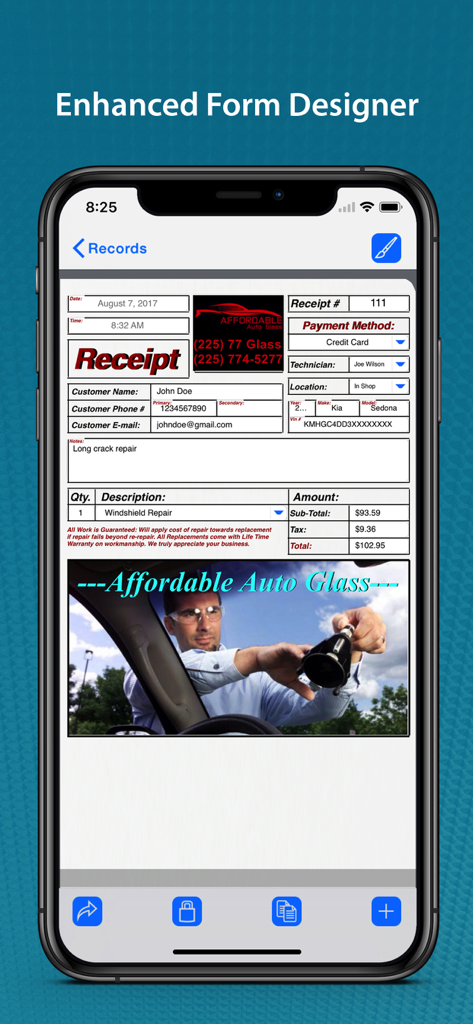
FormConnect Pro App zeigt eine anpassbare Geschäftseingangsformularvorlage für einen Autoglasreparaturservice auf einem iPhone.

FormConnect Pro App zeigt eine anpassbare Geschäftseingangsformularvorlage für einen Autoglasreparaturservice auf einem iPhone.

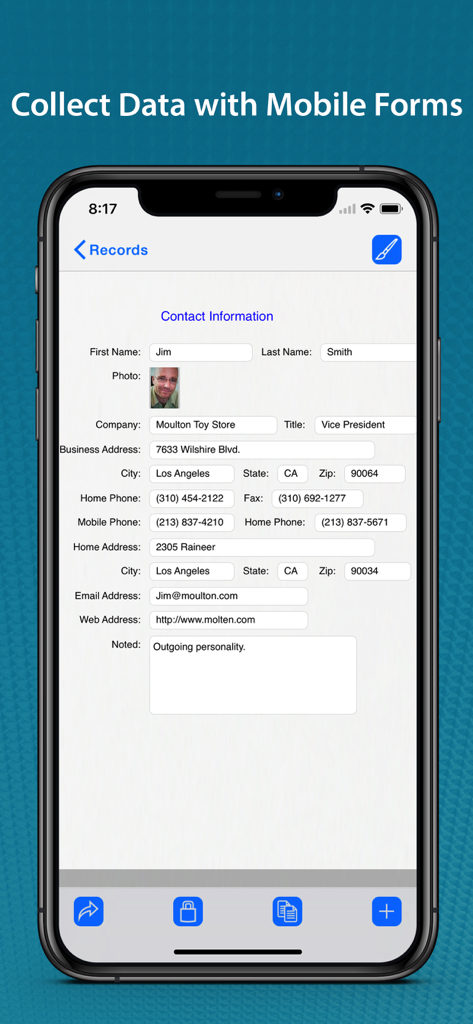
FormConnect Pro mobile App zeigt ein ausgefülltes digitales Kontaktinformationsformular auf einem iPhone.

FormConnect Pro mobile App zeigt ein ausgefülltes digitales Kontaktinformationsformular auf einem iPhone.

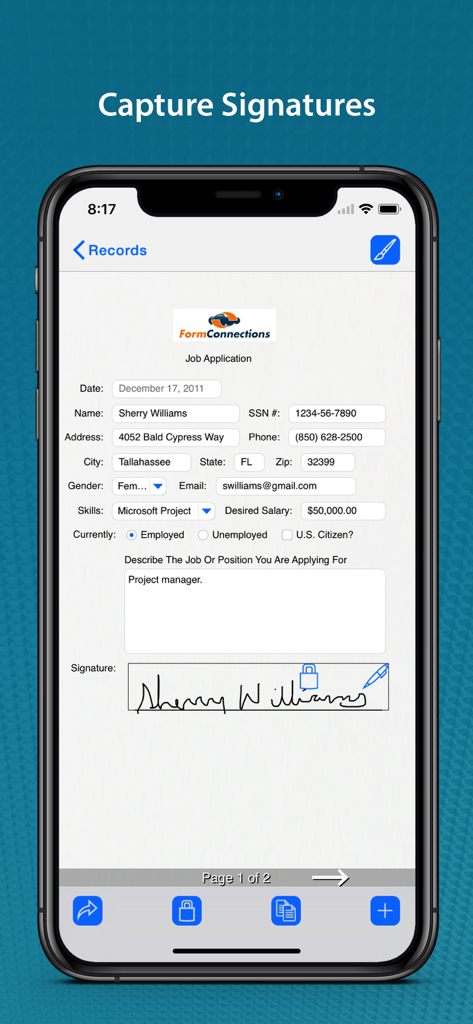
Erfassung digitaler Signaturen auf einem Bewerbungsformular innerhalb der FormConnect Pro App

Erfassung digitaler Signaturen auf einem Bewerbungsformular innerhalb der FormConnect Pro App

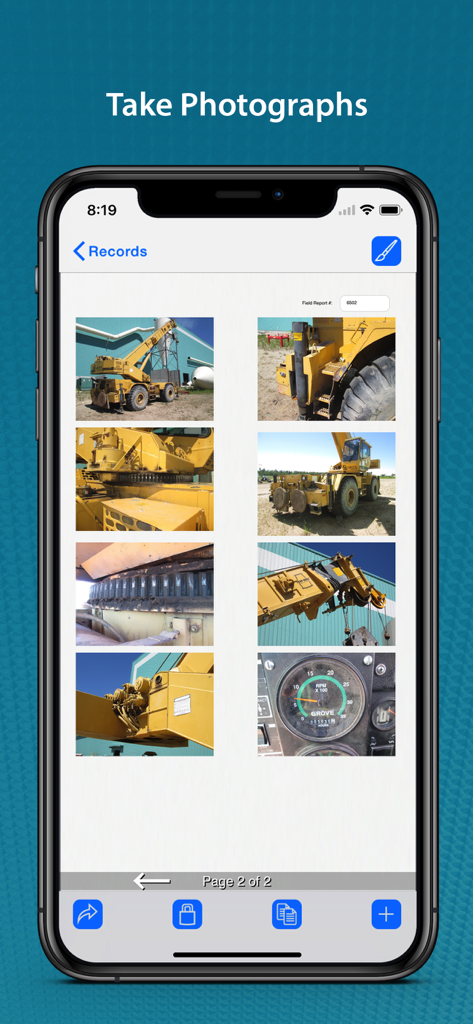
FormConnect Pro App-Bildschirm zeigt mehrere Fotos von schweren Maschinen in einem Feldbericht

FormConnect Pro App-Bildschirm zeigt mehrere Fotos von schweren Maschinen in einem Feldbericht

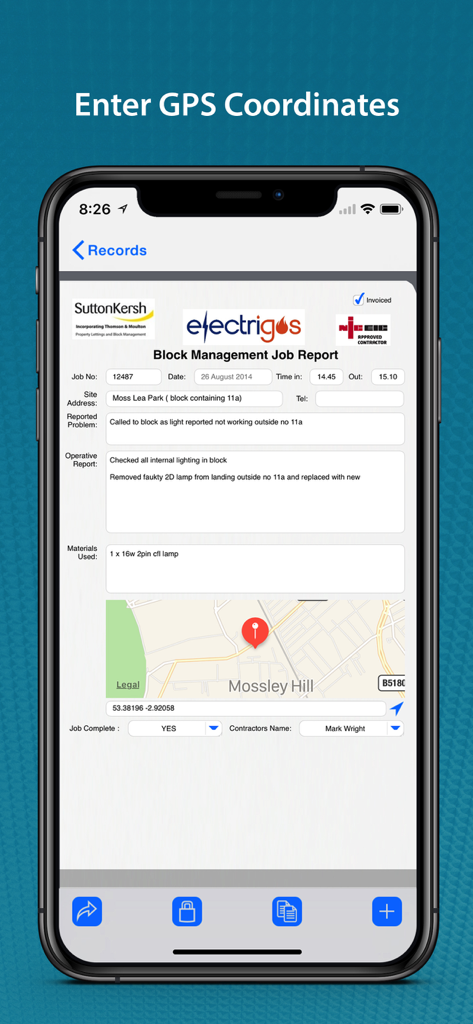
iPhone-Bildschirm zeigt ein digitales Auftragsberichtformular mit integrierten GPS-Koordinaten und einer Kartenmarkierung

iPhone-Bildschirm zeigt ein digitales Auftragsberichtformular mit integrierten GPS-Koordinaten und einer Kartenmarkierung

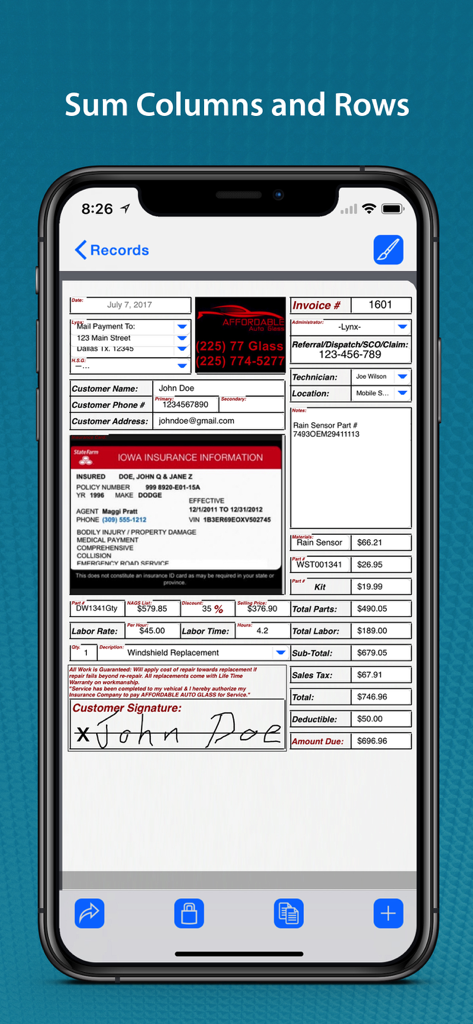
Digitales Rechnungsformular auf einem iPhone, das automatisierte Feldkalkulationen für Teile und Arbeit mit einer erfassten Unterschrift anzeigt

Digitales Rechnungsformular auf einem iPhone, das automatisierte Feldkalkulationen für Teile und Arbeit mit einer erfassten Unterschrift anzeigt

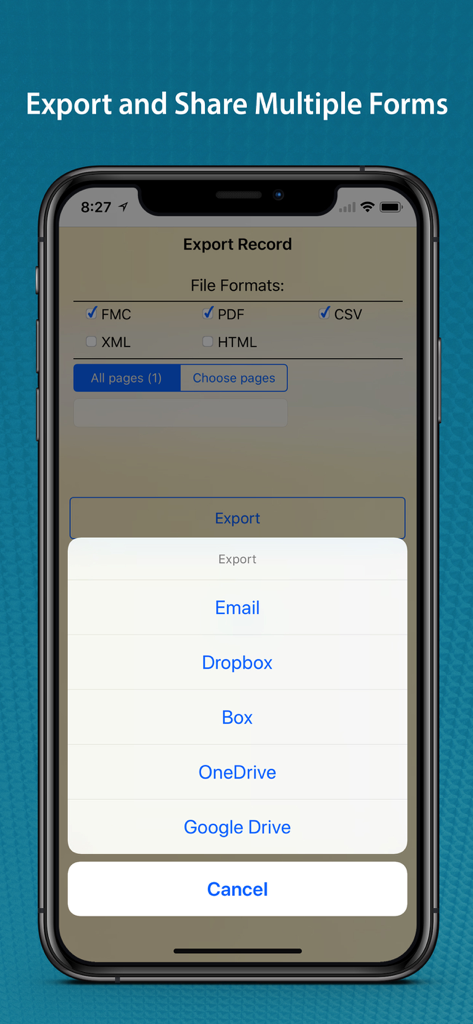
FormConnect Pro App-Oberfläche auf dem iPhone, die Dateiexportformate und Freigabeoptionen für Cloud-Speicher anzeigt.

FormConnect Pro App-Oberfläche auf dem iPhone, die Dateiexportformate und Freigabeoptionen für Cloud-Speicher anzeigt.

Verbessern Sie Ihre Außendiensttätigkeit mit professionellen digitalen Formularen

Die Tools, die diese App auszeichnen, gewählt von 181K+ Nutzern.

📋

Benutzerdefinierte professionelle Vorlagen

Erstellen Sie Formulare, die zu Ihrer Marke passen. Nutzen Sie vertraute Designs wie Klemmbretter und Ordner, um Ihren Kunden ein taktiles, professionelles Erlebnis zu bieten.

✍️

Erweiterte Außendienst-Datenerfassung

Erfassen Sie Unterschriften, kommentieren Sie Fotos und protokollieren Sie GPS-Koordinaten vor Ort. Alles funktioniert offline, sodass Ihre Daten erfasst werden, egal wohin Sie gehen.

🔄

Nahtloser Export & Synchronisierung

Stoppen Sie die doppelte Eingabe. Berechnen Sie sofort Summen und exportieren Sie Ihre Daten als PDF, CSV oder XML in Ihren bevorzugten Cloud-Speicher wie Dropbox oder Google Drive.

Über die App

Alles, was Sie über wissen müssen FormConnect Pro.

Beschreibung

Stop drowning in paperwork! The FormConnect Pro app transforms your iPad and iPhone into a powerful mobile form solution eliminating the need for messy paper forms and tedious data entry. Design custom forms tailored to your exact needs, collect data offline, and seamlessly share information with your team. Boost productivity, reduce errors, and go green with the FormConnect Pro app! Designed for individuals and small businesses that need a versatile and efficient solution for data collection and organization. Key Features: • Customizable Form Templates: Create forms from scratch or use pre-built templates. • Multiple Field Types: (text, dates checkboxes, drop-down lists, radio buttons, signatures, photos, GPS). • Multiple Themes: (folder, clipboard, binders etc.) to change the look of the form (iPad Only). • Touch Input: Data input via touch or an external keyboard. • Signature Capture: Use your finger or a stylus. • Photo Capture: Take photos with your iPhone or iPad’s camera. • Photo Annotation: Annotate on top of photos. • Form Sharing: Share forms with other FormConnect Pro users. • Export Options: Email forms or upload them to Dropbox, Box, Google Drive or Microsoft OneDrive. • File Formats: Forms can be saved and exported in one or more of the following file formats: (PDF, CSV, XML, HTML, FMC). • Form Printing: Print forms to any printer that supports Apple’s AirPrint wireless protocol. • Pre-populate Fields: Auto populate data into fields when you open the form. • Auto increment: Auto generate a sequential number in a text field. • Text Formatting: (bolding, italicizing and coloring). • Field Alignment: (left, right and center). • Field Calculation: A spreadsheet type function for summing rows and columns. • Field Linking: Link fields together so that data entered into one field automatically populates another field. • Form Locking: Lock a filled out form from being altered. • Required Field: Specify fields on the form that must be filled out before the form can be saved. • Kiosk Mode: Locks the user interface to a specific set of functions. • GPS Data Capture: Display latitude and longitude coordinates. Terms of Use: https://www.formconnections.com/terms-of-use/ Privacy Policy: https://www.formconnections.com/about-2/privacy-policy/

Neueste Version

3.4.7

Größe

138.7 MB

Erstveröffentlichung

8. Juli 2013

Bereit, Ihr Klemmbrett in Rente zu schicken?

Schließen Sie sich über 181.000 Mobilprofis an, die der manuellen Dateneingabe ein Ende gesetzt haben. Laden Sie FormConnect Pro noch heute herunter, um benutzerdefinierte Formulare zu erstellen, Unterschriften zu erfassen und in die Cloud zu synchronisieren – alles von Ihrem iPad oder iPhone aus.

Herunterladen auf App Store

App information, icons, screenshots, and descriptions displayed on this page are sourced from the Apple App Store and are the property of their respective developers. Download estimates and rankings are based on MWM's proprietary models and may not reflect actual figures. This page is provided for informational and analytical purposes only.

Believe this page infringes your intellectual property? File a dispute