Gammel

Gammel

Herunterladen auf App Store
Logo von Gammel

Gammel: Schluss mit Kopfrechnen und feiern Sie jeden Meilenstein

Wunderschön gestaltete Widgets für Ihren Sperrbildschirm und Ihre Apple Watch, die das genaue Alter Ihrer Kinder, Haustiere und Jubiläen in Wochen, Monaten oder Jahren anzeigen.

Herunterladen auf App Store

Herausgeber

Luke Johnson

Kategorie

Utilities

Downloads

100

Bewertung

1.0/5

Bewertungen gesamt

0

Sprachen

1

Alter auf einen Blick

Entdecken Sie die Oberfläche, die von 100 Nutzern verwendet wird.
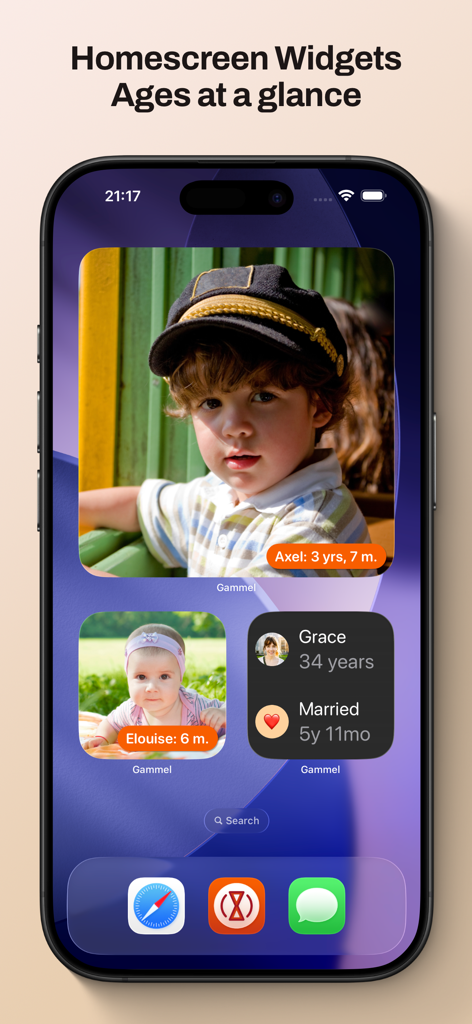
Ein iPhone-Startbildschirm mit Gammel-Widgets, die Fotos und verfolgte Alter von Kindern und einem Hochzeitstag anzeigen.

Ein iPhone-Startbildschirm mit Gammel-Widgets, die Fotos und verfolgte Alter von Kindern und einem Hochzeitstag anzeigen.

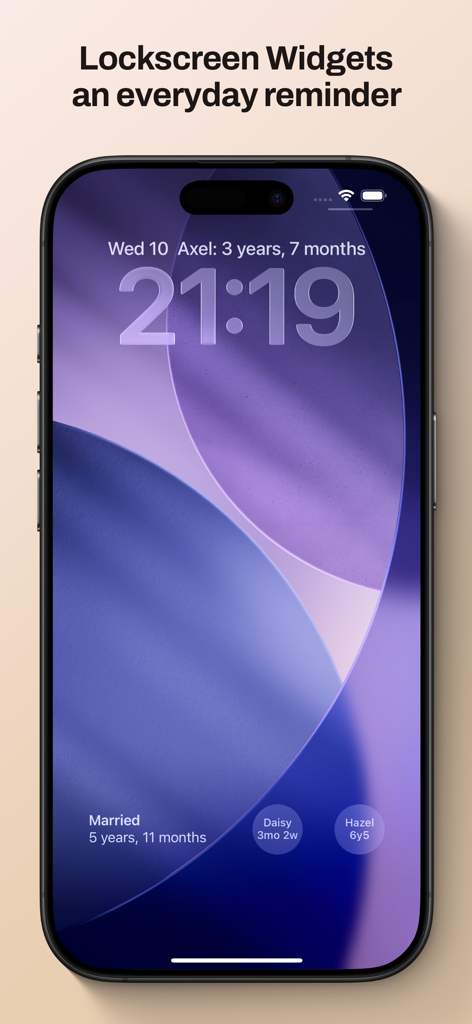
iPhone-Sperrbildschirm, der Gammel-Widgets zur Verfolgung von Familienaltern und Meilensteinen anzeigt

iPhone-Sperrbildschirm, der Gammel-Widgets zur Verfolgung von Familienaltern und Meilensteinen anzeigt

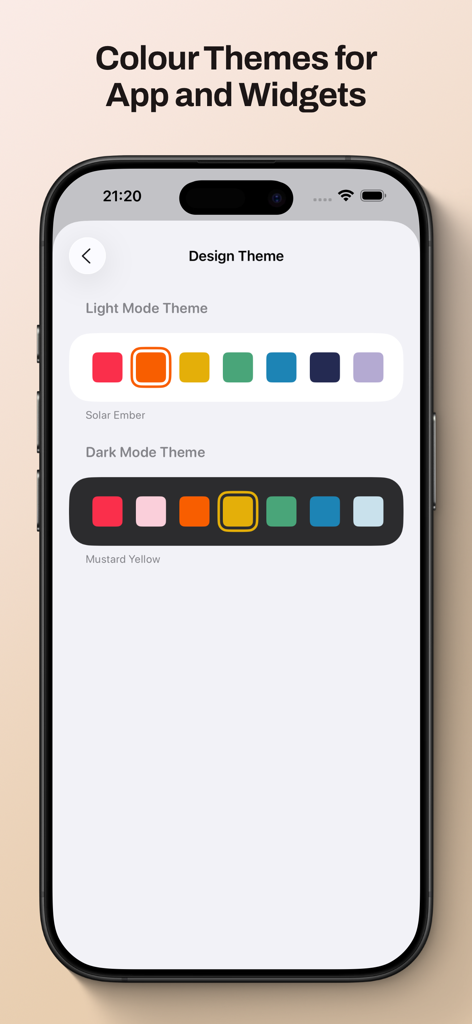
Gammel-App-Bildschirm mit Optionen für Farbthemen im hellen und dunklen Modus für Widgets und Anpassung der Benutzeroberfläche.

Gammel-App-Bildschirm mit Optionen für Farbthemen im hellen und dunklen Modus für Widgets und Anpassung der Benutzeroberfläche.

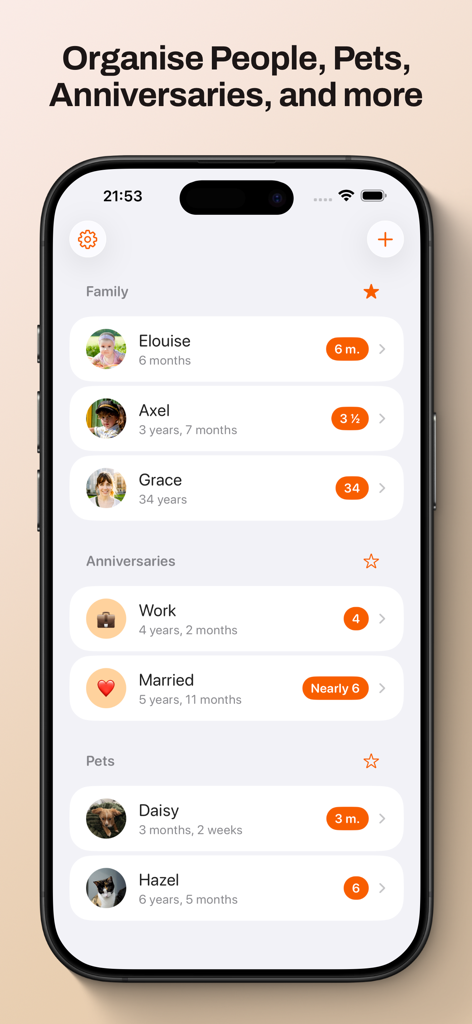
Gammel-App-Dashboard mit organisierter Altersverfolgung für Familienmitglieder, Jubiläen und Haustiere.

Gammel-App-Dashboard mit organisierter Altersverfolgung für Familienmitglieder, Jubiläen und Haustiere.

Nie wieder Kopfrechnen

Die Tools, die diese App auszeichnen, gewählt von 100 Nutzern.

🍼

Intelligente Alterslogik

Verfolgen Sie mühelos Neugeborene in Wochen, Kleinkinder in Monaten und Kinder in Jahren – die App passt das Format automatisch an, während sie wachsen.

📱

Widgets auf einen Blick

Platzieren Sie Alter direkt auf Ihrem Sperrbildschirm oder Startbildschirm. Perfekt für schnelle Antworten beim Arzt oder bei Familientreffen.

☁️

Private iCloud-Synchronisierung

Ihre Daten bleiben sicher und privat. Synchronisieren Sie Ihre Meilensteine nahtlos über Ihr iPhone, iPad, Mac und Ihre Apple Watch.

Über die App

Alles, was Sie über wissen müssen Gammel.

Beschreibung

Gammel helps you remember the ages of your loved ones with easy to configure Lock Screen and Home Screen widgets. “During the first few years of my son’s life I would need to know his age in weeks, then months, and I was always having to stop and think and do maths in my head. I created Gammel so I could have a widget on my phone as a quick and easy reminder, and so I wouldn’t have to do mental calculations while lacking sleep!” — Luke, developer of Gammel Want to remember and communicate the age of your newborn or toddler? Gammel shows you their age in the most appropriate way, weeks, months, and then years. Want to track how long you’ve been married or in your current relationship? Gammel shows you how long. How about the age of your pets? Gammel has you covered there too. Puppies, dogs, cats, birds, gold fish. With Gammel, you can add your children, nieces and nephews, grandchildren, friends and family, anybody you need to remember the age of. Then, easily group those you add, and favourite which group you would like to appear at the top of your dashboard. Your data is stored in iCloud and then syncs across your iPhone, iPad, Apple Watch, and even your Mac. Widgets Add widgets to your Home Screen, Lock Screen or Apple Watch as a constant reminder. Let Gammel select the most relevant age to show you based on the people you have added, or you can set who to show yourself. On your Home Screen choose from an image widget to display a single person, or a details widget to show more. Add customised Gammel widgets to your iPhone, iPad, and Mac, and add complications to your Apple Watch so the info is right in front of you, and always at hand. Design Themes You can easily change the colour theme of Gammel, this will control the highlight colour in app and on the image Display Age widget. Age Display Style Gammel has two age display styles, Smart and Casual. Choose the style that best suits the age or anniversary you want to display. * The Smart style will display ages in days, weeks, and months for babies and toddlers, then years and months. * The Casual style is more for describing the age in casual conversation, where the exact age isn't as important Shortcuts Gammel also supports shortcuts, allowing you to get an age you have added, either the current age or how old that person was or will be given a date as an input. The output can then be passed to other shortcut steps.

Neueste Version

1.2.1

Größe

9.0 MB

Erstveröffentlichung

23. Jan. 2025

Hören Sie auf zu kopfrechnen und feiern Sie jeden Meilenstein

Schließen Sie sich vielbeschäftigten Eltern und Tierliebhabern an, die Gammel nutzen, um das Alter ihrer Liebsten direkt auf ihrem Sperrbildschirm anzuzeigen. Laden Sie es jetzt herunter und vereinfachen Sie Ihren Tag.

Herunterladen auf App Store

App information, icons, screenshots, and descriptions displayed on this page are sourced from the Apple App Store and are the property of their respective developers. Download estimates and rankings are based on MWM's proprietary models and may not reflect actual figures. This page is provided for informational and analytical purposes only.

Believe this page infringes your intellectual property? File a dispute