Glovius - Der professionelle 3D-CAD-Viewer für Ingenieure unterwegs
Greifen Sie auf komplexe 3D-Modelle in jedem gängigen CAD-Format zu, messen Sie sie und arbeiten Sie mit ihnen zusammen. Optimieren Sie Ihren Fertigungs- und Design-Workflow mit Präzisionstools direkt auf Ihrem iPhone und iPad.
Herausgeber
Geometric Americas Inc
Kategorie
Utilities
Downloads
12K+
Bewertung
3.1/5
Bewertungen gesamt
100
Sprachen
1
Ingenieurwesen auf Knopfdruck
Entdecken Sie die Oberfläche, die von 12K+ Nutzern verwendet wird.
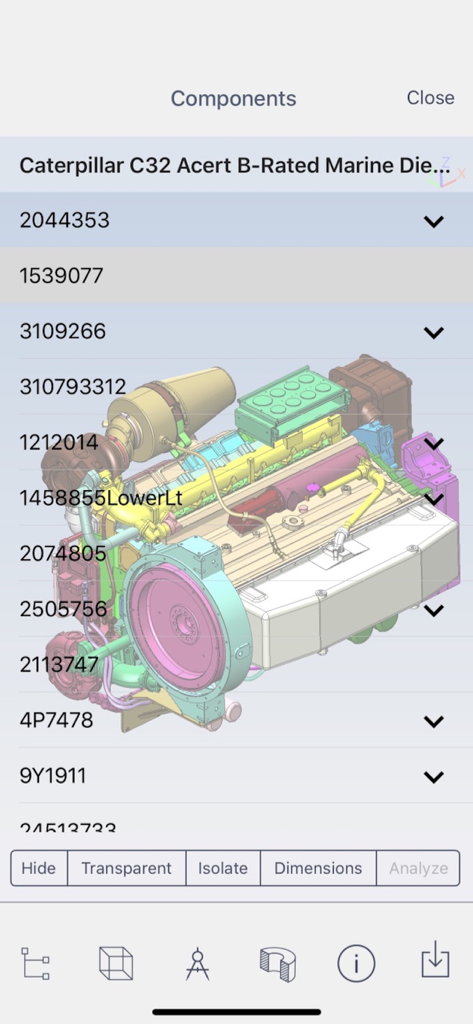
Glovius-App zeigt ein 3D-Motormodell mit seiner Komponentenliste und Analysetools an
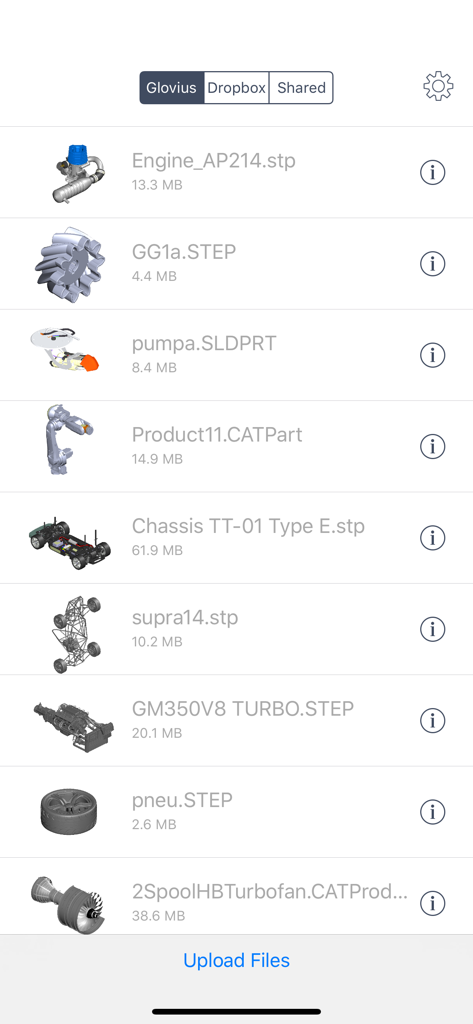
Eine Liste von 3D-CAD-Dateien in verschiedenen Formaten wie STEP und CATPart in der Glovius-App-Bibliothek
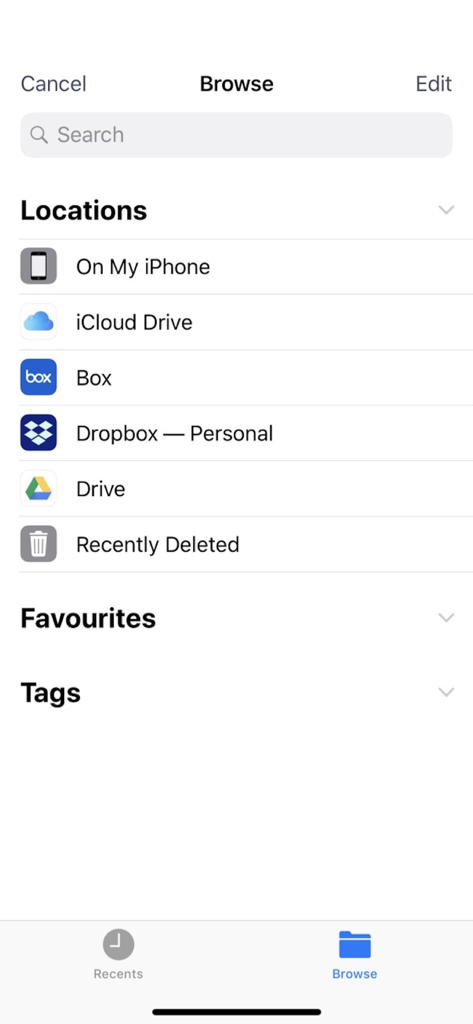
Glovius-App-Dateibrowser zeigt Speicherorte wie iCloud und Dropbox an
Glovius Cloud-Anmeldebildschirm mit Optionen zur Anmeldung mit E-Mail, Dropbox oder Google
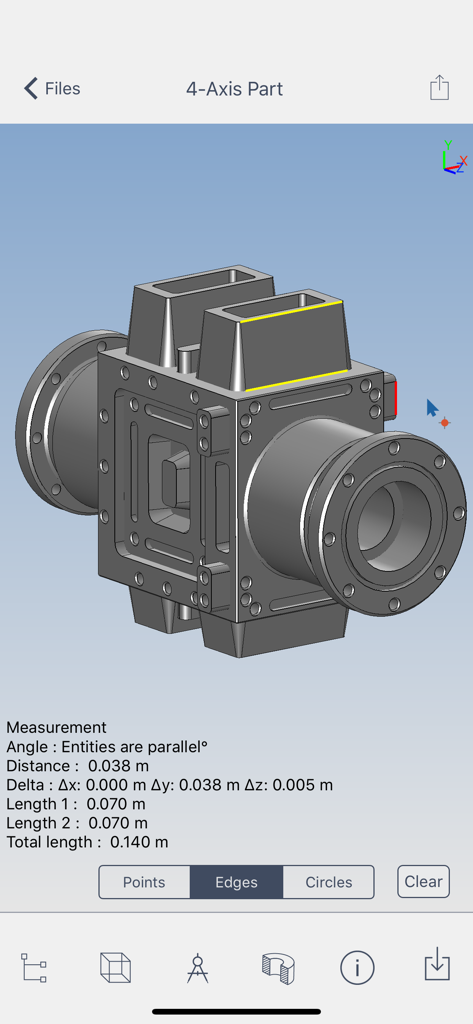
Glovius-App zeigt ein 3D-CAD-Modell mit Punkt-zu-Punkt-Messwerkzeugen und Abmessungen auf einem Mobilgerät an
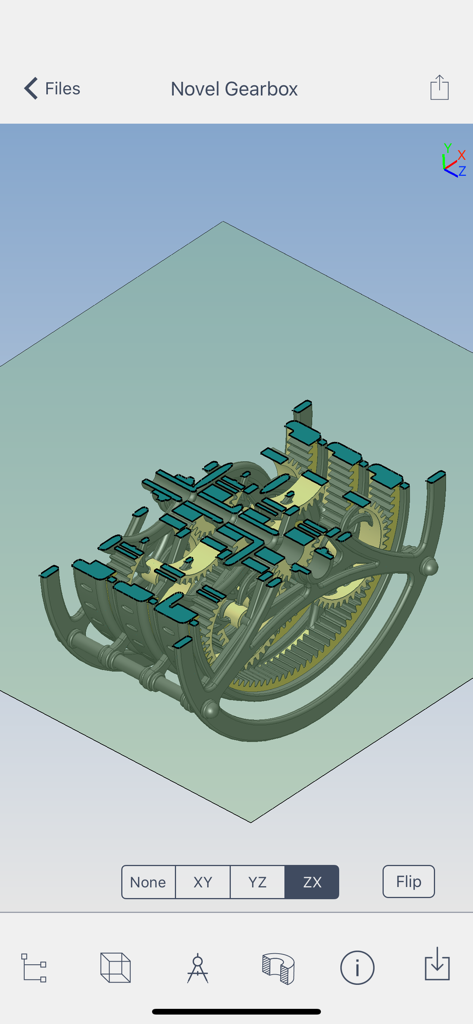
Glovius-App zeigt eine dynamische ZX-Ebenen-Schnittansicht eines 3D-CAD-Getriebemodells an
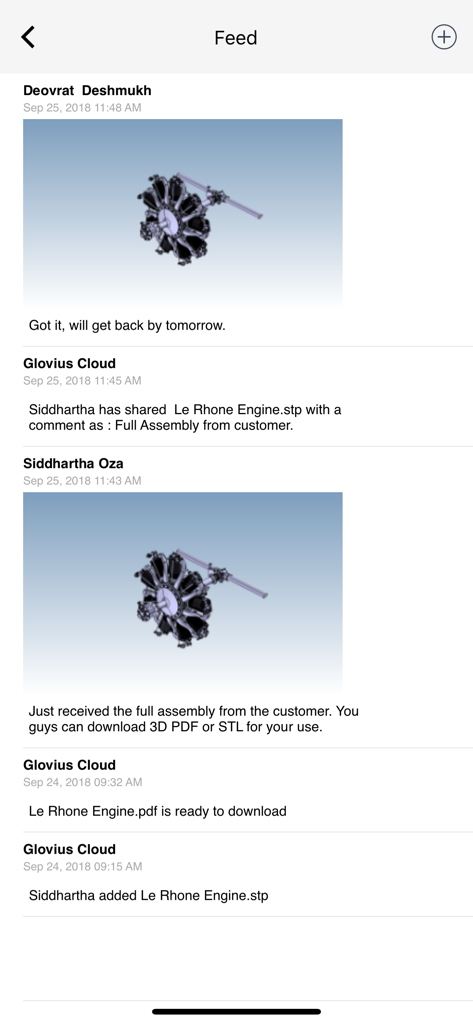
Aktivitätsfeed in der Glovius-App, der Teamzusammenarbeit und gemeinsame 3D-CAD-Motormodelle mit Kommentaren anzeigt.
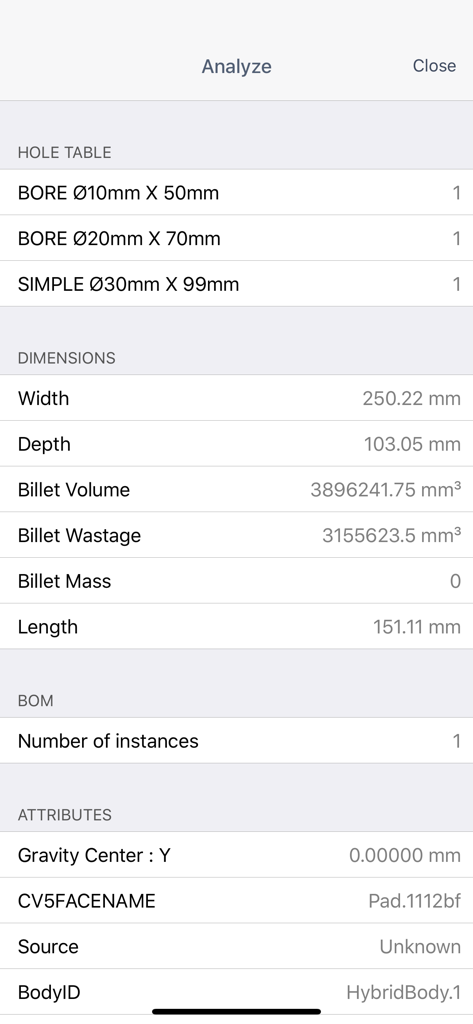
Eine detaillierte Ansicht in der Glovius-App, die Abmessungen, Lochtabellen und Stücklistendaten für ein CAD-Teil anzeigt.
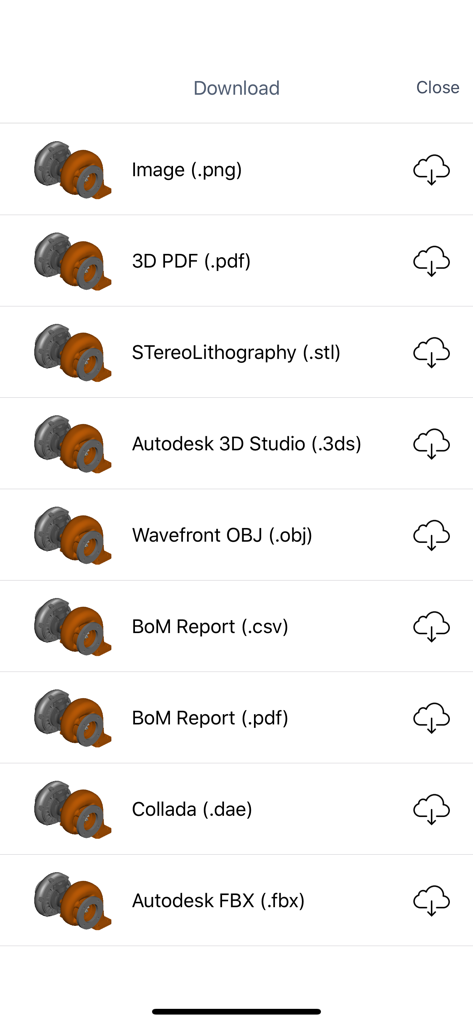
Ein Menü in der Glovius-App, das verschiedene Download-Optionen für 3D-CAD-Dateien anzeigt, einschließlich STL-, OBJ- und Stücklistenberichten.
Ihre CAD-Workstation, ungebunden
Die Tools, die diese App auszeichnen, gewählt von 12K+ Nutzern.
🌍
Universelle CAD-Zugänglichkeit
Öffnen Sie CATIA-, SolidWorks-, NX- und Creo-Dateien sofort, ohne eine High-End-Workstation-Lizenz zu benötigen.
📏
Hochpräzise Messungen
Führen Sie Punkt-zu-Punkt-Analysen durch und greifen Sie mit Messwerkzeugen für professionelle Genauigkeit auf GD&T-Informationen zu.
⚡
Feldtaugliche Zusammenarbeit
Erstellen Sie Stücklistenberichte und teilen Sie kommentierte Markierungen, um die Lücke zwischen Design und Produktion in Echtzeit zu schließen.
Über die App
Alles, was Sie über wissen müssen Glovius - 3D CAD File Viewer.
Beschreibung
Glovius for iOS provides a simple and easy way to view, showcase, and collaborate on 3D CAD parts and assemblies on your iPhone and iPad. View 3D parts and assemblies from popular CAD formats. Analyze CAD components, run reports, and collaborate with your team. Glovius for iPhone and iPad is a perfect companion app for Glovius Cloud and Glovius for Windows.
View 3D CAD files on the go
• View 3D CAD files saved in your Dropbox or Glovius Cloud
• Upload parts from your iPhone or iPad
• Upload files on cloud.glovius.com
• One click Push to Cloud from Glovius for Windows
• Open large parts and assemblies in seconds
• Downloaded files are available for offline viewing
3D File Formats Supported
• CATIA (CATPart, CATProduct, CGR), NX (PRT), Creo and Pro/ENGINEER (PRT and ASM)
• SolidWorks (SLDPRT, SLDASM), Inventor (IPT, IAM), Solid Edge (PRT, ASM)
• STP, STEP, IGS, IGES, JT, STL, SketchUp, 3DS, and more.
View 3D Geometry, Attributes, Assembly Product Structure and PMI Information
• Zoom, pan, roll, rotate 3D models; double tap to reset
• Animate through standard views
• View assembly product structure and hide/show/isolate components
• View PMI, GDnT and attributes information
Analyze CAD Components
• Tap a component to view bounding box, attributes, make it transparent/solid
• Take point to point measurements
• Cut dynamic sections across standard XY, YZ, XZ planes
Run Reports, right from your iPhone or iPad
• Download Bill of Materials (BoM) report for Assemblies
• Download 3D PDF Report
• Download in high quality STL, 3DS, and OBJ formats
Collaborate with your Team
• Get and share feedback with the Activity Feed
• Save, Share, and email snapshots
• Add text comments, freehand markups on image snapshots
• Get notified when files are added, updated, or commented by others
Feedback and Suggestions
For feedback and suggestions, email us at support@glovius.com. Your feedback is important to us!
Glovius Cloud Subscription Details
Subscribe to Glovius Cloud Plan to continue using Glovius. Payment will be charged to your iTunes Account, and will automatically renew each year within 24 hours of your subscription ending. Cancel any time by turning off auto-renewal in your iTunes Account Settings.
Subscription Pricing
• USA - 18.99 USD per month + Taxes, if applicable
• USA - 98.99 USD per year + Taxes, if applicable
• All other countries priced in USD equivalent.
Apple Subscription Terms
– Payment will be charged to iTunes Account at confirmation of purchase.
– Subscription automatically renews unless auto-renew is turned off at least 24-hours before the end of the current period.
– Account will be charged for renewal within 24-hours prior to the end of the current period, and identify the cost of the renewal.
– Subscriptions may be managed by the user and auto-renewal may be turned off by going to the user's Account Settings after purchase.
– Any unused portion of a free trial period, if offered, will be forfeited when the user purchases a subscription to that publication, where applicable.
Terms & Conditions
https://www.hcltech.com/privacy-statement
Neueste Version
6.8.28
Größe
32.7 MB
Erstveröffentlichung
9. Mai 2011
Nehmen Sie Ihre 3D-CAD-Konstruktionen überallhin mit
Seien Sie nicht mehr an Ihren Arbeitsplatz gebunden. Zeigen Sie komplexe Baugruppen direkt von Ihrem iPhone oder iPad an, messen Sie sie und arbeiten Sie mit ihnen zusammen.
App information, icons, screenshots, and descriptions displayed on this page are sourced from the Apple App Store and are the property of their respective developers. Download estimates and rankings are based on MWM's proprietary models and may not reflect actual figures. This page is provided for informational and analytical purposes only.
Believe this page infringes your intellectual property? File a dispute