GoCoEdit - Code & Text Editor

GoCoEdit - Code & Text Editor


Herunterladen auf App Store
Logo von GoCoEdit - Code & Text Editor

GoCoEdit – Code-Bearbeitung im Desktop-Stil für mobile Profis

Meistern Sie Ihren Workflow mit einem leistungsstarken Editor im Sublime-Stil auf iPad und iPhone. Verbinden Sie sich über SFTP, SSH oder Git und programmieren Sie überall mit Multi-Caret-Unterstützung, benutzerdefinierter Syntax und professioneller Terminal-Integration.

Herausgeber

Christoph Gogolin

Kategorie

Productivity

Downloads

273K+

Bewertung

4.3/5

Bewertungen gesamt

500

Sprachen

1

Ihr mobiles Kommandozentrum

Entdecken Sie die Oberfläche, die von 273K+ Nutzern verwendet wird.
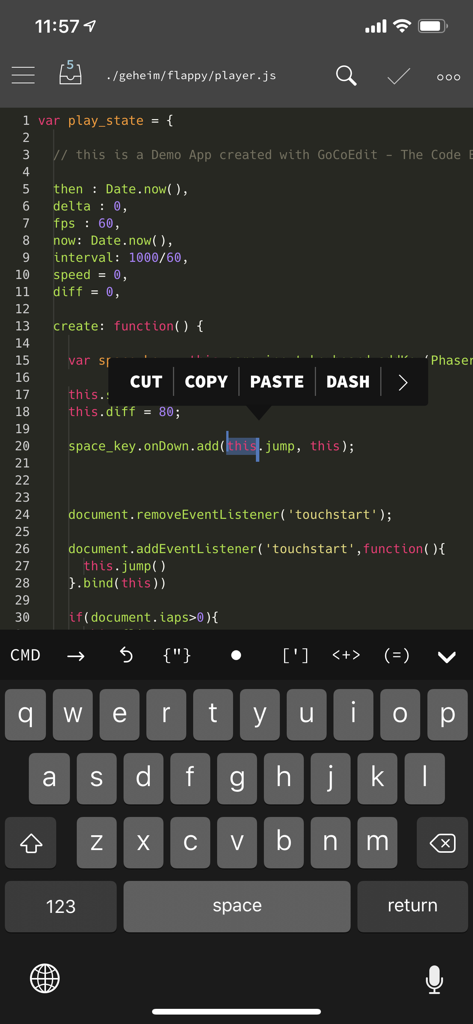
Oberfläche der GoCoEdit-App auf dem iPhone mit JavaScript-Syntaxhervorhebung und einem Kontextmenü zur Code-Bearbeitung.

Oberfläche der GoCoEdit-App auf dem iPhone mit JavaScript-Syntaxhervorhebung und einem Kontextmenü zur Code-Bearbeitung.

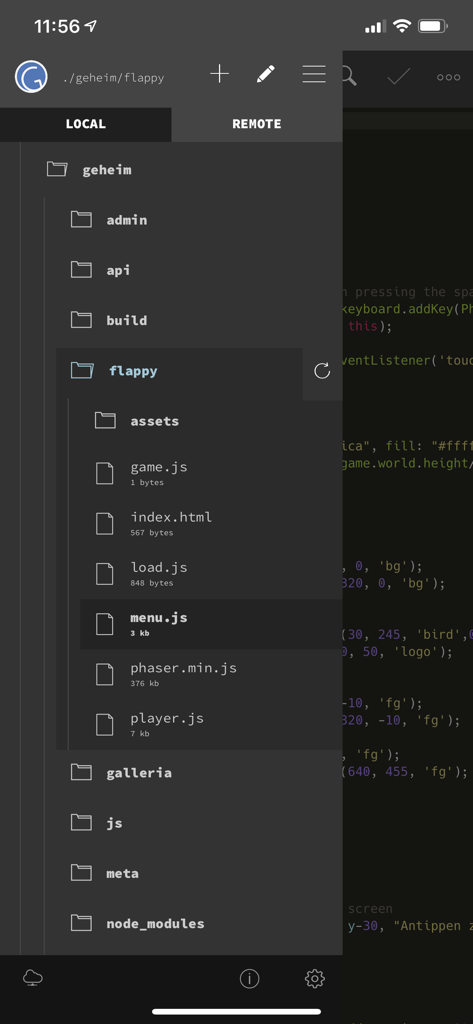
GoCoEdit-Dateiexplorer, der lokale Projektdateien und Ordner im Dark Mode anzeigt

GoCoEdit-Dateiexplorer, der lokale Projektdateien und Ordner im Dark Mode anzeigt

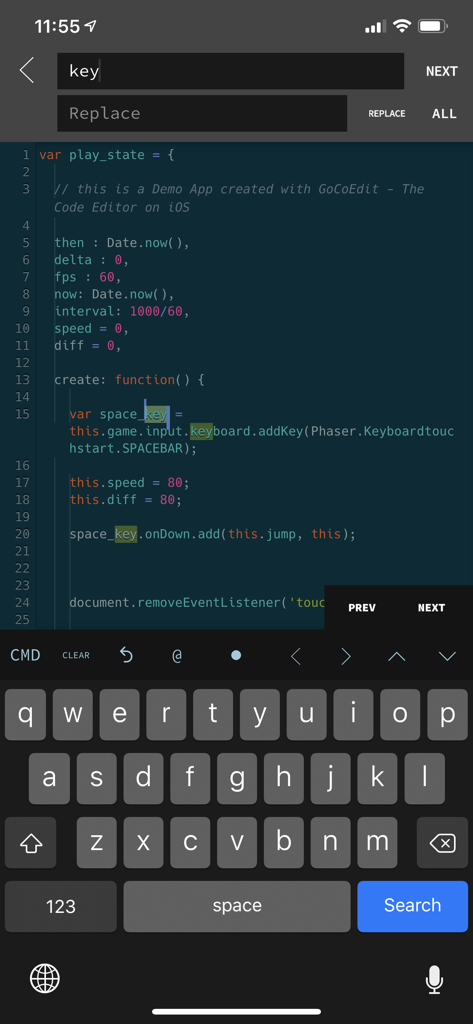
GoCoEdit-App-Oberfläche auf dem iPhone mit JavaScript-Syntaxhervorhebung und Such- und Ersetzungsfunktion

GoCoEdit-App-Oberfläche auf dem iPhone mit JavaScript-Syntaxhervorhebung und Such- und Ersetzungsfunktion

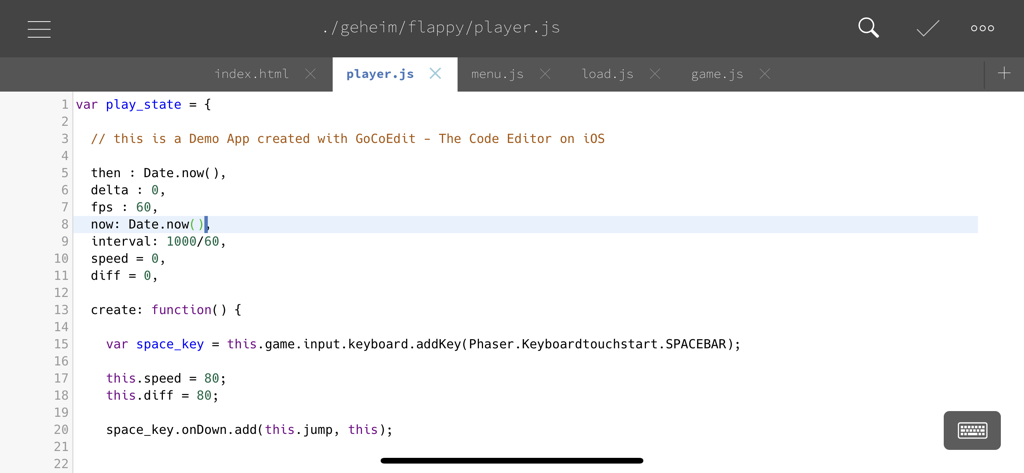
GoCoEdit-Code-Editor, der JavaScript-Syntaxhervorhebung und Dateireiter für ein mobiles Entwicklungsprojekt anzeigt.

GoCoEdit-Code-Editor, der JavaScript-Syntaxhervorhebung und Dateireiter für ein mobiles Entwicklungsprojekt anzeigt.

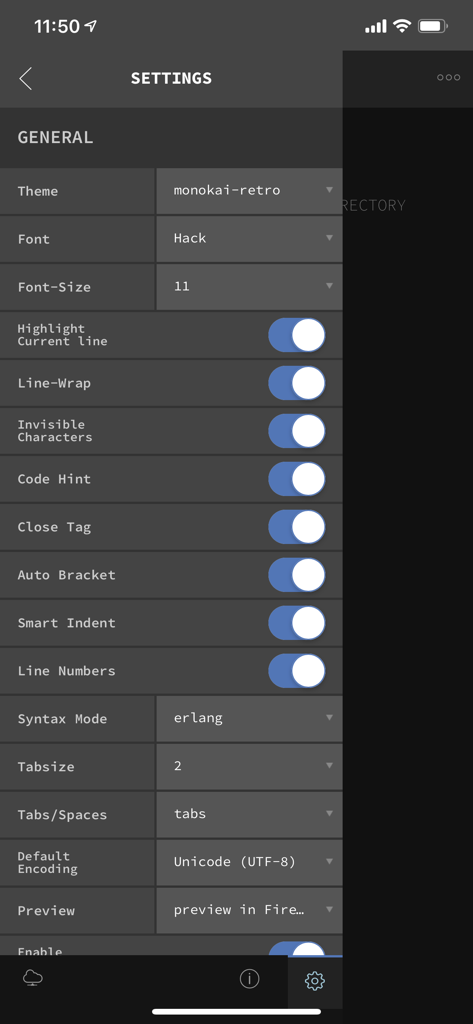
Einstellungsbildschirm der GoCoEdit-App zur Anpassung des Editors, einschließlich Schriftart- und Themenauswahl

Einstellungsbildschirm der GoCoEdit-App zur Anpassung des Editors, einschließlich Schriftart- und Themenauswahl

Leistung im Desktop-Stil für unterwegs

Die Tools, die diese App auszeichnen, gewählt von 273K+ Nutzern.

⌨️

Sublime-inspirierter Workflow

Erleben Sie eine leistungsstarke Bearbeitung mit Multi-Caret-Unterstützung, präziser Trackball-Cursor-Steuerung und über 15 CMD-Tastenkombinationen für professionelle Effizienz.

☁️

Live-Fernverwaltung

Verbinden Sie sich direkt mit SFTP-, FTP- oder Dropbox-Servern und nutzen Sie die integrierte SSH-Shell, um Skripte auszuführen, ohne jemals eine Datei herunterladen zu müssen.

🛠️

Professionelles iPad-Ökosystem

Vollständig für iPadOS optimiert mit Trackpad-Unterstützung, Split-Screen-Multitasking und nahtloser Integration mit Git-Clients wie Working Copy.

Über die App

Alles, was Sie über wissen müssen GoCoEdit - Code & Text Editor.

Beschreibung

GoCodeEditor is a Code Editor optimized for fast opening and editing local and remote files (Dropbox, OneDrive, FTP, SFTP/SSH) on your iOS Device. FEATURES: ------------------------------ • Sublime like Code-Editor! • Universal App (use it on your iPad, iPhone & iPod Touch) • iPhone X (s/s Max) support • Full iPad Pro support (including smart keyboard support, shortcuts, split-screen multitasking) • iPadOS Mouse & Trackpad • NEW! Multi-caret Editing • NEW! Siri Shortcuts - create newfile / start shell / connect to shell / preview - more soon... • Drag & Drop Support - Support for Drag & Drop files from the Files App - Support for Drag & Drop files / repos and folders from Working Copy App - Support for Dragging local files from GoCoEdit to other Apps • Compatible with Apple Watch Start a ssh-shell from your wrist right now! Run your self defined scripts with one tap. • Extra keybar with swipe functions and trackball to precisely move the cursor and select text • Syntax highlighting for many coding languages like: (apache, arduino, asp/vb.net, c, c#, c++, ceylon, clojure, coffeescript, css, dart, dockerfile, elixir, erlang, fortran, go, handlebars, haskel, html, jade, java, javascript (es6 support), jsx, kotlin, latex/stex, less, lisp, livescript, lua, markdown, mathematica, nginx, objective-c, pascal, perl, php, plist, powershell, pug, puppet, python, r, rss, ruby, rust, sass, scala, shader, shell, sql, squirrel, stylus, svelte, swift, typescript, verilog, vue(js), xml, yaml) • Some comfort features: code folding, code hinting, auto indent, auto close brackets, line wrapping, smart indent, tag and bracket matching, find by regular expression, replace, replace all, symbolic/function search for many syntax modes • Quick CMD-mode (keep your hands on the On-Screen-Keyboard) - p.e. press cmd+c, cmd+v to copy and paste selected text - over 15 shortcuts supported • Different themes ( include solarized, monokai and many more ) and font-sizes • Import / export / open files from icloud drive and other file providers • Open entire folders or repositories from the Git client Working Copy or the Files App using the iOS document picker • Extendable - Custom Syntax Modes -- create your own Syntax highlighting modes now you can write own modes and use it for your own file types - Custom Themes -- create your own editor themes - Snippets -- use short fragments of text again and again ( with filed and placeholders support ) • Preview Browser with Javascript console ( in iPad version resizeable for preview iPad or iPhone layouts ) • Markdown Preview & HTML Export • Connect to your servers via SFTP, FTP, DRIVE, ONEDRIVE or DROPBOX NEW! with OneDrive 365 and OneDrive for Business support • NEW! File has changed detection ( GCE is now able to detect external file changes on local and remote files ) • Upload and Download files/folders or edit files directly on your server/dropbox/drive/onedrive without download • Very fast reconnect and recover of open files after restart • Edit your files directly on your server without download. • Integrated Shell (ssh) to perform background tasks like a Grunt, Gulp, npm or another shell job ( type direct or define scripts and run it with a single tap ) • Supporting advanced features like textselection by cursor, Splitview, Slide-Over and Drag & Drop • 3D Touch support - Show/move cursor by 3D touch the keyboard - Quick Actions (new file, start shell, connect shell to last server, show preview of last file) • External/Bluetooth keyboard support ( all iOS shot-cut keys are supported + lots of shortcuts available ) ------------------------------ If you want to support the project and increase the development speed become a patreon. ------------------------------

Neueste Version

23.1

Größe

60.7 MB

Erstveröffentlichung

1. Mai 2014

Verwandeln Sie Ihr iPad in eine professionelle Entwicklungsplattform

Erleben Sie Coding im Desktop-Stil mit Leistung wie Sublime Text, SSH/SFTP-Zugriff und nahtloser Git-Integration. Schließen Sie sich über 273.000 Entwicklern an, die grenzenlos programmieren.

Herunterladen auf App Store

App information, icons, screenshots, and descriptions displayed on this page are sourced from the Apple App Store and are the property of their respective developers. Download estimates and rankings are based on MWM's proprietary models and may not reflect actual figures. This page is provided for informational and analytical purposes only.

Believe this page infringes your intellectual property? File a dispute