iCatcher! Podcast Player

iCatcher! Podcast Player


Herunterladen auf App Store
Logo von iCatcher! Podcast Player

iCatcher! Das ultimative Werkzeug für Podcast-Power-User

Übernehmen Sie die volle Kontrolle über Ihr Hörerlebnis mit detaillierten Wiedergabeeinstellungen, fortgeschrittener Automatisierung und nahtloser Synchronisierung über all Ihre Apple-Geräte.

Herausgeber

Joe Graf

Kategorie

News

Downloads

86K+

Bewertung

5.0/5

Bewertungen gesamt

0

Sprachen

1

Kontrolle auf einen Blick

Entdecken Sie die Oberfläche, die von 86K+ Nutzern verwendet wird.
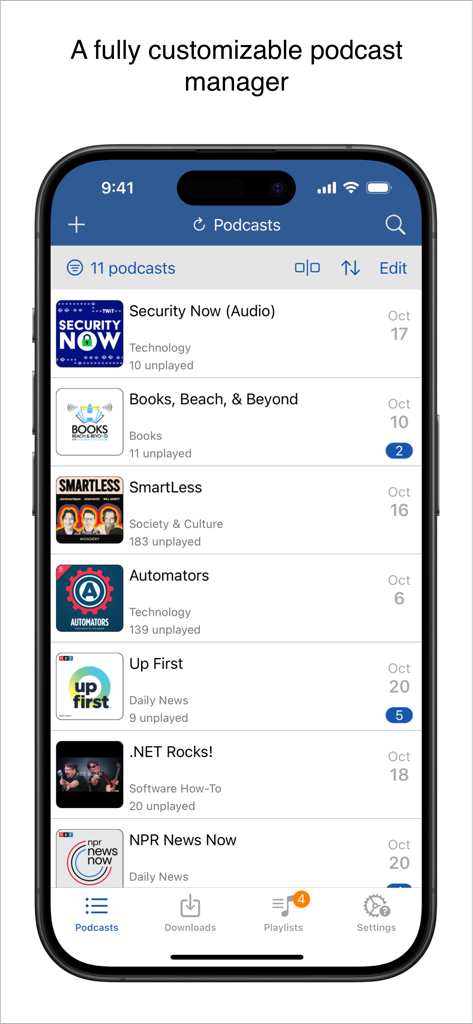
Oberfläche des iCatcher Podcast-Players, die eine Liste der abonnierten Shows und ungelesenen Episoden auf einem iPhone zeigt

Oberfläche des iCatcher Podcast-Players, die eine Liste der abonnierten Shows und ungelesenen Episoden auf einem iPhone zeigt

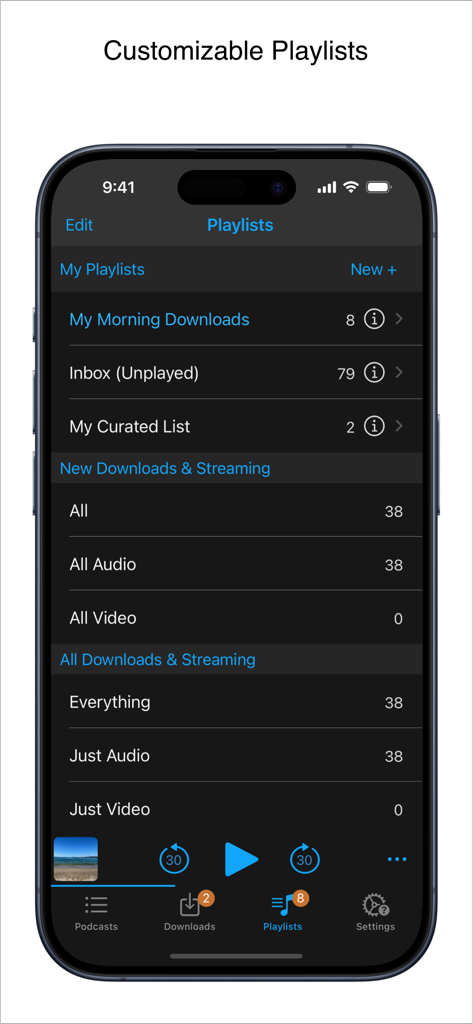
Oberfläche des iCatcher Podcast-Players, die die Verwaltung von anpassbaren Playlists auf dem iPhone zeigt.

Oberfläche des iCatcher Podcast-Players, die die Verwaltung von anpassbaren Playlists auf dem iPhone zeigt.

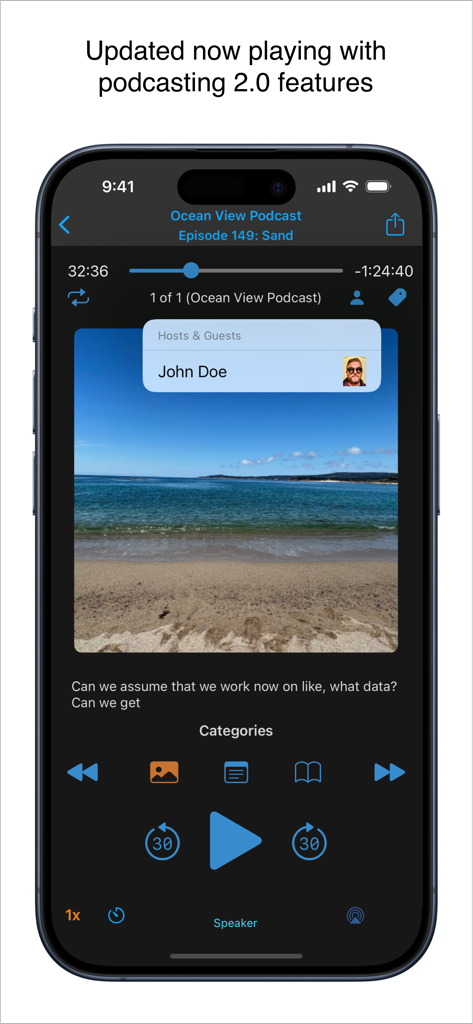
Now Playing-Bildschirm des iCatcher Podcast-Players auf dem iPhone mit Podcasting 2.0-Funktionen wie Host-Informationen und Wiedergabesteuerung.

Now Playing-Bildschirm des iCatcher Podcast-Players auf dem iPhone mit Podcasting 2.0-Funktionen wie Host-Informationen und Wiedergabesteuerung.

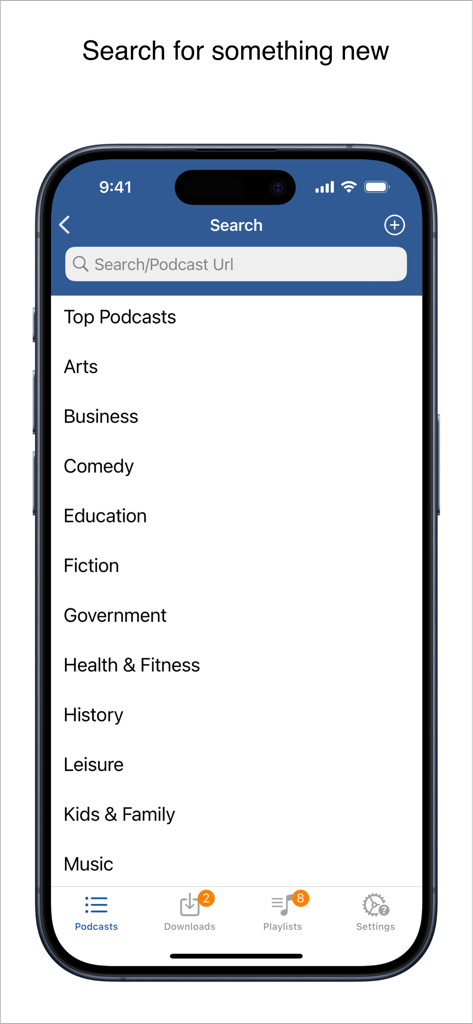
Suchoberfläche des iCatcher Podcast-Players, die eine Liste von Podcast-Kategorien und ein Suchfeld für Schlüsselwörter oder URLs anzeigt.

Suchoberfläche des iCatcher Podcast-Players, die eine Liste von Podcast-Kategorien und ein Suchfeld für Schlüsselwörter oder URLs anzeigt.

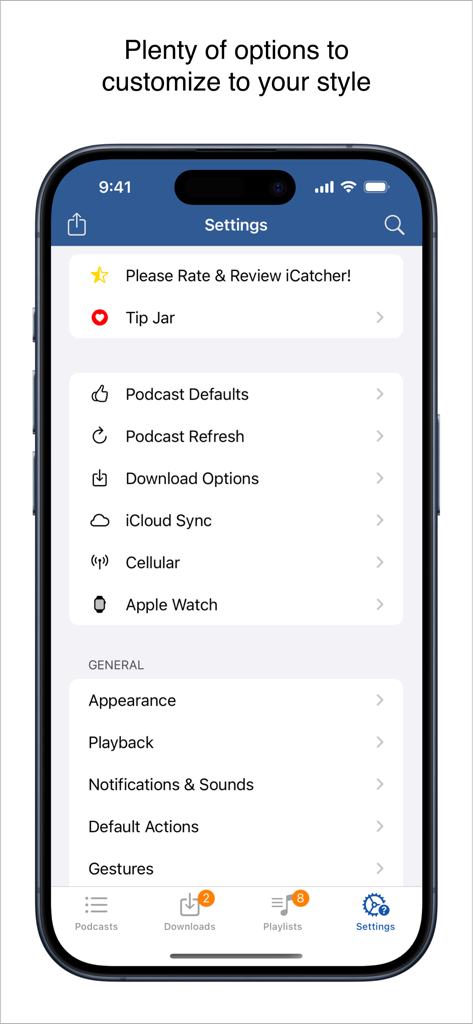
Einstellungsmenü der iCatcher! Podcast Player-App mit detaillierten Anpassungsoptionen für Power-User

Einstellungsmenü der iCatcher! Podcast Player-App mit detaillierten Anpassungsoptionen für Power-User

Entwickelt für den Podcast-Power-User

Die Tools, die diese App auszeichnen, gewählt von 86K+ Nutzern.

🛠️

Detaillierte Wiedergabesteuerung

Legen Sie benutzerdefinierte Geschwindigkeiten pro Podcast fest, verwenden Sie erweiterte Gesten für die freihändige Navigation und erstellen Sie intelligente Filter für die perfekte automatisierte Warteschlange.

🚀

Tiefe iOS-Integration

Synchronisieren Sie Ihren Fortschritt über iPhone, iPad und Watch via iCloud. Nutzen Sie iOS-Shortcuts, um Ihr Hören zu automatisieren und unterwegs effizient zu bleiben.

🔒

Unterstützung für private Feeds

Verwalten Sie nahtlos passwortgeschützte Feeds von Patreon oder Supercast mit robuster Offline-Download-Funktion und leistungsstarken OPML-Importoptionen.

Über die App

Alles, was Sie über wissen müssen iCatcher! Podcast Player.

Beschreibung

Download, listen, watch, and relish your favorite podcasts. FEATURES - Subscribe to your preferred podcasts within the app and manage them conveniently. - Download episodes over WiFi or Cellular (available on devices with cellular capabilities). - Support for password-protected feeds. - Background refresh and download in the background. - Sync subscriptions, episode playback positions, and playlists between your devices using iCloud. - Universal App (compatible with iPhone and iPad). - Search across all views to locate the podcast or episode you’re seeking. - Customize playlists with filtering options based on podcasts, episodes, and more. - Support for continuous playback (toggle it on the now playing screen just below the time elapsed). - Portrait and landscape orientation supporter, with a configurable option in the settings. - Unfollow podcasts and still keep them on your device. This feature is particularly useful for podcasts that don’t meet your expectations. PLAYBACK - Variable playback speed. - Remembered playback speed per podcast. - Support for podcasts with chapters and chapter images (MP3 and M4A formats). - Utilize your headset controls, including Bluetooth car controls (when paired), to play/pause, jump forward or backward 30 seconds. - Sleep timer. - Beautifully rendered show notes. - Onscreen controls for skipping ahead and skipping back. - Gesture support on the now playing screen (when the podcast logo is visible) to facilitate hands-free use. - Double-tap to play/pause. - Swipe up to adjust playback speed. - Swipe left or right to rewind or fast-forward. - Home to the L gesture for the 2-minute Leo jump. - Refer to Settings and Gestures for more information and customization options for rewind/fast-forward gestures. - AirPlay support allows you to watch or listen to podcasts on your large screen. - External display support for videos is available for devices that support an external display (use the Apple HDMI adapter). - Enjoy your favorite podcasts with a familiar layout. FIND NEW PODCASTS QUICKLY - Search for your podcasts by title, keyword, or author. - Browse the top podcasts categorized by different genres. • Manually add podcasts by entering their URLs. • Support for password-protected feeds. • Option to download a single episode. • Import podcast subscriptions for episodes already on your device from iTunes. • Import your OPML file from iTunes or other iOS podcast app. • Import media using the iTunes File Sharing feature. • Add your existing audiobooks (non-password-protected ones) using the iTunes File Sharing feature. • Add previously downloaded podcasts from your computer using the iTunes file sharing feature (see Settings and Import Media for details). SHORTCUT ACTIONS • Search your podcasts and episodes using shortcut actions. • Easily create an export from other apps into iCatcher using the subscribe action. • Control playback. • View podcast action including currently playing. • Import media directly into the app (like audiobooks). • Transfer your media to the watch via shortcut actions. • Pull chapter images. • Many more actions available. MORE • Completely customizable to suit your podcast preferences. • Swipe across a podcast or episode to access additional options. • Podcast settings allow you to set the days the podcast typically releases or the number of days between. • Specify the number of episodes to download when new ones are available. • Share podcast information via email with your friends. CONTACT Email: Tap the settings tab and select Send Questions or Feedback. Twitter/X: @Joeisanerd. PLEASE NOTE: The app doesn’t sync with iTunes. Like other podcast apps, it’s a standalone app designed for subscribing and downloading on the device. * If a feed doesn’t work, please let me know so I can investigate it. Requires iOS 17.4 or higher.

Neueste Version

9.3.3

Größe

52.1 MB

Erstveröffentlichung

15. März 2011

Meistern Sie Ihre Podcast-Bibliothek noch heute

Schließen Sie sich über 86.000 Power-Usern an, die mehr als nur einen einfachen Player verlangen. Erhalten Sie die detaillierte Kontrolle, fortschrittlichen Verknüpfungen und benutzerdefinierten Wiedergabeoptionen, die Ihr Hörverhalten verdient.

Herunterladen auf App Store

App information, icons, screenshots, and descriptions displayed on this page are sourced from the Apple App Store and are the property of their respective developers. Download estimates and rankings are based on MWM's proprietary models and may not reflect actual figures. This page is provided for informational and analytical purposes only.

Believe this page infringes your intellectual property? File a dispute