iContacts+: Contact Group Tool

iContacts+: Contact Group Tool

Herunterladen auf App Store
Logo von iContacts+: Contact Group Tool

iContacts+: Das professionelle Kommandozentrum für Ihre iPhone-Kontakte

Hören Sie auf, sich mit den Einschränkungen der nativen Kontakte-App herumzuschlagen. Organisieren Sie mühelos Gruppen, senden Sie Massen-Nachrichten und entrümpeln Sie Ihr Adressbuch mit erweiterten Such- und Massenmanagement-Tools, die für Ihren professionellen Workflow entwickelt wurden.

Herausgeber

Jeonghwan Kim

Kategorie

Utilities

Downloads

106K+

Bewertung

4.5/5

Bewertungen gesamt

3K+

Sprachen

8

Effizienz auf einen Blick

Entdecken Sie die Oberfläche, die von 106K+ Nutzern verwendet wird.
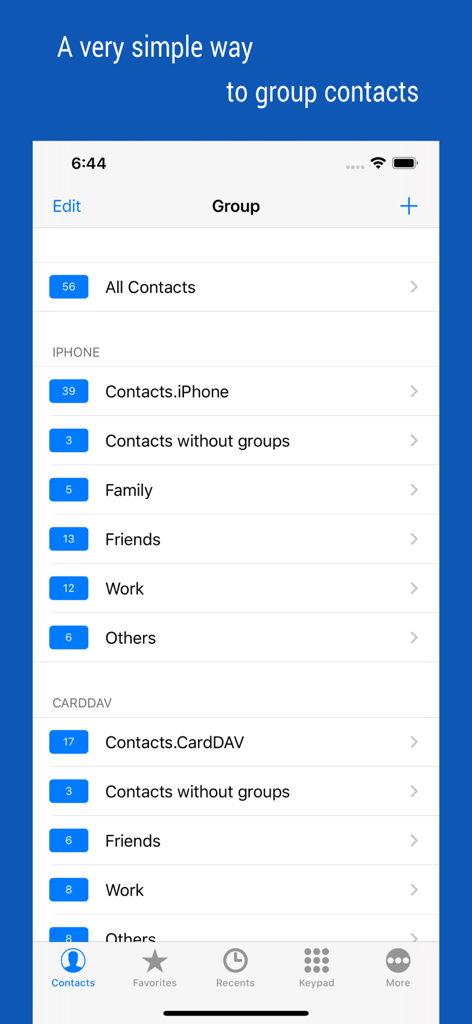
Oberfläche der iContacts plus App, die nach Gruppen wie Familie, Freunde und Arbeit organisierte Kontakte zeigt

Oberfläche der iContacts plus App, die nach Gruppen wie Familie, Freunde und Arbeit organisierte Kontakte zeigt

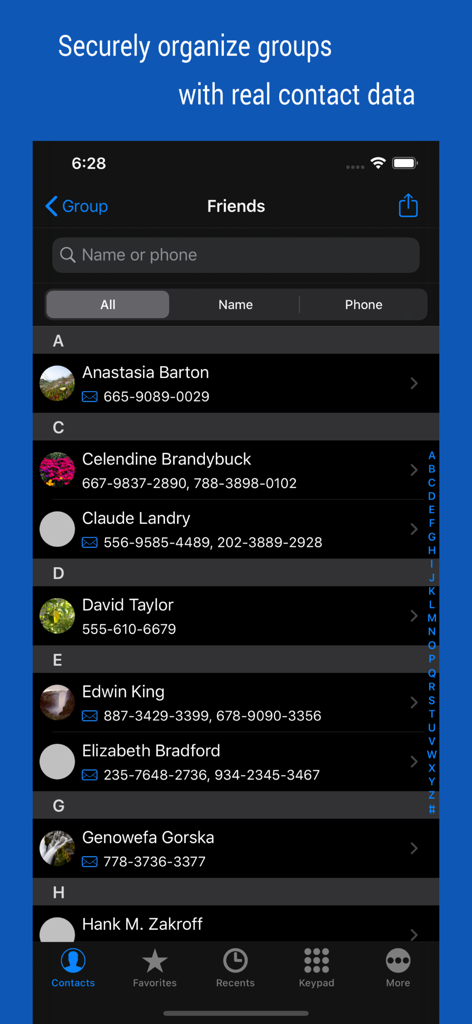
Benutzeroberfläche der iContacts plus App, die eine Liste von Kontakten anzeigt, die in einer Gruppe Freunde kategorisiert sind.

Benutzeroberfläche der iContacts plus App, die eine Liste von Kontakten anzeigt, die in einer Gruppe Freunde kategorisiert sind.

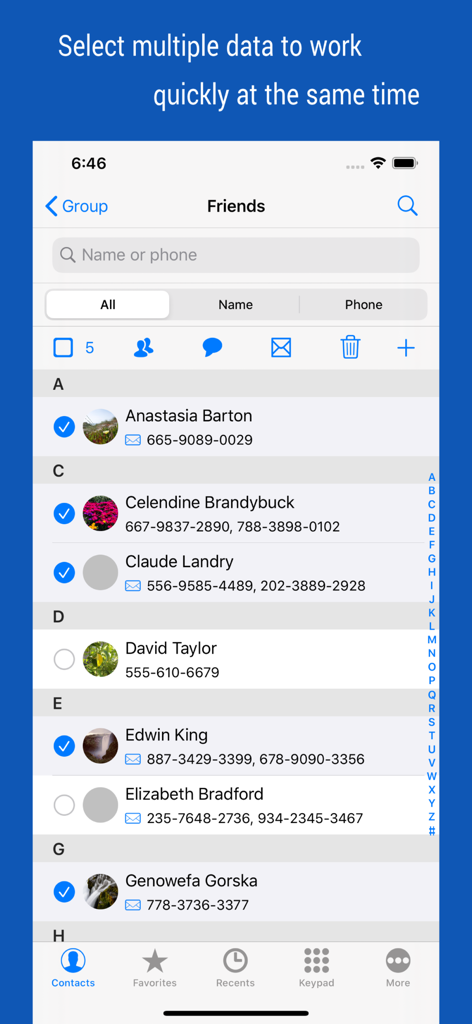
Oberfläche von iContacts plus, die mehrere ausgewählte Kontakte für Massenmanagement-Aktionen zeigt

Oberfläche von iContacts plus, die mehrere ausgewählte Kontakte für Massenmanagement-Aktionen zeigt

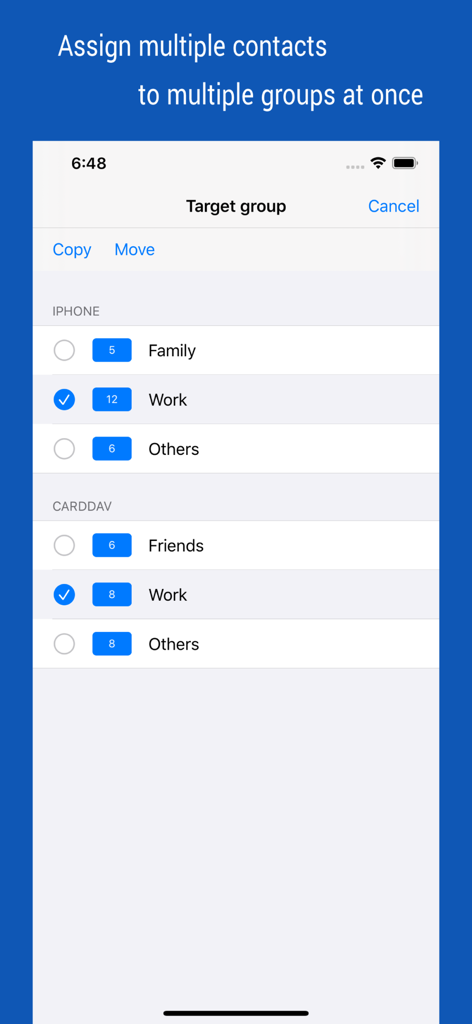
Screenshot der iContacts App, der einen Bildschirm zur gleichzeitigen Zuweisung mehrerer Kontakte zu verschiedenen Gruppen wie Familie und Arbeit zeigt

Screenshot der iContacts App, der einen Bildschirm zur gleichzeitigen Zuweisung mehrerer Kontakte zu verschiedenen Gruppen wie Familie und Arbeit zeigt

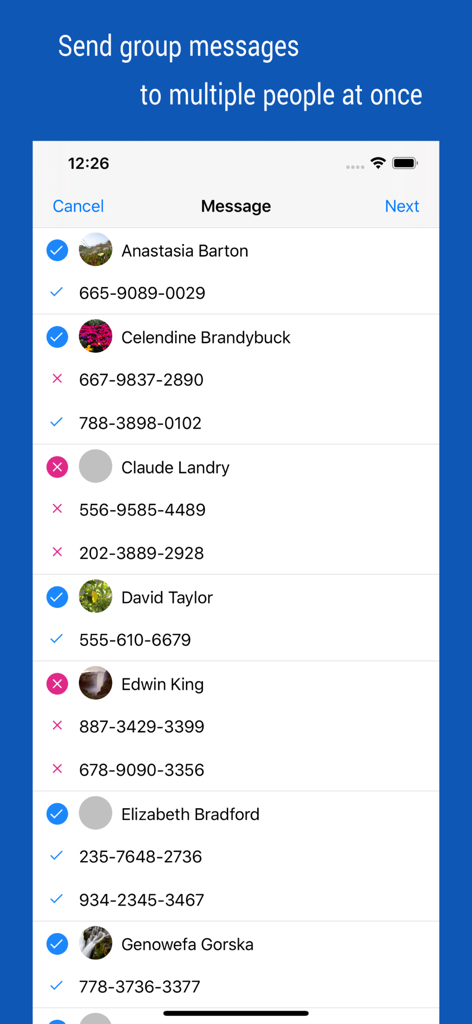
Bildschirm zur Auswahl mehrerer Kontakte für den Versand von Gruppen-Nachrichten

Bildschirm zur Auswahl mehrerer Kontakte für den Versand von Gruppen-Nachrichten

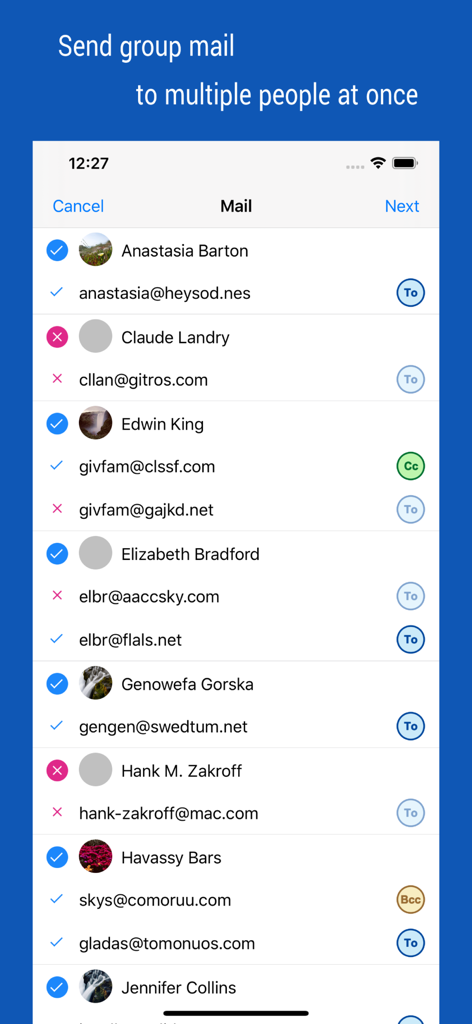
Oberfläche zur Auswahl mehrerer Kontakte und Verwaltung von Empfängern für Gruppen-E-Mails mit CC- und BCC-Optionen

Oberfläche zur Auswahl mehrerer Kontakte und Verwaltung von Empfängern für Gruppen-E-Mails mit CC- und BCC-Optionen

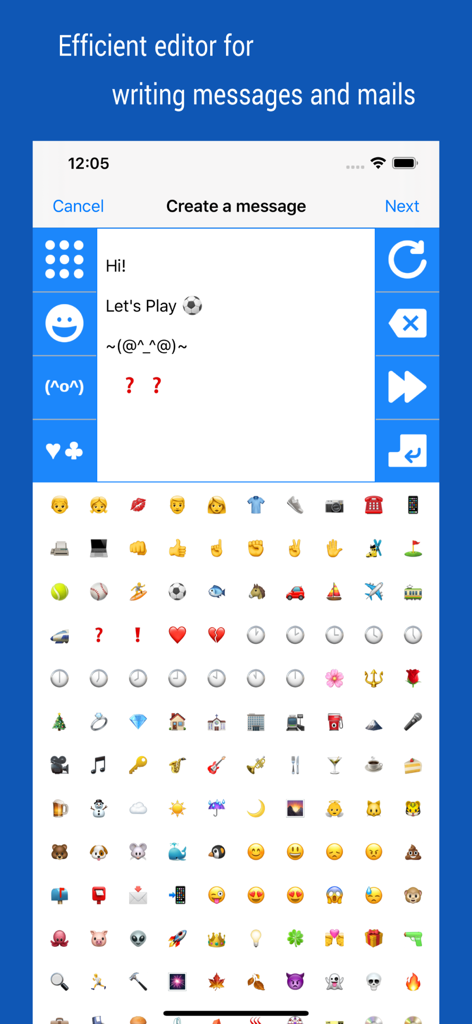
Oberfläche zum Verfassen von Gruppen-Nachrichten und E-Mails mit einer Emoji- und Kaomoji-Tastatur in der iContacts plus App

Oberfläche zum Verfassen von Gruppen-Nachrichten und E-Mails mit einer Emoji- und Kaomoji-Tastatur in der iContacts plus App

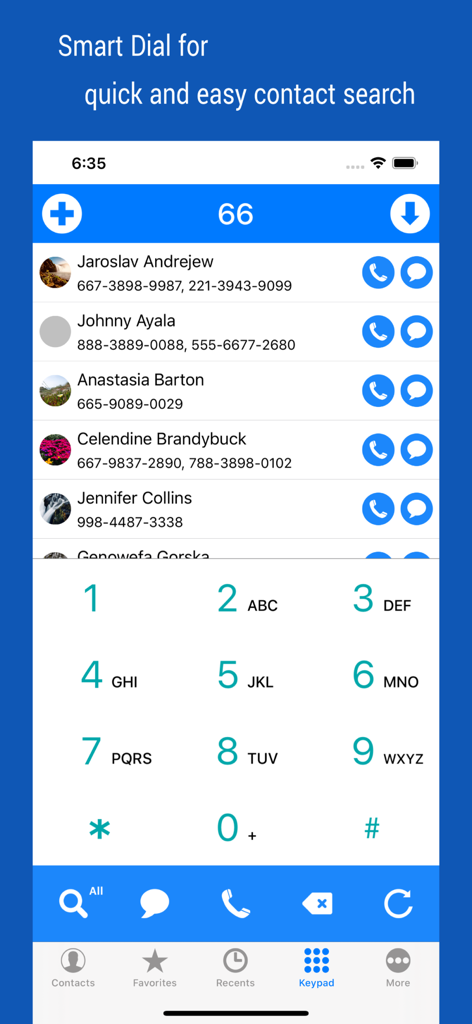
Smart Search Dial-Oberfläche in der iContacts App, die eine gefilterte Kontaktliste und ein numerisches Tastenfeld anzeigt.

Smart Search Dial-Oberfläche in der iContacts App, die eine gefilterte Kontaktliste und ein numerisches Tastenfeld anzeigt.

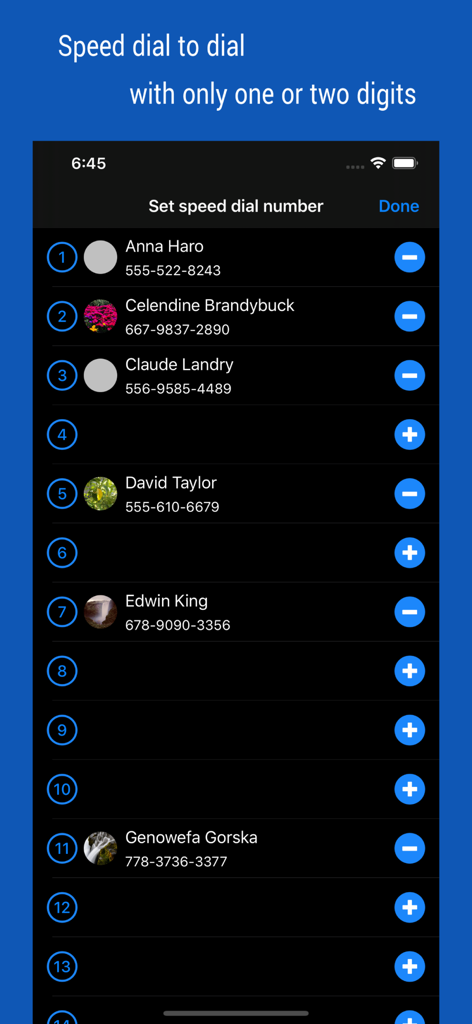
Ein Bildschirm in der iContacts plus App, der eine Liste von Kontakten zeigt, die für schnelles Anrufen Nummern für die Kurzwahl zugewiesen sind.

Ein Bildschirm in der iContacts plus App, der eine Liste von Kontakten zeigt, die für schnelles Anrufen Nummern für die Kurzwahl zugewiesen sind.

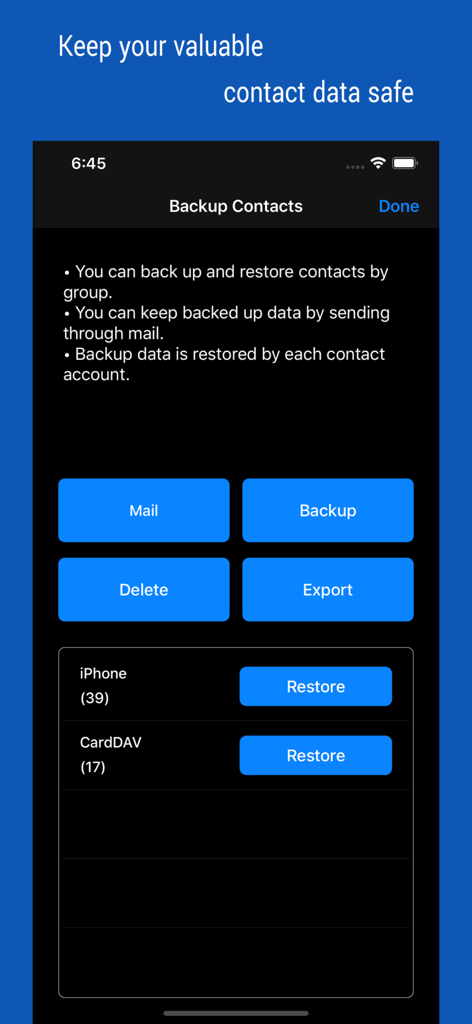
Oberfläche, die Optionen zur Sicherung und Wiederherstellung von Kontakten anzeigt, einschließlich E-Mail-Backup und Datenexport.

Oberfläche, die Optionen zur Sicherung und Wiederherstellung von Kontakten anzeigt, einschließlich E-Mail-Backup und Datenexport.

Professionelles Kontaktmanagement

Die Tools, die diese App auszeichnen, gewählt von 106K+ Nutzern.

📂

Intelligente Gruppenorganisation

Gehen Sie über die nativen Einschränkungen hinaus. Kategorisieren Sie Kontakte mühelos in benutzerdefinierte Gruppen und führen Sie Massenaktionen wie Verschieben oder Löschen durch, um Ihr Adressbuch makellos zu halten.

✉️

Sofortige Gruppenkommunikation

Erreichen Sie Ihr gesamtes Team oder Ihre Kundenliste in Sekundenschnelle. Senden Sie Gruppen-Nachrichten und E-Mails mit speziellen Tools, die für die professionelle Kontaktpflege mit hohem Volumen entwickelt wurden.

🛡️

Sicheres Backup & Synchronisierung

Schützen Sie Ihre professionelle Datenbank mit gruppenbasierten Backups und Echtzeit-Synchronisierung, um sicherzustellen, dass Ihr Netzwerk immer sicher, organisiert und auf dem neuesten Stand ist.

Über die App

Alles, was Sie über wissen müssen iContacts+: Contact Group Tool.

Beschreibung

▷ Optimal technology for contact group management ◉ All-in-One, The Evolution of Contacts App Manage your contacts into groups and contact your contacts as a group. Contact group management is only a basic function. And you can manage groups more conveniently than the default app. Additionally, advanced search features, group messaging, group email, bulk delete contact, organize contacts, contact backup, quick favorites, speed dial, smart search dial, etc. These various features have been integrated into One App. ◉ Secure Contact Tool Contact data is valuable information to you. The contacts App uses the system's data, so it should work correctly and handle your data securely. ◉ Functions and Features [Real-time Synchronization] • Since the Contact data of the system is used as it is, the work contents are immediately reflected. [Multiple selection methods] • Most tasks can be processed quickly with multiple selections. [Contact Group Management] • Create a group and add contacts as group members • Organize multiple contacts into multiple groups at the same time • Copy or move contacts between groups • Real-time synchronization with the contact group on the system • Simultaneous support of iCloud and CardDAV [Advanced Contact Search Function] • Extract optimal data by specifying phone number or name as search method • Can search for initials in Korean language including double consonants [Group Message, Group Email] • Multiple contacts to send a message at the same time • Provides separate message-writing tools for convenient input [Organize contacts] • Extract and organize contacts into various conditions • Delete contacts in bulk [Backup Contact] • Backup or restore contacts by group • Archiving backup data by email [Contact Favorites] • Easily call and send messages to frequently used contacts [Smart Search Dial] • Dial pad with search contacts • Set up Speed dialing for speed dials • Change the touch sound of the dial • Search for initials using Korean consonants ◉ Notification • You must allow access to your iPhone when you first launch the App. • If the list of the order in your contact list changes after iOS updates, please change your iPhone settings. (Mail, Contacts, Calendars > Sort Order, Display Order) • Contact groups in Exchange mail are not supported. • The user's contact information is not used separately or sent outside.

Neueste Version

4.65

Größe

3.1 MB

Erstveröffentlichung

9. Aug. 2012

Verwalten Sie Ihre Kontakte wie ein Profi

Schließen Sie sich über 100.000 Produktivitäts-Suchenden an, die ihr iPhone in ein Hochleistungs-Netzwerk-Tool verwandelt haben. Übernehmen Sie noch heute die volle Kontrolle über Ihre Gruppen, Kommunikation und Backups.

Herunterladen auf App Store

App information, icons, screenshots, and descriptions displayed on this page are sourced from the Apple App Store and are the property of their respective developers. Download estimates and rankings are based on MWM's proprietary models and may not reflect actual figures. This page is provided for informational and analytical purposes only.

Believe this page infringes your intellectual property? File a dispute