iNote Pro: Die visuelle Art, Ihr Leben mit Farben zu organisieren
Verwalten Sie Memos, Checklisten und Erinnerungen mühelos mit lebendigen Farbkategorien. Synchronisieren Sie über iCloud zwischen iPhone und iPad und greifen Sie mit dem Today-Board-Widget sofort auf Ihre täglichen Ziele zu.
Entdecken Sie die Oberfläche, die von 47K+ Nutzern verwendet wird.
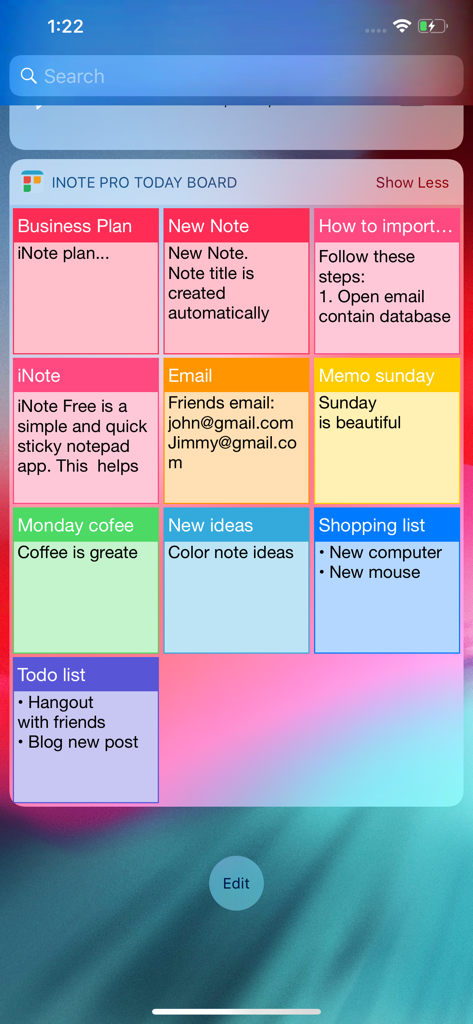
Ein Raster aus farbkodierten Haftnotizen, die auf dem iNote Pro Today-Board-Widget angezeigt werden.
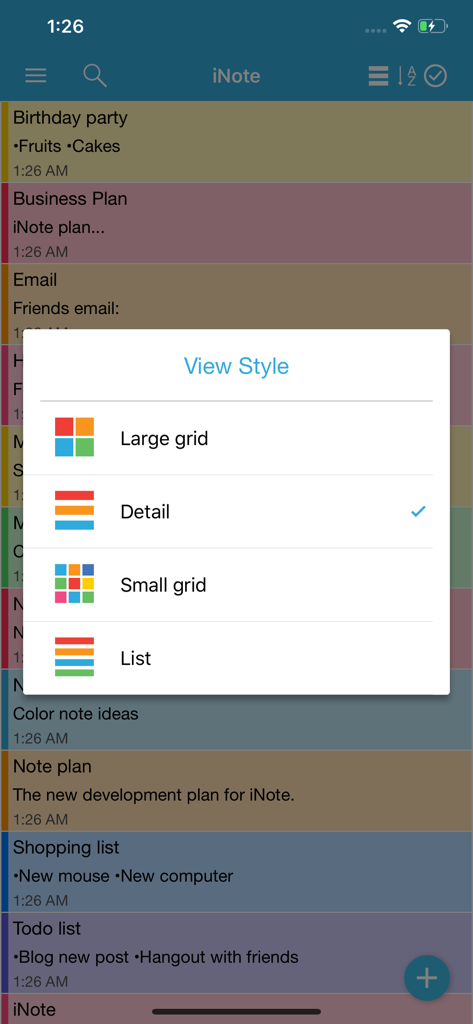
Ein Menü in der iNote Pro-App mit Optionen zum Ändern des Notizen-Ansichtsstils in großes Raster, Detail, kleines Raster oder Liste.
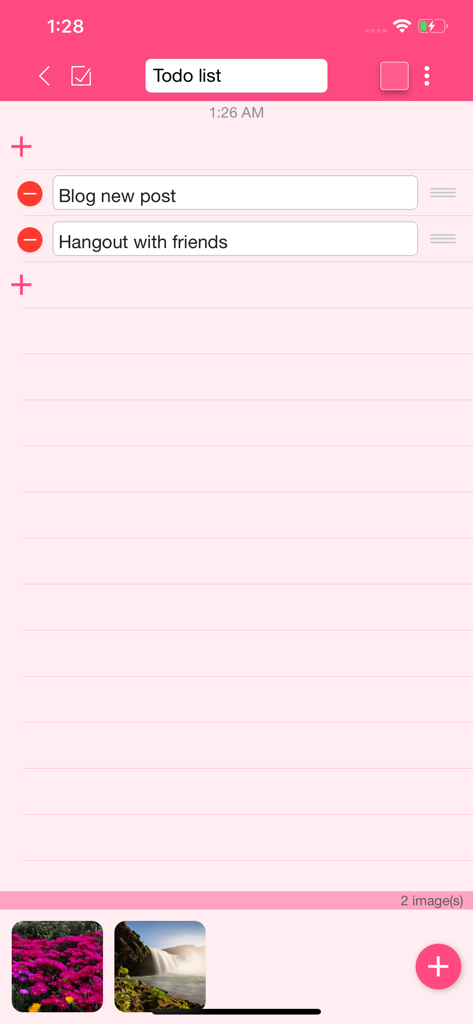
Schnittstelle von iNote Pro, die eine rosa gestaltete To-do-Liste mit angehängten Bildern zeigt.
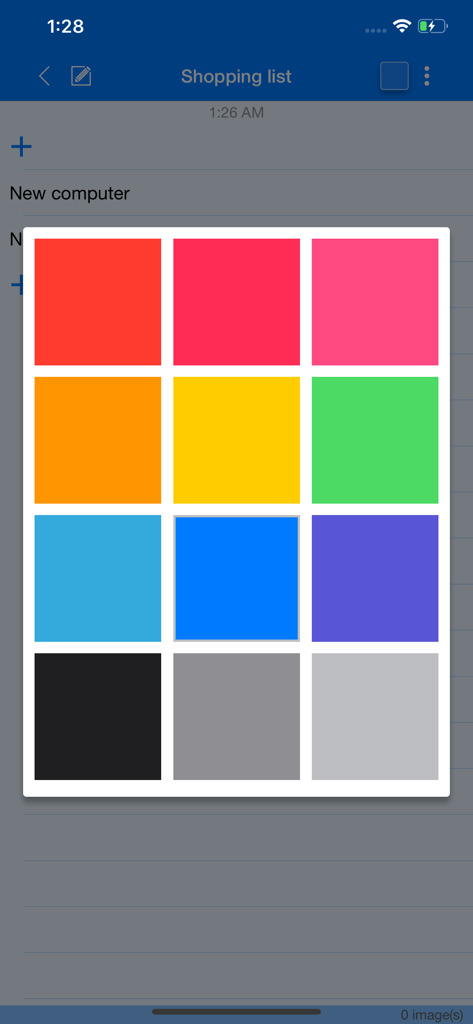
iNote Pro Farbpalette zur Kategorisierung von Notizen und To-do-Listen.
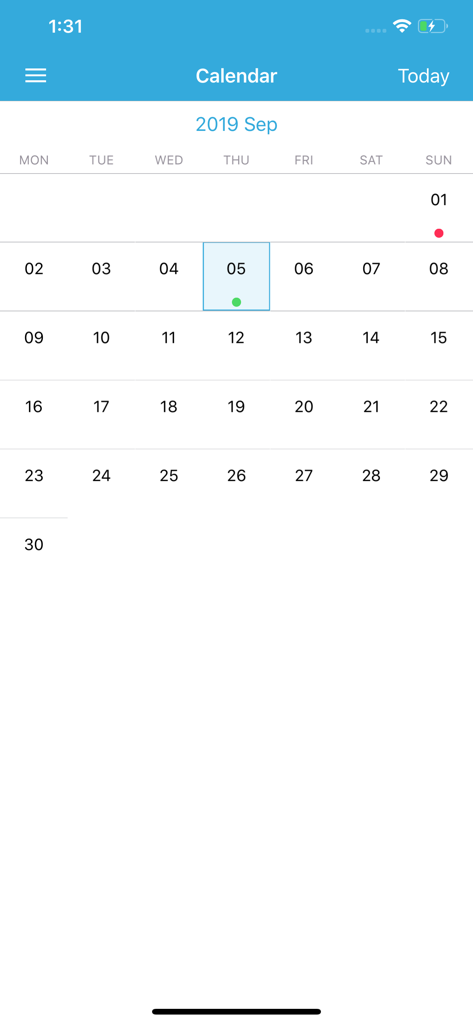
Kalenderansicht in der iNote Pro-App mit farbkodierten Notizen und Ereignissen.
Ihr Leben auf einen Blick organisiert
Die Tools, die diese App auszeichnen, gewählt von 47K+ Nutzern.
🎨
Visuelle Farbkategorien
Identifizieren Sie Memos, Arbeitsaufgaben oder Einkaufslisten sofort anhand eindeutiger Farben, um die kognitive Belastung zu reduzieren und schneller zu finden, was Sie brauchen.
📌
Gepinnter Widget-Zugriff
Halten Sie Ihre wichtigsten Notizen auf Ihrem Today-Board-Widget sichtbar, um vom Sperrbildschirm aus sofortigen Zugriff zu haben, ohne die App öffnen zu müssen.
✅
Smarte Checklisten & Alarme
Erleben Sie die Zufriedenheit beim Durchstreichen täglicher Aufgaben und richten Sie wiederkehrende Erinnerungen ein, um jede Frist und jeden Termin einzuhalten.
Über die App
Alles, was Sie über wissen müssen iNote Pro - Sticky Color Note.
Beschreibung
iNote Pro is a simple and quick sticky notepad app. This helps you organize your notes, memos, messages, emails, shopping lists, check lists and to-do lists by COLOR. Taking color notes with iNote is never easier than before.
MANAGE NOTE BY COLOR
Each note has a main color so you can group these notes by a color-category in a professional way like: memos, to-do lists, shopping lists, emails, travels, and ideas...
ADD IMAGES TO NOTE
Notes now can attach photos. All photos are sync with icloud too.
DISPLAY NOTE WITH MANY OPTIONS
You can view your notes in grid (like sticky note), quick list, or detail list. This app helps you sort notes by color, remind time, updated time, created time, or title name. So you can view these note quickly and super easily.
SYNC WITH ICLOUD, NEVER LOST YOUR NOTE
Your notes is sync with your iCloud account, so you can take note on iPhone and use on your iPad and vise versa. You will never lost note because your data is saved on iCloud.
BACKUP & IMPORT EASILY
You can backup your data, send via email then import them on all of your devices when ever you want. This app supports importing notes from ColorNote app on other devices, so you will never miss your notes.
FAST CREATE TODO LIST
In the checklist mode, you can take note quickly and re-arrange to-do items easily. When clicking on each item, you can check or un-check as done by a quick tap. Checked item will be slashed like the way you check them on your notebook.
REMIND AND CALENDAR
With each note, you can add a reminder. Then the app will notify you when the even happens. You can also repeat these events daily, weekly, monthly or yearly depend on your settings.
And you can view these events in calendar mode. It will help you have a quick view of events on specific month and day.
PIN ON TODAY BOARD WIDGET
You now can pin notes on to Today Board up to 12 notes, then you can access these note every where, at any time you need from Notification Center.
KEY FEATURES:
- Organize notes by color, display with many layout options
- Attach photos to note
- Sync with iCloud, backup and import notes
- Checklist notes for To do list and Shopping list
- Remind notes and calendar
- Pin notes on Today Board
iNote supports up to 12 languages: English, Vietnamese, Spanish, Japanese, Simplified Chinese, Traditional Chinese, German, French, Turkish, Portuguese, Russian, Italian. The list will be continue updated.
Neueste Version
5.4.2
Größe
14.8 MB
Erstveröffentlichung
17. Sept. 2016
Organisieren Sie Ihre Welt noch heute in Farbe
Schließen Sie sich Tausenden von visuellen Denkern an, die mit müheloser Farbkodierung und nahtloser iCloud-Synchronisierung produktiv bleiben. Laden Sie iNote Pro herunter und übernehmen Sie jetzt die Kontrolle über Ihre Aufgaben.
App information, icons, screenshots, and descriptions displayed on this page are sourced from the Apple App Store and are the property of their respective developers. Download estimates and rankings are based on MWM's proprietary models and may not reflect actual figures. This page is provided for informational and analytical purposes only.
Believe this page infringes your intellectual property? File a dispute