IPTV fast: Der Powerhouse-Player für moderne Cord-Cutter
Übernehmen Sie die volle Kontrolle über Ihre Unterhaltung. Importieren Sie Ihre eigenen M3U- oder TXT-Playlists und genießen Sie ein blitzschnelles, schlankes Streaming-Erlebnis, das für den technisch versierten Zuschauer entwickelt wurde.
Herausgeber
丽娜 夏
Kategorie
Entertainment
Downloads
112K+
Bewertung
2.8/5
Bewertungen gesamt
100
Sprachen
2
Ein Einblick in die totale Kontrolle
Entdecken Sie die Oberfläche, die von 112K+ Nutzern verwendet wird.
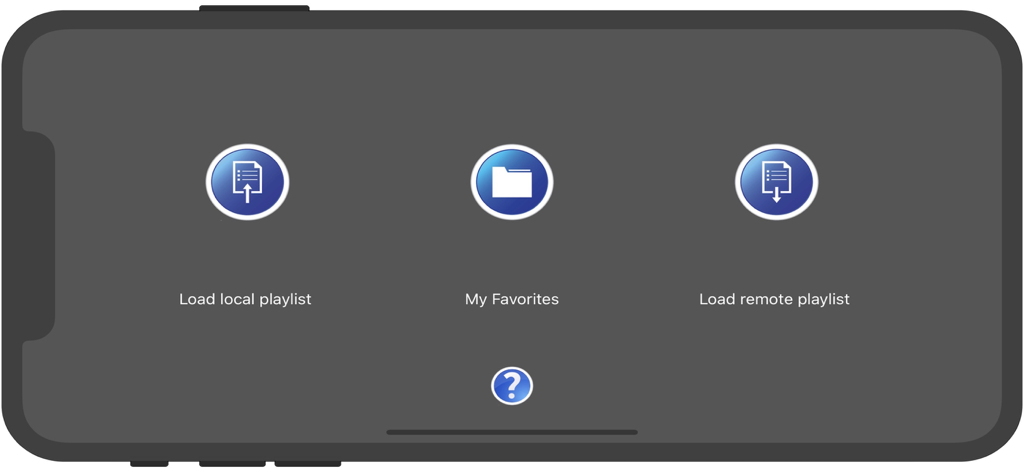
IPTV fast App-Startbildschirm mit Schaltflächen zum Laden lokaler Playlists, Favoriten und Remote-Playlists
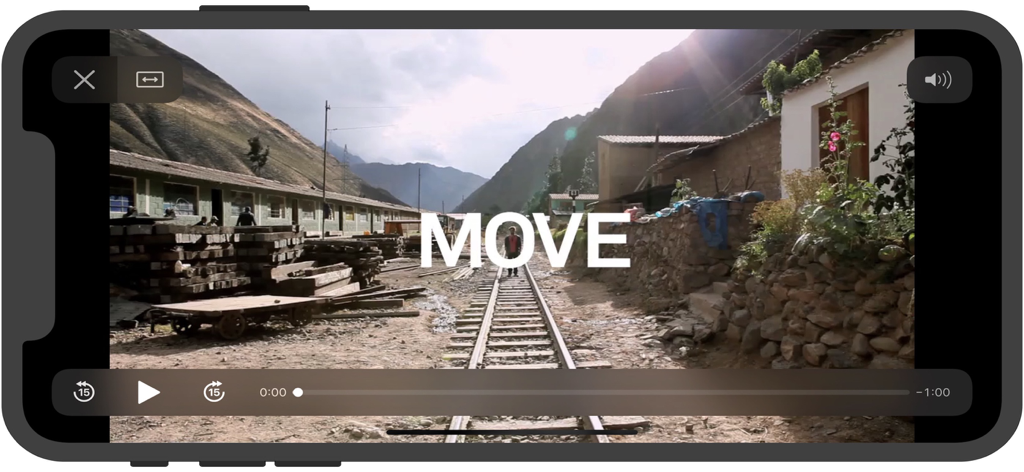
IPTV fast mobile Anwendung Bildschirm des Videoplayers, der Wiedergabesteuerungen und ein landschaftliches Video zeigt
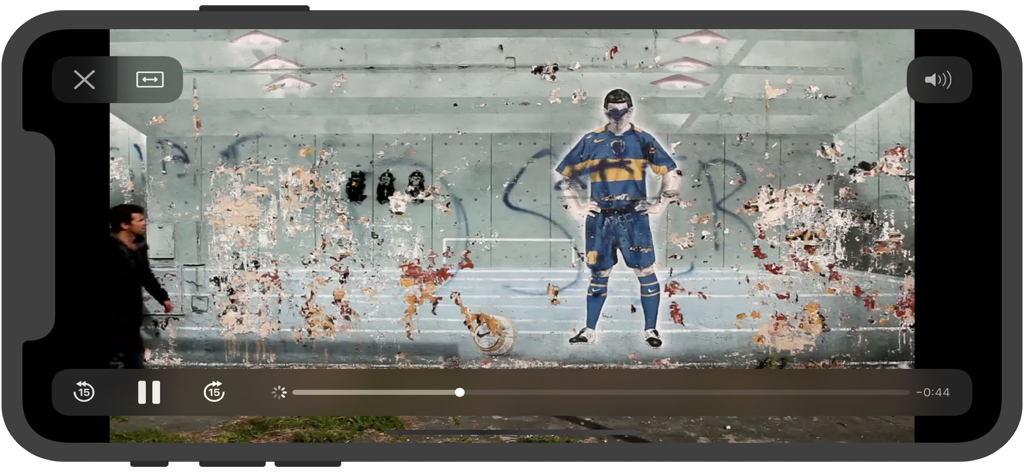
IPTV fast mobile App Bildschirm des Videoplayers im Querformat mit Wiedergabesteuerungen
IPTV fast App-Videowiedergabe auf einem Smartphone-Bildschirm
Kontrollieren Sie Ihr Streaming-Erlebnis
Die Tools, die diese App auszeichnen, gewählt von 112K+ Nutzern.
🛠️
Vollständige Playlist-Anpassung
Erstellen Sie Ihren eigenen TV-Guide, indem Sie M3U- oder TXT-Playlists importieren. Organisieren Sie Ihre bevorzugten internationalen Sport-, Nachrichten- und Unterhaltungskanäle genau so, wie Sie es möchten.
⚡
Leichtgewichtig & blitzschnell
Mit nur 6 MB bietet IPTV fast eine übersichtliche Benutzeroberfläche und sofortiges Umschalten zwischen Kanälen, ohne Ihr iPhone oder iPad mit unnötigen Hintergrundprozessen zu belasten.
🔒
Private lokale Synchronisierung
Halten Sie Ihre Streaming-Links sicher und privat. Synchronisieren Sie Ihre kuratierten Playlists direkt von Ihrem Mac oder PC über iTunes oder die Dateifreigabe des Finders für totale Unabhängigkeit von der Cloud.
Über die App
Alles, was Sie über wissen müssen IPTV fast.
Beschreibung
IPTV fast is a complete user defined IPTV solutions for live and non-live TV/stream.
Support M3U playlist formats, TXT playlist formats.
If you ever want to play M3U streams, if you need player supporting these live or non-live streams, the IPTV fast is a solution for these requirements.
- Built-in powerful player, No need to look for third party player to support these formats.
- Support Local M3U and TXT playlists, user can add playlists to their device
via iTunes's file sharing function (connecting their device to iTunes, then add playlists to its file sharing document).
- Support Remote playlists, user can add their http remote playlists.
Features
- Support m3u8 TV/Radio live or non-live stream, you can custom your own TV/Radio channel.
- Support TXT and M3U playlist.
- Support media formats such as m3u8, mp4, mp3. . . . . .
- Download Remote playlists to Local.
- Support My Favorites.
How it works?
1. Make your own playlist
1A. Make your own TXT playlist
Name your playlist as xxx.txt, then edit and save your file in format as below:
TV or Radio Channel,Media Source Link
One line one TV or Radio channel (do not forget The comma)
For example:
(line 1) TV 1,http://streamer.oodlz.it/hls/livestream.m3u8
(line 2) TV 2,http://stream.1music.hu/stream/1music.m3u8
(line 3) Radio 1,http://icestreaming.rai.it/1.mp3
etc. . . . . .
(Save your xxx.txt file as UTF-8)
1B. Make your own M3U playlist (format 1)
Name your playlist as xxx.txt, then edit and save your file in format as below:
#EXTM3U
#EXTINF:-1 tvg-logo=”sample.png” group-title=”No group”,Channel 1
Channel 1,https://edge.music-choice-play-chaina/play/chunklist.m3u8
#EXTINF:-1 tvg-logo=”sample.png” group-title=”No group”,Channel 2
Channel 2,https://nhkworld.webcdn.stream.ne.jp/live_wa_s.m3u8
#EXTINF:-1 tvg-logo=”sample.png” group-title=”No group”,Channel 3
Channel 3,http://77.89.199.174:81/hls/live2.m3u8
etc. . . . . .
Save your xxx.txt file as UTF-8 format, then change its extension from xxx.txt to xxx.m3u.
1C. Make your own M3U playlist (format 2)
Name your playlist as xxx.txt, then edit and save your file in format as below:
#EXTM3U
#EXTINF:-1 tvg-logo=”sample.png” group-title=”No group”,Channel 1
https://edge.music-choice-play-chaina/play/chunklist.m3u8
#EXTINF:-1 tvg-logo=”sample.png” group-title=”No group”,Channel 2
https://nhkworld.webcdn.stream.ne.jp/live_wa_s.m3u8
#EXTINF:-1 tvg-logo=”sample.png” group-title=”No group”,Channel 3
http://77.89.199.174:81/hls/live2.m3u8
etc. . . . . .
Save your xxx.txt file as UTF-8 format, then change its extension from xxx.txt to xxx.m3u.
2. Add your xxx.txt or xxx.m3u file to your device
2A. Add local playlists to your device
First, connecting your device t your computer,
(1) If your macOS is earlier than Catalina, Open iTunes, click file sharing find the IPTV fast, add your playlist to its file share document.
(2) If your macOS is Catalina or Big Sur or later, use Finder, you can drag your playlist to IPTV fast's file share document.
2B. Download remote playlist
First, upload your playlist the a website, get its download url, If all this done, open IPTV fast, enter your playlist download url, press download.
3. Relax and watch your favorite shows on your device
DISCLAIMER
- IPTV fast does not supply or include any media or content.
- IPTV fast has no affiliation with any third-party provider what so ever.
- Users must provide their own contents.
- I do not endorse the streaming of copyright protected material without permission of the copyright holder.
Neueste Version
22.0
Größe
5.9 MB
Erstveröffentlichung
23. Nov. 2018
Bereit, Ihr perfektes TV-Programm zusammenzustellen?
Schließen Sie sich über 112.000 Cord-Cuttern an, die IPTV fast für ein leichtgewichtige, hochleistungsfähiges Streaming-Erlebnis vertrauen. Laden Sie es jetzt herunter und übernehmen Sie die volle Kontrolle über Ihre M3U-Playlists, ohne Abonnements.
App information, icons, screenshots, and descriptions displayed on this page are sourced from the Apple App Store and are the property of their respective developers. Download estimates and rankings are based on MWM's proprietary models and may not reflect actual figures. This page is provided for informational and analytical purposes only.
Believe this page infringes your intellectual property? File a dispute