iWriteMusic

iWriteMusic

Herunterladen auf App Store
Logo von iWriteMusic

iWriteMusic: Professionelle Notenerstellung in Ihrer Tasche

Halten Sie jede musikalische Idee mit der intuitivsten Notations-App für Komponisten und Lehrer fest. Erstellen, drucken und teilen Sie Partituren in Studioqualität unterwegs mit unserem innovativen One-Flick-Eingabesystem.

Herausgeber

Kazuo Nakamura

Kategorie

Music

Downloads

177K+

Bewertung

4.4/5

Bewertungen gesamt

1K+

Sprachen

1

Notationspraxis

Entdecken Sie die Oberfläche, die von 177K+ Nutzern verwendet wird.
iWriteMusic App-Bildschirm, der seine intuitive Benutzeroberfläche und einfache Notationswerkzeuge hervorhebt.

iWriteMusic App-Bildschirm, der seine intuitive Benutzeroberfläche und einfache Notationswerkzeuge hervorhebt.

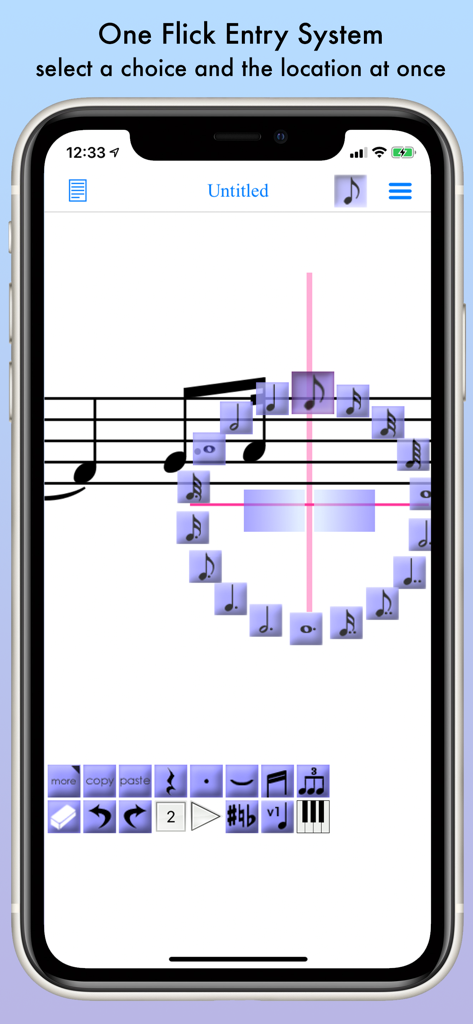
iWriteMusic App-Oberfläche, die das One-Flick-Eingabesystem für schnelle Noten auf einem Smartphone demonstriert.

iWriteMusic App-Oberfläche, die das One-Flick-Eingabesystem für schnelle Noten auf einem Smartphone demonstriert.

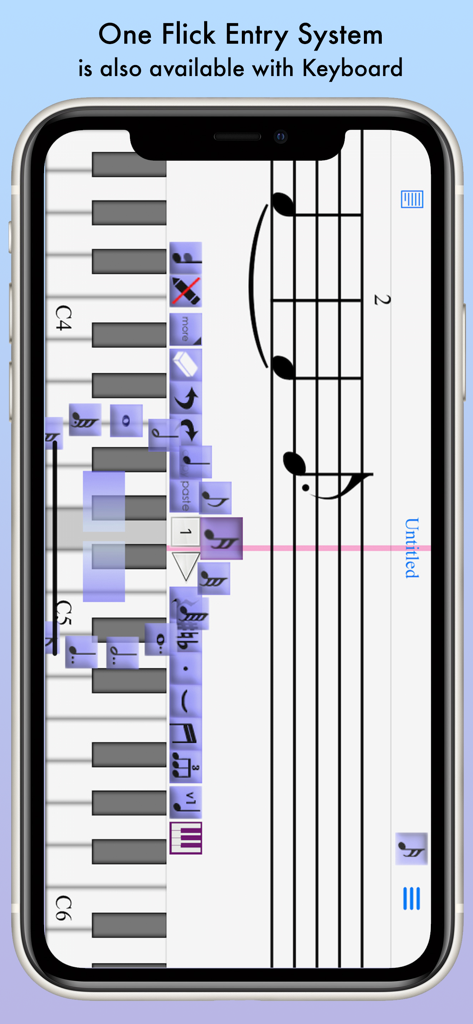
iWriteMusic App zeigt die Erstellung von Notenblättern mit einer virtuellen Klaviertastatur und dem One-Flick-Eingabesystem.

iWriteMusic App zeigt die Erstellung von Notenblättern mit einer virtuellen Klaviertastatur und dem One-Flick-Eingabesystem.

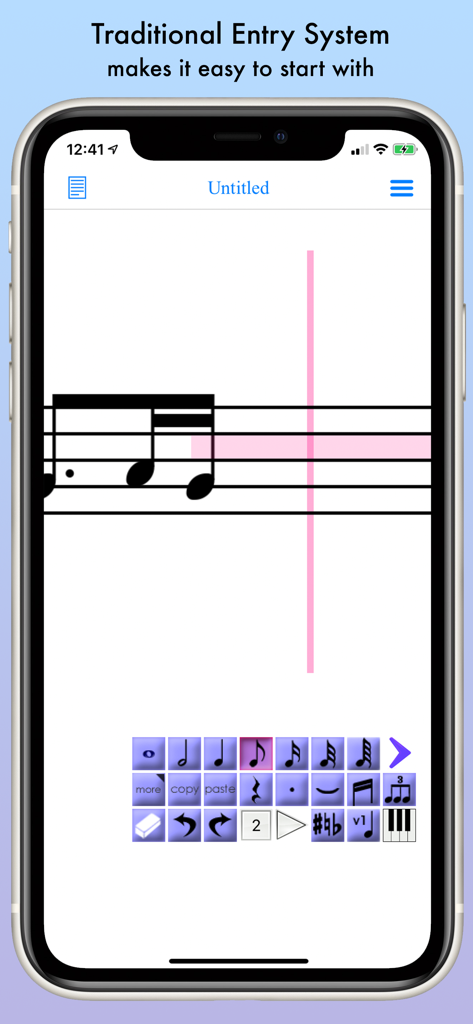
Traditionelles Eingabesystem für Noten in der iWriteMusic App mit Notensystem und Werkzeugleiste zur Notenauswahl.

Traditionelles Eingabesystem für Noten in der iWriteMusic App mit Notensystem und Werkzeugleiste zur Notenauswahl.

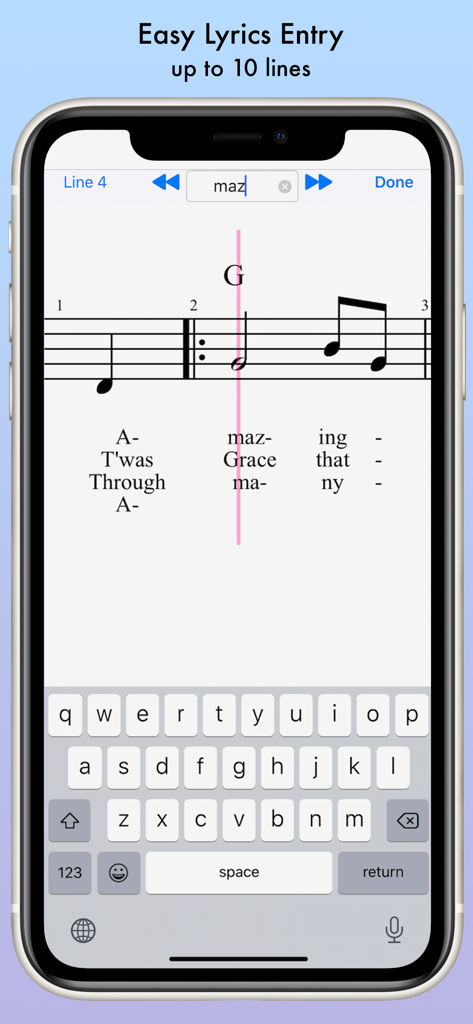
iWriteMusic Mobile App-Oberfläche, die eine einfache mehrzeilige Texteingabe für Noten auf einem Smartphone zeigt.

iWriteMusic Mobile App-Oberfläche, die eine einfache mehrzeilige Texteingabe für Noten auf einem Smartphone zeigt.

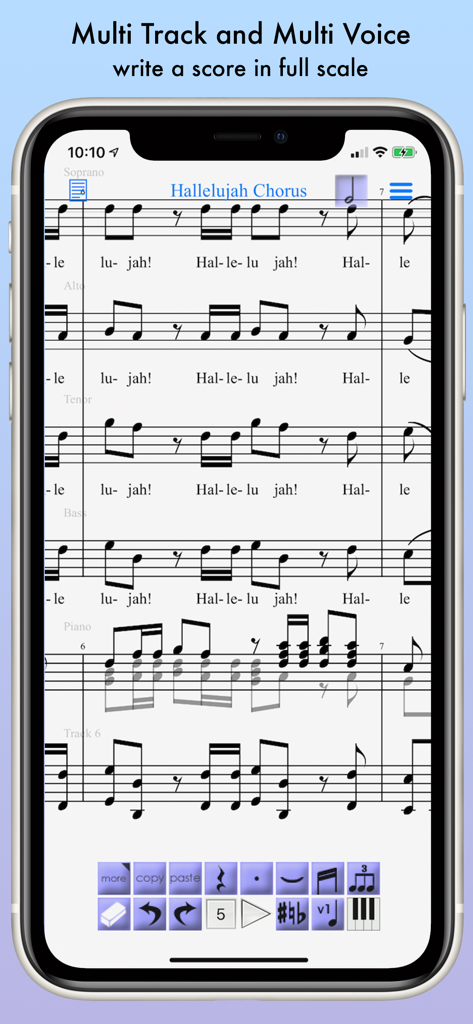
iWriteMusic App zeigt eine mehrspurige Partitur des Hallelujah-Chors.

iWriteMusic App zeigt eine mehrspurige Partitur des Hallelujah-Chors.

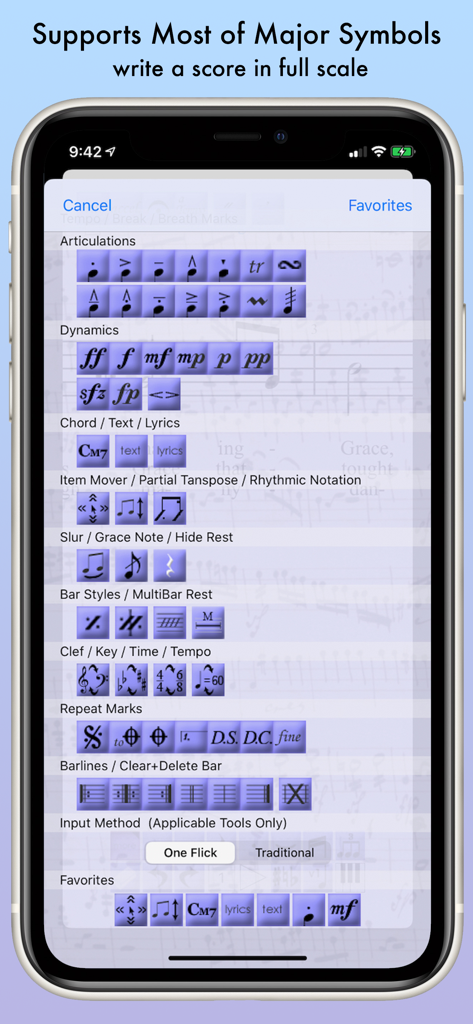
Eine Auswahl an Notationssymbolen in der iWriteMusic App, die Artikulationen, Dynamiken und Taktarten zeigt.

Eine Auswahl an Notationssymbolen in der iWriteMusic App, die Artikulationen, Dynamiken und Taktarten zeigt.

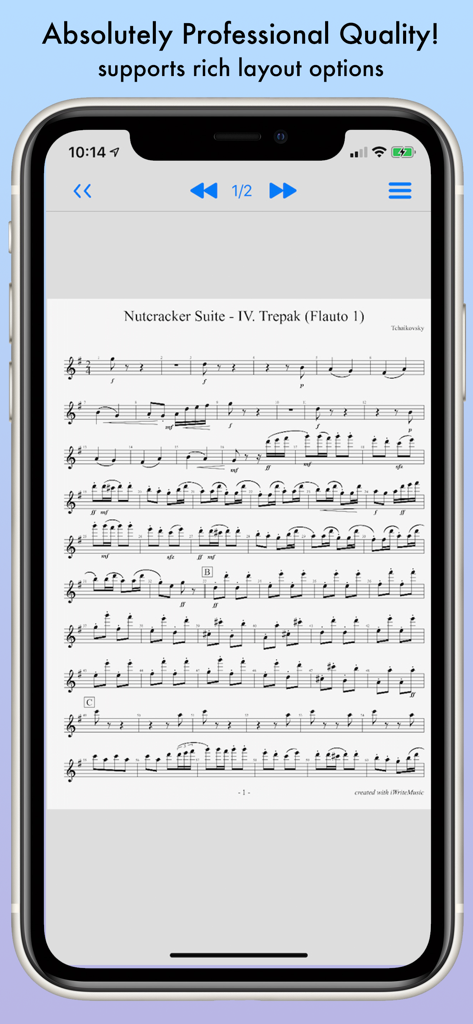
Professionelle Notenpartitur für die Nussknacker-Suite, angezeigt in der iWriteMusic App auf einem iPhone-Bildschirm.

Professionelle Notenpartitur für die Nussknacker-Suite, angezeigt in der iWriteMusic App auf einem iPhone-Bildschirm.

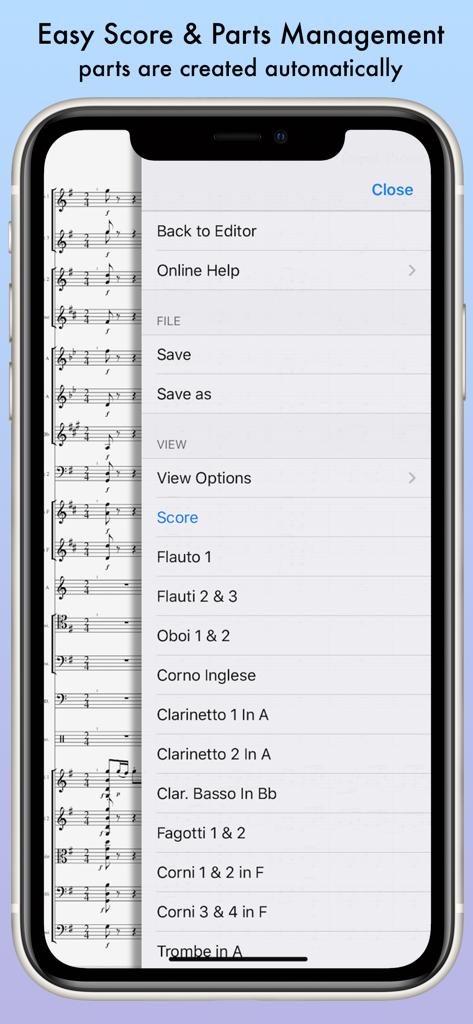
iWriteMusic Mobile App-Oberfläche, die ein automatisiertes Menü zur Verwaltung von Orchesterpartituren und Stimmen zeigt.

iWriteMusic Mobile App-Oberfläche, die ein automatisiertes Menü zur Verwaltung von Orchesterpartituren und Stimmen zeigt.

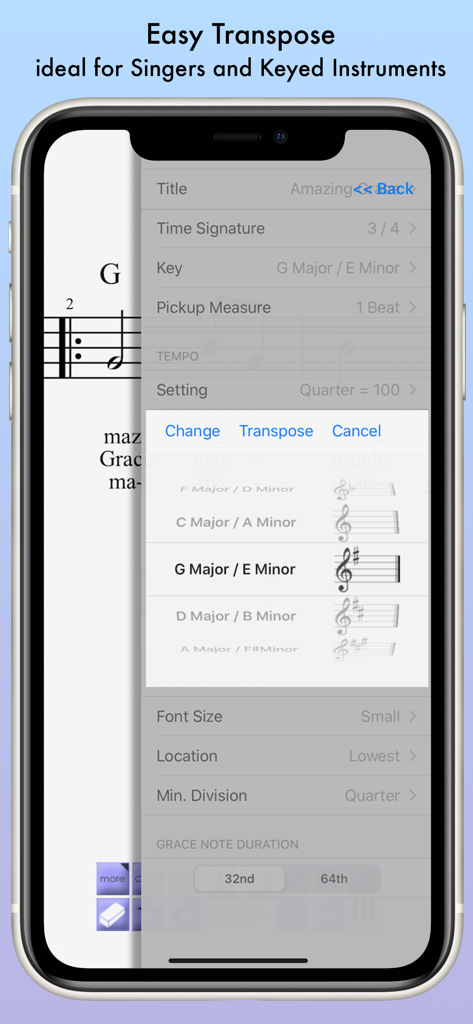
Smartphone-Bildschirm mit den Transpositionseinstellungen in der iWriteMusic App.

Smartphone-Bildschirm mit den Transpositionseinstellungen in der iWriteMusic App.

Komposition ohne Grenzen

Die Tools, die diese App auszeichnen, gewählt von 177K+ Nutzern.

Innovativer One-Flick-Eintrag

Erfassen Sie Ihre Ideen sofort mit einem gestenbasierten System, das für Mobilgeräte optimiert ist. Kein lästiges Menü-Gefummel mehr – legen Sie Noten und Symbole einfach mit einem Wisch in Sekundenschnelle an.

📄

Noten in Studioqualität

Erstellen Sie professionelle PDFs für Proben oder exportieren Sie MIDI-Dateien für GarageBand. Ihre Ausgabe ist bereit für die Bühne, das Klassenzimmer oder das Aufnahmestudio.

🪶

Ultraleicht & ohne unnötige Extras

Mit nur 15 MB Speicherplatz bleibt Platz für Fotos und Aufnahmen. Beginnen Sie sofort mit dem Schreiben mit einer intuitiven Benutzeroberfläche, die keine Handbücher oder Tutorials erfordert.

Über die App

Alles, was Sie über wissen müssen iWriteMusic.

Beschreibung

Music Writing is easy and fun when you use iWriteMusic! Ever wished you could quickly create sheet music in your small free time? Ever thought smartphones were too small to create sheet music? iWriteMusic enables efficient sheet music creation even on small smartphone screens. Unlike other cramped and cumbersome apps, it is designed meticulously for small screens,comprehensive suite of essential tools for concerts, lessons, and music classes! Best fit for professional musicians, music teachers and students. For songwriters, composers and arrangers. For both singers and instrumentalists (piano, violin, cello, guitar, flute, saxophone, trumpet, drums, etc.). Great for writing down ideas, creating lesson materials, creating lead sheets, or creating scores and parts for chorus groups, choirs, chamber orchestras, jazz bands, Latin bands, orchestras, and more. For daily practice, rehearsals, concerts, iWriteMusic will help you enrich your musical life! Check out 7 reasons to choose iWriteMusic. 1. You can understand this app almost instantly! Because of Truly Intuitive and Extremely Simple user interface, you barely need to read pages of manuals nor watching numbers of instruction videos. Unlike Finale, Sibelius and other similar apps, you just have a few things to learn to be able to use this app pretty well. 2.Double your productivity with our Highly Efficient Input System. If you’re already familiar with notation apps and looking for faster & more efficient entry system, try our innovative One-Flick Entry System along with Traditional Entry System to get your job done in no time! What is Traditional Entry System? - The choices will appear with ToolBox. - Select a value and the location separately. - Recommended to those who are not yet familiar with any music notation apps. What is OneFlick Entry System? - The choices will appear when you touch the screen. - Select a location and the value at once. - The selection will change as you slide your finger to left/right. - Recommended to those who are familiar with music notation apps and looking for faster and more efficient entry system. 3. Creates beautiful sheet music - absolutely professional quality! - rich options for page layout adjustment - easy parts creation - easy score/parts management - direct print-out via AirPrint 4. Supports most of major notation elements - multi-track writing - multi-voice writing - percussion/drums notation - chord symbols and lyrics - multi-bar rest - time change - key change - clef change - tempo change - grace note - articulations and dynamics marks - easy song transpose - partial transpose and many more! 5. Useful playback options for practice - mixer with solo, mute and voice select - loop and swing options 6. Data & sheet music sharing - exports/Imports iWriteMusic data file - exports PDF or JPG - exports Standard MIDI file which can be imported by other apps such as GarageBand 7. Extremely Compact Size (15 MB) You can save your device storage space for photos and other apps. ATTENTION: Latency during playback and drawing may occur by device capacity or number of tracks and background applications.

Neueste Version

3.6.8

Größe

18.7 MB

Erstveröffentlichung

27. Sept. 2010

Beginnen Sie noch heute mit der Komposition Ihres nächsten Meisterwerks

Warten Sie nicht länger auf die Zeit am Schreibtisch. Schließen Sie sich über 177.000 Musikern an, die das effizienteste, mobile-first Notationswerkzeug für professionelle Partituren und Lead Sheets unterwegs nutzen.

Herunterladen auf App Store

App information, icons, screenshots, and descriptions displayed on this page are sourced from the Apple App Store and are the property of their respective developers. Download estimates and rankings are based on MWM's proprietary models and may not reflect actual figures. This page is provided for informational and analytical purposes only.

Believe this page infringes your intellectual property? File a dispute