Jeppesen Aviator

Jeppesen Aviator

Herunterladen auf App Store
Logo von Jeppesen Aviator

Jeppesen Aviator: Das vereinheitlichte EFB-Ökosystem für Berufspiloten

Optimieren Sie Ihren Workflow im Cockpit mit einer synchronisierten Suite missionskritischer Tools, von intelligentem Briefing und Navigationsprotokollierung bis hin zu nahtlosem Dokumentenmanagement und Redundanz über mehrere Geräte hinweg.

Herunterladen auf App Store

Herausgeber

Jeppesen

Kategorie

Navigation

Downloads

162K+

Bewertung

3.8/5

Bewertungen gesamt

0

Sprachen

1

Missionskritische Klarheit

Entdecken Sie die Oberfläche, die von 162K+ Nutzern verwendet wird.
Jeppesen Aviator App-Startbildschirm mit Wolken und Flugsymbol

Jeppesen Aviator App-Startbildschirm mit Wolken und Flugsymbol

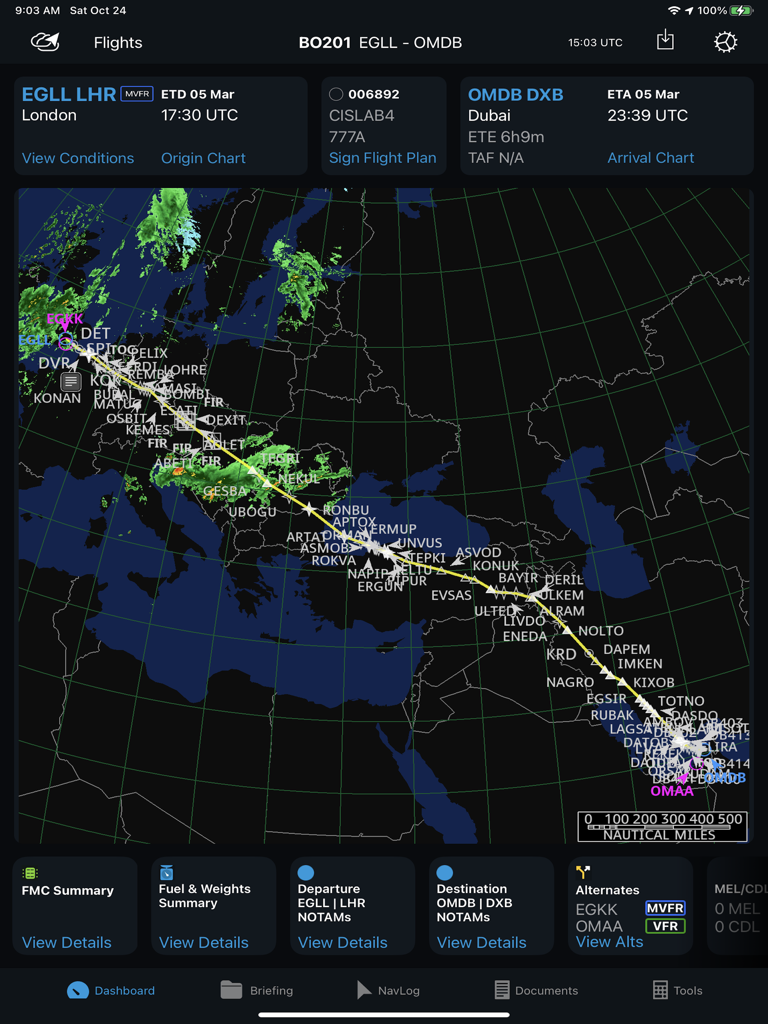
Jeppesen Aviator App-Benutzeroberfläche mit einer Flugroutenkarte von London nach Dubai mit Wetter-Overlays und Navigations-Dashboard.

Jeppesen Aviator App-Benutzeroberfläche mit einer Flugroutenkarte von London nach Dubai mit Wetter-Overlays und Navigations-Dashboard.

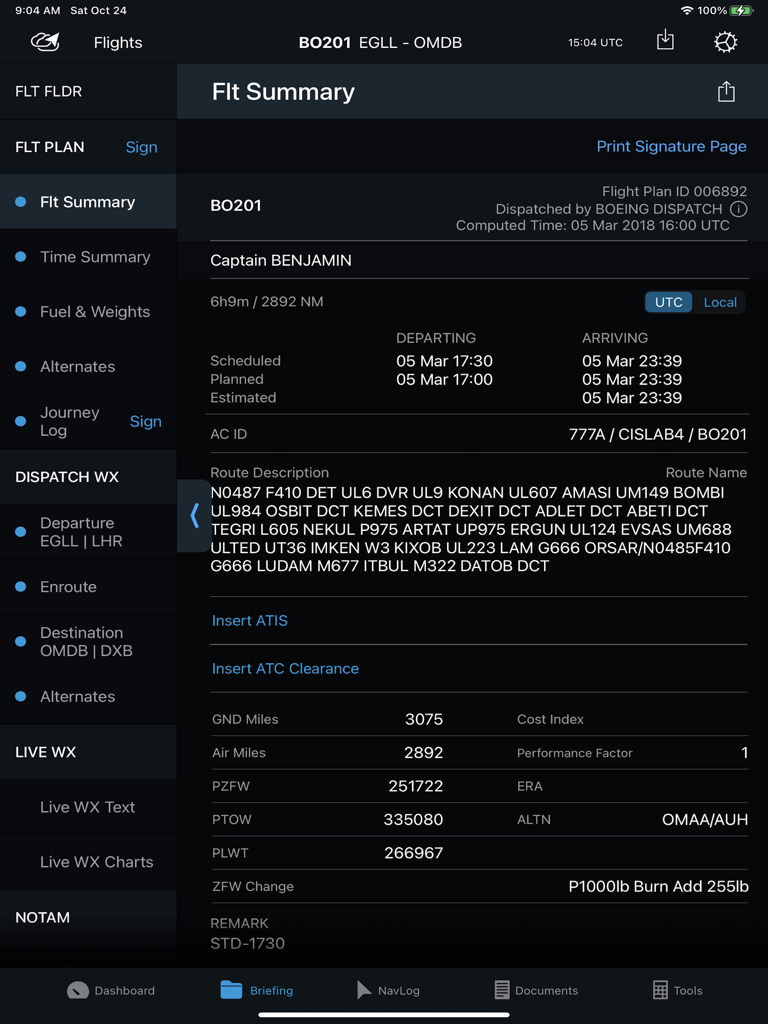
Ein Flugzusammenfassungs-Dashboard in der Jeppesen Aviator iPad-App mit Flugplandetails, Routenbeschreibung und Abflug- und Ankunftszeiten

Ein Flugzusammenfassungs-Dashboard in der Jeppesen Aviator iPad-App mit Flugplandetails, Routenbeschreibung und Abflug- und Ankunftszeiten

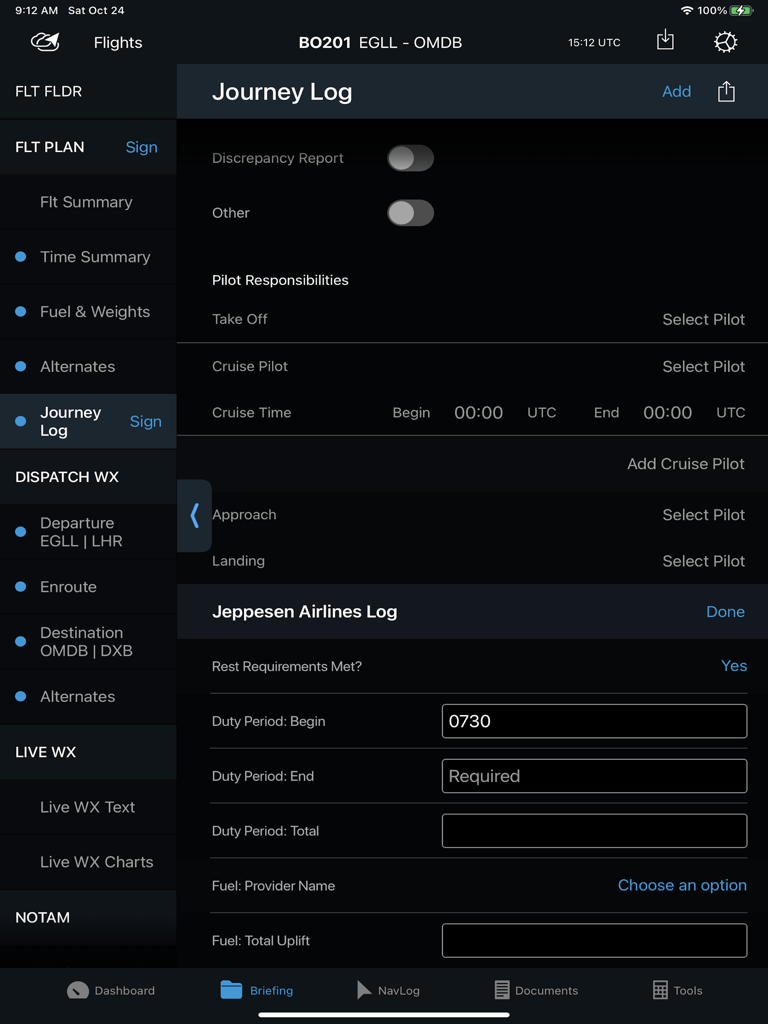
Electronic Flight Bag-Schnittstelle mit einem Journey Log für Berufspiloten innerhalb der Jeppesen Aviator App

Electronic Flight Bag-Schnittstelle mit einem Journey Log für Berufspiloten innerhalb der Jeppesen Aviator App

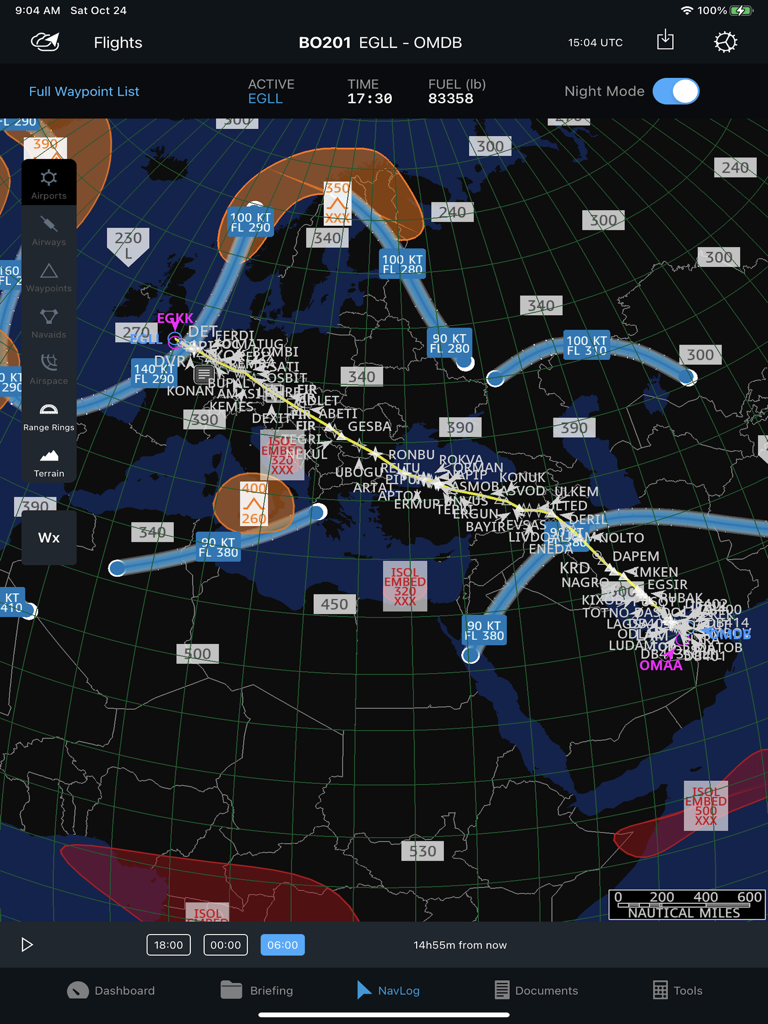
Professionelles Flugnavigationsprotokoll mit Routen- und Wetter-Overlays auf einer Weltkarte

Professionelles Flugnavigationsprotokoll mit Routen- und Wetter-Overlays auf einer Weltkarte

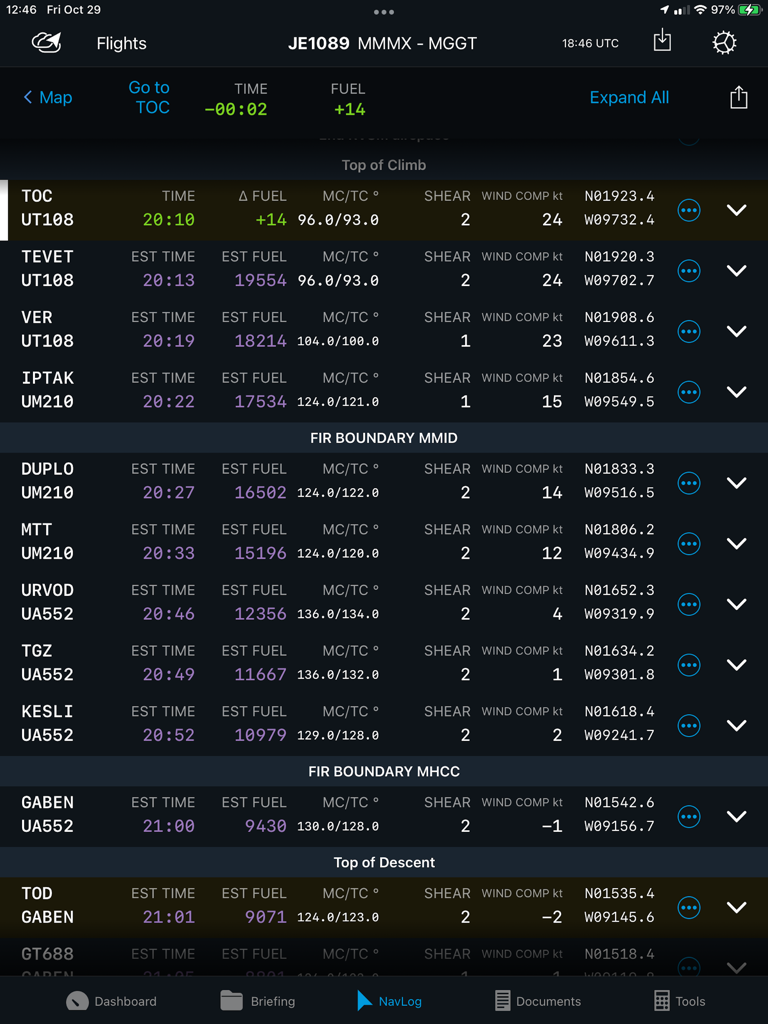
Electronic Flight Bag NavLog-Schnittstelle mit Luftfahrt-Wegpunkten, geschätztem Treibstoff und Flugzeitdaten

Electronic Flight Bag NavLog-Schnittstelle mit Luftfahrt-Wegpunkten, geschätztem Treibstoff und Flugzeitdaten

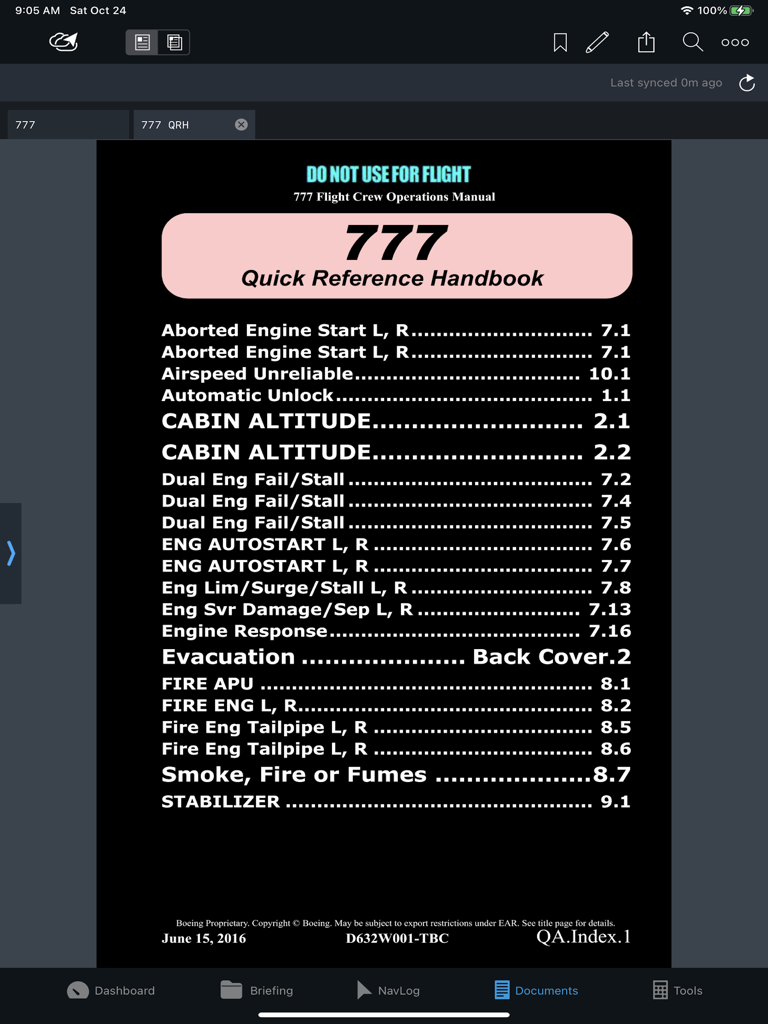
Jeppesen Aviator App-Benutzeroberfläche mit dem Boeing 777 Quick Reference Handbook Index im Dokumentenmodul

Jeppesen Aviator App-Benutzeroberfläche mit dem Boeing 777 Quick Reference Handbook Index im Dokumentenmodul

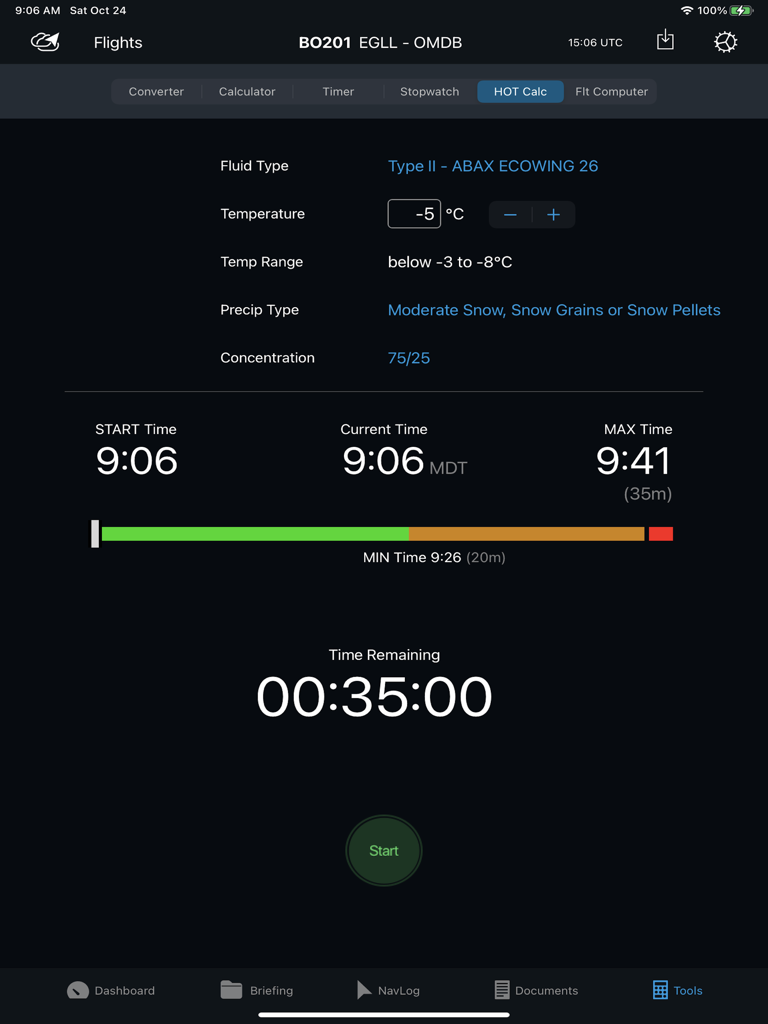
Jeppesen Aviator De-Icing Holdover Timer Tool mit verbleibender Zeit und Wetterbedingungen

Jeppesen Aviator De-Icing Holdover Timer Tool mit verbleibender Zeit und Wetterbedingungen

Präzisionsgefertigt für professionelle Aviatoren

Die Tools, die diese App auszeichnen, gewählt von 162K+ Nutzern.

🔄

Nahtlose Datensynchronisation

Vermeiden Sie manuelle Fehler bei der Dateneingabe, indem Sie Flugpläne und Metadaten automatisch über Ihre NavLog-, Briefing- und Performance-Module hinweg synchronisieren.

🛡️

Missionskritische Redundanz

Gewährleisten Sie die Betriebskontinuität durch Geräte-zu-Geräte-Freigabe und Offline-Trip-Kits, damit Sie auch dann flugbereit bleiben, wenn die Konnektivität beeinträchtigt ist.

📊

Vereinheitlichtes Flug-Dashboard

Erhalten Sie sofortiges Situationsbewusstsein mit einer zentralisierten Ansicht von METARs, TAFs und NOTAMs, die direkt in Ihre Karten und Navigation integriert ist.

Über die App

Alles, was Sie über wissen müssen Jeppesen Aviator.

Beschreibung

Aviator is an all-in-one application that provides centralized access to a seamless, integrated suite of EFB tools, with an intuitive, simple interface, and streamlined workflow. Its configurable modules display critical information from various sources, can be monitored at a glance, and includes: • Dashboard module • Briefing module • NavLog module • Documents module • Tools module • Charts and Navigation integration with FliteDeck Pro (FD Pro) • Performance integration with Onboard Performance Tool (OPT) • Flight Optimization • Company own applications* *Integrates with any integrated EFB application, Ground Web Service (GWS), Dynamic Data Distribution (D3), or FliteBrief providing AIRINC 633-1 or 633-2 formatted flight folders. Do it right. Do it once. Aviator reduces the need for manual data re-entry by sharing and synchronizing data between integrated applications. This not only saves pilots time in the cockpit but also reduces the potential of human input error. Aviator helps keep your operational risks to a minimum by combining four-fold backup redundancies to keep your fleet moving. Cloud-based navigation data assures the industry’s highest data accessibility. The integration of Jeppesen’s “Trip Kit on Demand” gives operators a backup service which assures their pilots always have the charts needed to keep your fleet moving safely – even when other data providers fail. And if a pilot is unable to update their device, Aviator’s device-to-device sharing service allows other crew members to share their flight plans, flight information, navigation logging actuals, and even Trip Kits – right in the cockpit. Aviator customers naturally have access to Jeppesen’s 24/7/365 world-class support service. Aviator Features: •Dashboard Module o Flight Summary o Weather Summary and Raw/Decoded Detailed Weather o Airport NOTAMs and Airport Data o Links to FliteDeck Pro Charts and Navigation o Route Map with Weather Overlay o Links to commonly accessed features •Briefing Module o Transforms the pilot briefing and navigation logging process into a fully electronic format available anywhere there is connectivity. o Review and sign your flight plan, NOTOCs, Loadsheets, and Journey Logs. o Review planned and estimated values in your AIRINC 633 formatted flight folders. o Review dispatched weather, NOTAMs, and other airline documents submitted in the flight package. o Retrieve real-time textual weather (METARs, TAFs, SIGMETs, AIRMETs, and PIREPs) o Retrieve weather charts (prognostic, hazards, winds, radar/satellite) for up-to-date weather. o Create and submit a journey log for your trip. o Capture Performance data from 3rd party applications. •NavLog Module o Enter actual waypoint navigation metadata as you fly. o Route map with weather overlays •Documents Module o View traditional paper-based airplane and airline documents in a fully digital format with a powerful document viewer which allows for indexing, bookmarking, highlighting, annotating, printing, and displaying in night mode. o Reconcile your annotations to a newer version of your document. o Distribute electronic form templates that can be filled out and submitted with your closeout report for each flight to create your own customized, form-assisted, business processes. •Tools Module o Unit Conversion Tool o Calculator o Timer o Stopwatch o De-icing Hold-over Timer o Flight Computer

Neueste Version

3.11.1

Größe

278.2 MB

Erstveröffentlichung

3. Feb. 2017

Steigern Sie die Effizienz in Ihrem Cockpit

Schließen Sie sich Tausenden von Berufspiloten an, die der zuverlässigsten integrierten EFB-Suite der Branche für nahtlose, missionskritische Arbeitsläufe vertrauen.

Herunterladen auf App Store

App information, icons, screenshots, and descriptions displayed on this page are sourced from the Apple App Store and are the property of their respective developers. Download estimates and rankings are based on MWM's proprietary models and may not reflect actual figures. This page is provided for informational and analytical purposes only.

Believe this page infringes your intellectual property? File a dispute