Lemur: Der professionelle Standard für benutzerdefinierte MIDI- & OSC-Steuerung
Seit über 20 Jahren von Branchen-Ikonen genutzt. Bauen Sie den ultimativen Workflow mit professionellem Scripting, benutzerdefinierten Multitouch-Widgets und felsenfester Konnektivität für Ihr Studio oder Ihre Live-Bühne.
Entdecken Sie die Oberfläche, die von 5K+ Nutzern verwendet wird.
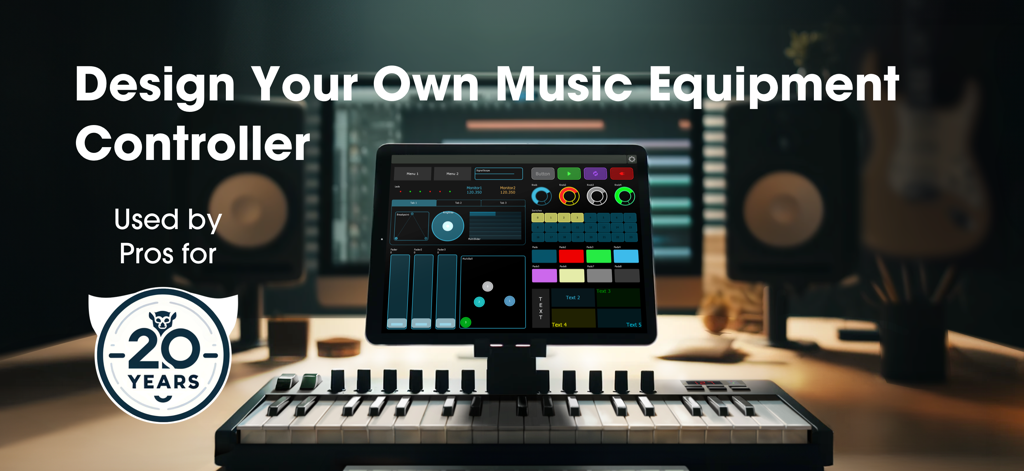
Lemur-App auf einem iPad, die eine benutzerdefinierte Musikgeräte-Controller-Oberfläche in einem professionellen Studio zeigt
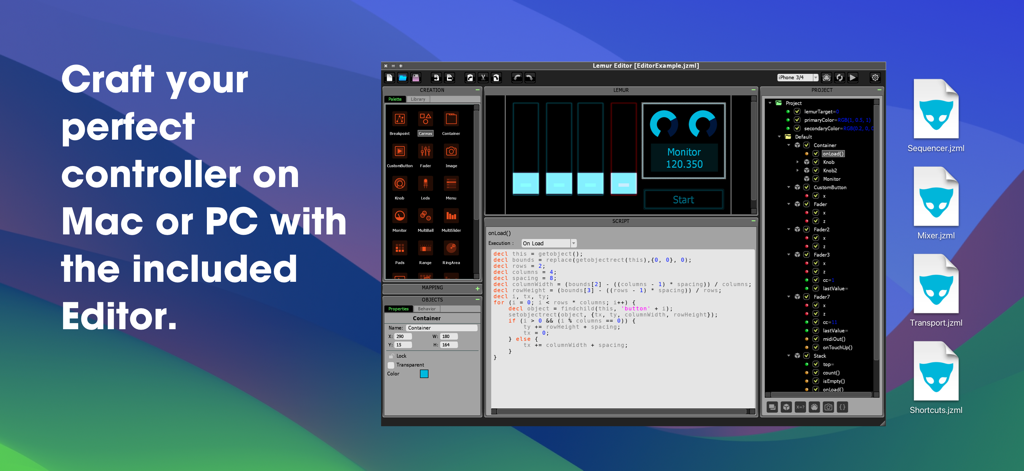
Lemur Desktop Editor-Oberfläche, die benutzerdefinierte MIDI-Controller-Design- und Skripting-Panels zeigt
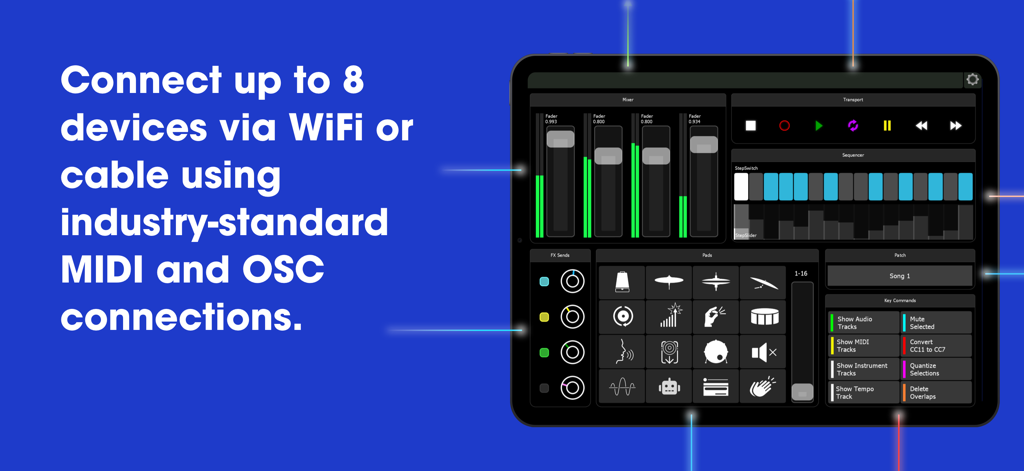
Anpassbare Lemur MIDI- und OSC-Controller-Oberfläche auf einem iPad, die Konnektivitätsoptionen zeigt
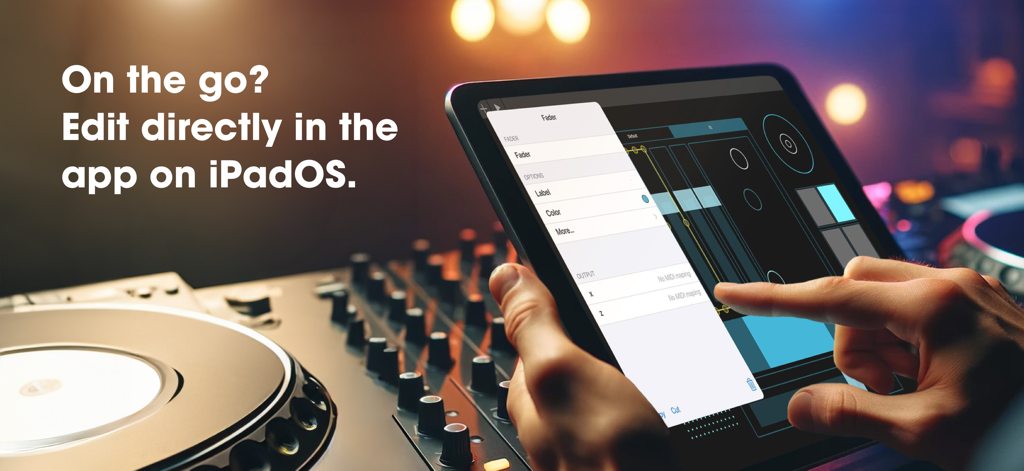
Ein Benutzer bearbeitet einen benutzerdefinierten MIDI-Fader direkt in der Lemur-App auf einem iPad in einem Musikstudio.
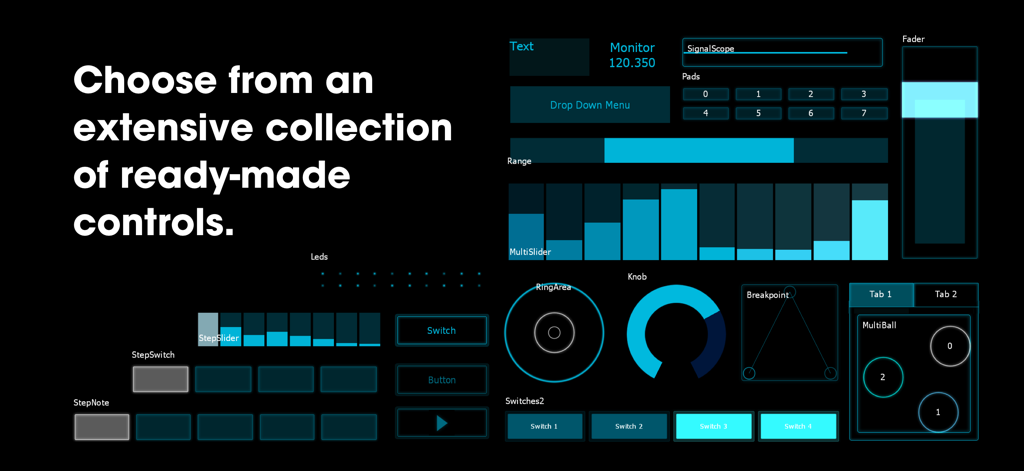
Eine Sammlung von anpassbaren MIDI- und OSC-Schnittstellensteuerungen in der Lemur-App auf schwarzem Hintergrund.
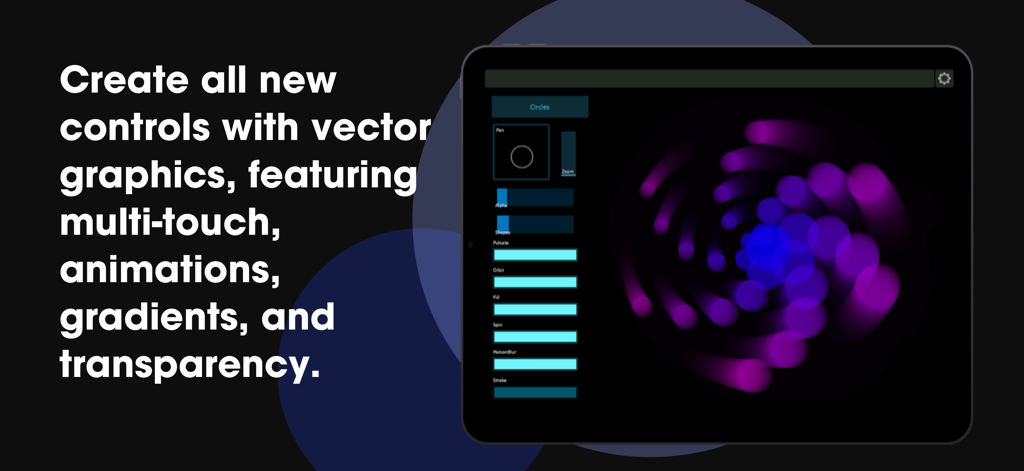
Lemur-App auf einem iPad, die benutzerdefinierte Vektorgrafik-Steuerelemente mit Multi-Touch-Animationen und Farbverläufen anzeigt
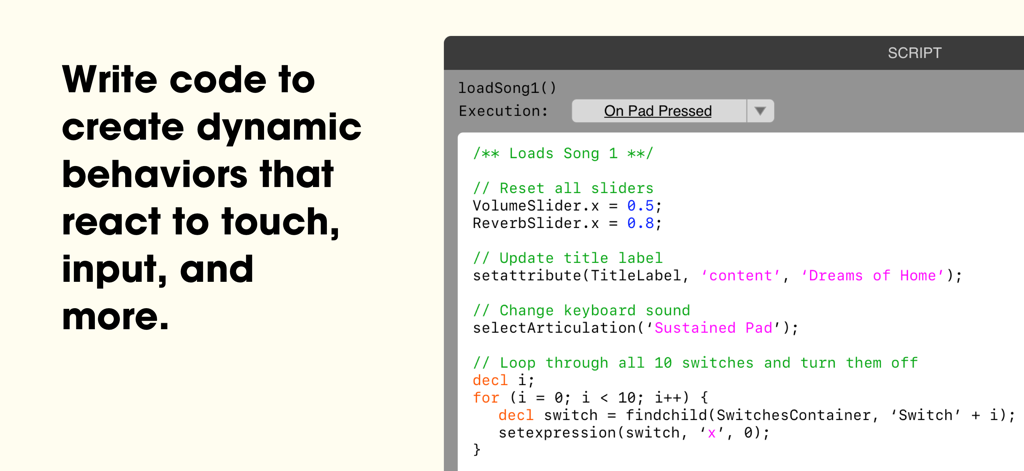
Ein Screenshot der Lemur-App-Skripting-Oberfläche, der benutzerdefinierten Code zur Automatisierung von MIDI-Controllern und Musikproduktions-Workflows zeigt
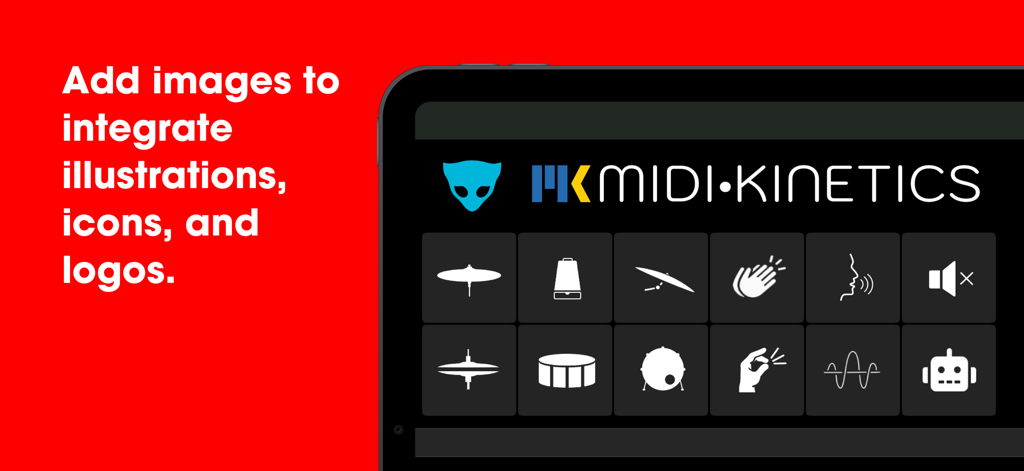
Ein iPad mit der Lemur-App-Oberfläche, das ein Raster benutzerdefinierter Musikproduktions-Icons und das MIDI Kinetics-Logo anzeigt.
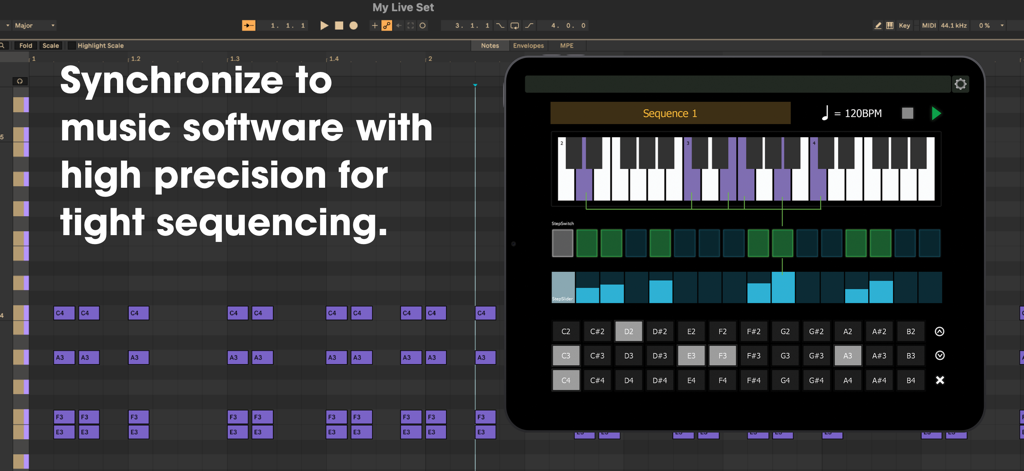
Lemur-App auf einem iPad, die eine benutzerdefinierte MIDI-Sequenzer-Oberfläche im Synchronlauf mit einer digitalen Audio-Workstation anzeigt
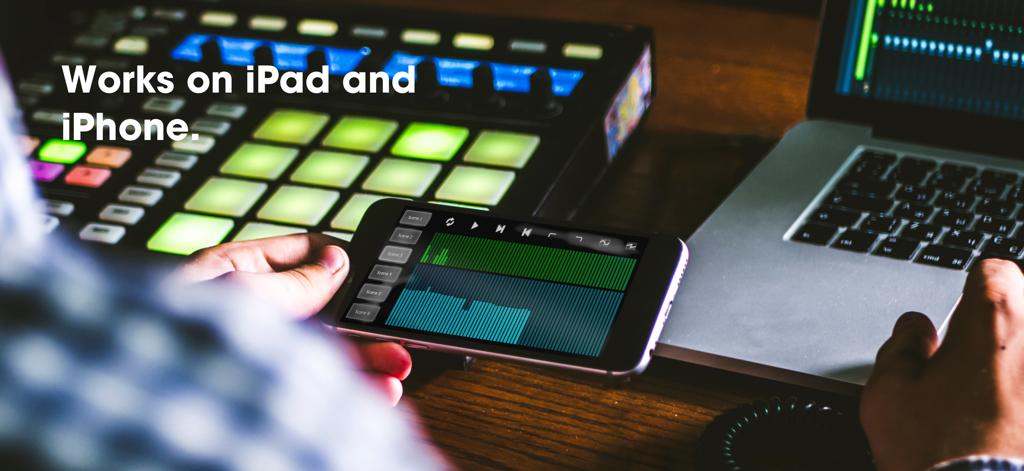
Ein Musikproduzent verwendet die Lemur MIDI-Controller-App auf einem iPhone in einem professionellen Studio.
Entfesseln Sie Ihren ultimativen kreativen Workflow
Die Tools, die diese App auszeichnen, gewählt von 5K+ Nutzern.
🎨
Unbegrenztes Canvas Scripting
Entwerfen Sie benutzerdefinierte vektorbasierte Widgets mit voller Multitouch-Unterstützung, um eine Benutzeroberfläche zu erstellen, die perfekt zu Ihrem einzigartigen Studio-Workflow passt.
⚡
Felsenfeste Profi-Konnektivität
Steuern Sie bis zu 8 Systeme gleichzeitig über MIDI oder OSC per USB, Thunderbolt oder Wi-Fi mit der legendären Stabilität, die Profis verlangen.
🕹️
Präzise interne Sequenzierung
Steuern Sie Ihre Hardware- und Software-Instrumente mit fortschrittlichen StepNote- und StepSlider-Widgets, die perfekt mit Ihrer externen MIDI-Clock synchronisiert sind.
Über die App
Alles, was Sie über wissen müssen Lemur.
Beschreibung
For over 20 years, Lemur has been the world’s premier tool for creating custom MIDI and OSC controllers. Pioneering multitouch technology, Lemur has become synonymous with innovation in music performance and production. Its pivotal role in the evolution of music technology has made it the trusted choice of artists like Daft Punk, Björk, Plastikman, CHVRCHES, The Glitch Mob, Orbital, and many more.
In the film studio, Lemur has become a beloved tool for professional music composers, serving as the central hub for composing templates—managing sample libraries, keyswitches, mix automations, and DAW key commands.
With its extensive collection of built-in widgets, and powerful programming language, if you can dream it, Lemur can build it. Lemur has even been used to make games!
----
Creating Projects - The Lemur Desktop Software Suite (free) includes the Lemur Editor for macOS and Windows, providing a powerful editor for designing and scripting your controller, as well as the Lemur Daemon, enabling seamless MIDI and OSC connectivity across your entire setup via USB or WiFi.
Connectivity - Simply connect your iPad/iPhone to your computer via Wi-Fi or USB/Thunderbolt and make the connection! Lemur also supports CoreMIDI, allowing you to use any class-compliant hardware MIDI interface. With 8 ports of MIDI/OSC connectivity, you can even control up to 8 computers from one device!
----
Latest Features:
Version 5.0 introduces the incredible new Canvas, Image, and Sequencer family of features with rock solid timing.
Canvas - A brand-new object that lets you script custom widgets with full multitouch support. Adapted from the HTML5 Canvas element, it allows you to design vector-based widgets featuring shapes, animations, shadows, and transparency. With Canvas, you are no longer limited to Lemur’s collection of built-in widgets—you can create entirely custom controls that precisely match the demands of your project. Polygons, waveforms, circular objects, and infinitely more are all possible with Canvas, opening the door to a completely new Lemur experience.
Image - The new Image widget allows you to add custom PNG images directly to your project, opening up possibilities for incorporating image assets that are too complex to create with vector code in the Canvas widget. Whether you’re designing detailed graphics, branding your project with logos, or adding custom button icons, the Image widget makes it easy to enhance your templates with rich visual elements.
Sequencer - Lemur 5.0 introduces a family of new features for tight sequencing, including three new objects: StepNote, StepSwitch, and StepSlider. Each offers a unique style of sequencing, ready to use right out of the box. These objects utilize the new "On Clock" execution mode, enabling high-precision synchronization to external MIDI clock. Simply add them to your template, and they’ll handle the hard work of controlling your MIDI instruments with perfect timing.
In-App Editor (iPad Only) - Lemur now supports editing projects directly in the app. Virtually every function of the desktop editor is now accessible through an intuitive system of iOS menus and widgets. Best of all – it’s easier to use than ever, offering a smaller learning curve and an immediate initial experience. Any basic configuration, such as a bank of faders, or modifying a script can now be created with familiar taps and gestures.
Skins - Lemur features three new skins, in addition to the classic look. Choose the look that fits your style and sparks your creativity.
----
Join the Lemur Community Forum!
Now in its 10th year! Connect with others to ask questions, troubleshoot, share solutions, and explore Lemur programming with a community tailored to your needs.
----
Subscribe Today!
Access to Lemur requires an active paid subscription, available as an in-app purchase. Subscriptions give you full access to all features.
----
Neueste Version
5.7.5
Größe
26.4 MB
Erstveröffentlichung
23. Jan. 2025
Heben Sie Ihren Workflow auf professionelle Standards
Schließen Sie sich Legenden wie Daft Punk und Hans Zimmer an. Starten Sie noch heute Ihr Abonnement, um den ultimativen benutzerdefinierten Controller für Ihr Studio oder Ihre Bühne zu erstellen.
App information, icons, screenshots, and descriptions displayed on this page are sourced from the Apple App Store and are the property of their respective developers. Download estimates and rankings are based on MWM's proprietary models and may not reflect actual figures. This page is provided for informational and analytical purposes only.
Believe this page infringes your intellectual property? File a dispute