Map Redirect for Map Links

Map Redirect for Map Links


Herunterladen auf App Store
Logo von Map Redirect for Map Links

Map Redirect für Map-Links: Übernehmen Sie die Kontrolle über Ihre Navigation

Beenden Sie die Copy-Paste-Routine und befreien Sie sich von den Standard-Karteneinstellungen. Diese Safari-Erweiterung, die den Datenschutz an erste Stelle setzt, öffnet sofort Webkartenlinks in Waze, Google Maps oder Ihrer bevorzugten Navigations-App ohne jegliches Tracking.

Herunterladen auf App Store

Herausgeber

Miao Wang

Kategorie

Utilities

Downloads

10K+

Bewertung

4.1/5

Bewertungen gesamt

0

Sprachen

1

Nahtlose Navigationskontrolle

Entdecken Sie die Oberfläche, die von 10K+ Nutzern verwendet wird.
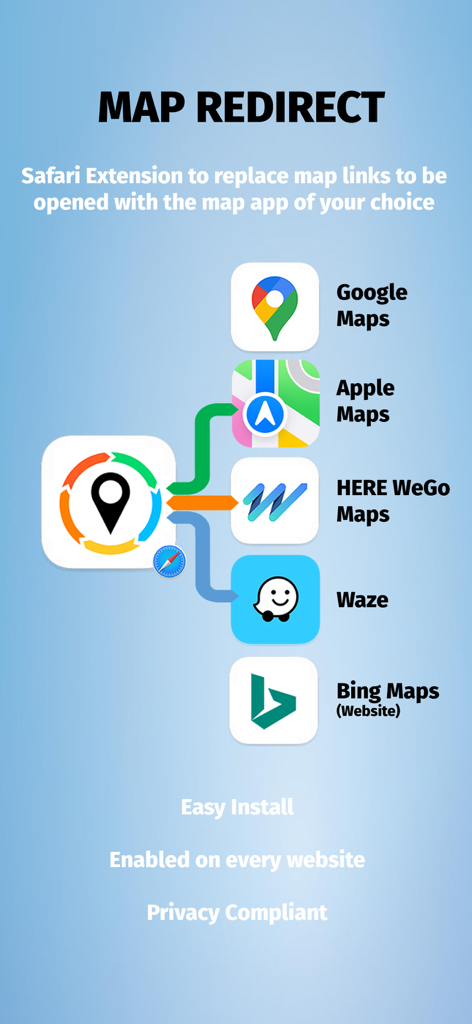
Map Redirect App-Oberfläche, die Kompatibilität mit Google Maps, Apple Maps, Waze und HERE WeGo für iOS Safari zeigt

Map Redirect App-Oberfläche, die Kompatibilität mit Google Maps, Apple Maps, Waze und HERE WeGo für iOS Safari zeigt

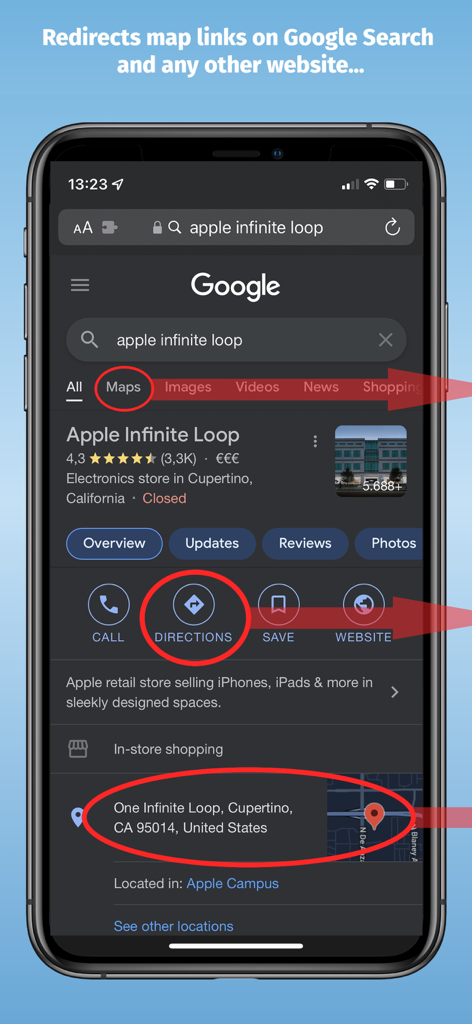
iPhone zeigt Google-Suchergebnisse mit hervorgehobenen Map-Links zur Weiterleitung

iPhone zeigt Google-Suchergebnisse mit hervorgehobenen Map-Links zur Weiterleitung

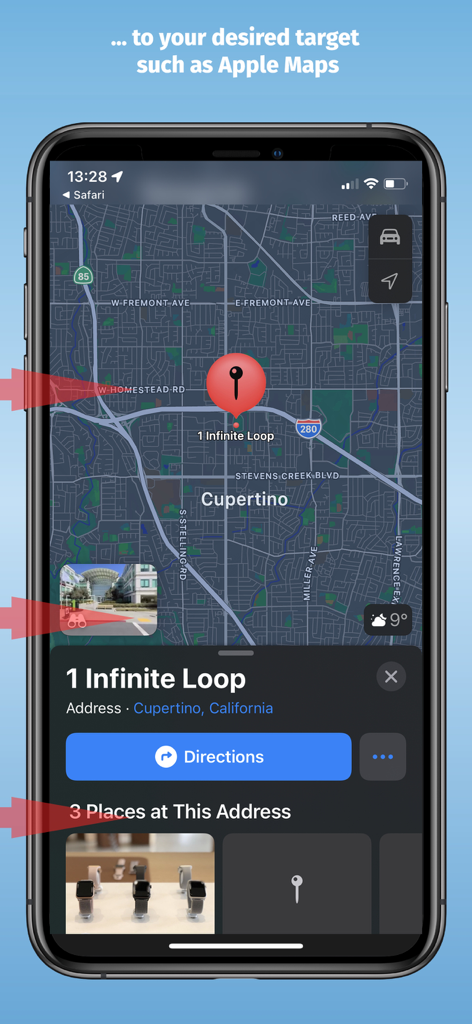
Apple Maps-Oberfläche zeigt einen weitergeleiteten Standort für 1 Infinite Loop in Cupertino

Apple Maps-Oberfläche zeigt einen weitergeleiteten Standort für 1 Infinite Loop in Cupertino

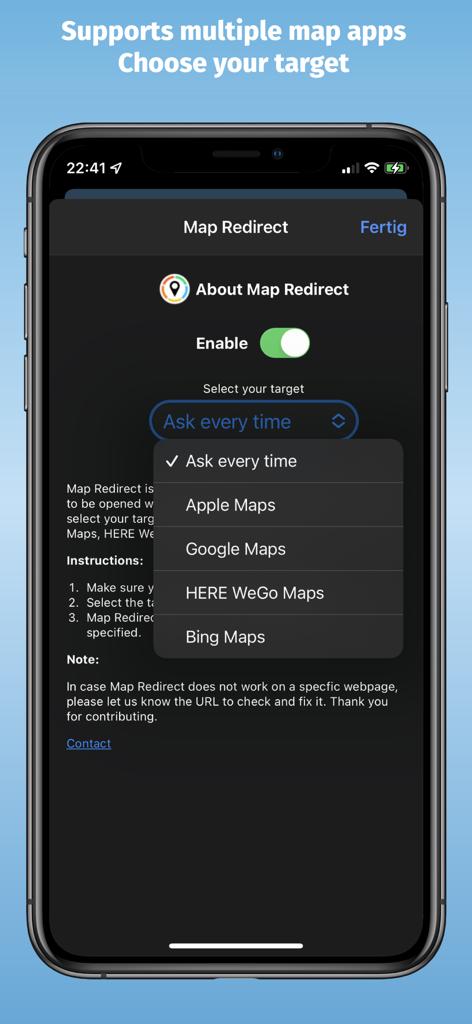
Smartphone-Bildschirm mit den Map Redirect App-Einstellungen und einem Dropdown-Menü zur Auswahl zwischen Apple Maps, Google Maps, HERE WeGo und Bing Maps.

Smartphone-Bildschirm mit den Map Redirect App-Einstellungen und einem Dropdown-Menü zur Auswahl zwischen Apple Maps, Google Maps, HERE WeGo und Bing Maps.

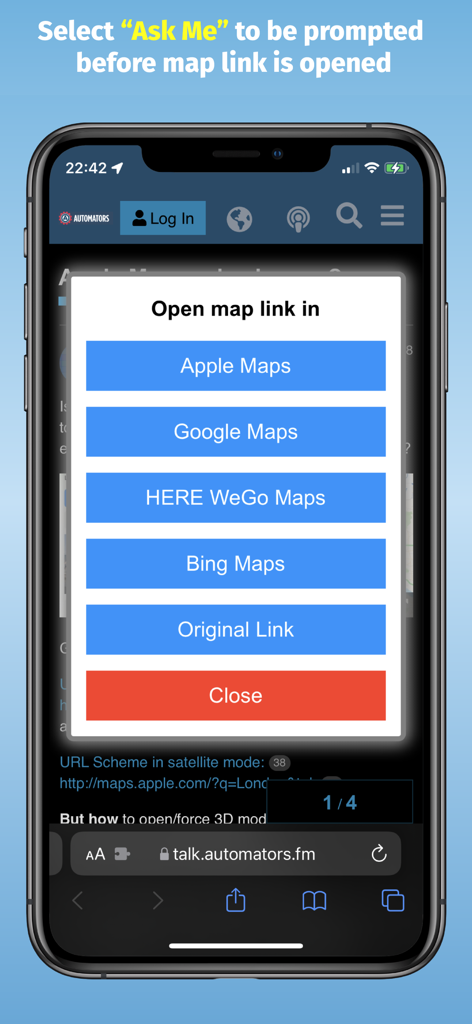
Ein iPhone-Bildschirm zeigt die Map Redirect-Aufforderung mit Optionen zum Öffnen von Map-Links in Apple Maps, Google Maps, HERE WeGo oder Bing Maps.

Ein iPhone-Bildschirm zeigt die Map Redirect-Aufforderung mit Optionen zum Öffnen von Map-Links in Apple Maps, Google Maps, HERE WeGo oder Bing Maps.

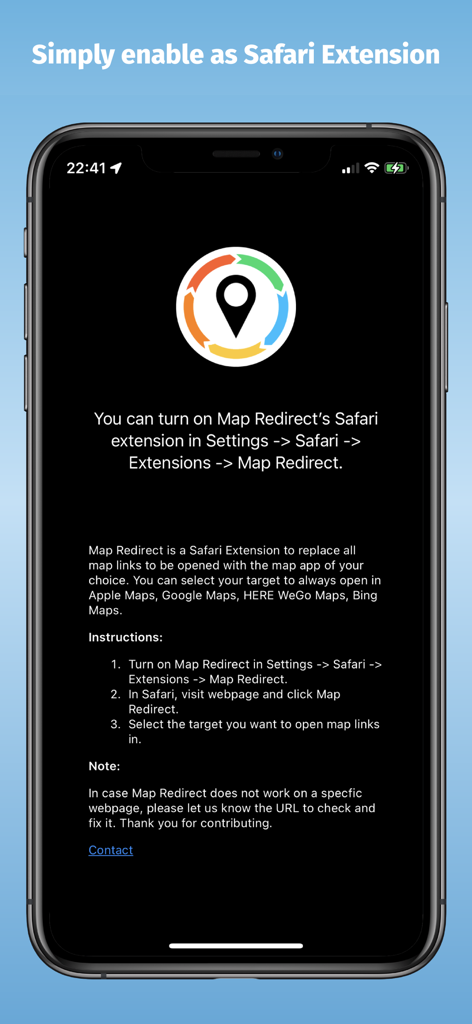
Map Redirect App-Bildschirm mit Anweisungen zur Aktivierung der Safari-Erweiterung auf dem iPhone

Map Redirect App-Bildschirm mit Anweisungen zur Aktivierung der Safari-Erweiterung auf dem iPhone

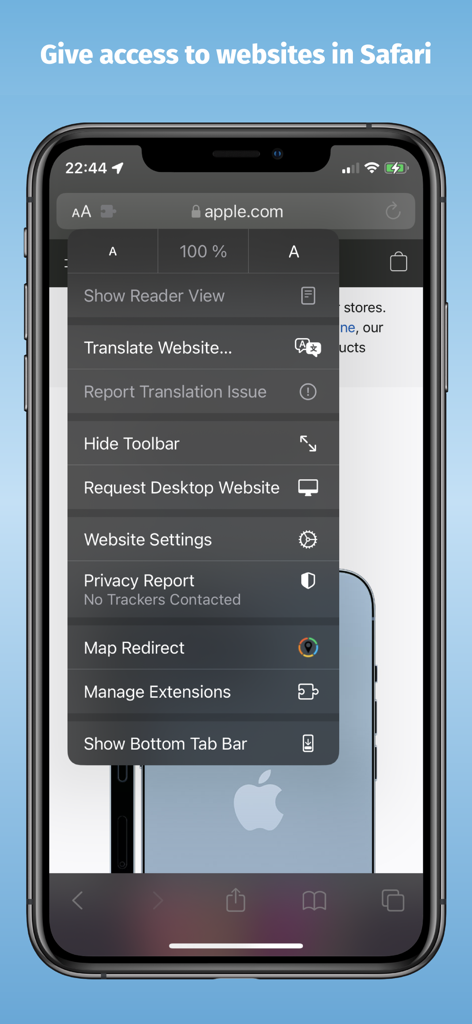
iPhone-Screenshot mit der Map Redirect-Erweiterung im Safari-Browser-Menü

iPhone-Screenshot mit der Map Redirect-Erweiterung im Safari-Browser-Menü

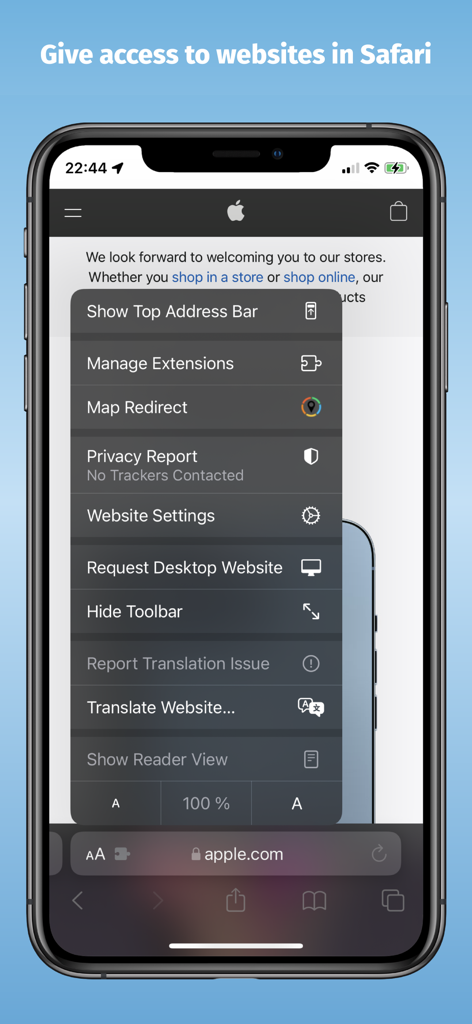
iPhone-Bildschirm zeigt die Map Redirect-Erweiterung im Safari-Browser-Menü

iPhone-Bildschirm zeigt die Map Redirect-Erweiterung im Safari-Browser-Menü

Kopieren und Einfügen beenden, Navigieren beginnen

Die Tools, die diese App auszeichnen, gewählt von 10K+ Nutzern.

🧭

Ein-Tipp-Weiterleitungen

Öffnen Sie Links von Google Search oder jeder Website sofort direkt in Waze, Google Maps oder HERE WeGo.

🔓

Frustration mit Standardeinstellungen beenden

Umgehen Sie die Standard-Karteneinstellungen von Safari. Passen Sie Ihren Workflow ein für alle Mal an Ihr bevorzugtes Navigationswerkzeug an.

🔒

Datenschutzfreundliches Design

Keine Tracker und keine zentralen Server. Ihre Daten bleiben auf Ihrem Gerät und gewährleisten eine schnelle, sichere und private Browsererfahrung.

Über die App

Alles, was Sie über wissen müssen Map Redirect for Map Links.

Beschreibung

Map Redirect is a Safari Extension to replace all map links on a webpage to be opened with the map app of your choice. You can select your target to always open in Apple Maps, Google Maps, HERE WeGo Maps, Bing Maps, Waze. Map Redirect will automatically redirect you to the maps app of your choice. If you select "Ask Me" a prompt will appear to ask you where to open the link. Works on Google Search pages and any other webpage. No need to copy/paste addresses anymore. Instructions: 1. Download Map Redirect from the App Store 2. Go to Settings -> Safari -> Extensions. Enable Map Redirect as Safari Extension 3. Open Safari. Search for location. For example, type London 4. Click on Context menu (the symbol "aA"). Click on Map Redirect to give it access to the webpage you are visiting. 5. The extension needs to read and alter the web page to change the map links. If asked for access, you may select to allow it for one day or to always allow. 6. In the Map Redirect popup, you can select your target. For example: select Apple Maps 7. Map Redirect will now scan the webpage for map links and convert them to be opened in Apple Maps. 8. Click on any map link 9. Map Redirect will now take you to London in Apple Maps Note: Map links on websites can appear in various forms with different parameters. Map Redirect tries to detect and convert them as much as possible to your desired target. Therefore, Map Redirect requires permission to read and alter the web page to change the map links. If asked for access, you may select to allow it for one day or to always allow. In case Map Redirect does not work on a specific webpage, please contact us and let us know the URL to check and fix it. Thank you for contributing. *HERE WeGo deeplinking support is limited to only links with geo-coordinates *Bing maps will use Apple Maps on iPhones *Waze Deeplinking support is limited to searching from your current location to what is around you Privacy: Map Redirect does not use any trackers of any sort, nor does it keep, track, sell, rent, or share any information on you throughout your use of the app with any third parties. All processing happens locally on the webpage you visit with the extension. No data is transferred to any central server. For any questions, feel free to contact us directly.

Neueste Version

1.14

Größe

1.9 MB

Erstveröffentlichung

19. Okt. 2021

Übernehmen Sie die Kontrolle über Ihre Standard-Map-Links

Schließen Sie sich über 10.000 Power-Usern an, die Navigationsprobleme beseitigt haben. Holen Sie sich die Safari-Erweiterung, die Links direkt in Google Maps oder Waze ohne Tracking und ohne Aufwand öffnet.

Herunterladen auf App Store

App information, icons, screenshots, and descriptions displayed on this page are sourced from the Apple App Store and are the property of their respective developers. Download estimates and rankings are based on MWM's proprietary models and may not reflect actual figures. This page is provided for informational and analytical purposes only.

Believe this page infringes your intellectual property? File a dispute