Memo-Only Memopad

Memo-Only Memopad

Herunterladen auf App Store
Logo von Memo-Only Memopad

Memo-Only Memopad: Organisiertes Denken ohne Abo

Der blitzschnelle, minimalistische Notizblock für tiefgreifende Organisation. Erfassen Sie Ideen, färben Sie Aufgaben ein und strukturieren Sie Ordner nach Ihrem Willen – alles mit einem einmaligen Kauf und ohne Werbung.

Herunterladen auf App Store

Herausgeber

GIGABIT GAME LAB

Kategorie

Productivity

Downloads

600

Bewertung

4.1/5

Bewertungen gesamt

0

Sprachen

2

Minimalismus in Aktion

Entdecken Sie die Oberfläche, die von 600 Nutzern verwendet wird.
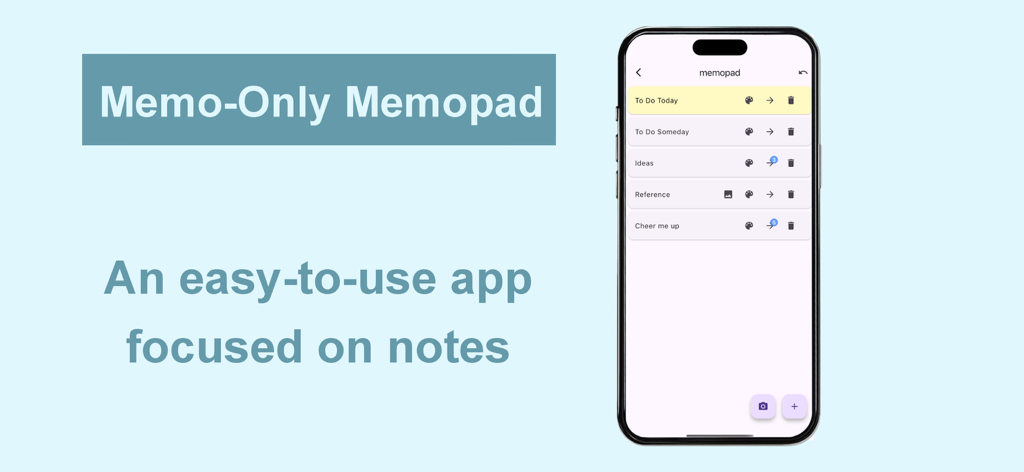
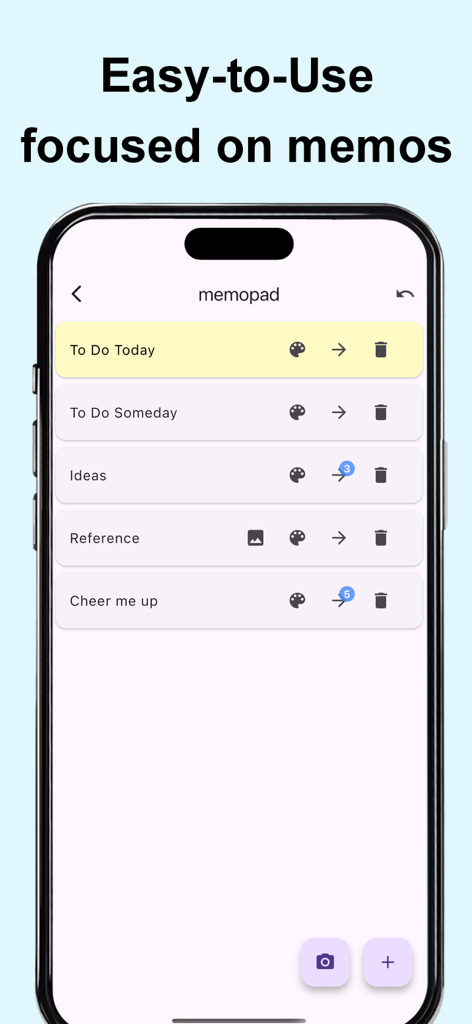
Memo-Only Memopad App-Oberfläche, die eine Liste organisierter Notizkategorien auf einem iPhone zeigt

Memo-Only Memopad App-Oberfläche, die eine Liste organisierter Notizkategorien auf einem iPhone zeigt

Minimalistische Benutzeroberfläche der Memo-Only Memopad App, die eine Liste kategorisierter und farbkodierter Notizen auf einem Smartphone-Bildschirm zeigt.

Minimalistische Benutzeroberfläche der Memo-Only Memopad App, die eine Liste kategorisierter und farbkodierter Notizen auf einem Smartphone-Bildschirm zeigt.

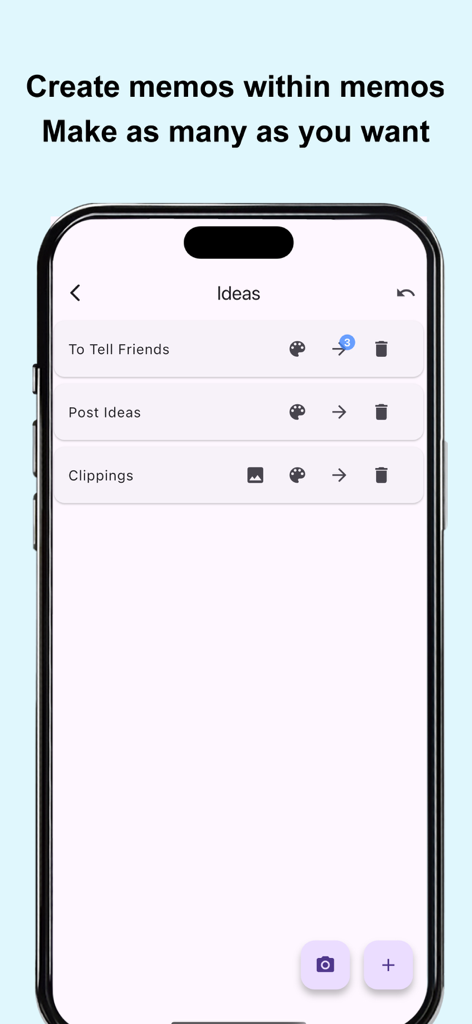
Screenshot der Memo-Only Memopad App-Oberfläche, die verschachtelte Ordnerorganisation und hierarchische Notizlisten zeigt

Screenshot der Memo-Only Memopad App-Oberfläche, die verschachtelte Ordnerorganisation und hierarchische Notizlisten zeigt

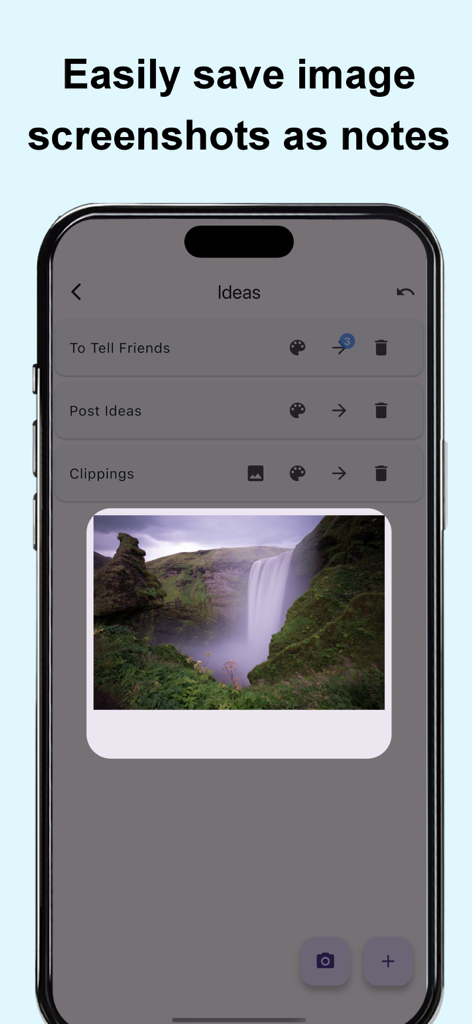
Smartphone-Bildschirm, der die Memo-Only Memopad App mit einem Wasserfallbild als visuelle Notiz zeigt

Smartphone-Bildschirm, der die Memo-Only Memopad App mit einem Wasserfallbild als visuelle Notiz zeigt

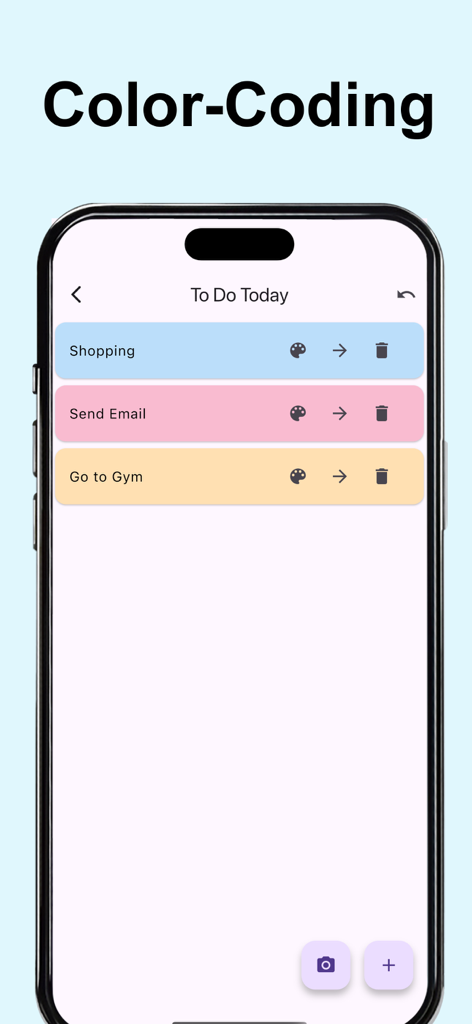
Ein mobiler Bildschirm, der farbkodierte Notizen und To-Do-Listen in der Memo-Only Memopad App zeigt

Ein mobiler Bildschirm, der farbkodierte Notizen und To-Do-Listen in der Memo-Only Memopad App zeigt

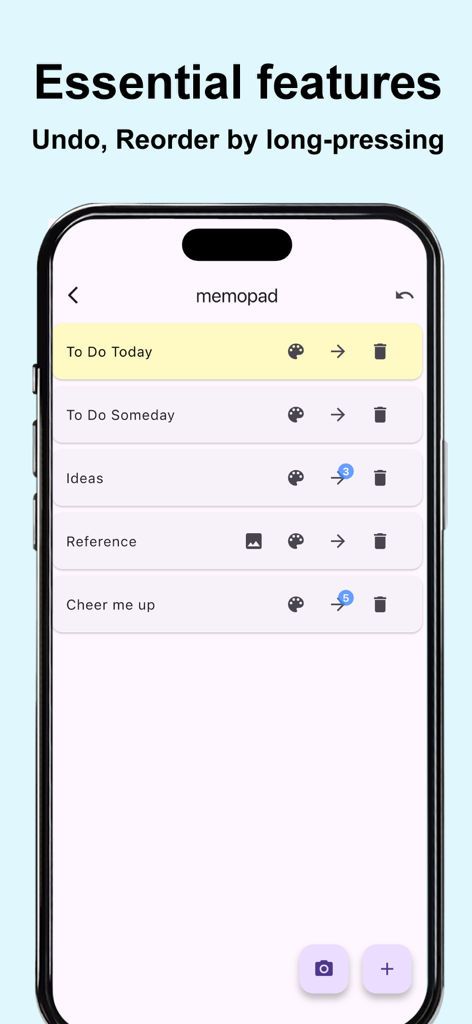
Minimalistische Benutzeroberfläche von Memo-Only Memopad, die eine Liste von Notizen mit Rückgängig- und Neuordnungsfunktionen anzeigt

Minimalistische Benutzeroberfläche von Memo-Only Memopad, die eine Liste von Notizen mit Rückgängig- und Neuordnungsfunktionen anzeigt

Produktivität ohne Lärm

Die Tools, die diese App auszeichnen, gewählt von 600 Nutzern.

💸

Einmal zahlen, für immer besitzen

Entfliehen Sie der Abo-Müdigkeit mit einem einzigen, einmaligen Kauf. Keine Werbung, keine monatlichen Abbuchungen von Ihrer Kreditkarte – nur Ihre Notizen.

📂

Meistern Sie Ihre Hierarchie

Gehen Sie über flache Listen hinaus mit Ordner-in-Ordner-Organisation. Perfekt für Romanautoren, Studenten und Projektmanager, die Struktur schätzen.

Sofortige Offline-Erfassung

Keine Ladebildschirme und 100%ige Offline-Funktionalität. Erfassen Sie Gedanken sofort in der U-Bahn, im Flugzeug oder unterwegs.

Über die App

Alles, was Sie über wissen müssen Memo-Only Memopad.

Beschreibung

This simple note app for person who wanted an app focused solely on making note-taking as easy as possible. The key point is its instant clarity and simple usability at a glance, yet it still includes all the essential features you’d expect from a memo app. ■ Memo-Only Memo App Features -Folder-in-folder organization: create memos within child folders, with automatic display of the number of child memos -Undo function: return to your previous action with a single tap -Easily reorder memos by long-pressing and dragging -Create image memos (use the camera or select from your photo library) -Color-code your memos -Autosave -Works offline—even without an internet connection -Supports eye-friendly, popular dark mode (automatically applies if your device is set to dark mode) -Lightweight app for fast startup -One-time purchase: no subscriptions or ads ■ Recommended Uses -Quickly jot down your ideas as soon as they come to mind! Use text or camera photos. Categorize freely for easy searching! -Shopping list memos: color-code items as you buy them! -To-do lists: create today’s or this week’s to-dos, easily categorize by type! Mark completed tasks with colors! -Save screenshots of news you see while browsing on your phone! -List memorable quotes by person for quick reference and motivation! -Draft notes for essays or novels—easy to reorder and organize! -Brainstorm ideas like sticking sticky notes—perfect for planning sessions! -Create separate memo folders for each person you interact with—use as a topic notebook for friends or family! -Perfect as a flashcard app for students or professionals: write the question on the memo, the answer in a child memo, and color memos as you master them for a sense of achievement! -Daily ranking check: record as text or screenshot! ■ How to Use ▶ Creating Memos -Tap the + icon at the bottom right to create a text memo. -Tap the camera icon at the bottom right to take a photo or select one from your album to create an image memo. ▶ Operating Memos -Tap memo text to edit. -Use the icons on the right to “Change color,” “Move to child folder,” or “Delete.” -For image memos, an image icon will appear—tap it to view the saved image. -The number of child memos is shown as a number on the arrow to the child folder. ▶ Undo Action -Use the Undo button at the top right to return to your previous action—rest easy, even if you delete something by mistake!

Neueste Version

1.0.6

Größe

24.5 MB

Erstveröffentlichung

10. Juni 2025

Bereit, Ihren Fokus zurückzugewinnen?

Schließen Sie sich Tausenden von organisierten Minimalisten an, die der Abo-Müdigkeit ein Ende gesetzt haben. Erhalten Sie sofortige, werbefreie Notizen mit einem einzigen, einmaligen Kauf. Ihre Ideen, Ihre Ordner, für immer Ihre.

Herunterladen auf App Store

App information, icons, screenshots, and descriptions displayed on this page are sourced from the Apple App Store and are the property of their respective developers. Download estimates and rankings are based on MWM's proprietary models and may not reflect actual figures. This page is provided for informational and analytical purposes only.

Believe this page infringes your intellectual property? File a dispute