Mobile IDentification App

Mobile IDentification App


Herunterladen auf App Store
Logo von Mobile IDentification App

Mobile IDentification App: Ihre offizielle koreanische Identität, jetzt vollständig digital

Tragen Sie Ihren Personalausweis und Ihren Führerschein sicher auf Ihrem iPhone. Erleben Sie die gleiche rechtliche Autorität wie physische Ausweise mit verschlüsselter, biometrisch gesicherter Bequemlichkeit für Bankgeschäfte und staatliche Dienstleistungen grenzüberschreitend.

Herausgeber

Ministry of the Interior and Safety

Kategorie

Utilities

Downloads

4M+

Bewertung

2.6/5

Bewertungen gesamt

2K+

Sprachen

3

Ihre Identität, digitalisiert

Entdecken Sie die Oberfläche, die von 4M+ Nutzern verwendet wird.
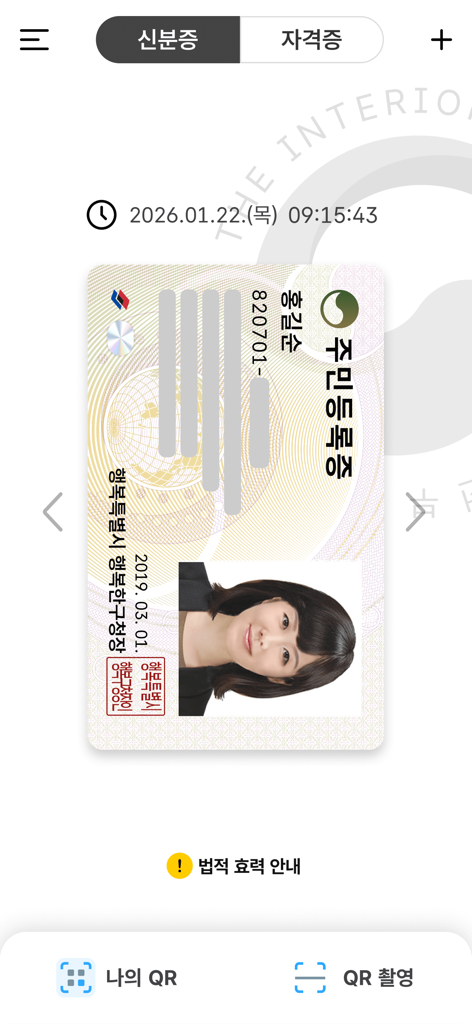
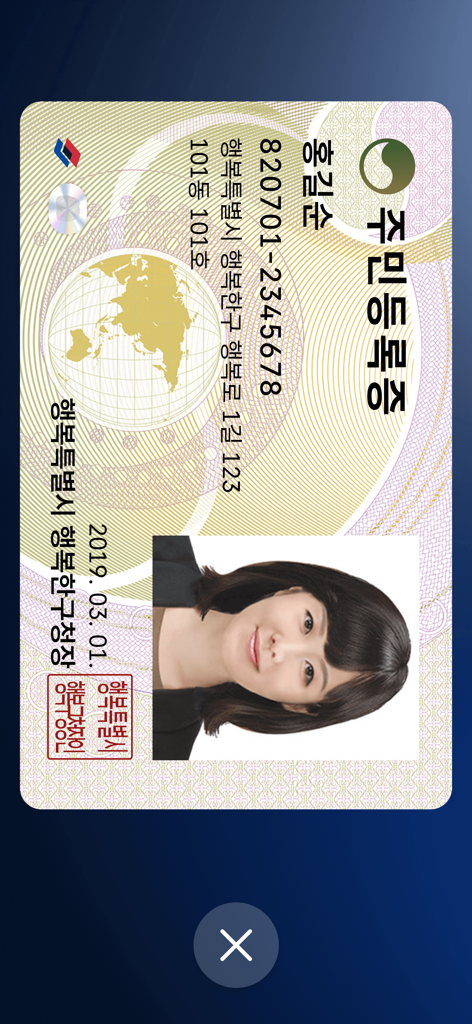
Eine digitale südkoreanische Personalausweiskarte, angezeigt in der Benutzeroberfläche der offiziellen Mobile ID App.

Eine digitale südkoreanische Personalausweiskarte, angezeigt in der Benutzeroberfläche der offiziellen Mobile ID App.

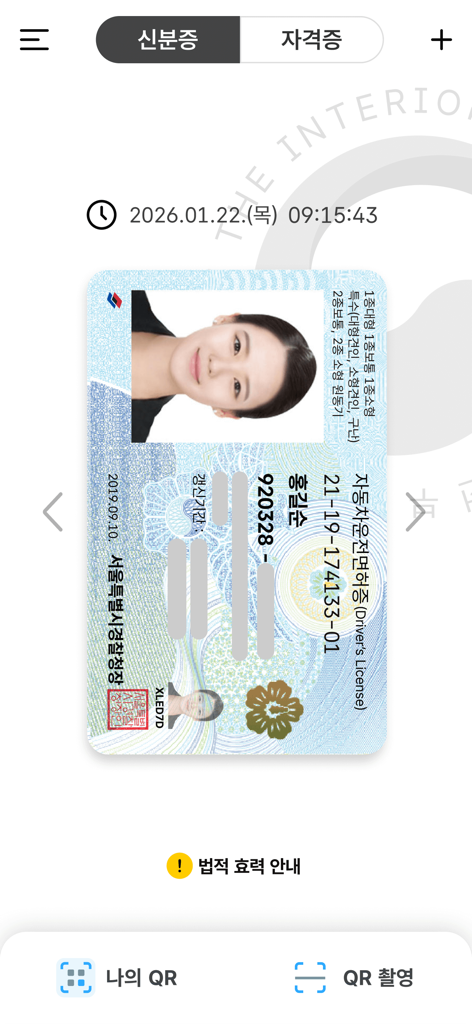
Digitaler südkoreanischer Führerschein in der mobilen Identifikations-App

Digitaler südkoreanischer Führerschein in der mobilen Identifikations-App

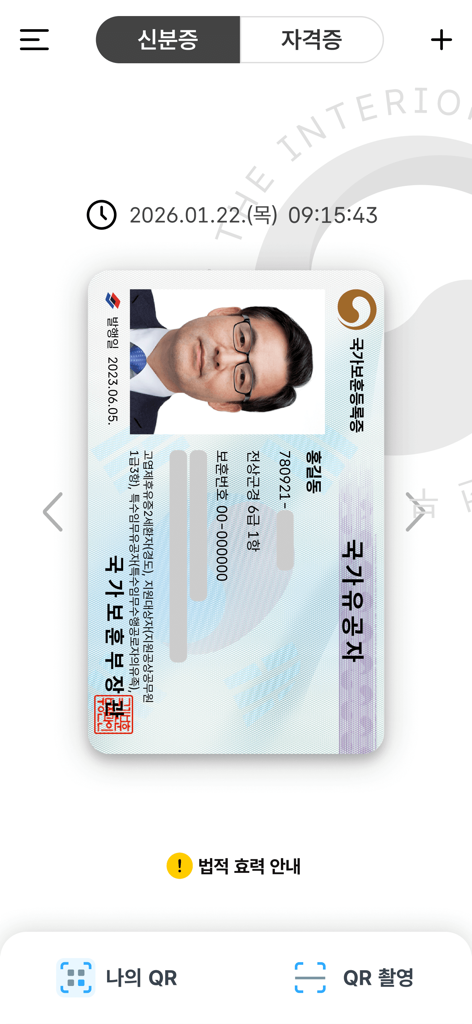
Eine digitale nationale Veteranen-Registrierungskarte, angezeigt in der südkoreanischen Mobile ID App-Oberfläche

Eine digitale nationale Veteranen-Registrierungskarte, angezeigt in der südkoreanischen Mobile ID App-Oberfläche

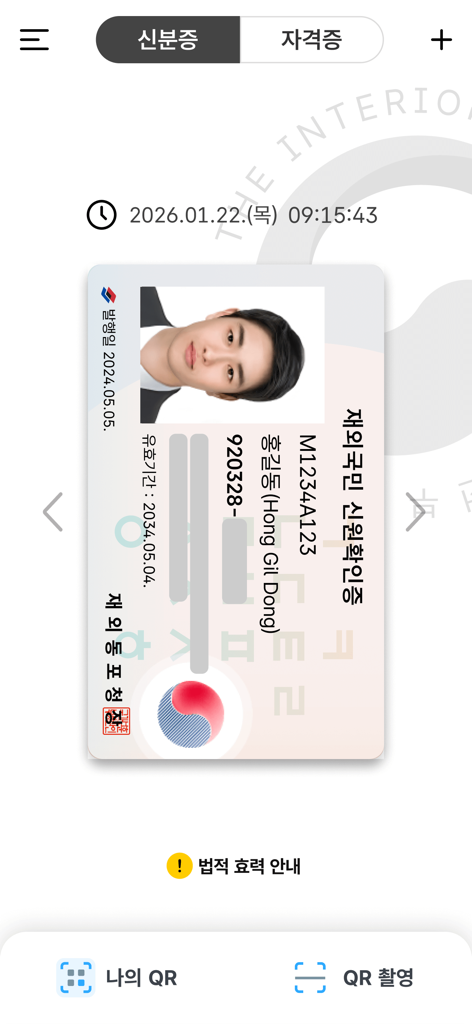
Digitaler Ausweis für Koreaner im Ausland, angezeigt in der südkoreanischen Mobile ID App-Oberfläche

Digitaler Ausweis für Koreaner im Ausland, angezeigt in der südkoreanischen Mobile ID App-Oberfläche

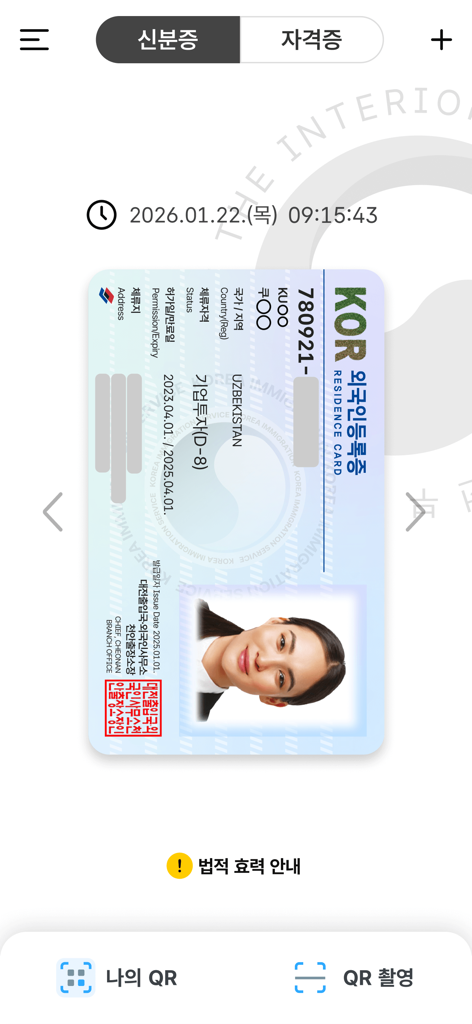
Eine digitale Version einer südkoreanischen Aufenthaltskarte, angezeigt in der Mobile IDentification App

Eine digitale Version einer südkoreanischen Aufenthaltskarte, angezeigt in der Mobile IDentification App

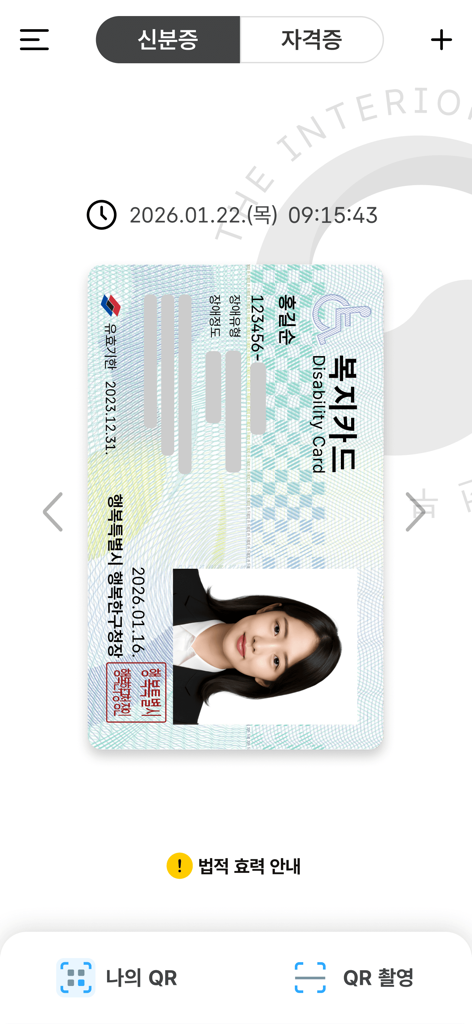
Digitaler südkoreanischer Behindertenausweis, angezeigt in der Mobile ID App

Digitaler südkoreanischer Behindertenausweis, angezeigt in der Mobile ID App

Digitale Version eines südkoreanischen Personalausweises, angezeigt in einer mobilen Anwendung

Digitale Version eines südkoreanischen Personalausweises, angezeigt in einer mobilen Anwendung

Sichern Sie Ihre Identität, überall auf der Welt

Die Tools, die diese App auszeichnen, gewählt von 4M+ Nutzern.

⚖️

Volle rechtliche Anerkennung

Lassen Sie Ihre physische Brieftasche zu Hause. Ihr mobiler Ausweis hat das gleiche rechtliche Gewicht wie eine physische Karte für Bankgeschäfte, Reisen und offizielle staatliche Dienstleistungen.

🌐

Nahtlose digitale Verifizierung

Umgehen Sie problemlos die Komplexität der Identitätsprüfung auf koreanischen Apps und Websites. Greifen Sie von den USA aus auf Bank- und Einkaufsportale zu, ohne einen physischen Ausweis.

🛡️

Staatliche Sicherheit

Ihre Daten werden verschlüsselt und lokal auf Ihrem Gerät gespeichert, geschützt durch FaceID und biometrische Authentifizierung, um sicherzustellen, dass Ihre Informationen niemals in die falschen Hände geraten.

Bewertungsanalyse

Erkenntnisse aus Nutzerbewertungen.

Stimmungswert

17%
Negativ

Zusammenfassung

This mobile identity app receives overwhelmingly negative feedback, with users frequently reporting severe issues that render the application unusable. Common complaints include persistent app crashes, unresponsive user interfaces, and endless loops at registration or login, especially related to terms and conditions acceptance. Many users experienced prolonged service outages due to a 'fire incident,' despite official announcements of restoration, and face recognition technology consistently fails during identity verification. While a small number of users acknowledge the app's potential convenience over traditional methods, technical difficulties such as device incompatibility after phone changes or OS updates (e.g., iPhone 17 Pro, iOS 26) significantly detract from its intended utility.

Häufige Themen

App Crashes & Unresponsive UI(14)
Service Outages & Restoration Delays(10)
Face Recognition Issues(6)
Device Compatibility & Re-registration(6)
Authentication & Verification Failures(5)
Feature Gaps & Requests(4)
Convenience & Positive Experience(3)

Über die App

Alles, was Sie über wissen müssen Mobile IDentification App.

Beschreibung

※If the app is not updated, errors may occur during app operation. Mobile ID, Mobile Resident Registration Card, Mobile Driver’s License, Mobile National Veterans Registration Card, and Mobile Overseas Koreans Identity Verification Card are IDs that can be issued on personal smartphones and have same legal effect as traditional IDs. [Mobile ID App Introduction] Mobile ID, Mobile Resident Registration Card, Mobile Driver’s License, Mobile National Veterans Registration Card, and Mobile Overseas Koreans Identity Verification Card are government-issued IDs stored securely on personal smartphones, carrying the same legal effect as traditional IDs and provides convenient usage. [Introduction to Mobile Resident Registration Card and Driver’s License] The Mobile Resident Registration Card and Driver’s License are legal IDs securely encrypted and stored on personal smartphones, issued by the Ministry of the Interior and Safety and the Korean National Police Agency. [Eligibility and Requirements] - Holders of a Resident Registration Card or Driver’s License, or new applicants - Smartphone registered under the applicant’s name - Subscriber to a domestic mobile network enabling personal identity verification iOS 16 or higher, with biometric authentication and NFC support ※For non-IC ID holders, QR issuance is available at community centers (Resident Registration Card) or driver’s license test centers (Driver’s License). ※Subscriber of mobile virtual network operator (MVNOs) can also apply. (Excluding TPlus (KCT – Korea Cable Telecom)) ※Corporate-issued phone or anonymous prepaid phones currently cannot be used. [How to Apply for a Mobile Driver’s License] To issue your Mobile Driver’s License quickly, bring your physical driver’s license and a smartphone with the Mobile ID app installed to a driver’s license test center. Applications can also be submitted at police department offices or through the Korea Road Traffic Authority's Integrated Driver’s License Services website for online IC driver’s license requests. ▶Issuance Methods (Resident Registration Card, Driver’s License): - Method 1: Replace your physical ID with an IC ID and issue the mobile ID directly by scanning (tagging) it with your smartphone. - Method 2: Use on-site QR issuance at community centers (Resident Registration Card) or driver’s license test centers (Driver’s License) without replacing the physical ID. ※ Mobile IDs (Resident Registration Card, Driver’s License) are legal IDs, and at least one in-person identity verification process is required at the issuing agency. ※ If a physical ID is replaced with an IC ID, future reissuance of a mobile ID upon changing smartphones will not require a revisit to the issuing agency. ※ IC Resident Registration Card: Application is available only at community centers, and it takes about 15 days for issuance. ※ IC Driver’s License: Issuance is available on the same day at license test centers or takes approximately 15 days when applying through police departments. ※ For online applications of IC driver’s licenses, select a date for receipt at least 15 days after the application date (excluding public holidays). ※ For details on IC Driver’s License issuance, visit the Korea Road Traffic Authority’s website (www.safedriving.or.kr). [Precautions] - Tagging IC IDs (Resident Registration Card, Driver’s License): Remove the smartphone case, place the IC ID on a flat surface, and ensure contact for 3–4 seconds. ※ Tagging area: Back upper section (near the camera). ※ Avoid overlapping IC IDs with other items like transit cards, as it may cause duplicate recognition. - Facial Recognition Procedure: Clean the smartphone's front camera and position it in a well-lit area. Keep your face about 40–50 cm (arm’s length) away, look straight ahead, and follow the instructions (e.g., blink, turn your head right and left). [Inquiries] Mobile ID Call Center: 1688-0990

Neueste Version

5.0.0

Größe

259.4 MB

Erstveröffentlichung

26. Jan. 2022

Ihr offizieller koreanischer Ausweis, direkt in Ihrer Tasche

Schließen Sie sich über 4 Millionen Nutzern an und lassen Sie Ihre physische Brieftasche zu Hause. Greifen Sie sicher auf Ihre Personalausweis- und Führerscheinkarte mit staatlicher Verschlüsselung zu, auch wenn Sie in den USA leben.

Herunterladen auf App Store
FAQ

Häufig gestellte Fragen

Alles, was Sie über wissen müssen Mobile IDentification App

Was ist die Mobile IDentification App?

Die Mobile IDentification App ermöglicht es Nutzern, staatlich ausgestellte Ausweise wie mobile Einwohnermeldebescheinigungen und Führerscheine auf ihren Smartphones auszustellen und zu speichern. Diese mobilen Ausweise haben die gleiche Rechtskraft wie herkömmliche physische Ausweise.

Welche Arten von Ausweisen kann ich mit der Mobile IDentification App ausstellen?

Die Mobile IDentification App ermöglicht es Nutzern, mobile Einwohnermeldebescheinigungen, Führerscheine, nationale Veteranenmeldebescheinigungen und Identitätsüberprüfungskarten für im Ausland lebende Koreaner auszustellen. Diese staatlich ausgestellten Ausweise werden sicher auf persönlichen Smartphones gespeichert.

Ist eine mobile ID aus der Mobile IDentification App rechtlich gültig?

Ja, mobile IDs, die über die Mobile IDentification App ausgestellt werden, einschließlich mobiler Einwohnermeldebescheinigungen und Führerscheine, haben die gleiche Rechtskraft wie herkömmliche physische Ausweise. Sie werden staatlich ausgestellt.

Welche Voraussetzungen gibt es für die Nutzung der Mobile IDentification App?

Um die Mobile IDentification App nutzen zu können, müssen Nutzer Inhaber oder neue Antragsteller einer Einwohnermeldebescheinigung oder eines Führerscheins sein. Ein auf den Namen des Antragstellers registriertes Smartphone, ein Abonnent eines heimischen Mobilfunknetzes, iOS 16 oder höher, mit biometrischer Authentifizierung und NFC-Unterstützung sind erforderlich.

Wie beantrage ich einen mobilen Führerschein mit der Mobile IDentification App?

Um einen mobilen Führerschein mit der Mobile IDentification App zu beantragen, bringen Sie Ihren physischen Führerschein und Ihr Smartphone zu einem Führerscheinprüfungszentrum. Anträge sind auch bei Polizeidienststellen oder über die Website der Korea Road Traffic Authority für IC-Führerscheinanträge möglich.

Welche Ausstellungsverfahren gibt es für mobile Einwohnermeldebescheinigungen und Führerscheine?

Die Mobile IDentification App bietet zwei Ausstellungsverfahren. Verfahren 1 beinhaltet den Ersatz eines physischen Ausweises durch einen IC-Ausweis und dessen Scannen. Verfahren 2 nutzt die QR-Ausstellung vor Ort in Gemeindezentren oder Führerscheinprüfungszentren, ohne den physischen Ausweis zu ersetzen.

Sind MVNO-Abonnenten für die Mobile IDentification App berechtigt?

Ja, Abonnenten von mobilen virtuellen Netzbetreibern (MVNOs) können die Mobile IDentification App beantragen. TPlus (KCT – Korea Cable Telecom) Abonnenten sind derzeit von der Berechtigung ausgeschlossen.

Können Firmenhandys oder anonyme Prepaid-Handys die Mobile IDentification App nutzen?

Nein, Firmenhandys und anonyme Prepaid-Handys können derzeit nicht mit der Mobile IDentification App genutzt werden. Nutzer müssen ein Smartphone besitzen, das auf ihren eigenen Namen registriert ist.

Wie tagge ich einen IC-Ausweis mit der Mobile IDentification App?

Um einen IC-Ausweis mit der Mobile IDentification App zu taggen, entfernen Sie Ihre Smartphone-Hülle. Legen Sie den IC-Ausweis auf eine flache Oberfläche und stellen Sie für 3–4 Sekunden Kontakt mit dem oberen hinteren Bereich des Smartphones, in der Nähe der Kamera, her.

Welche Vorsichtsmaßnahmen gibt es bei der Gesichtserkennung in der Mobile IDentification App?

Für die Gesichtserkennung in der Mobile IDentification App reinigen Sie die Frontkamera Ihres Smartphones und verwenden Sie einen gut beleuchteten Bereich. Halten Sie Ihr Gesicht 40–50 cm entfernt, schauen Sie geradeaus und folgen Sie den Anweisungen auf dem Bildschirm, wie z. B. Blinzeln oder Kopfdrehen.

Wo finde ich Unterstützung für die Mobile IDentification App?

Sie finden Unterstützung für die Mobile IDentification App, indem Sie das Mobile ID Call Center kontaktieren. Die Rufnummer für Anfragen lautet 1688-0990.

App information, icons, screenshots, and descriptions displayed on this page are sourced from the Apple App Store and are the property of their respective developers. Download estimates and rankings are based on MWM's proprietary models and may not reflect actual figures. This page is provided for informational and analytical purposes only.

Believe this page infringes your intellectual property? File a dispute