MobileSheetsLite

MobileSheetsLite

Herunterladen auf App StoreHerunterladen auf Google Play
Logo von MobileSheetsLite

MobileSheetsLite: Der professionelle digitale Notenmanager

Verabschieden Sie sich von schweren Ordnern und optimieren Sie Ihren Auftritt. Organisieren Sie Ihre Bibliothek, kommentieren Sie Partituren und erleben Sie freihändige Blattwendung mit dem leistungsstärksten Anzeigeprogramm für iPad und Mac.

Herausgeber

Michael Zuber

Kategorie

Music

Downloads

31K+

Bewertung

4.3/5

Bewertungen gesamt

0

Sprachen

18

Ihre Performance, perfektioniert

Entdecken Sie die Oberfläche, die von 31K+ Nutzern verwendet wird.
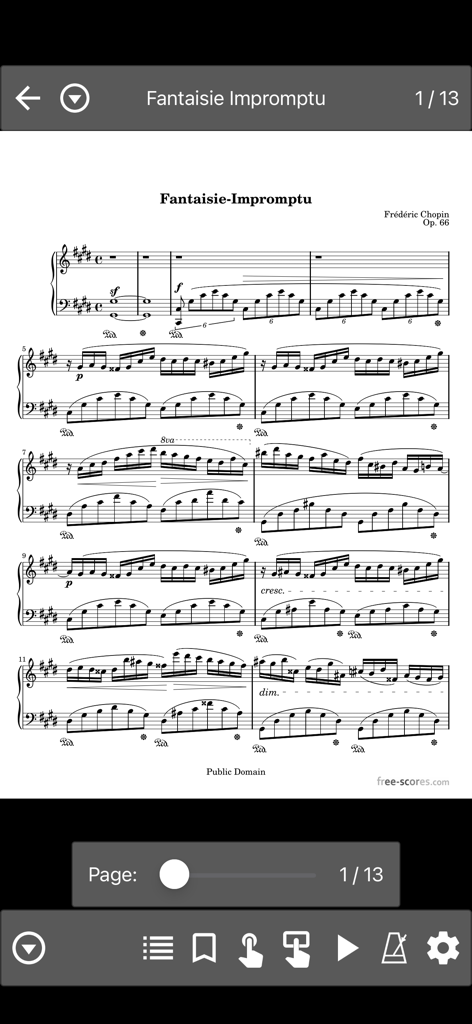
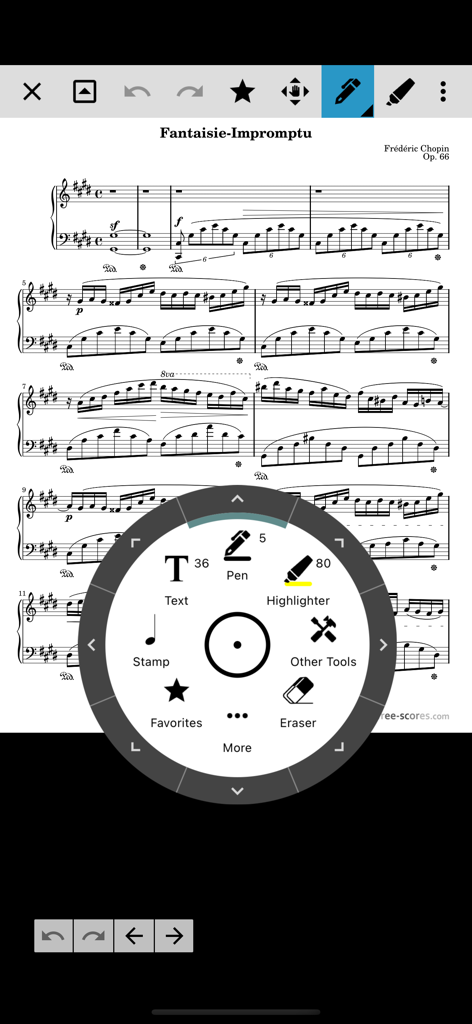
MobileSheetsLite App-Oberfläche, die eine Notenseite von Frédéric Chopin Fantaisie Impromptu mit Navigations- und Musiker-Tools anzeigt

MobileSheetsLite App-Oberfläche, die eine Notenseite von Frédéric Chopin Fantaisie Impromptu mit Navigations- und Musiker-Tools anzeigt

Digitaler Notenanzeiger, der eine Klavierpartitur mit einem kreisförmigen Anmerkungsmenü für Stift- und Textmarker-Werkzeuge zeigt.

Digitaler Notenanzeiger, der eine Klavierpartitur mit einem kreisförmigen Anmerkungsmenü für Stift- und Textmarker-Werkzeuge zeigt.

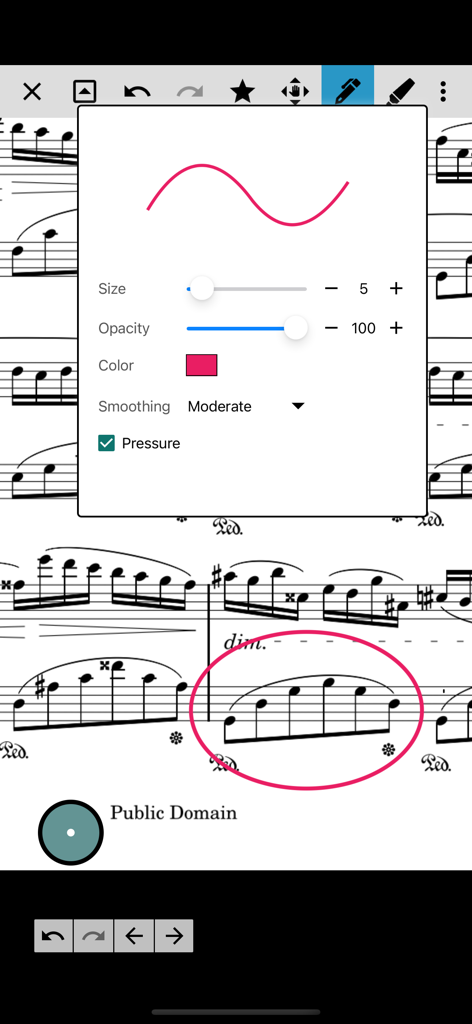
Das Menü mit den Einstellungen für Anmerkungs- und Zeichenwerkzeuge wird über einer digitalen Notenseite in der MobileSheetsLite-App angezeigt.

Das Menü mit den Einstellungen für Anmerkungs- und Zeichenwerkzeuge wird über einer digitalen Notenseite in der MobileSheetsLite-App angezeigt.

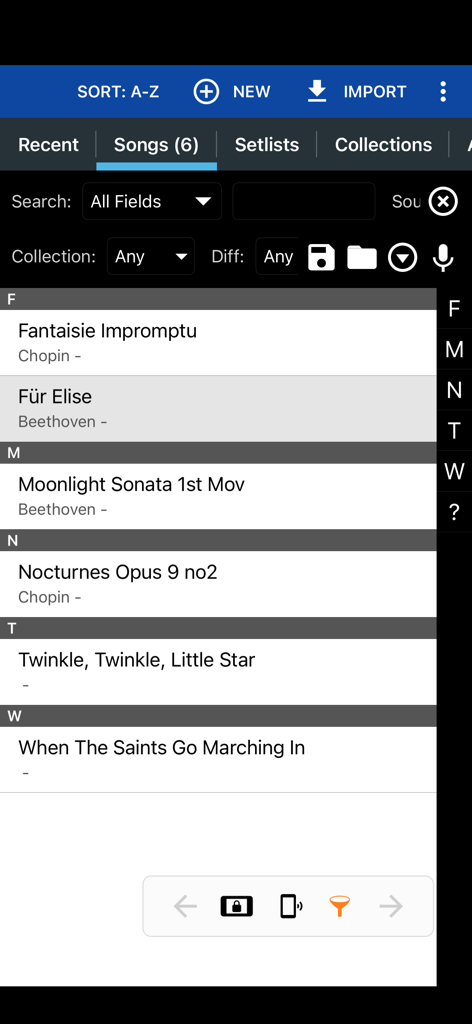
MobileSheetsLite App-Oberfläche, die eine Liste von klassischen und populären Liedern in der Musikbibliothek anzeigt

MobileSheetsLite App-Oberfläche, die eine Liste von klassischen und populären Liedern in der Musikbibliothek anzeigt

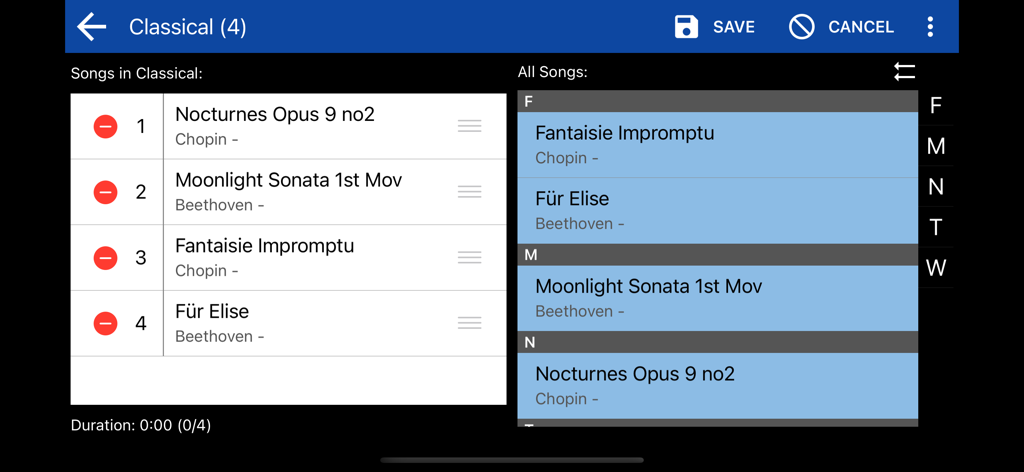
MobileSheetsLite Setlist-Editor-Oberfläche, die eine Liste klassischer Musikstücke von Chopin und Beethoven anzeigt

MobileSheetsLite Setlist-Editor-Oberfläche, die eine Liste klassischer Musikstücke von Chopin und Beethoven anzeigt

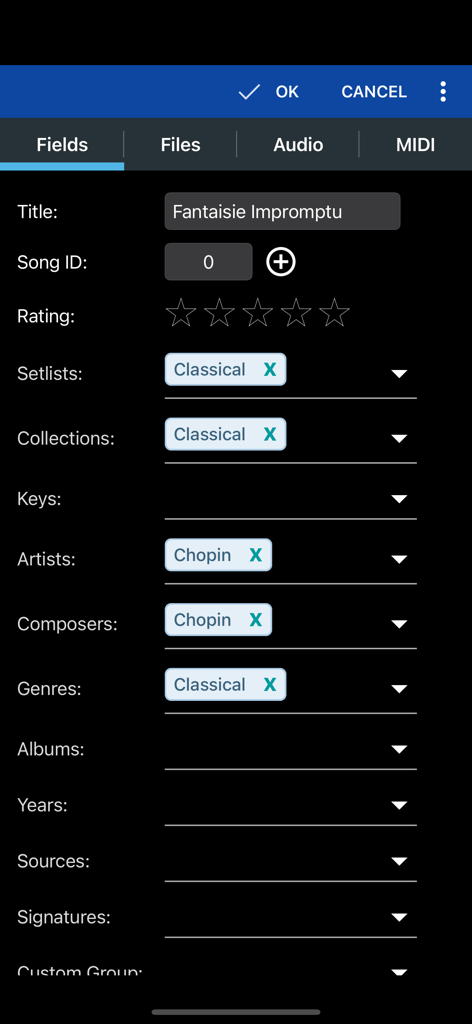
Oberfläche zur Bearbeitung von Song-Metadaten wie Titel, Künstler und Komponist in MobileSheetsLite.

Oberfläche zur Bearbeitung von Song-Metadaten wie Titel, Künstler und Komponist in MobileSheetsLite.

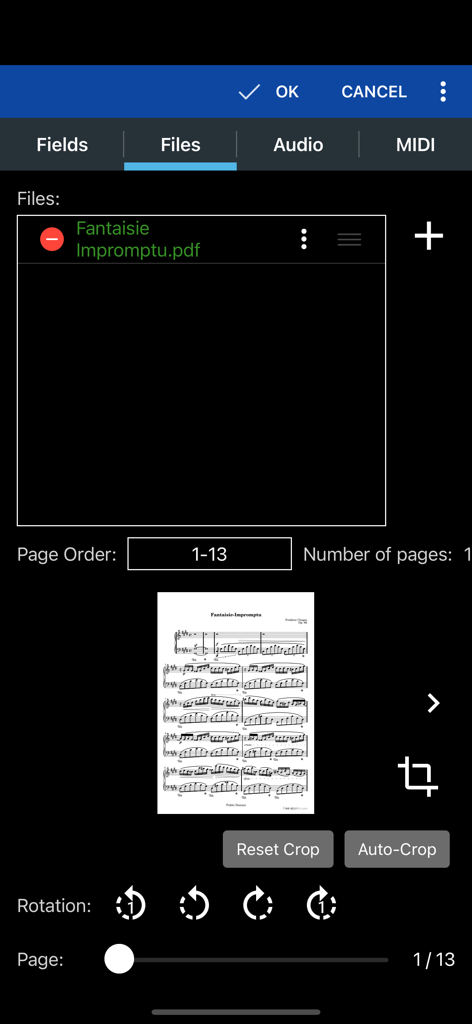
MobileSheetsLite App-Oberfläche, die PDF-Datei-Management- und Zuschneidewerkzeuge für Noten zeigt

MobileSheetsLite App-Oberfläche, die PDF-Datei-Management- und Zuschneidewerkzeuge für Noten zeigt

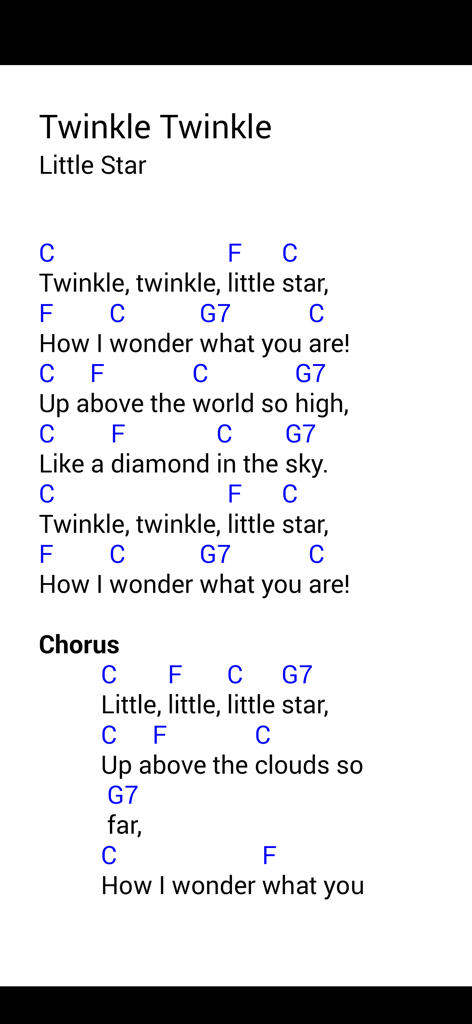
Digitale Noten mit Akkorden und Texten für "Alle meine Entchen"

Digitale Noten mit Akkorden und Texten für "Alle meine Entchen"

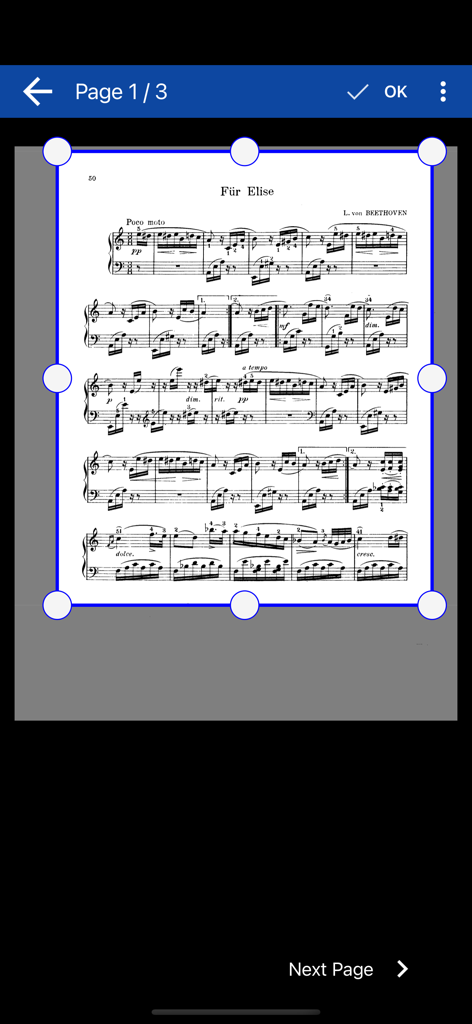
Manuelle Zuschneideoberfläche für Noten in der MobileSheetsLite-App

Manuelle Zuschneideoberfläche für Noten in der MobileSheetsLite-App

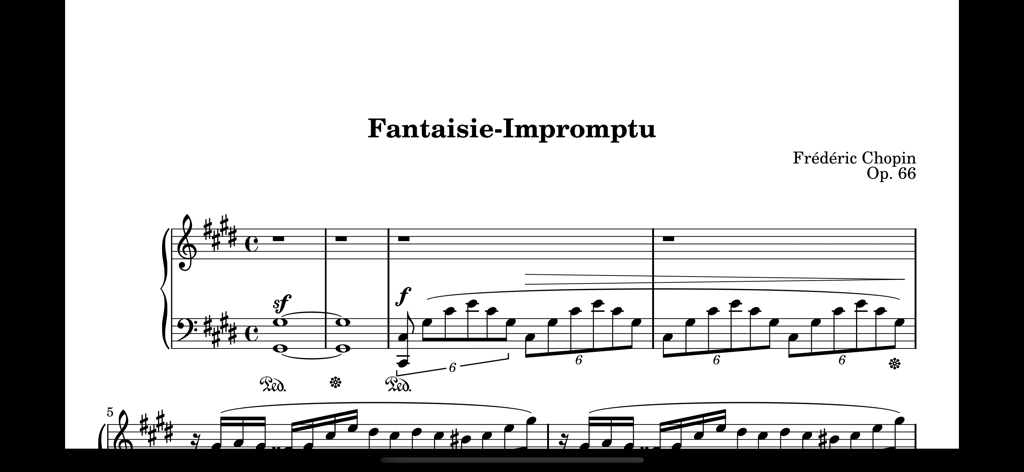
Digitale Noten von Chopins Fantaisie-Impromptu, angezeigt auf einem Tablet-Bildschirm.

Digitale Noten von Chopins Fantaisie-Impromptu, angezeigt auf einem Tablet-Bildschirm.

Auftrittsfertige Funktionen

Die Tools, die diese App auszeichnen, gewählt von 31K+ Nutzern.

🦶

Nahtlose freihändige Steuerung

Behalten Sie Ihre Hände am Instrument und blättern Sie mit Bluetooth-Pedalen oder Gesten mit dem Gesicht sofort um.

📂

Professionelles Bibliotheksmanagement

Organisieren Sie Ihre PDF-, ChordPro- und Textdateien in benutzerdefinierten Setlists und Sammlungen für stressfreie Auftritte.

✍️

Intelligente Performance-Tools

Fügen Sie Anmerkungen hinzu, verwenden Sie das integrierte Metronom und lösen Sie MIDI-Aktionen direkt von Ihren digitalen Partituren aus.

Über die App

Alles, was Sie über wissen müssen MobileSheetsLite.

Beschreibung

MobileSheets is the ultimate sheet music viewer for the iPhone, iPad and Mac. It frees you from having to lug around books and binders, and gives you the ability to access any score in your library in seconds. It also comes with a number of powerful features for musicians including: - Connect to other devices running MobileSheets on any platform, and easily share songs and setlists. - Synchronize device libraries using WiFi, bluetooth or the cloud - Multiple modes of operation including two pages side-by-side, half page turns, and vertically scrolling pages. - Hands-free page turns using any bluetooth or usb devices (including two and four pedal models), through the automatic scrolling feature or by using face gestures such as an open mouth or smile. - Annotations for marking up music including support for freeform drawing, basic shapes, text and stamps - Connect multiple tablets over WiFi or bluetooth in book mode to display two pages at once - A custom audio player for playing audio tracks with your scores. Audio player supports a-b looping and multiple sizes. - Custom page ordering, making it easy to cut out unnecessary pages, repeat pages or change the sequence of pages without affecting the original document. - A metronome with multiple display modes and sound effects - Bookmarks for quick and easy access to sections in scores - Link points for handling repeats and quickly jumping between pages - Smart buttons that can be placed on a score to activate configurable actions when pressed - Support for multiple file types including images, PDFs, text files and chord pro files. - Support for importing CSV index files to break up large PDF songbooks - Support for communicating with MIDI devices over USB, Bluetooth and WiFi to load songs or trigger actions. - The ability to transpose chords in text and chord pro files. - Manual and automatic cropping to completely eliminate unnecessary margins - Support for setlists and collections to efficiently group songs for playback. - Powerful library management features with a huge list of supported metadata fields, giving you complete control over the data in your library - A free companion application for the PC that makes it a breeze to create and edit songs Give MobileSheets a try today and experience the freedom of having all your scores just a simple tap away. The free version has the following limitations: - Only 8 songs are allowed in your library - Only 2 link points per song - Only 2 bookmarks per song - The Connect Tablets feature can only be used for 90 seconds - The library synchronization feature is unavailable - The advanced camera features such as automatic document detection and image correction are not available All other features are intact and identical to the paid version. NOTE: This application does not include any sheet music - you must provide your own. This application can not play back PDFs, images or text/chord pro files. It can only display those files and play back audio files. The companion app is for your PC and is not included. You can download the companion app for free here: https://www.zubersoft.com/mobilesheets/companion.php Privacy Policy: https://zubersoft.com/mobilesheets/privacy_policy_ios.html Terms of Use: https://zubersoft.com/mobilesheets/terms_and_conditions_ios.html

Neueste Version

3.9.34

Größe

123.7 MB

Erstveröffentlichung

28. Nov. 2023

Verabschieden Sie sich von schweren Ordnern und verbessern Sie Ihre Performance

Laden Sie MobileSheetsLite noch heute kostenlos herunter und erleben Sie, warum Tausende von Musikern uns für ihre Proben und Live-Auftritte vertrauen. Machen Sie Ihre ersten 8 Partituren auf Ihrem iPad oder Mac bühnenreif.

Herunterladen auf App StoreHerunterladen auf Google Play

App information, icons, screenshots, and descriptions displayed on this page are sourced from the Apple App Store and are the property of their respective developers. Download estimates and rankings are based on MWM's proprietary models and may not reflect actual figures. This page is provided for informational and analytical purposes only.

Believe this page infringes your intellectual property? File a dispute