My Calendar: Planner Organizer

My Calendar: Planner Organizer

Herunterladen auf App Store
Logo von My Calendar: Planner Organizer

Mein Kalender: Der ästhetische & einfache Planer für Ihr geschäftiges Leben

Organisieren Sie Ihre Schichten und täglichen Aufgaben in Sekundenschnelle mit benutzerdefinierten Hintergründen, über 50 Themen und Widgets, die zu Ihrer Stimmung passen. Kein Konto erforderlich – einfach nur einfache, private und schöne Zeitplanung für jedermann.

Herausgeber

Komorebi Inc.

Kategorie

Productivity

Downloads

259K+

Bewertung

4.7/5

Bewertungen gesamt

4K+

Sprachen

33

Ein Hauch von Einfachheit

Entdecken Sie die Oberfläche, die von 259K+ Nutzern verwendet wird.
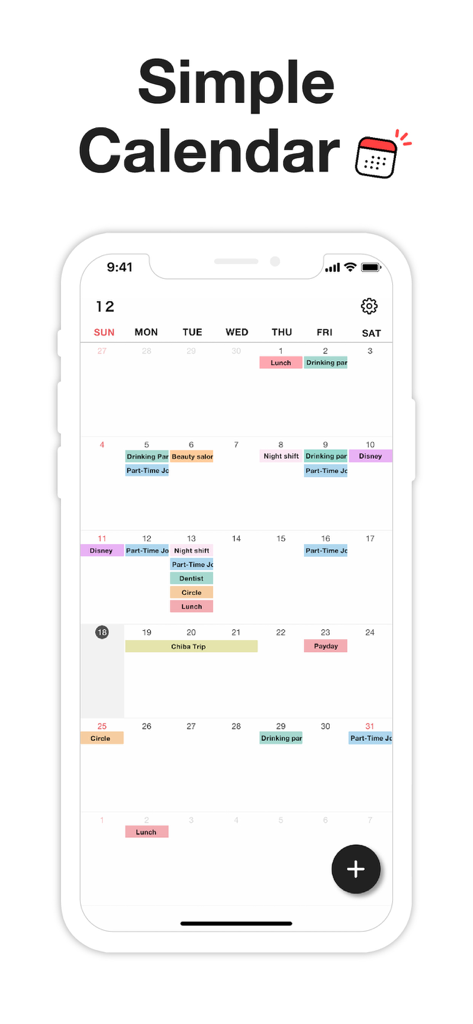
Monatliche Kalenderschnittstelle mit farbkodierten Ereignissen und Schichten in minimalistischem Design

Monatliche Kalenderschnittstelle mit farbkodierten Ereignissen und Schichten in minimalistischem Design

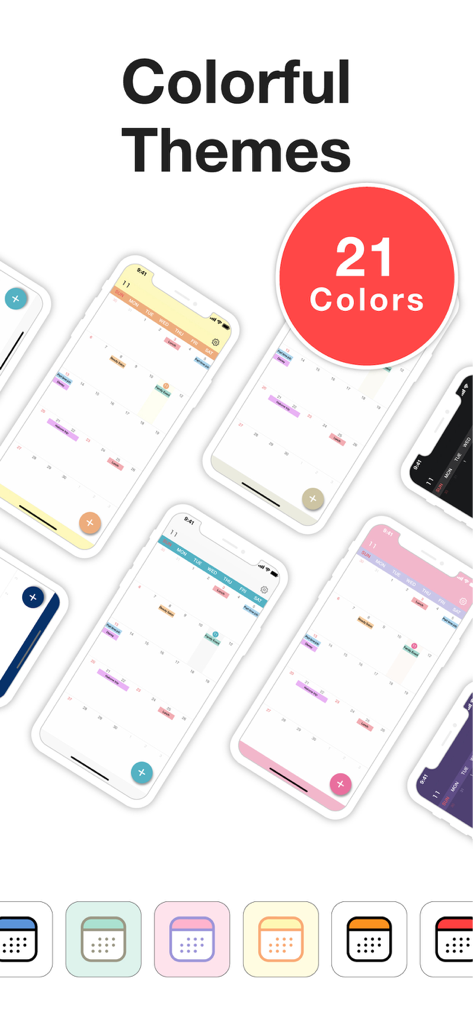
Eine Präsentation mehrerer bunter und ästhetischer Kalenderthemen und App-Symbole für den Mein Kalender-Planer

Eine Präsentation mehrerer bunter und ästhetischer Kalenderthemen und App-Symbole für den Mein Kalender-Planer

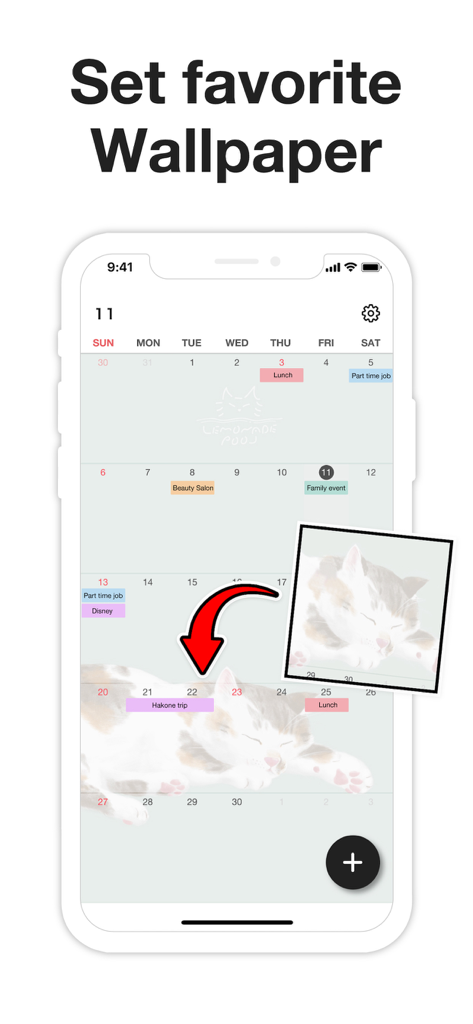
Anpassen der Mein Kalender-App mit einem persönlichen Fotohintergrund.

Anpassen der Mein Kalender-App mit einem persönlichen Fotohintergrund.

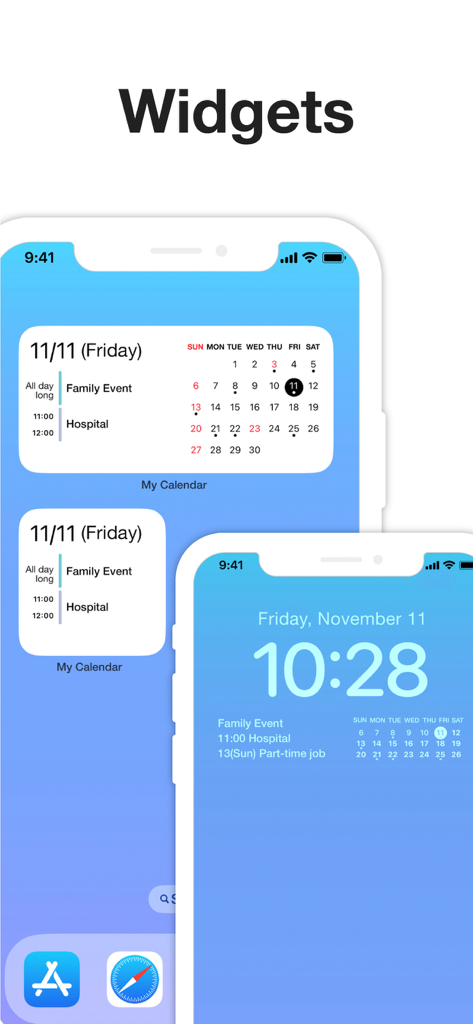
Anzeige von Mein Kalender-App-Widgets auf dem iPhone-Start- und Sperrbildschirm mit geplanten Ereignissen

Anzeige von Mein Kalender-App-Widgets auf dem iPhone-Start- und Sperrbildschirm mit geplanten Ereignissen

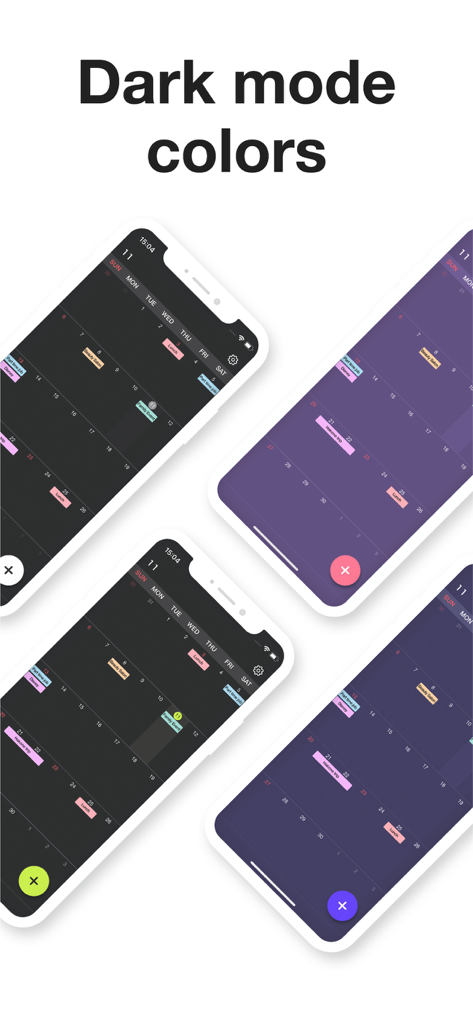
Vier Smartphone-Bildschirme, die verschiedene Dunkelmodus-Farbthemen und farbkodierte Ereignislayouts für die Mein Kalender-App anzeigen.

Vier Smartphone-Bildschirme, die verschiedene Dunkelmodus-Farbthemen und farbkodierte Ereignislayouts für die Mein Kalender-App anzeigen.

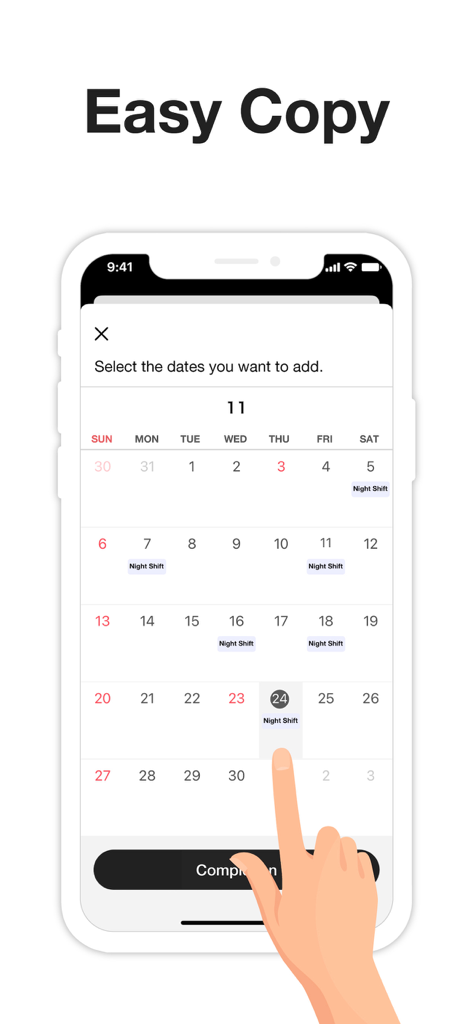
Schnittstelle, die zeigt, wie mehrere Daten ausgewählt werden, um Nachtschicht-Ereignisse schnell hinzuzufügen.

Schnittstelle, die zeigt, wie mehrere Daten ausgewählt werden, um Nachtschicht-Ereignisse schnell hinzuzufügen.

Für Sie entworfen, für Geschwindigkeit gebaut

Die Tools, die diese App auszeichnen, gewählt von 259K+ Nutzern.

🎨

Drücken Sie Ihren Stil aus

Passen Sie Ihren Planer mit über 50 Themenfarben und Ihren Lieblingsfotos an. Passen Sie Ihren Kalender mit benutzerdefinierten Symbolen und dem dunklen Modus an Ihre Stimmung an.

Mühelose Stapelplanung

Stoppen Sie die repetitive Eingabe. Wählen Sie mehrere Daten gleichzeitig aus, um unregelmäßige Arbeitsschichten, Kurse oder Gewohnheiten in nur wenigen Sekunden einzutragen.

🔒

Privat & ohne Konto

Steigen Sie direkt ein, ohne ein Konto zu erstellen. Ihre Daten bleiben auf Ihrem Gerät und sind durch den Passcode-Schutz und Face ID für absolute Sicherheit geschützt.

Über die App

Alles, was Sie über wissen müssen My Calendar: Planner Organizer.

Beschreibung

My Calendar is a simple calendar app that lets anyone easily manage their schedule. • Extremely easy to use • Use your favorite photo as a background image • Easily check your schedule on a large, clutter-free screen Despite its simplicity, this app is loaded with useful features, such as widgets and a variety of dark mode themes. [ Features ] • 50 theme colors • Font size adjustment (10 levels) • Customizable background image • 5 lock screen widgets • 6 home screen widgets • Font color selection (black / white) • Vertical and horizontal scrolling • Passcode lock • Change app icon • iCloud backup • Transfer data when changing phones, even on a different OS --- [ Convenient features ] ■ No account required No member registration or iCloud account is required. Anyone can get started right away without going through the trouble of logging in. ■ Font size adjustment Choose from five font sizes. Options for fine, bold, white and black text allow you to read without straining your eyes. ■ Color coding You can color code your schedule simply by selecting a color when adding an event. There are 25 stylish colors to choose from. You can even give names to frequently used colors, such as "part-time job" or "night shift." ■ Passcode lock Keep your schedule safe from prying eyes by locking the app with a passcode. Face ID and Touch ID are also supported, of course. ■ Notifications Set alerts for events on your schedule. For important events, you can set up push notifications that will alert you ahead of time (such as 5 minutes or 15 minutes in advance), in addition to the scheduled time. ■ Add multiple events at once by selecting several dates When adding events to your schedule, you can select multiple dates to add several at once. This makes it easy to quickly add job shifts at irregular intervals, for example. You can also set up recurring events with no need to manually add each date. This can be as simple as "every Tuesday" or something more unusual: the 25th of every month, every 3 weeks, the last day of every month and so on. ■ Add URLs, maps and memos You can add URLs, maps and memos to each event. Tapping a URL will take you straight to your browser, while tapping a location will open the Google Maps app or the iOS Maps app for your convenience. ■ Theme colors 50 stylish theme colors are available! ■ Dark mode Be gentle on your eyes with dark mode. Choose from four different dark color schemes. ■ Widgets Five lock screen widgets and six home screen widgets allow you to display a mini calendar, show your next scheduled event and more. --- ■ Note This app stores calendar information entirely within the app. If you remove the app, that data will be lost. Please back up your data from the "Backup" menu in the settings screen if you intend to change your phone or if you are worried about losing the app. If you want to use iCloud Calendar or Google Calendar, please try our Simple Calendar (S Calendar) app. It supports various calendar accounts and can manage schedule data in the cloud. Feel free to use My Calendar and Simple Calendar alongside each other to suit your purposes. ■ Help and inquiries Please see "Help" in the Settings screen of the app. If you still have questions after reviewing that information, you can reach us using the "Contact Us" button in the upper right corner of the Help screen. Terms of Use: https://komorebi-studio.com/tos_en.html Privacy Policy: https://komorebi-studio.com/policyredirect.html

Neueste Version

2.0.0

Größe

204.4 MB

Erstveröffentlichung

2. Dez. 2022

Bereit, Ihren Tag nach Ihren Wünschen zu planen?

Schließen Sie sich über 259.000 Nutzern an, die sich von Unübersichtlichkeit für einen schönen, privaten und einfachen Kalender entschieden haben. Keine Konten, kein Ärger – laden Sie ihn einfach herunter und beginnen Sie in Sekundenschnelle mit der Organisation.

Herunterladen auf App Store

App information, icons, screenshots, and descriptions displayed on this page are sourced from the Apple App Store and are the property of their respective developers. Download estimates and rankings are based on MWM's proprietary models and may not reflect actual figures. This page is provided for informational and analytical purposes only.

Believe this page infringes your intellectual property? File a dispute