My Files - All File Manager

My Files - All File Manager


Herunterladen auf App Store
Logo von My Files - All File Manager

My Files - All File Manager: Desktop-Klasse-Leistung für Ihren mobilen Workflow

Meistern Sie Ihr digitales Leben mit Dual-Pane-Navigation, AES-Verschlüsselung und nahtloser Multi-Cloud-Integration, entwickelt für den modernen Profi.

Herausgeber

Liam Sammy

Kategorie

Utilities

Downloads

2K+

Bewertung

4.4/5

Bewertungen gesamt

100

Sprachen

1

Ihr digitales Kommandozentrum

Entdecken Sie die Oberfläche, die von 2K+ Nutzern verwendet wird.
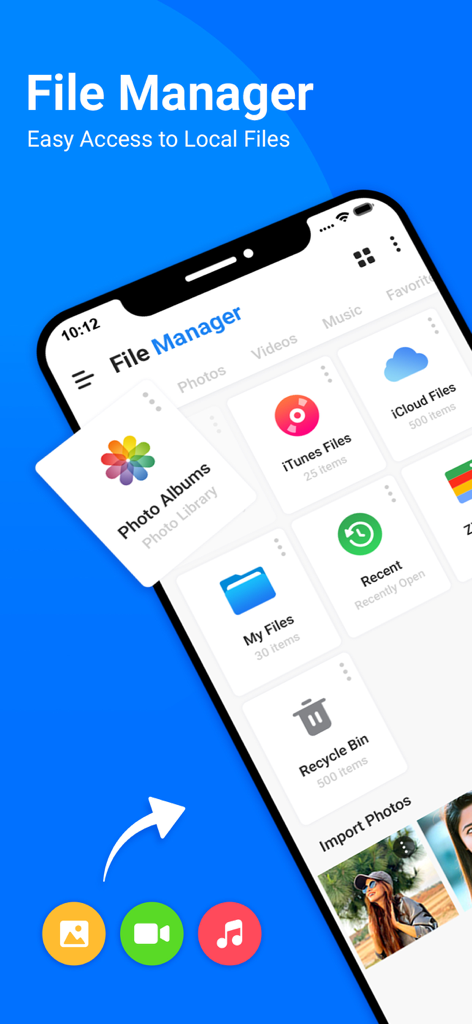
Benutzeroberfläche der My Files App, die verschiedene Dateikategorien und Speicheroptionen auf einem iPhone anzeigt

Benutzeroberfläche der My Files App, die verschiedene Dateikategorien und Speicheroptionen auf einem iPhone anzeigt

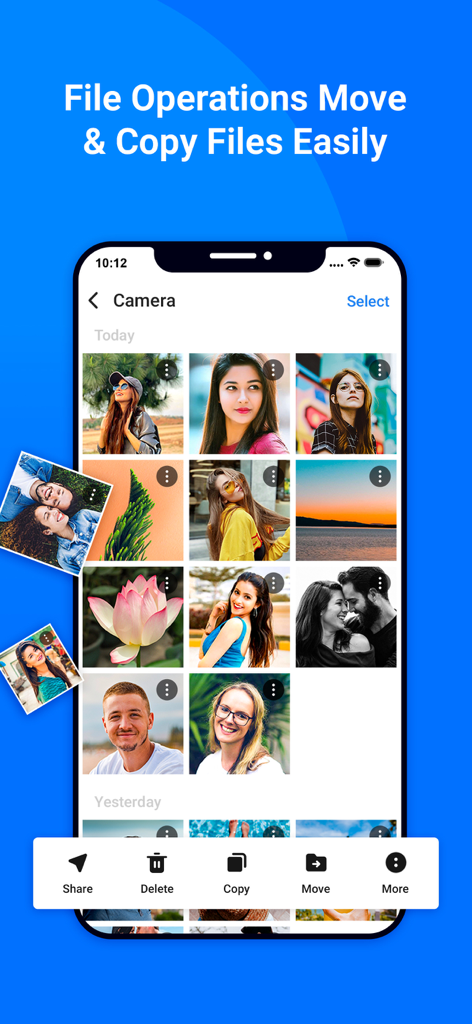
iPhone-Screenshot der My Files App, der die Fotogalerieverwaltung mit Verschiebe- und Kopiertools zeigt

iPhone-Screenshot der My Files App, der die Fotogalerieverwaltung mit Verschiebe- und Kopiertools zeigt

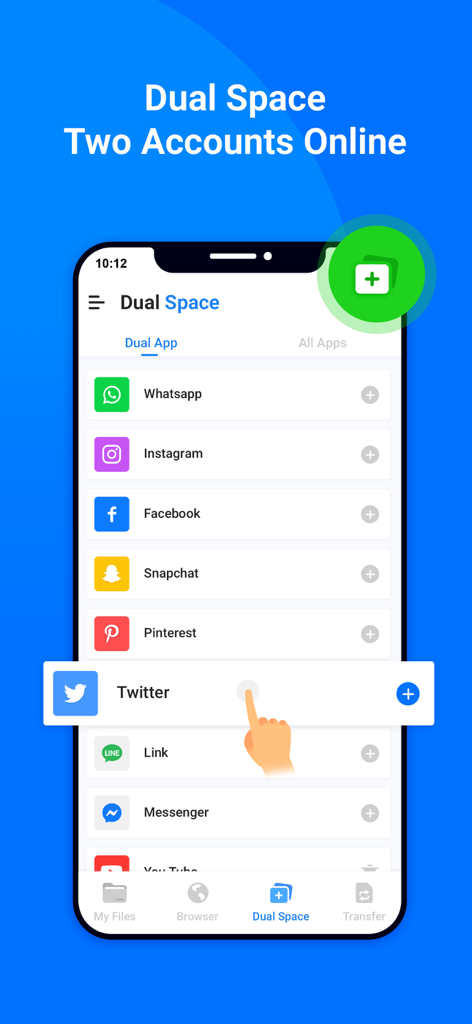
Smartphone-Oberfläche, die die Dual-Space-Funktion zur Verwaltung mehrerer Social-Media-Konten wie WhatsApp und Instagram zeigt

Smartphone-Oberfläche, die die Dual-Space-Funktion zur Verwaltung mehrerer Social-Media-Konten wie WhatsApp und Instagram zeigt

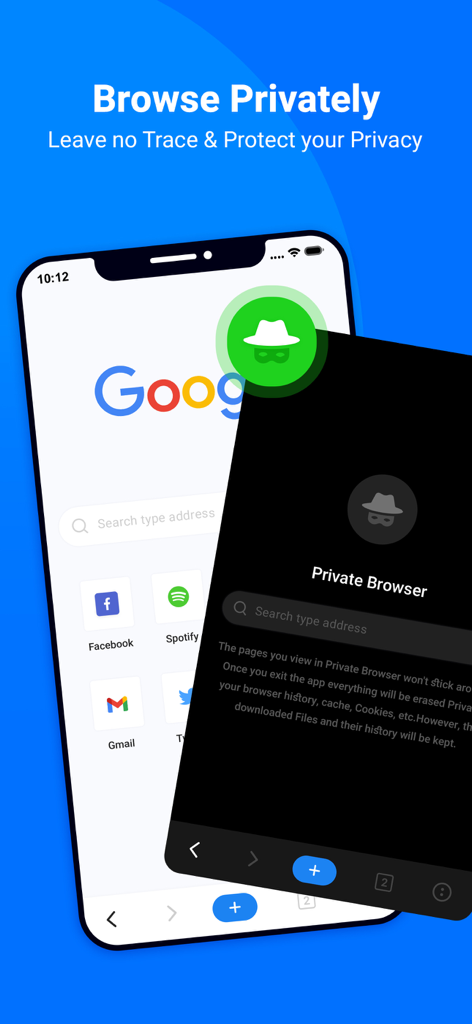
Eine mobile Benutzeroberfläche, die die Private-Browsing-Funktion mit Inkognito-Modus für sicheres und anonymes Surfen im Web zeigt

Eine mobile Benutzeroberfläche, die die Private-Browsing-Funktion mit Inkognito-Modus für sicheres und anonymes Surfen im Web zeigt

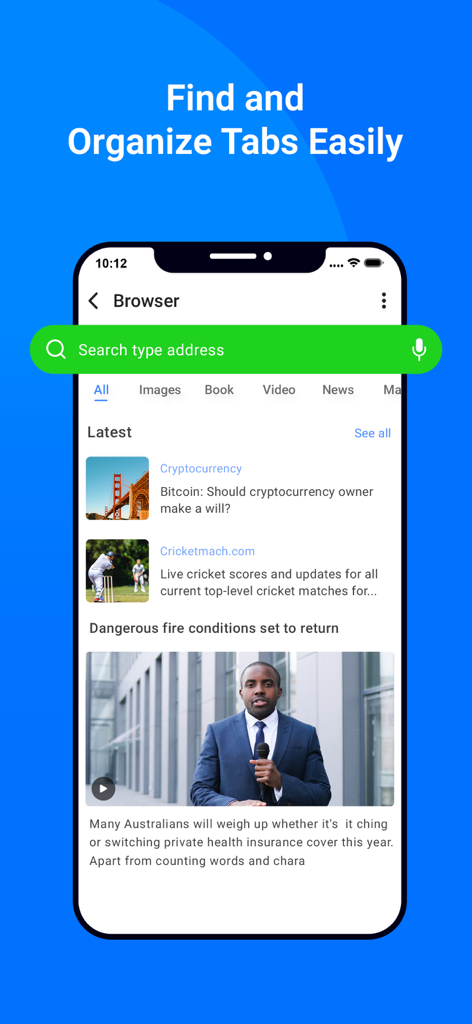
In-App-Browser-Bildschirm mit Suchleiste, Nachrichtenfeed und organisierten Tabs in der My Files App

In-App-Browser-Bildschirm mit Suchleiste, Nachrichtenfeed und organisierten Tabs in der My Files App

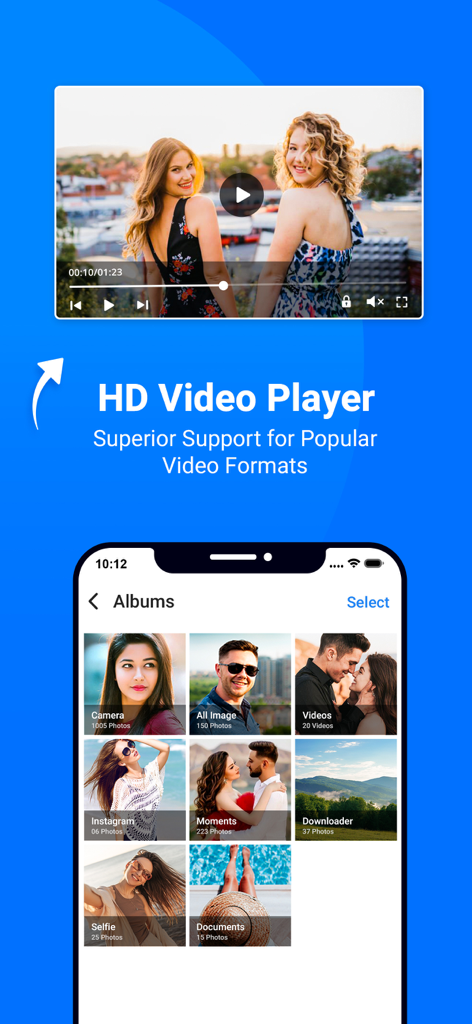
Die Benutzeroberfläche der My Files App zeigt einen HD-Videoplayer und organisierte Medienalben

Die Benutzeroberfläche der My Files App zeigt einen HD-Videoplayer und organisierte Medienalben

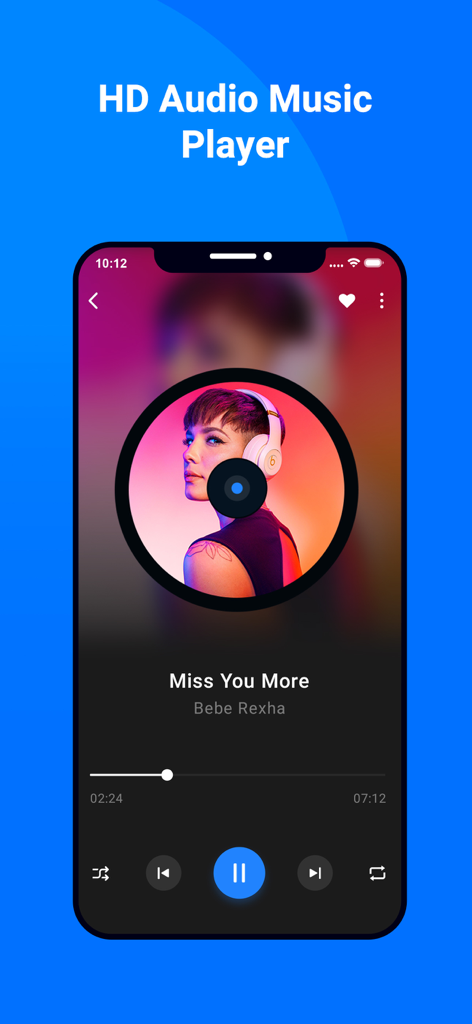
HD-Audio-Musikplayer-Oberfläche in der My Files App mit Wiedergabesteuerung und Songinformationen

HD-Audio-Musikplayer-Oberfläche in der My Files App mit Wiedergabesteuerung und Songinformationen

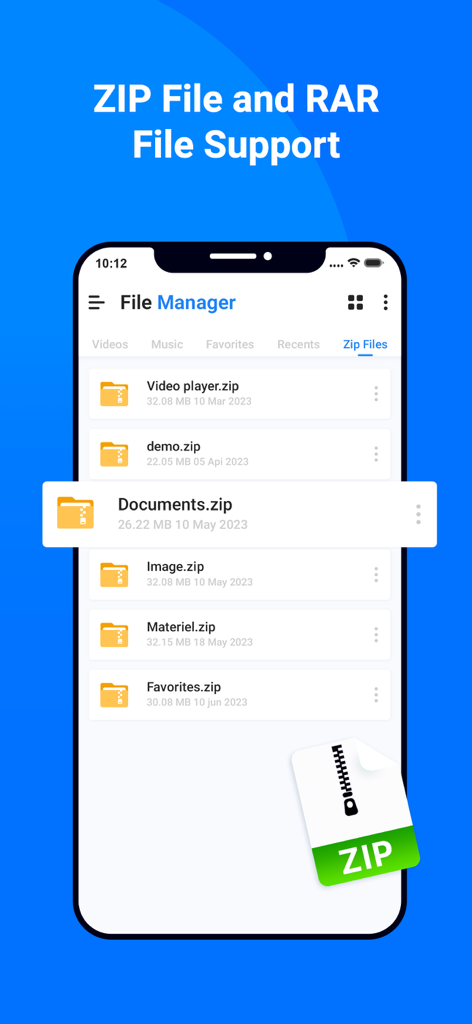
Oberfläche der Dateimanager-App, die ZIP- und RAR-Dateisupport auf einem mobilen Bildschirm anzeigt

Oberfläche der Dateimanager-App, die ZIP- und RAR-Dateisupport auf einem mobilen Bildschirm anzeigt

Meistern Sie Ihren digitalen Arbeitsbereich

Die Tools, die diese App auszeichnen, gewählt von 2K+ Nutzern.

↔️

Dual-Pane-Produktivität

Verwalten und verschieben Sie Dateien mühelos zwischen zwei Orten gleichzeitig mit einem klassischen nebeneinander liegenden Layout, optimiert für Hochgeschwindigkeits-Workflows.

🔐

Profi-Verschlüsselung

Schützen Sie sensible professionelle Assets und persönliche Dokumente hinter militärischer AES-Verschlüsselung und nahtloser biometrischer Authentifizierung.

☁️

Die ultimative Cloud-Zentrale

Verwandeln Sie Ihr Gerät in ein zentrales Kommandozentrum, indem Sie lokalen Speicher, FTP-Server und mehrere Cloud-Konten in einer einzigen Benutzeroberfläche verbinden.

Über die App

Alles, was Sie über wissen müssen My Files - All File Manager.

Beschreibung

All File Manger - Solid Explorer is a file management app inspired by the old school file commander applications. It will help you: • Easily manage files in dual pane layout • Protect files with strong encryption • Manage files on your cloud storage or NAS • Backup apps and files to any desired destination • Explore your device All File Manger - Solid Explorer lets you navigate to files stored on your device and automatically organizes them into collections. You can view, delete, move, rename or share any files. It also allows you to quickly find the files you need through indexed search with filters. • Keep your files safe All File Manger - Solid Explorer can protect selected files with strong AES encryption and put them in a secure folder, which contents are unreadable for other apps. The file manager will ask for password or fingerprint confirmation when you browse the folder. Even if you uninstall All File Manger - Solid Explorer, the files stay on your device and are still protected. • Analyze Storage Although this file manager doesn’t feature a dedicated storage analyzer, you can find out which files take up most of space by going to folder properties of internal storage or SD card. You will find the information about the percentage of space each folder takes and the list of biggest files. You can also use search with a file size filter. • Organize remote files All File Manger - Solid Explorer supports major network protocols and cloud providers to let you organize multiple remote file locations in one place. You can easily transfer files between cloud locations/servers just by dragging them from one panel to another. ◆ Major feature list: • Files management - main storage, other store from PC • Cloud storage - easily connect and manage files on Google Drive, OneDrive, Dropbox • File encryption - password and fingerprint protection • Archives - support for ZIP, 7ZIP, RAR and TAR files • Indexed search - quickly find files on your device • Analyze storage - manage files taking too much space on your device • Organized collections - files categorized in Downloads, Recent,Photos, Videos, Music, Documents and Apps • Internal image viewer, music player and text editor - for easier browsing on remote storages • Batch rename - with support for naming patterns • FTP Server to Share File - for accessing your local files from PC • Themes and icon sets - rich customization options. This app include Subscribe All File Manager Pro Monthly at $1.99 and All File Manager Pro Yearly at $9.99 to use ads free versions of the app for a Month and user can cancel it anytime. – Privacy Policy: https://sites.google.com/view/liam-sammy-pp – Terms of Use: https://sites.google.com/view/liam-sammy-tos If you are looking for a file manager app that has simple and sleek interface with full features, All File Explorer would be the best choice.

Neueste Version

1.3

Größe

54.7 MB

Erstveröffentlichung

8. Juni 2023

Beherrschen Sie Ihre Dateien wie ein Profi

Schließen Sie sich Tausenden von digitalen Profis an, die iOS-Beschränkungen gegen Dual-Pane-Effizienz und militärische Sicherheit eingetauscht haben.

Herunterladen auf App Store

App information, icons, screenshots, and descriptions displayed on this page are sourced from the Apple App Store and are the property of their respective developers. Download estimates and rankings are based on MWM's proprietary models and may not reflect actual figures. This page is provided for informational and analytical purposes only.

Believe this page infringes your intellectual property? File a dispute