NotesHub: Notes, Kanban Boards

NotesHub: Notes, Kanban Boards

Herunterladen auf App Store
Logo von NotesHub: Notes, Kanban Boards

NotesHub: Der Git-gestützte Arbeitsbereich für Markdown, Kanban und Whiteboards

Stärkt technische Power-User mit einer herstellerunabhängigen, offline-first Produktivitäts-Suite. Übernehmen Sie die volle Kontrolle über Ihre Daten, indem Sie über GitHub oder iCloud synchronisieren und optimieren Sie Ihren Workflow mit fortschrittlichem Markdown, integrierten Projektboards und visuellen Whiteboards.

Herunterladen auf App Store

Herausgeber

Alex Titarenko

Kategorie

Productivity

Downloads

6K+

Bewertung

4.8/5

Bewertungen gesamt

0

Sprachen

5

Präzision in jedem Pixel

Entdecken Sie die Oberfläche, die von 6K+ Nutzern verwendet wird.
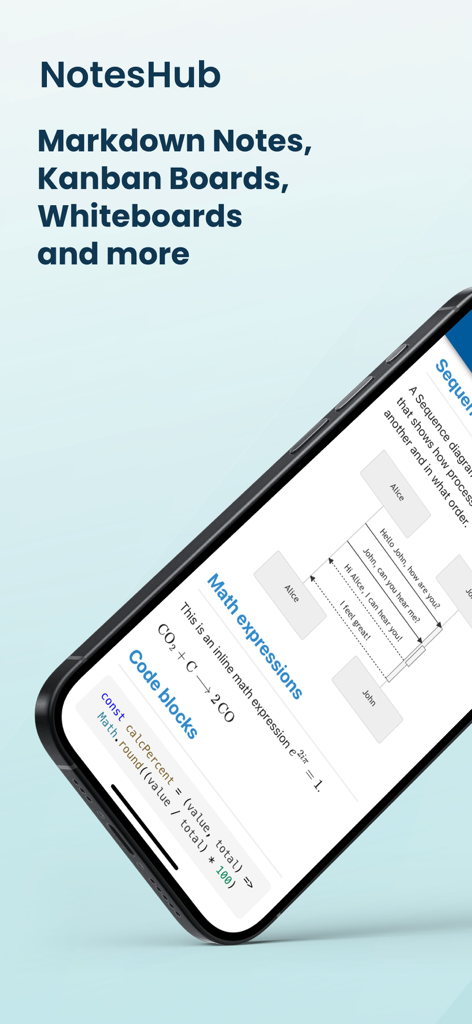
NotesHub App zeigt Markdown-Notizen mit mathematischen Ausdrücken, Codeblöcken und Sequenzdiagrammen

NotesHub App zeigt Markdown-Notizen mit mathematischen Ausdrücken, Codeblöcken und Sequenzdiagrammen

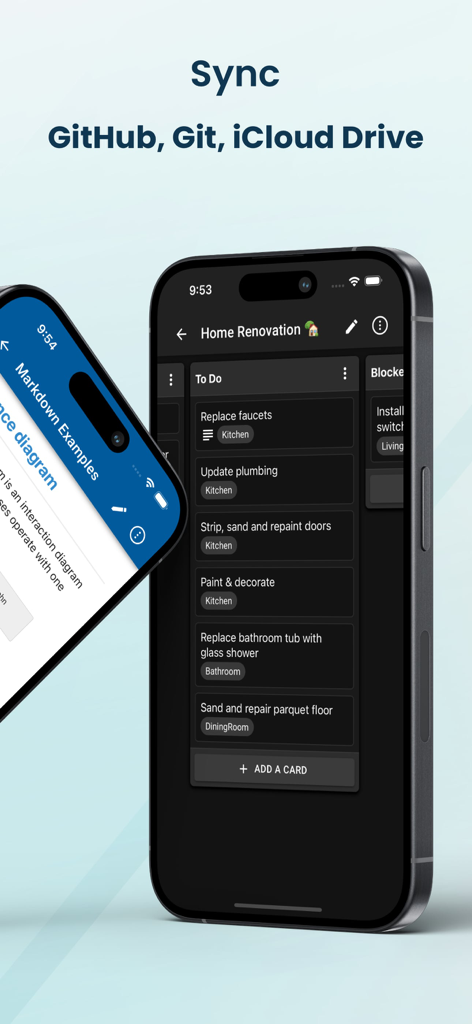
NotesHub App-Oberfläche zeigt ein Kanban-Board im Dark Mode mit Cloud-Sync-Optionen

NotesHub App-Oberfläche zeigt ein Kanban-Board im Dark Mode mit Cloud-Sync-Optionen

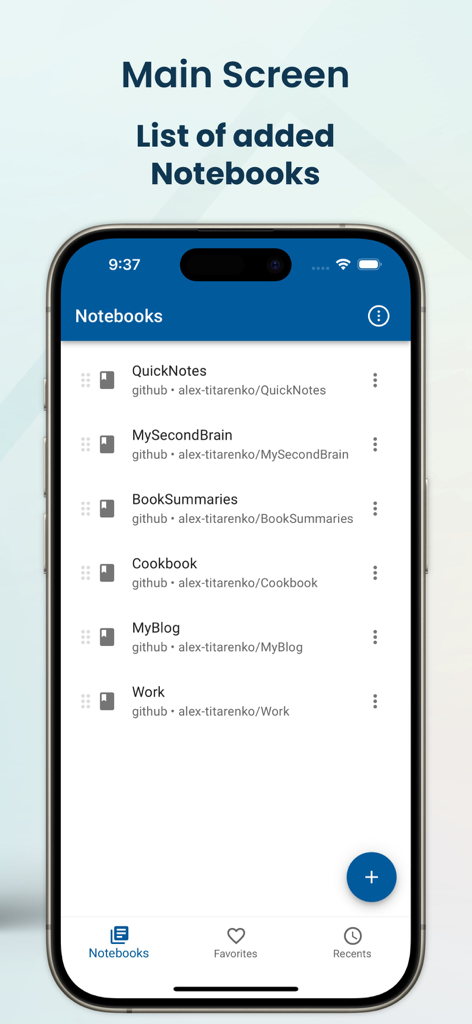
NotesHub App Hauptbildschirm zeigt eine Liste von Markdown-Notizbüchern, die über GitHub synchronisiert werden

NotesHub App Hauptbildschirm zeigt eine Liste von Markdown-Notizbüchern, die über GitHub synchronisiert werden

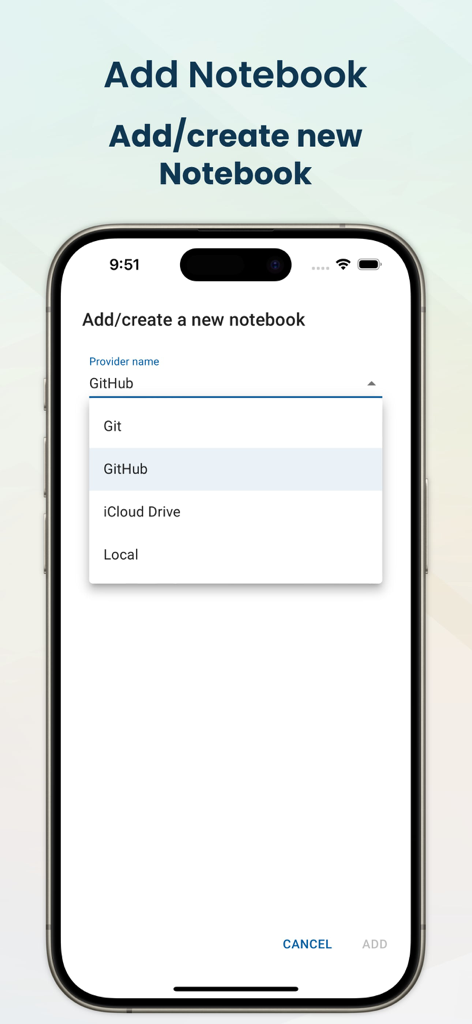
NotesHub mobile App-Oberfläche zeigt die Auswahl von Speicheranbietern für Notizbücher, einschließlich GitHub, Git und iCloud Drive

NotesHub mobile App-Oberfläche zeigt die Auswahl von Speicheranbietern für Notizbücher, einschließlich GitHub, Git und iCloud Drive

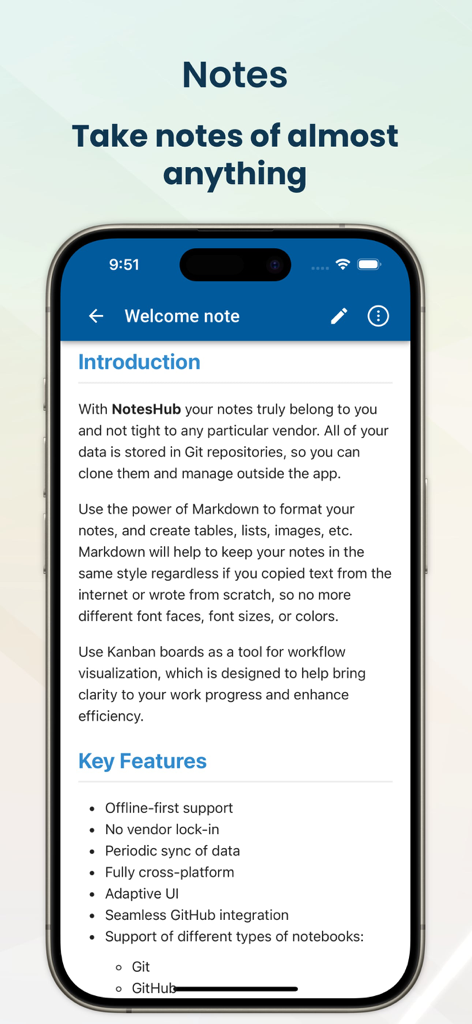
NotesHub App Willkommensnotiz mit den wichtigsten Funktionen wie Markdown-Unterstützung und Git-Integration

NotesHub App Willkommensnotiz mit den wichtigsten Funktionen wie Markdown-Unterstützung und Git-Integration

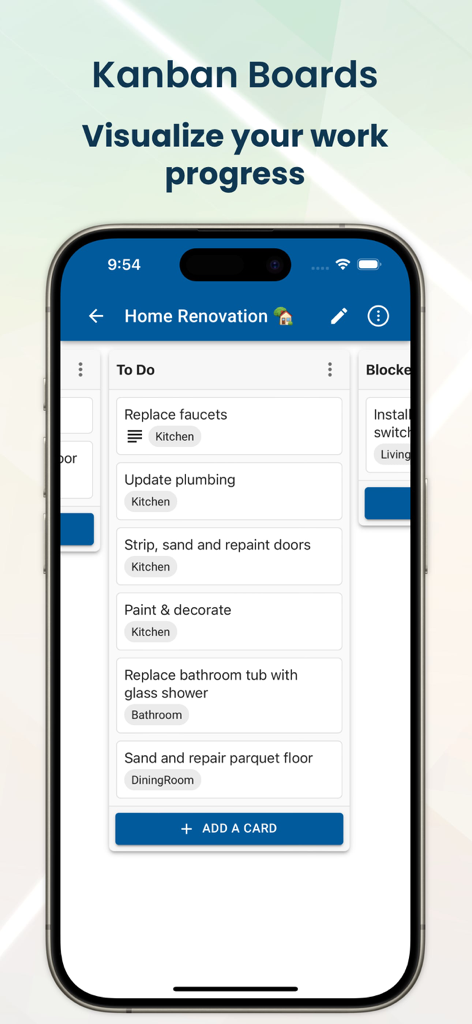
NotesHub mobile App-Oberfläche zeigt ein Kanban-Board zur Verfolgung des Projekt-Task-Fortschritts

NotesHub mobile App-Oberfläche zeigt ein Kanban-Board zur Verfolgung des Projekt-Task-Fortschritts

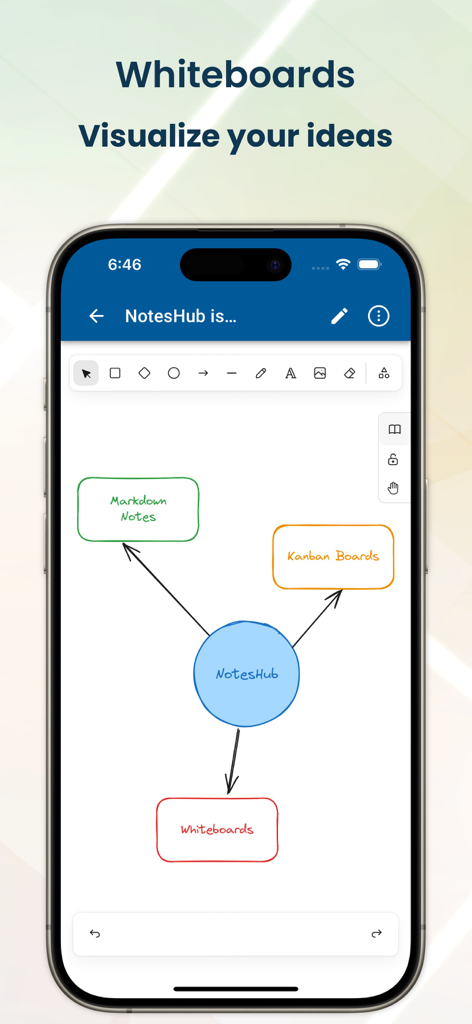
NotesHub App-Screenshot, der das Whiteboard-Tool mit einem handgezeichneten Feature-Diagramm zeigt

NotesHub App-Screenshot, der das Whiteboard-Tool mit einem handgezeichneten Feature-Diagramm zeigt

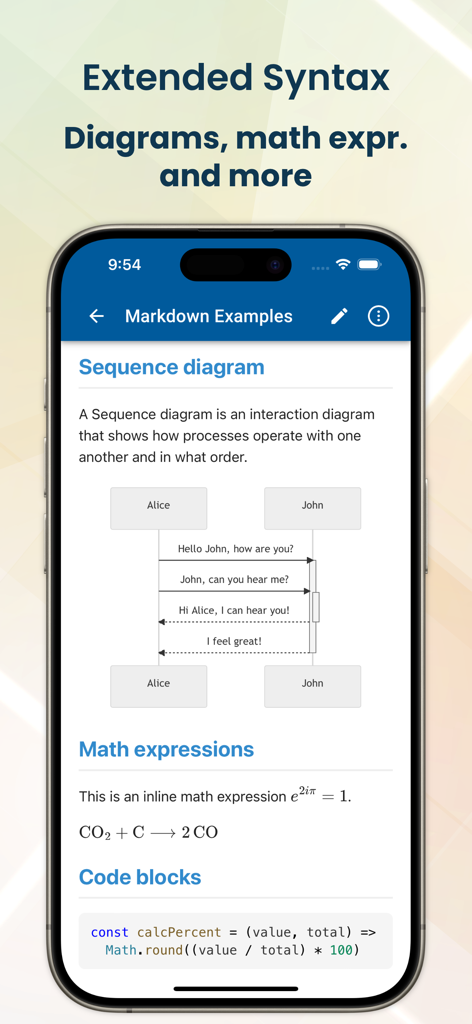
NotesHub mobile App zeigt Sequenzdiagramme, mathematische Ausdrücke und Codeblöcke mit Markdown-Syntax

NotesHub mobile App zeigt Sequenzdiagramme, mathematische Ausdrücke und Codeblöcke mit Markdown-Syntax

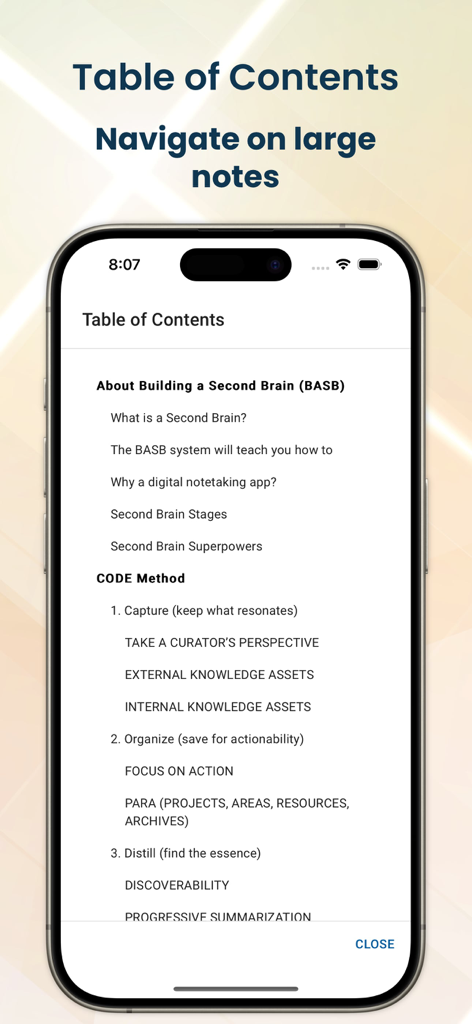
NotesHub App zeigt ein Inhaltsverzeichnis für die Navigation in großen Markdown-Notizen auf dem iPhone

NotesHub App zeigt ein Inhaltsverzeichnis für die Navigation in großen Markdown-Notizen auf dem iPhone

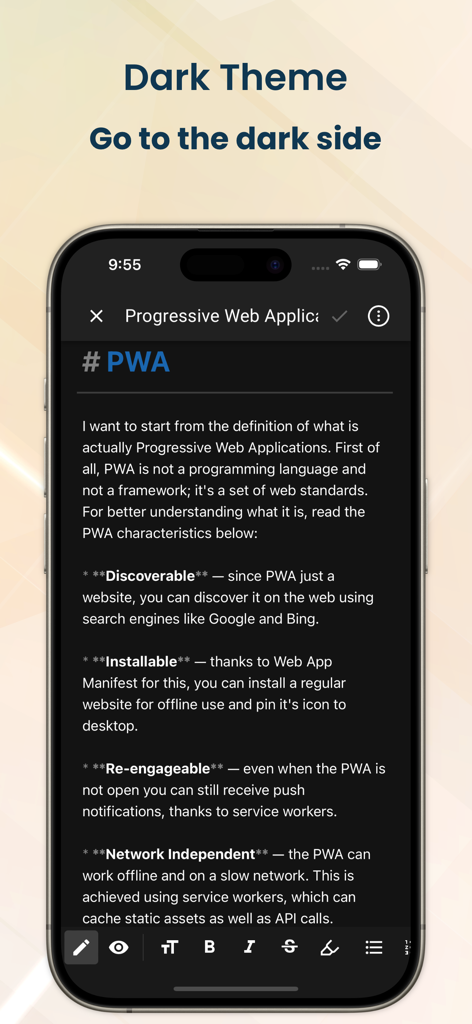
NotesHub App-Oberfläche im Dark Mode, die eine technische Markdown-Notiz anzeigt

NotesHub App-Oberfläche im Dark Mode, die eine technische Markdown-Notiz anzeigt

Meistern Sie Ihren Workflow mit technischer Präzision

Die Tools, die diese App auszeichnen, gewählt von 6K+ Nutzern.

🛡️

Echte Datenhoheit

Eliminieren Sie Anbieterabhängigkeiten, indem Sie Ihre Notizen mit GitHub oder Ihrem eigenen Git-Server synchronisieren. Ihre Daten bleiben im offenen Markdown-Format und gehören Ihnen vollständig.

💻

Developer-First Markdown

Erstellen Sie technische Dokumente mit Syntaxhervorhebung, Mermaid-Diagrammen und MathJax-Unterstützung. Es ist die perfekte Umgebung für wissensintensive Code-Datenbanken.

🚀

Vereinheitlichter Projektlebenszyklus

Bewegen Sie sich nahtlos vom Brainstorming auf Whiteboards zur Ausführung von Aufgaben über Kanban-Boards, während Sie Ihre Dokumentation geräteübergreifend synchron halten.

Über die App

Alles, was Sie über wissen müssen NotesHub: Notes, Kanban Boards.

Beschreibung

Fully cross-platform, vendor-agnostic, Markdown-based note-taking app plus Kanban and whiteboarding tool. You can sync your data with GitHub, your own Git server, or iCloud Drive. Use the power of Markdown to format your notes, and create tables, lists, images, diagrams, etc. Markdown will help to keep your notes in the same style regardless of whether you copied text from the internet or wrote from scratch. Use Kanban boards as a tool to visualize your work and maximize your efficiency. This will help you to organize your time, focus on what matters, and achieve more. If you need quickly visualize your idea, our whiteboarding feature will be handy for you. Add different shapes, make connections between them, add hand-drawn notes, or add reusable elements from the library. KEY FEATURES • Offline-first approach • No vendor lock-in • Periodic sync of data • Fully cross-platform • Different notebook providers: Git, GitHub, iCloud Drive • Seamless GitHub integration • Advanced search • Notes printing • Export notes to PDF • Auto-generated table of contents (TOC) • Kanban boards • Whiteboards (based on Excalidraw) • Dark and light themes (with accent color picker) • Markdown preview with scroll sync • Extended Markdown syntax: Mermaid diagrams, math expressions (MathJax), callouts, ABC musical notation, etc. • Syntax highlighting for code blocks • File attachments • Convert HTML content to Markdown on paste • Editor toolbar with all necessary commands (bold, list, table, etc.) • Markdown syntax guidance • Automatic merge conflict resolution FREQUENTLY ASKED QUESTIONS Q: Why should I write my notes in Markdown? A: Markdown is a widely popular open format with support in many applications. By choosing Markdown you can be confident if you decide to switch to a different application you can easily move all of your data without any conversion needed. Also, Markdown is incredibly easy to understand even in raw view as it's just plain text content with human-readable syntax. Last but not least, Markdown helps you to keep all of your notes in a uniform format, with no more mismatches in font size, font face, etc. when you import data from different sources. Q: What are the benefits of using Git to store notes? A: You will get a lot of things for free: • Unlimited version history, and information on when and who did what changes • Ability to share notebooks with others, you can add anyone as a collaborator or viewer to your Git repository • Easy self-hosting with plenty open open-source options, so notes will truly belong to you • Better merge conflict resolution compared to traditional cloud-based file storage solutions • Ability to create public websites/blogs from your notebooks

Neueste Version

3.10.0

Größe

44.7 MB

Erstveröffentlichung

3. Mai 2022

Übernehmen Sie die Kontrolle über Ihre Wissensdatenbank

Befreien Sie sich von Anbieterabhängigkeiten. Bauen Sie einen zukunftssicheren Arbeitsbereich mit Markdown, Kanban und nahtloser Git-integrierter Synchronisation auf.

Herunterladen auf App Store

App information, icons, screenshots, and descriptions displayed on this page are sourced from the Apple App Store and are the property of their respective developers. Download estimates and rankings are based on MWM's proprietary models and may not reflect actual figures. This page is provided for informational and analytical purposes only.

Believe this page infringes your intellectual property? File a dispute