OCR Text Scanner – Text reader

OCR Text Scanner – Text reader

Herunterladen auf App Store
Logo von OCR Text Scanner – Text reader

OCR Text Scanner – Textleser: Verwandeln Sie physische Dokumente mühelos in bearbeitbaren digitalen Text

Hören Sie auf, Zeit mit manueller Dateneingabe zu verschwenden. Nutzen Sie professionelle OCR, um Text aus jedem Foto oder Dokument direkt und sekundenschnell als PDF zu scannen, zu extrahieren und zu exportieren.

Herunterladen auf App Store

Herausgeber

David Serrano Canales

Kategorie

Utilities

Downloads

1K+

Bewertung

4.7/5

Bewertungen gesamt

100

Sprachen

9

Effizienz in Aktion

Entdecken Sie die Oberfläche, die von 1K+ Nutzern verwendet wird.
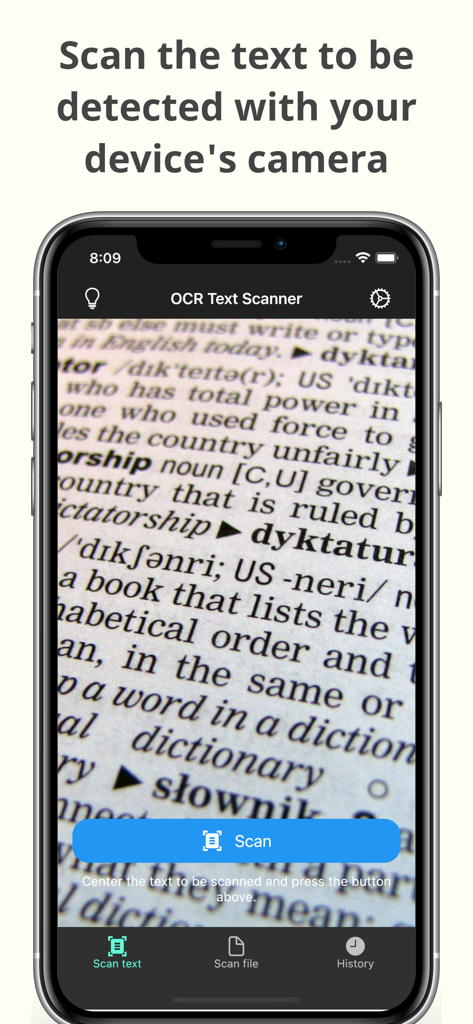
Kamerainterface der OCR Text Scanner App scannt Text von einem Dokument

Kamerainterface der OCR Text Scanner App scannt Text von einem Dokument

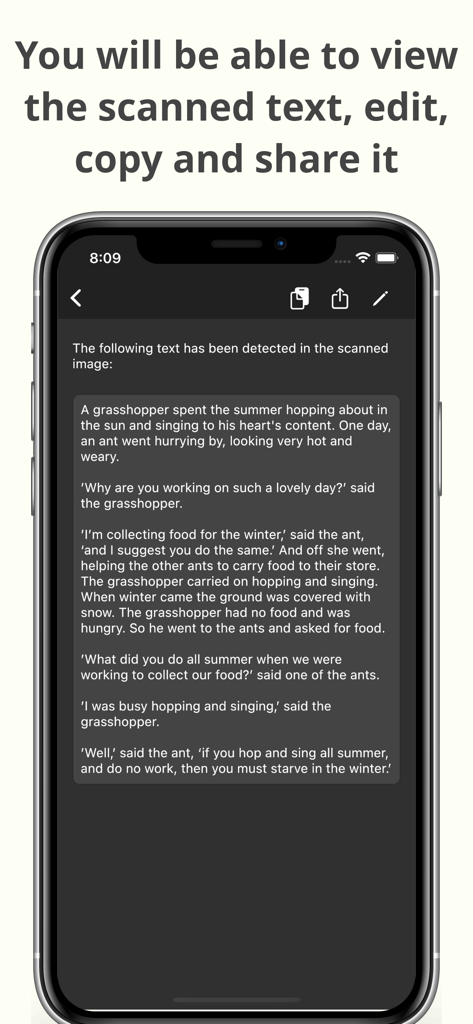
Ein Smartphone zeigt gescannten Text mit Optionen zum Bearbeiten, Kopieren und Teilen innerhalb der OCR Text Scanner App an

Ein Smartphone zeigt gescannten Text mit Optionen zum Bearbeiten, Kopieren und Teilen innerhalb der OCR Text Scanner App an

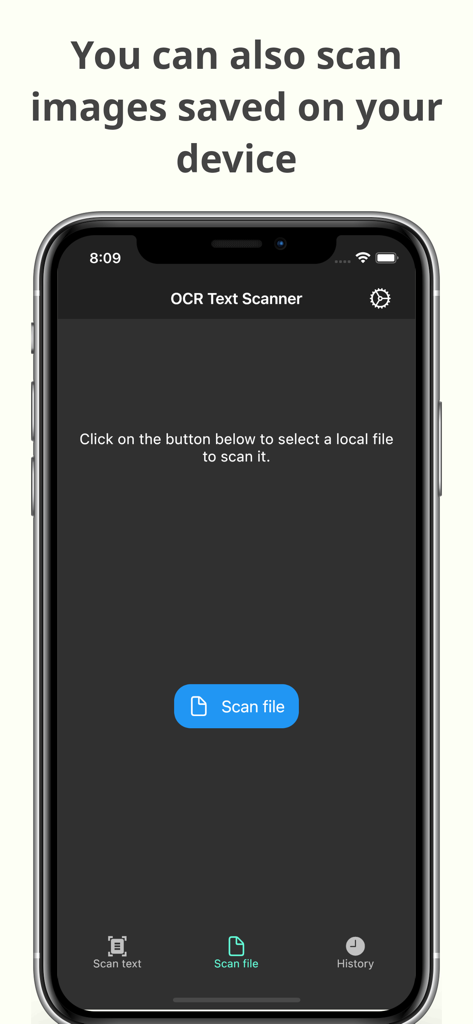
Oberfläche der OCR Text Scanner App zeigt die Funktion zum Scannen von auf dem Gerät gespeicherten Bildern zur Texterkennung an

Oberfläche der OCR Text Scanner App zeigt die Funktion zum Scannen von auf dem Gerät gespeicherten Bildern zur Texterkennung an

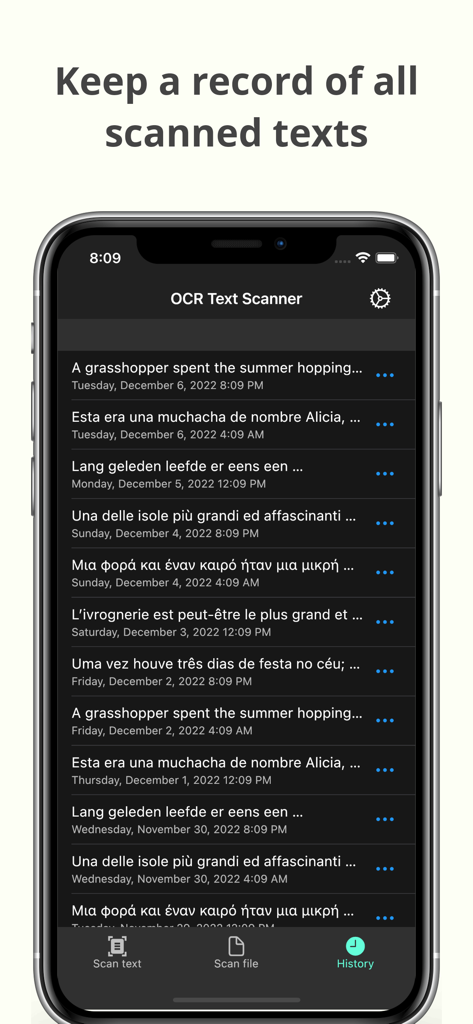
Verlaufsbildschirm der OCR Text Scanner App zeigt eine Liste der aufgezeichneten Textscans mit Daten an

Verlaufsbildschirm der OCR Text Scanner App zeigt eine Liste der aufgezeichneten Textscans mit Daten an

Verwandeln Sie physische Dokumente in digitale Assets

Die Tools, die diese App auszeichnen, gewählt von 1K+ Nutzern.

Sofortige Textextraktion

Machen Sie ein Foto, um Text aus Büchern, Dokumenten oder Whiteboards mit branchenführender Genauigkeit zu extrahieren.

📲

Sofort kopieren & teilen

Verschieben Sie Ihre Daten dorthin, wo Sie sie benötigen. Senden Sie gescannten Text direkt an Ihre E-Mails, Notizen oder Projektmanagement-Tools.

🗂️

Automatisierte Archivierung & PDF

Greifen Sie auf Ihren gesamten Scanverlauf zu und generieren Sie professionelle PDFs für einen übersichtlichen, papierlosen Workflow.

Über die App

Alles, was Sie über wissen müssen OCR Text Scanner – Text reader.

Beschreibung

OCR Text Scanner is an OCR reader (Optical Character Recognition) that will allow you to scan texts from the physical world with your device's camera and convert them to digital format quickly and easily. Features: - Image to text: scan any text with the camera and get its digital representation - You can also scan local images of your device to convert any picture to text - Copy, edit, and share all the texts you have scanned - Convert text scanned with the OCR reader to a PDF file - Review any text previously recognized with the OCR scanner in the History section > How does this application work? To start text scanning, all you have to do is open the application, which by default will open with the camera scanner ready to scan text. From there you just have to point at the text you want to scan and press the “Scan” button. The app will show you a preview of the captured image, at this point you can choose to scan only a fraction of the taken image if you don't want to scan it all. The application will then proceed to perform text recognition and show you the recognized characters, allowing you to go from image to text quickly and easily. > Can I convert an existing picture to text? Of course! To do a photo to text conversion, go to the image scanning section and press the button to choose an image. A selector will open where you can choose which pre-existing image from your device you want to scan. From this point the process is exactly the same as when scanning with the camera: you will be shown a preview of the image where you can choose to scan it all or just a fraction, then the text recognition will start and you will be shown the recognized characters. > What can I do with scanned texts? After using the Text Scanner function to recognize text, it will be displayed on the screen. Here you can edit the recognized text to make any corrections you deem appropriate. You can then copy that text to use it in any other application on your device, as well as share it with other people or applications through the sharing option. Additionally, users who have subscribed to the Premium membership can also automatically convert scanned text into a PDF file. > Is there any type of record of the scanned texts? Yes. All texts that have been scanned with the Text Reader function, regardless of whether they were scanned with your device's camera or by image file recognition, are stored in the History section. Go to this section to see all these texts and click on any of them to see their details, copy it, share it, or export it to a file in PDF format. Here you can also delete texts that you no longer want to keep. In short, OCR Text Scanner is your trusted OCR scanner that will allow you to convert any picture to text that you can capture with your camera or from any image you have, it will allow you to perform all the appropriate actions on them and give you all the power of digitization within your mobile device. Download now to start digitizing text!

Neueste Version

1.15.0

Größe

84.2 MB

Erstveröffentlichung

17. Nov. 2021

Hören Sie auf, abzutippen und fangen Sie noch heute mit der Digitalisierung an

Schließen Sie sich Tausenden von Studenten und Fachleuten an, die Stunden manueller Arbeit sparen. Laden Sie den hochpräzisen OCR-Scanner herunter und verwandeln Sie jedes Dokument in Sekundenschnelle in bearbeitbaren Text.

Herunterladen auf App Store

App information, icons, screenshots, and descriptions displayed on this page are sourced from the Apple App Store and are the property of their respective developers. Download estimates and rankings are based on MWM's proprietary models and may not reflect actual figures. This page is provided for informational and analytical purposes only.

Believe this page infringes your intellectual property? File a dispute