Off - Shutdown and Wake On Lan

Off - Shutdown and Wake On Lan


Herunterladen auf App Store
Logo von Off - Shutdown and Wake On Lan

Off - Shutdown und Wake On Lan: Die Stromversorgung Ihres Computers, gesteuert von Ihrem Handgelenk oder Ihrer Stimme

Fahren Sie Ihren PC und Mac nahtlos von überall herunter, wecken Sie ihn auf oder versetzen Sie ihn in den Ruhezustand. Sparen Sie Energie, automatisieren Sie Ihr Heimbüro mit Siri-Kurzbefehlen und verwalten Sie Ihre Geräte mit einem einzigen Fingertipp.

Herunterladen auf App Store

Herausgeber

BRIDGETECH SOLUTIONS LIMITED

Kategorie

Utilities

Downloads

39K+

Bewertung

4.3/5

Bewertungen gesamt

1K+

Sprachen

8

Ihr Kommandozentrum

Entdecken Sie die Oberfläche, die von 39K+ Nutzern verwendet wird.
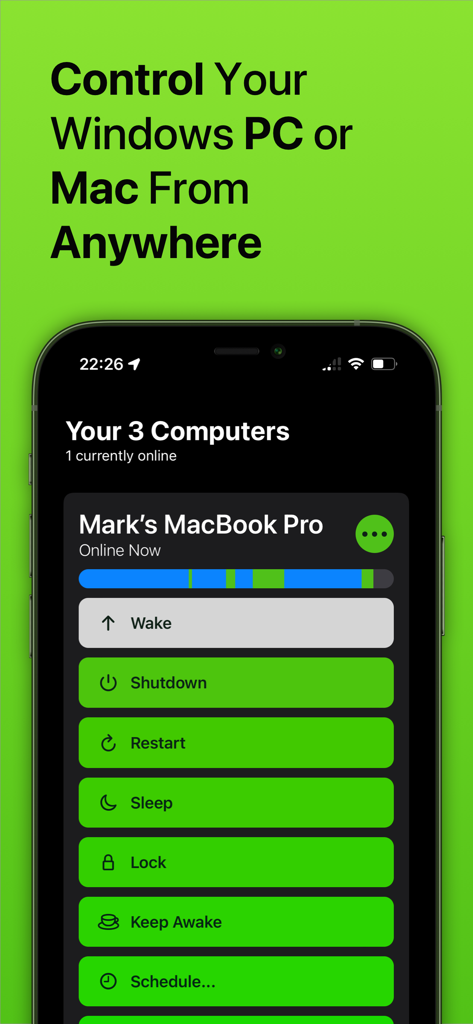
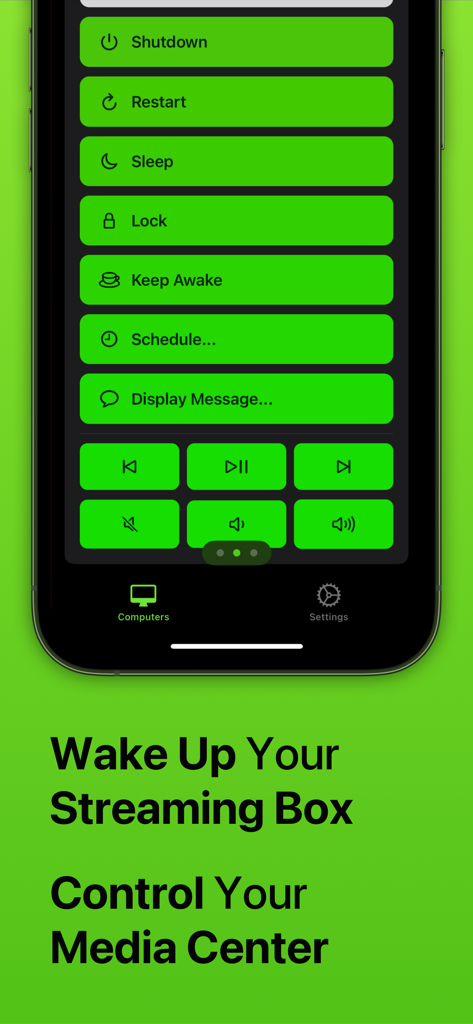
App-Bildschirm für die Fernverwaltung von Computern mit Optionen zum Herunterfahren, Neustart und Ruhezustand.

App-Bildschirm für die Fernverwaltung von Computern mit Optionen zum Herunterfahren, Neustart und Ruhezustand.

Screenshot der Off-App, der Fernbedienungsknöpfe zum Herunterfahren, Neustarten, Ruhezustand und zur Medienwiedergabesteuerung auf einem Smartphone zeigt.

Screenshot der Off-App, der Fernbedienungsknöpfe zum Herunterfahren, Neustarten, Ruhezustand und zur Medienwiedergabesteuerung auf einem Smartphone zeigt.

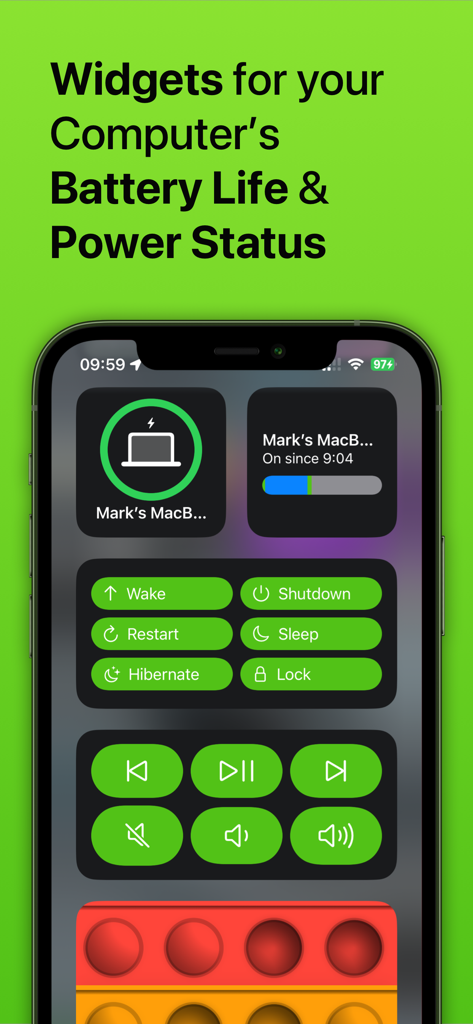
iPhone-Bildschirm mit Widgets für den Computer-Stromstatus und Fernbedienungsknöpfen.

iPhone-Bildschirm mit Widgets für den Computer-Stromstatus und Fernbedienungsknöpfen.

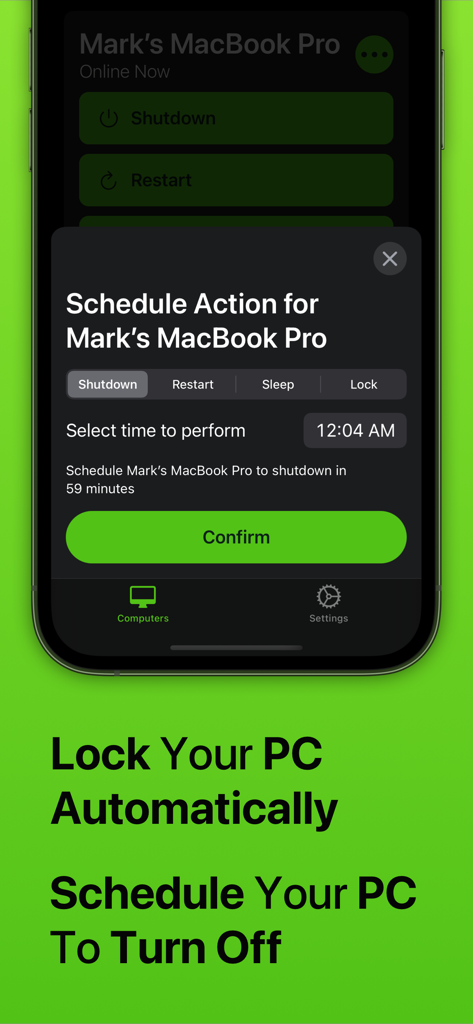
Off-App-Oberfläche auf dem iPhone, die das Menü für die Zeitplanaktion zeigt, um einen Mac automatisch herunterzufahren oder zu sperren.

Off-App-Oberfläche auf dem iPhone, die das Menü für die Zeitplanaktion zeigt, um einen Mac automatisch herunterzufahren oder zu sperren.

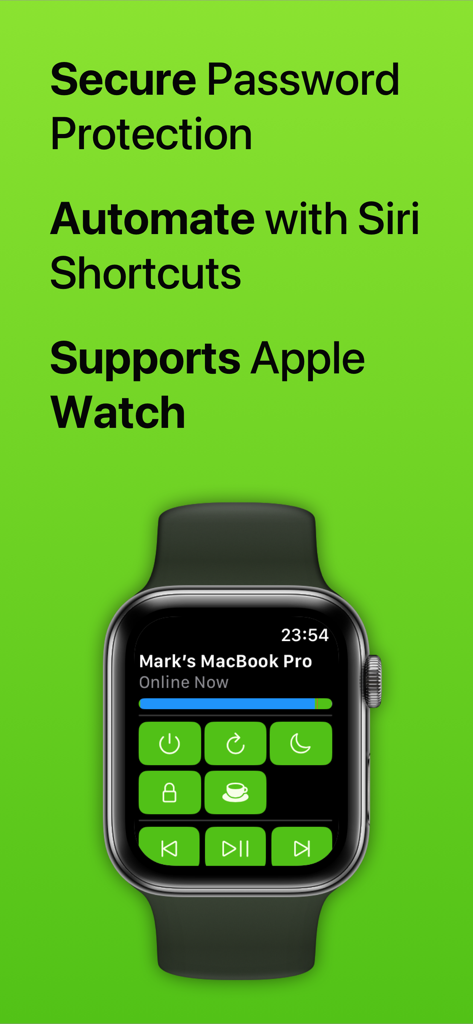
Off-App-Oberfläche auf einer Apple Watch, die Fernbedienungen für ein MacBook Pro anzeigt.

Off-App-Oberfläche auf einer Apple Watch, die Fernbedienungen für ein MacBook Pro anzeigt.

Beherrschen Sie Ihren Arbeitsplatz mit vollständiger Fernsteuerung

Die Tools, die diese App auszeichnen, gewählt von 39K+ Nutzern.

🪄

Sprachgesteuerte Automatisierung

Integrieren Sie nahtlos Siri und die Kurzbefehle-App, um leistungsstarke Routinen zu erstellen. Fahren Sie Ihr Büro herunter und sperren Sie Ihren PC mit einem einzigen benutzerdefinierten Sprachbefehl, wenn Sie das Haus verlassen.

Verwaltung vom Handgelenk aus

Sie müssen nicht vom Sofa aufstehen oder zu Ihrem Schreibtisch gehen. Wecken Sie Ihren Mac oder PC auf, versetzen Sie ihn in den Ruhezustand oder starten Sie ihn direkt von Ihrer Apple Watch neu. Das bietet ultimativen Komfort für Ihre Medien-Einrichtung.

Intelligente Energie & Zeitplan

Senken Sie Ihre Stromrechnungen und verwalten Sie die Bildschirmzeit Ihrer Familie ganz einfach. Planen Sie automatische Abschaltungen, um sicherzustellen, dass Ihr stromhungriger Gaming-PC nicht die ganze Nacht im Leerlauf läuft.

Über die App

Alles, was Sie über wissen müssen Off - Shutdown and Wake On Lan.

Beschreibung

With Off, you can control your computers remotely, from anywhere in the world. Off has several commands it can trigger on your computers, including: - Shutdown - Restart - Sleep - Lock - Wake Up (WOL) - Display Message - Keep Awake It works with any Windows PC, Mac or Linux PC. It doesn’t require any complex setup or configuration; anyone can use it. Off is integrated into Siri. You can create voice commands like "Hey Siri, switch off my computer" or "Hey Siri, wake up my Mac". Off is fully compatible with Apple's Shortcuts app. With this, you can design your own automation routines that combine Off's ability to control your computers with any other action available through Shortcuts. For example, you could create a 'Finished Work' routine that turns off your office lights and shuts down your computer at the same time. If you've got kids, you can use Off to limit how long they're spending on their computers. Use the app to schedule their computer to automatically turn off when it's time for bed. Off comes with an Apple Watch app. With just a tap on your wrist, you can control the computers in your home. With Off, you’ll be able to save money on your electricity because it’ll be effortless to shut down your power-hungry machines. If you stream media from your computer to your iPhone or iPad, Off is invaluable as it allows you to fix problems by restarting without even getting up. You can set your computer to shut down at a scheduled time if you’re watching something in bed and don’t want your computer to be left on all night. Off is secure, if you want to set a password to stop unwanted access you can. Off requires the Off Helper application to be installed on any computer you wish to control. This is available to download for free from www.bridgetech.io Off is compatible with: Windows Vista (32bit and 64bit) Windows 8 (32bit and 64bit) Windows 10 (32bit and 64bit) Windows 11 macOS 10.14 (Mojave) macOS 10.15 (Catalina) macOS 11 (Big Sur) macOS 12 (Monterey) macOS 13 (Ventura) macOS 14 (Sonoma) Ubuntu Raspbian Full Terms and Conditions: http://bit.ly/2KylV0Y Follow me on Twitter for the latest promotions, news and updates. @MarkBridgesApps

Neueste Version

3.39

Größe

57.9 MB

Erstveröffentlichung

4. Juni 2012

Bereit, Ihren Arbeitsplatz zu beherrschen?

Schließen Sie sich Tausenden von Benutzern an, die ihre Computer mit nur einem Fingertipp oder einem Siri-Befehl steuern. Sparen Sie Energie und gewinnen Sie noch heute absolute Sicherheit.

Herunterladen auf App Store

App information, icons, screenshots, and descriptions displayed on this page are sourced from the Apple App Store and are the property of their respective developers. Download estimates and rankings are based on MWM's proprietary models and may not reflect actual figures. This page is provided for informational and analytical purposes only.

Believe this page infringes your intellectual property? File a dispute