PDF Converter - To Word, Excel

PDF Converter - To Word, Excel

Herunterladen auf App Store
Logo von PDF Converter - To Word, Excel

PDF Konverter - Nach Word, Excel: Ihre professionelle All-in-One-Dokumenten-Suite

Konvertieren, zusammenführen und schützen Sie Ihre Dateien sofort mit verlustfreier Präzision. Entwickelt für vielbeschäftigte Profis und Studenten, die unterwegs hochwertige PDF-Bearbeitung und -Verwaltung benötigen.

Herunterladen auf App Store

Herausgeber

鑫 王

Kategorie

Utilities

Downloads

100

Bewertung

1.0/5

Bewertungen gesamt

0

Sprachen

40

Effizienz in Aktion

Entdecken Sie die Oberfläche, die von 100 Nutzern verwendet wird.
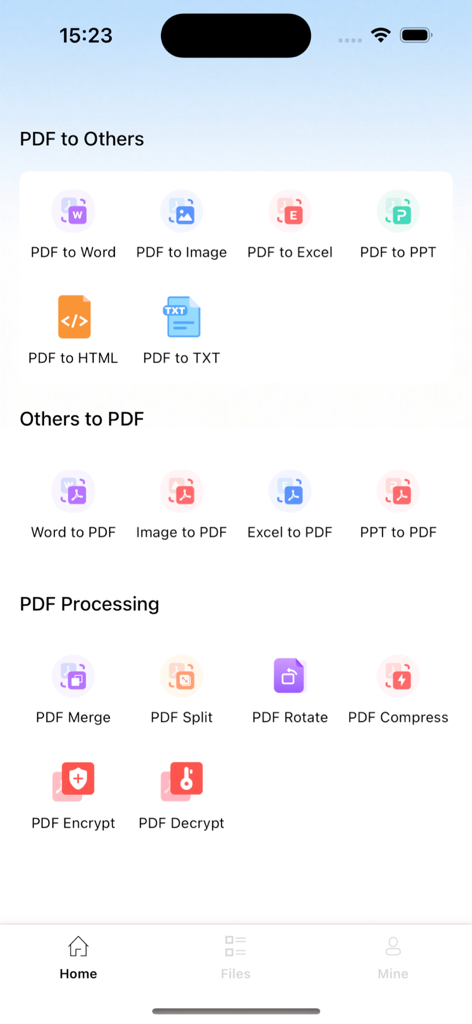
Startbildschirm der PDF Converter App mit Werkzeugen zur Dokumentenkonvertierung und PDF-Verarbeitung

Startbildschirm der PDF Converter App mit Werkzeugen zur Dokumentenkonvertierung und PDF-Verarbeitung

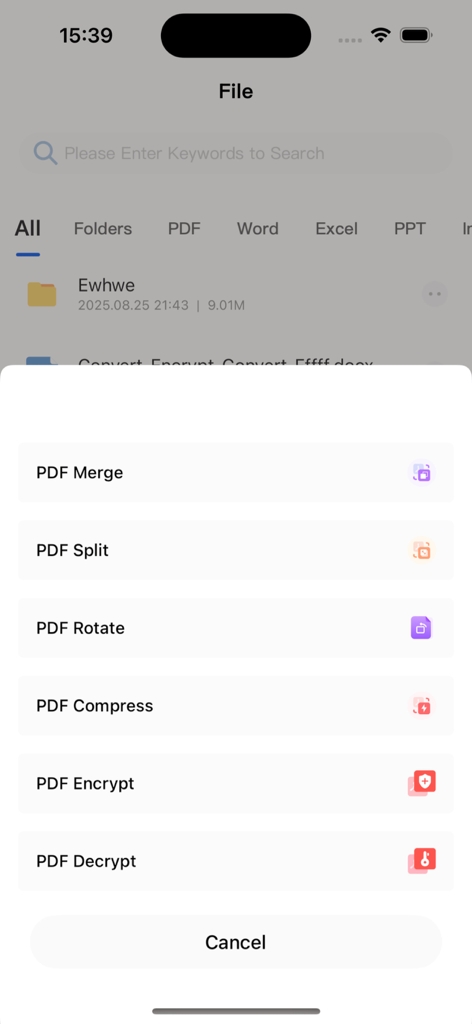
Oberfläche der mobilen App mit einer Liste von PDF-Bearbeitungswerkzeugen, einschließlich Zusammenführen, Aufteilen, Drehen, Komprimieren und Verschlüsseln

Oberfläche der mobilen App mit einer Liste von PDF-Bearbeitungswerkzeugen, einschließlich Zusammenführen, Aufteilen, Drehen, Komprimieren und Verschlüsseln

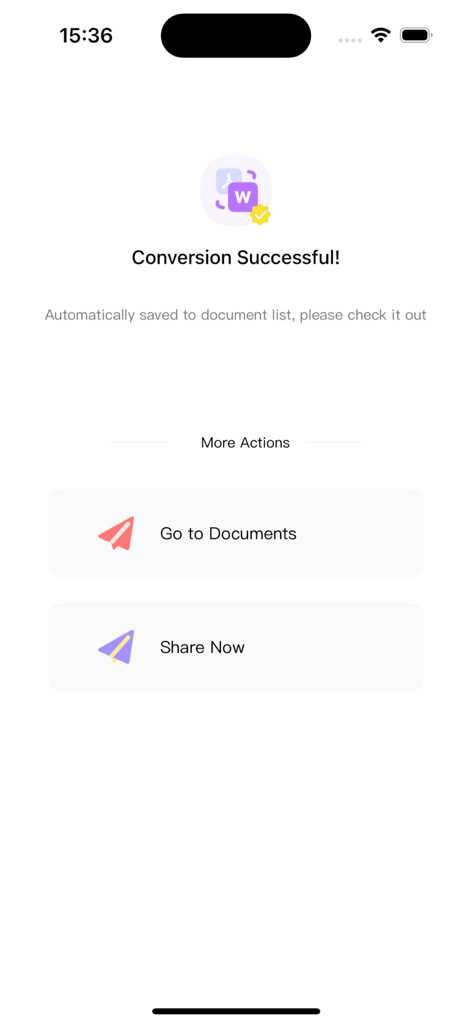
Bildschirm der mobilen App, der eine erfolgreiche PDF-zu-Word-Konvertierung mit Schaltflächen zur Anzeige von Dokumenten oder zum Teilen der Datei zeigt.

Bildschirm der mobilen App, der eine erfolgreiche PDF-zu-Word-Konvertierung mit Schaltflächen zur Anzeige von Dokumenten oder zum Teilen der Datei zeigt.

Alles, was Ihr PDF braucht

Die Tools, die diese App auszeichnen, gewählt von 100 Nutzern.

Perfekte Formatkonvertierung

Verwandeln Sie PDFs in bearbeitbare Word-, Excel- oder PPT-Dateien, wobei jede Schriftart, jedes Layout und jede Tabelle perfekt erhalten bleibt.

📎

Nahtloses Zusammenführen & Aufteilen

Kombinieren Sie mehrere Verträge oder extrahieren Sie bestimmte Seiten in Sekundenschnelle. Totale Kontrolle über Ihre Dokumentenstruktur unterwegs.

🔒

Sicherheit auf Unternehmensebene

Schützen Sie sensible Daten mit Passwortverschlüsselung und verwalten Sie Ihre wichtigsten Dateien sicher direkt auf Ihrem Gerät.

Über die App

Alles, was Sie über wissen müssen PDF Converter - To Word, Excel.

Beschreibung

# PDF Conversion Assistant: An All-in-One PDF Tool for Creation, Conversion, and Viewing Whether you need to organize files at work, browse materials for study, or handle daily format conversion tasks, PDF Conversion Assistant solves all PDF processing challenges with its "comprehensive features + simple operation" advantage. It simplifies complex operations and significantly boosts efficiency. ## I. Core Features: Meeting All PDF Needs ### 1. Flexible PDF Creation & Easy Document Structure Management - **Lossless Merging**: Efficiently combine multiple PDF files while preserving the original format and content, no need to switch between files repeatedly. - **Custom Splitting**: Split single or multiple PDFs by custom page numbers or ranges to accurately extract key pages and remove redundant content. - **Free Rotation**: Adjust the angle of any pages in a single PDF to fix page orientation issues caused by scanning or exporting. - **Security Encryption/Decryption**: Encrypt sensitive PDF documents for protection, or decrypt authorized files—balancing security and usability. ### 2. Accurate Format Conversion & Lossless Content Reuse Supports bidirectional conversion between PDF and Word, Excel, PPT, HTML, TXT, and images. Whether you extract PDF content for further editing or export files in other formats to standard PDFs, it strictly retains the original layout, fonts, and table styles—ensuring lossless content and unchanged formatting with no need for post-adjustments. ### 3. Smooth PDF Viewing & Convenient Multi-Channel Import Directly import PDFs from WeChat, QQ, or local phone storage—no tedious navigation, just one tap to open. It supports page zooming, rotation, and fast flipping, adapting to different screen sizes for smooth browsing even of large files, meeting your on-the-go viewing needs. ## II. 3 Reasons to Choose Us - **All-in-One Integration**: Combines core features of creation, conversion, and viewing. No need to download multiple tools—one app handles all your PDF management needs. ## III. Subscription Service Details 1. **Subscription Types**: Offers 4 continuous subscription plans—weekly, monthly, quarterly, and annual—allowing flexible choices for short-term trials or long-term use. 2. **Subscription Prices**: Continuous weekly: ¥15/week; continuous monthly: ¥38/month; continuous quarterly: ¥88/quarter; continuous annual: ¥198/year (long-term plans offer better value). 3. **Payment Rules**: After confirming the purchase, the fee will be deducted from the bound iTunes account. Apple’s iTunes account will automatically deduct the fee 24 hours before the subscription expires; upon successful deduction, the subscription period will be automatically extended by one cycle. 4. **Cancellation Method**: To cancel the subscription, go to "Settings" on your Apple phone → select "iTunes Store & App Store" → tap "Apple ID" → choose "View Apple ID" → access the "Account Settings" page → tap "Subscriptions" → select the corresponding service to cancel. **Important Note**: If auto-renewal is not turned off 24 hours before the end of the current subscription period, the subscription will be automatically renewed and trigger the next cycle’s fee deduction. ## IV. Relevant Agreements - Privacy Policy: https://docs.qq.com/doc/p/1a97492bc7826c34d507ee9fc3041a4ba8a83535?u=a8355287884a403b87ae1d0d2597c204&nlc=1 - User Terms: https://docs.qq.com/doc/p/d4a3ee6f2a77316a99c7406a02eaf5ecf6de21b5?u=a8355287884a403b87ae1d0d2597c204&nlc=1 - Subscription Agreement: https://docs.qq.com/doc/p/48cf46ffd5d58cac843ec81dfbb23fb70f602619?u=a8355287884a403b87ae1d0d2597c204&nlc=1 Download PDF Conversion Assistant now to make PDF processing efficient and simple!

Neueste Version

1.1.4

Größe

24.1 MB

Erstveröffentlichung

29. Aug. 2025

Sind Sie bereit, Ihren Dokumenten-Workflow zu vereinfachen?

Schließen Sie sich Tausenden von Profis und Studenten an, die dem PDF Conversion Assistant für verlustfreie, sichere und sofortige Dokumentenverwaltung unterwegs vertrauen.

Herunterladen auf App Store

App information, icons, screenshots, and descriptions displayed on this page are sourced from the Apple App Store and are the property of their respective developers. Download estimates and rankings are based on MWM's proprietary models and may not reflect actual figures. This page is provided for informational and analytical purposes only.

Believe this page infringes your intellectual property? File a dispute