PDF Library eBook Reader

PDF Library eBook Reader


Herunterladen auf App Store
Logo von PDF Library eBook Reader

PDF Library eBook Reader: Das ultimative digitale Bücherregal für Studenten und Berufstätige

Verwandeln Sie Ihre verstreuten Dokumente in eine wunderschön organisierte Bibliothek. Synchronisieren Sie nahtlos Ihre Forschung, Lehrbücher und Handbücher über Mac, iPad und iPhone mit einem ablenkungsfreien, abonnementfreien Leseerlebnis.

Herausgeber

Verbia Systems (Pty) Ltd

Kategorie

Books

Downloads

5K+

Bewertung

4.3/5

Bewertungen gesamt

0

Sprachen

6

Ihr digitales Bücherregal, neu definiert

Entdecken Sie die Oberfläche, die von 5K+ Nutzern verwendet wird.
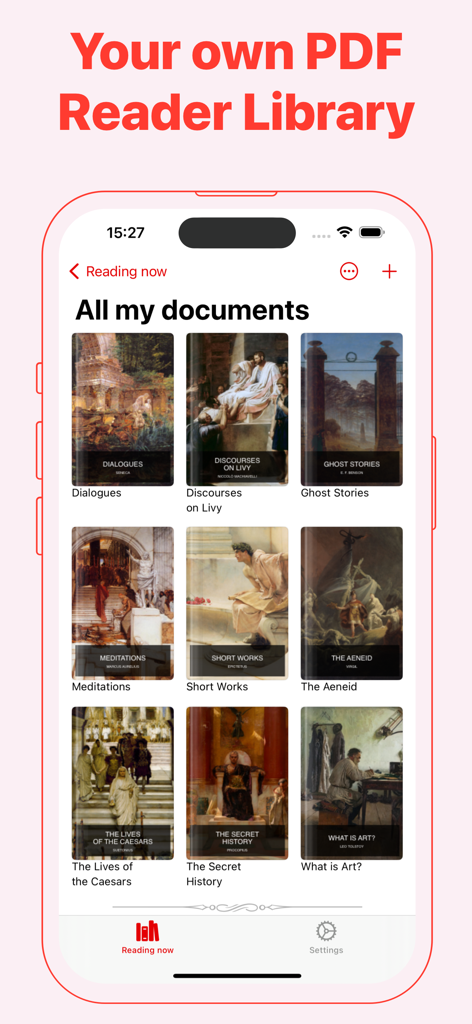
Hauptoberfläche der PDF Library App, die ein Raster von eBook-Covern auf einem iPhone zeigt.

Hauptoberfläche der PDF Library App, die ein Raster von eBook-Covern auf einem iPhone zeigt.

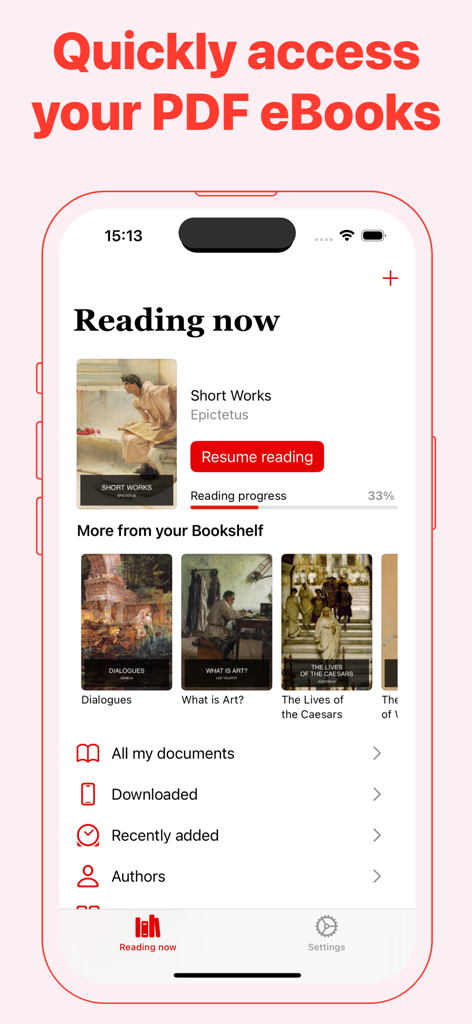
Benutzeroberfläche der PDF Library App auf dem iPhone, die den aktuellen Lesefortschritt und ein eBook-Bücherregal zeigt.

Benutzeroberfläche der PDF Library App auf dem iPhone, die den aktuellen Lesefortschritt und ein eBook-Bücherregal zeigt.

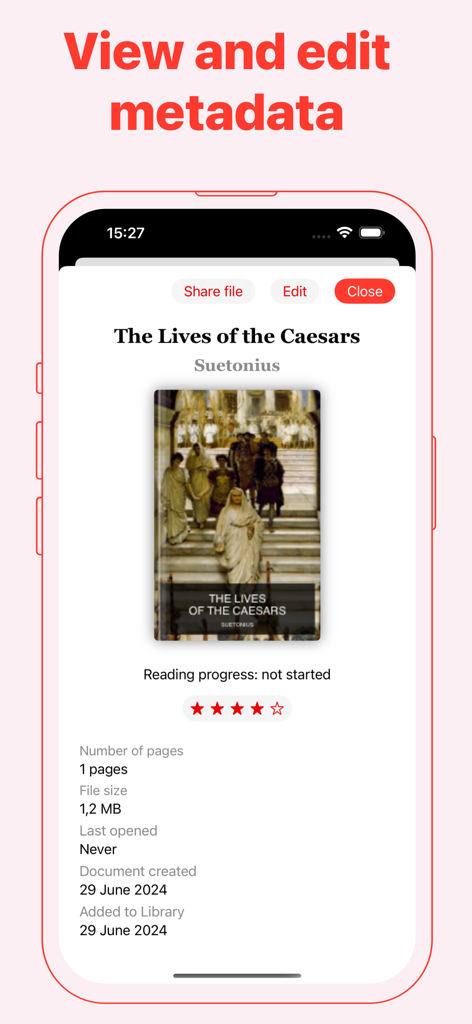
Smartphone-Display, das eBook-Metadaten anzeigt, einschließlich Titel, Autor und Dateidetails in der PDF Library App.

Smartphone-Display, das eBook-Metadaten anzeigt, einschließlich Titel, Autor und Dateidetails in der PDF Library App.

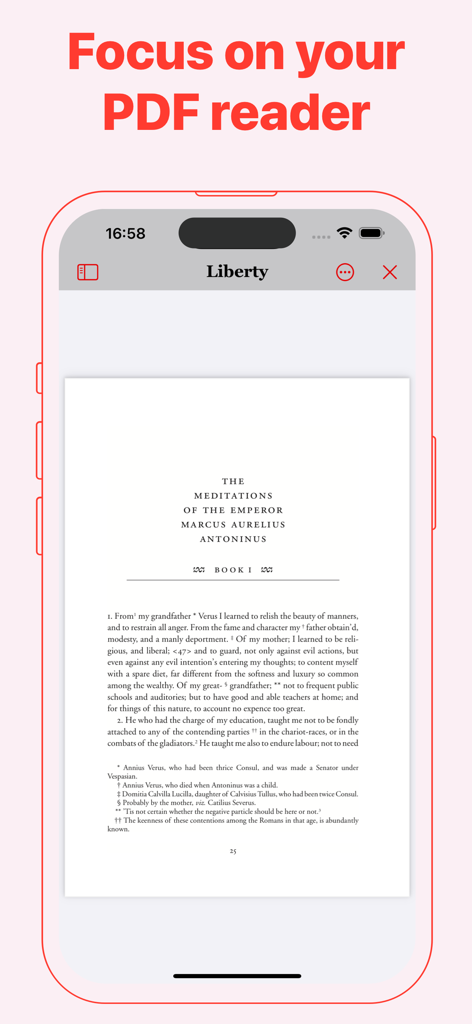
PDF Library App-Oberfläche, die einen eBook-Reader-Modus auf einem iPhone zeigt.

PDF Library App-Oberfläche, die einen eBook-Reader-Modus auf einem iPhone zeigt.

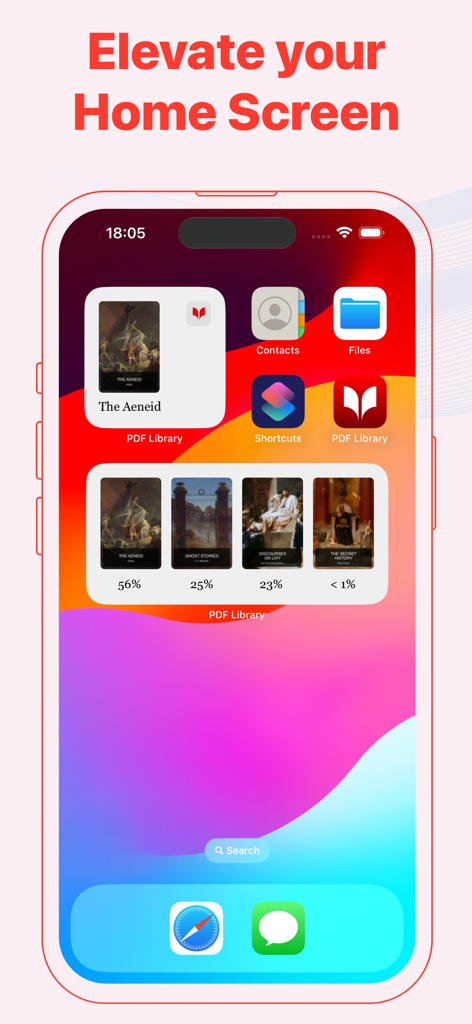
PDF Library App-Widgets auf dem Startbildschirm eines iPhone, die Buchcover und Lesefortschrittsprozentsätze anzeigen.

PDF Library App-Widgets auf dem Startbildschirm eines iPhone, die Buchcover und Lesefortschrittsprozentsätze anzeigen.

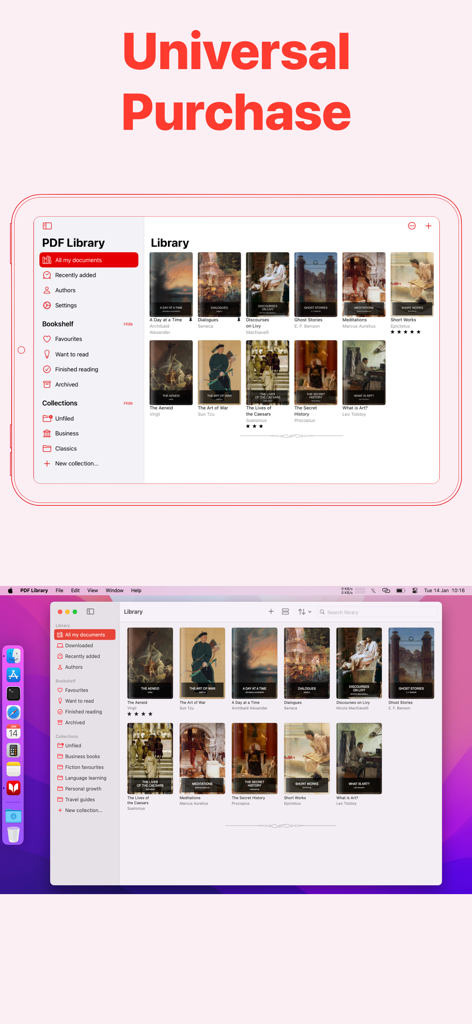
PDF Library eBook Reader-Oberfläche auf iPad und Mac, die den universellen Kauf und die geräteübergreifende Synchronisierung hervorhebt.

PDF Library eBook Reader-Oberfläche auf iPad und Mac, die den universellen Kauf und die geräteübergreifende Synchronisierung hervorhebt.

Optimieren Sie Ihren Lese-Workflow

Die Tools, die diese App auszeichnen, gewählt von 5K+ Nutzern.

🔄

Nahtlose Synchronisierung mit dem Apple-Ökosystem

Beginnen Sie auf Ihrem Mac, kommentieren Sie auf Ihrem iPad und referenzieren Sie auf Ihrem iPhone mit sofortiger, sicherer iCloud-Synchronisierung.

📚

Professionelle Bibliothekspflege

Beseitigen Sie digitale Unordnung, indem Sie Forschungsarbeiten und Lehrbücher in benutzerdefinierten Sammlungen mit personalisierten Cover-Art organisieren.

👁️

Optimiert für Leseausdauer

Minimieren Sie die Augenbelastung bei langen Lernsitzungen mit dem Sepia-Modus und dem automatischen Speichern des Fortschritts, der sich genau merkt, wo Sie aufgehört haben.

Über die App

Alles, was Sie über wissen müssen PDF Library eBook Reader.

Beschreibung

Read, Organize, and Sync Your PDF eBooks Effortlessly PDF Library is the ultimate solution for reading long-form PDF documents and eBooks. Seamlessly manage, organize, and sync your PDF collection across all your devices, ensuring you have easy access wherever you are. Key Features: - Flexible Display Options: View your documents as customizable cards or a streamlined list in your Library. - Pin Your Favorites: Keep important PDFs at the top of your Library for quick access. - Dark Mode: Enjoy comfortable reading with less eye strain, day or night. - Custom App Icons: Personalize your home screen with unique app icons. - iCloud Sync: Securely sync your entire PDF Library across iPhone, iPad and Mac. - Home Screen Widgets: Instantly access recent PDFs right from your home screen. PDF Reader Features: - Auto-Save Reading Progress: Your place is saved automatically, so you’ll never lose track of where you left off. - Flexible Reading Modes: Read in Single-Page or Continuous mode, with both horizontal and vertical scrolling options. - Sepia Reading Mode: Reduce eye strain with a warm, soft color filter that provides a gentler reading experience. - Easy Navigation: Use the built-in Table of Contents for quick jumps to sections within any document. Organize Your PDF Library: - Track Reading Status: Mark PDFs as "Read Next", "Finished", or add them to your Favourites list for easy access. - Archive Documents: Clear up your Library by moving completed or inactive PDFs to the Archive. PDF Library Pro – Unlock Advanced Features: Enjoy PDF Library free with no limits on the number of PDFs you can store. Upgrade to PDF Library Pro with a one-time purchase to enhance your reading experience and support independent app development. Pro Features Include: - Organize into Collections: Create personalized Collections to group and sort your PDFs. - Edit Titles & Authors: Customize your Library’s display by editing document titles and authors. - Change Cover Art: Update the cover images of your PDFs for better organization and visual appeal. PDF Library Pro supports Family Sharing – so you can share these advanced features with your family members at no extra cost! PDF Library is perfect for students, researchers, and professionals. Whether you're at uni, working on university papers, or diving into educational ebooks and scientific research, PDF Library makes reading and managing your documents effortless. With features designed to streamline your workflow, it's ideal for organizing class notes, research papers, and ebooks for study or work. Privacy Policy: https://verbia.com/privacy Terms of Use: https://verbia.com/terms

Neueste Version

2025.4

Größe

5.2 MB

Erstveröffentlichung

21. Juli 2024

Erstellen Sie Ihr ultimatives digitales Bücherregal

Synchronisieren Sie nahtlos Ihre Forschung, Lehrbücher und professionellen Dokumente auf iPhone, iPad und Mac. Beginnen Sie noch heute kostenlos mit der Organisation.

Herunterladen auf App Store

App information, icons, screenshots, and descriptions displayed on this page are sourced from the Apple App Store and are the property of their respective developers. Download estimates and rankings are based on MWM's proprietary models and may not reflect actual figures. This page is provided for informational and analytical purposes only.

Believe this page infringes your intellectual property? File a dispute