PDF to Pages by PDF2Office

PDF to Pages by PDF2Office

Herunterladen auf App Store
Logo von PDF to Pages by PDF2Office

PDF to Pages von PDF2Office: Verwandeln Sie statische PDFs in voll bearbeitbare Pages-Dokumente

Hören Sie auf, abzutippen und fangen Sie an zu bearbeiten. Bewahren Sie Layouts, Stile und Tabellen mit professioneller Präzision direkt auf Ihrem iPhone. Konvertieren Sie ganze Dateien oder bestimmte Bereiche und synchronisieren Sie nahtlos mit iCloud, Dropbox und Google Drive.

Herausgeber

Recosoft Corporation

Kategorie

Productivity

Downloads

32K+

Bewertung

1.0/5

Bewertungen gesamt

0

Sprachen

5

Präzision in Aktion

Entdecken Sie die Oberfläche, die von 32K+ Nutzern verwendet wird.
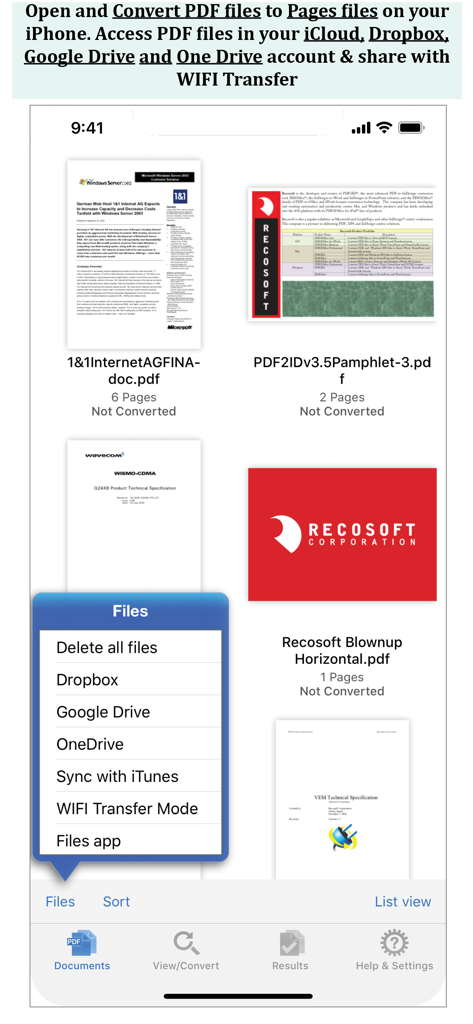
Bildschirm der iPhone-App mit einer Liste von PDF-Dateien und einem Menü mit Optionen für Dropbox, Google Drive und OneDrive.

Bildschirm der iPhone-App mit einer Liste von PDF-Dateien und einem Menü mit Optionen für Dropbox, Google Drive und OneDrive.

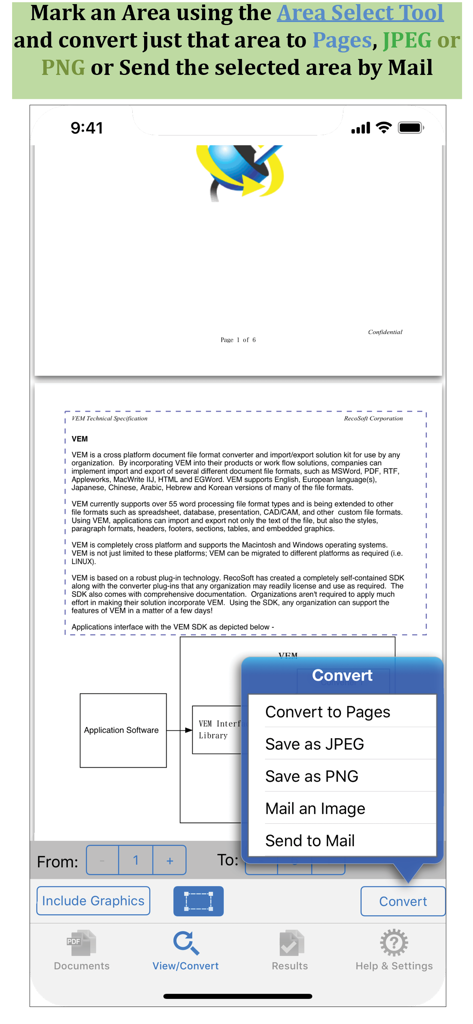
Screenshot der PDF to Pages-App, der das Werkzeug zur Bereichsauswahl für die Konvertierung bestimmter Dokumentabschnitte zeigt

Screenshot der PDF to Pages-App, der das Werkzeug zur Bereichsauswahl für die Konvertierung bestimmter Dokumentabschnitte zeigt

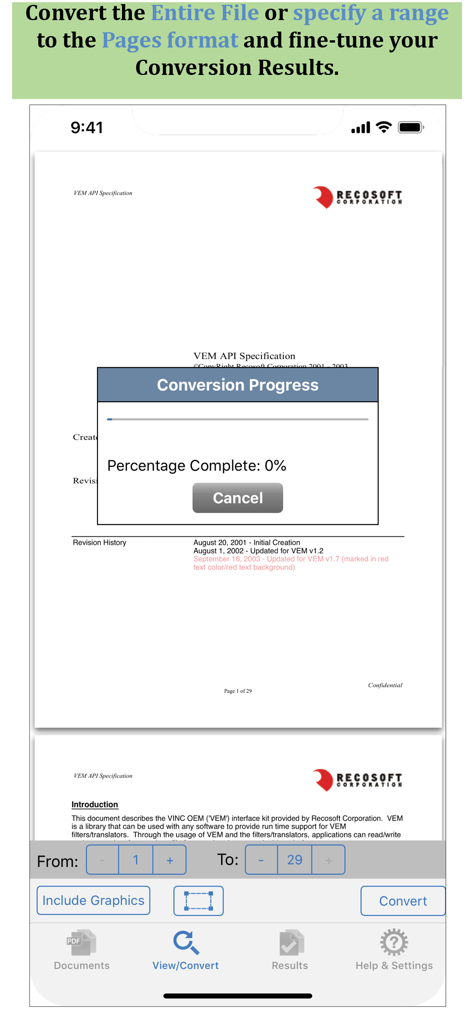
Oberfläche der PDF to Pages-App, die ein Fenster für den Konvertierungsfortschritt und Optionen zur Auswahl des Seitenbereichs anzeigt

Oberfläche der PDF to Pages-App, die ein Fenster für den Konvertierungsfortschritt und Optionen zur Auswahl des Seitenbereichs anzeigt

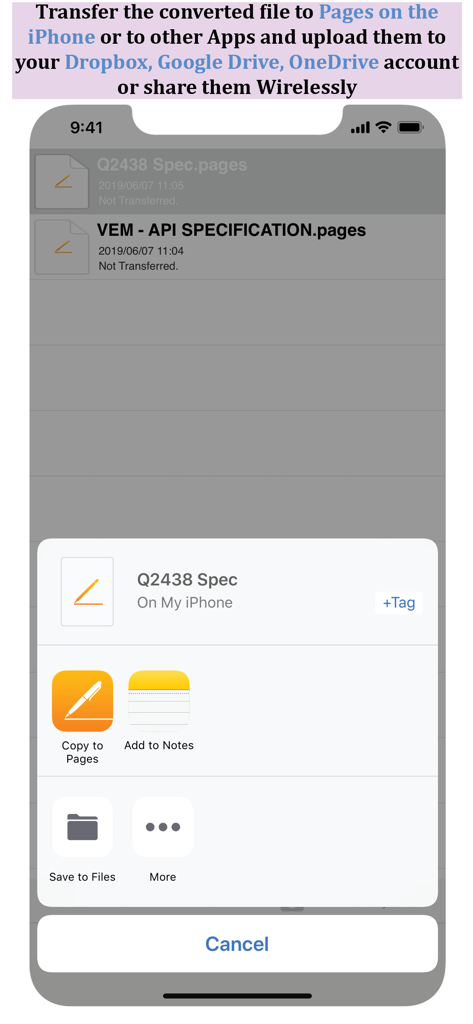
Freigabeblatt, das Optionen zum Kopieren konvertierter Dateien nach Pages oder zum Speichern in Cloud-Speichern auf dem iPhone anzeigt

Freigabeblatt, das Optionen zum Kopieren konvertierter Dateien nach Pages oder zum Speichern in Cloud-Speichern auf dem iPhone anzeigt

Verwandeln Sie statische PDFs in dynamische Pages-Dokumente

Die Tools, die diese App auszeichnen, gewählt von 32K+ Nutzern.

📄

Hohe Treue der Layout-Beibehaltung

Behalten Sie Ihre Absätze, Tabellen und Stile perfekt bei. Überspringen Sie die Neuformatierung und beginnen Sie sofort mit der Bearbeitung in Pages.

🎯

Präzise Bereichsauswahl

Konvertieren Sie nur, was Sie brauchen. Wählen Sie bestimmte Abschnitte aus, um sie als bearbeitbaren Text oder Bilder für schnelles Teilen und Wiederverwenden zu extrahieren.

☁️

Nahtlose Workflow-Integration

Verbinden Sie sich mit Dropbox, Google Drive oder nutzen Sie die WLAN-Übertragung, um Ihre Dokumente mühelos in Ihrem Apple-Ökosystem zu synchronisieren.

Über die App

Alles, was Sie über wissen müssen PDF to Pages by PDF2Office.

Beschreibung

PDF to Pages by PDF2Office converts your PDF to editable Pages files on your iPhone. Convert PDF to Pages documents instantly with a simple tap. Convert the entire document, range of pages or select and mark specific areas in a page to convert using the Area Select tool and have it editable on your iPhone! PDF to Pages converts PDF files to fully editable Pages files by recreating the intended construction and layout of the document. PDF to Pages forms paragraphs; applies styles; re-groups independent graphic elements; extracts images and creates tables automatically. PDF to Pages also provides detailed options for fine-tuning the conversion process. Every page in a PDF file is converted to an equivalent page in the resulting Pages document. PDF to Pages comes with a fully integrated PDF viewer allowing you to view the file you want to convert. Features * Convert PDFs to editable Pages files * Read PDF Files using the integrated PDF viewer. * Mark just the area within a page to convert. You can convert just the marked area to Pages, JPEG or PNG types * Select an area and have the contents embedded into a new Mail automatically. * Cloud services integration allows you to transfer files between your Dropbox/OneDrive/GoogleDrive account * Use WIFI transfer mode to transfer files between your computer and iPhone * Use standard Pinch in/Pinch Out to change the viewing magnification * Use the all in 1 interface to Convert and View PDF files. * The converted result is easily editable in Pages * Transfer your converted files to any other software on the iPhone that can accept Pages files. * Convert the entire file or a range of pages only Recosoft is the developer of PDF2Office the de-facto PDF conversion software for the Mac and iPad; PDF2ID the PDF-to-InDesign converter and ID2Office, the InDesign to Word/PowerPoint tool. Refer to our web site to view the entire desktop line of products that we are now bringing to the iOS. Note: PDF to Pages by PDF2Office does not perform Optical Character Recognition. An image in a PDF file is treated as an image.

Neueste Version

1.7.5

Größe

57.8 MB

Erstveröffentlichung

13. Dez. 2013

Verwandeln Sie Ihre PDFs in bearbeitbare Pages-Dokumente

Hören Sie auf, abzutippen und fangen Sie an zu bearbeiten. Schließen Sie sich über 32.000 Fachleuten an, die PDF2Office nutzen, um ihren mobilen Workflow präzise und einfach aufrechtzuerhalten.

Herunterladen auf App Store

App information, icons, screenshots, and descriptions displayed on this page are sourced from the Apple App Store and are the property of their respective developers. Download estimates and rankings are based on MWM's proprietary models and may not reflect actual figures. This page is provided for informational and analytical purposes only.

Believe this page infringes your intellectual property? File a dispute