PDFOptim

PDFOptim

Herunterladen auf App Store
Logo von PDFOptim

PDFOptim: Professionelle PDF-Komprimierung für Ihren mobilen Workflow

Verkleinern Sie große Dokumente für E-Mails und Portale, ohne Kompromisse bei der Qualität einzugehen. Erleben Sie Optimierung in Desktop-Qualität und 100% private, lokale Verarbeitung auf Ihrem iPhone und iPad.

Herunterladen auf App Store

Herausgeber

RootRise Technologies Private Limited

Kategorie

Productivity

Downloads

140K+

Bewertung

5.0/5

Bewertungen gesamt

0

Sprachen

1

Effizienz auf einen Blick

Entdecken Sie die Oberfläche, die von 140K+ Nutzern verwendet wird.
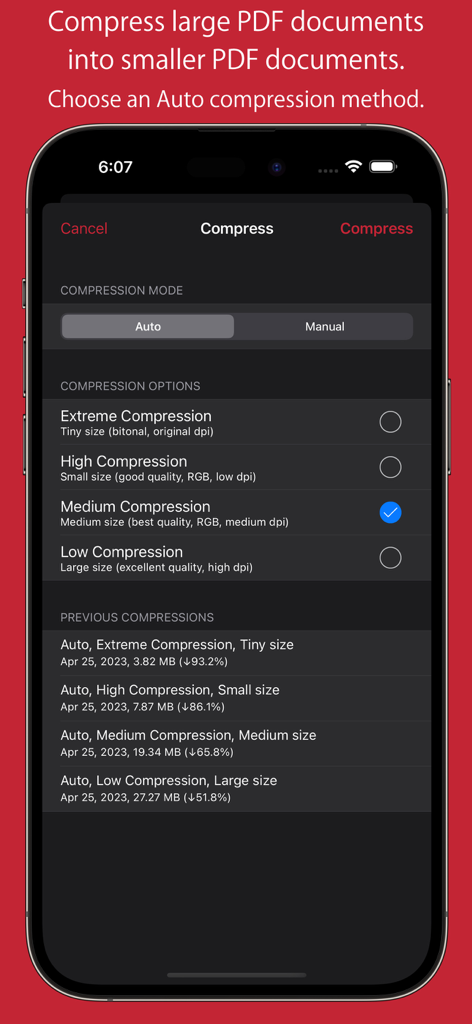
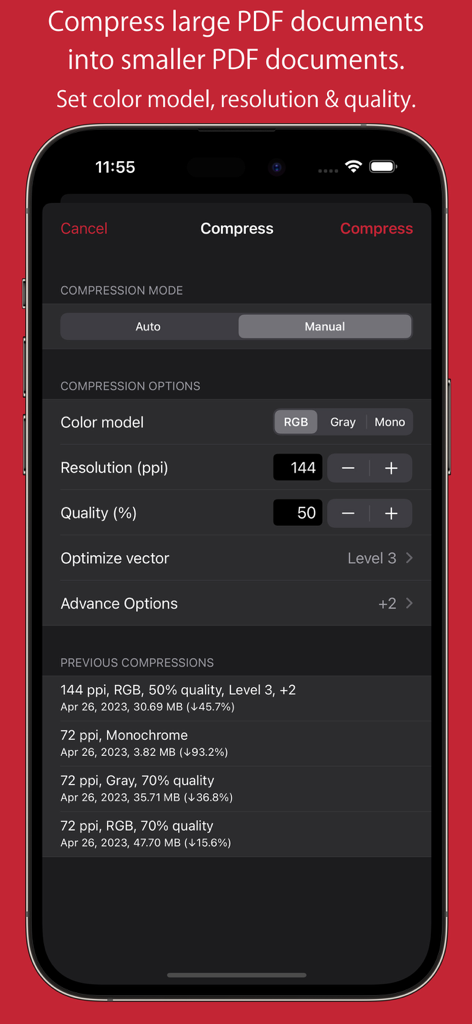
PDFOptim App-Oberfläche, die automatische Komprimierungsoptionen und vorherige Komprimierungsergebnisse auf einem iPhone zeigt.

PDFOptim App-Oberfläche, die automatische Komprimierungsoptionen und vorherige Komprimierungsergebnisse auf einem iPhone zeigt.

Manuelle Komprimierungseinstellungen in PDFOptim mit Steuerelementen für Auflösung, Qualität und Farbmodell auf einem iPhone-Bildschirm.

Manuelle Komprimierungseinstellungen in PDFOptim mit Steuerelementen für Auflösung, Qualität und Farbmodell auf einem iPhone-Bildschirm.

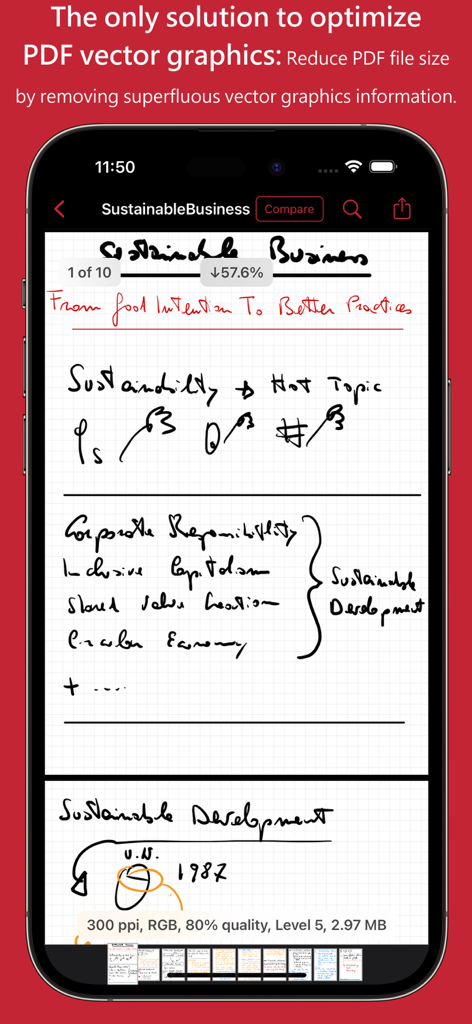
PDFOptim App-Oberfläche, die die Reduzierung der PDF-Dateigröße durch Vektorgrafikoptimierung zeigt.

PDFOptim App-Oberfläche, die die Reduzierung der PDF-Dateigröße durch Vektorgrafikoptimierung zeigt.

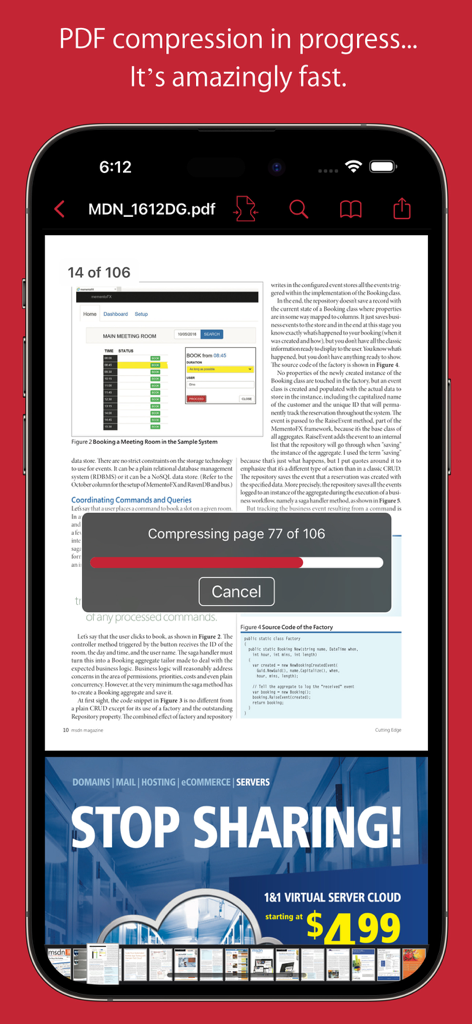
PDFOptim App zeigt eine Echtzeit-Fortschrittsleiste für die Komprimierung eines mehrseitigen Dokuments auf dem iPhone.

PDFOptim App zeigt eine Echtzeit-Fortschrittsleiste für die Komprimierung eines mehrseitigen Dokuments auf dem iPhone.

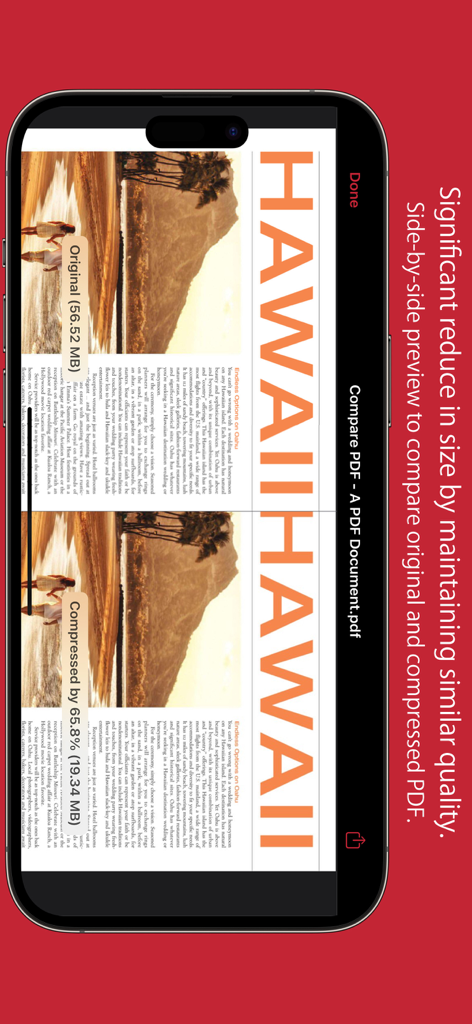
Side-by-Side-Vorschau vergleicht die Qualität und Größe des ursprünglichen und des komprimierten PDF-Dokuments.

Side-by-Side-Vorschau vergleicht die Qualität und Größe des ursprünglichen und des komprimierten PDF-Dokuments.

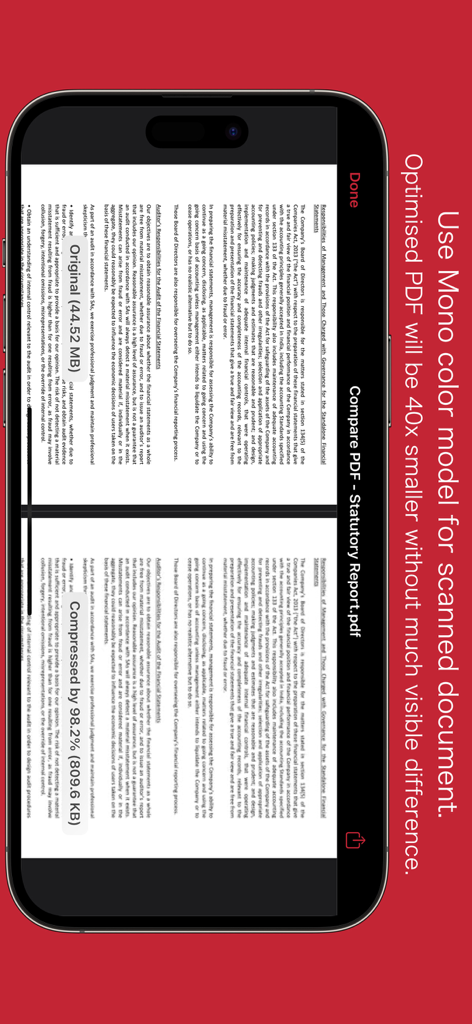
Side-by-Side-Vergleich eines PDF-Dokuments vor und nach der Komprimierung mit dem Mono-Farbmodell.

Side-by-Side-Vergleich eines PDF-Dokuments vor und nach der Komprimierung mit dem Mono-Farbmodell.

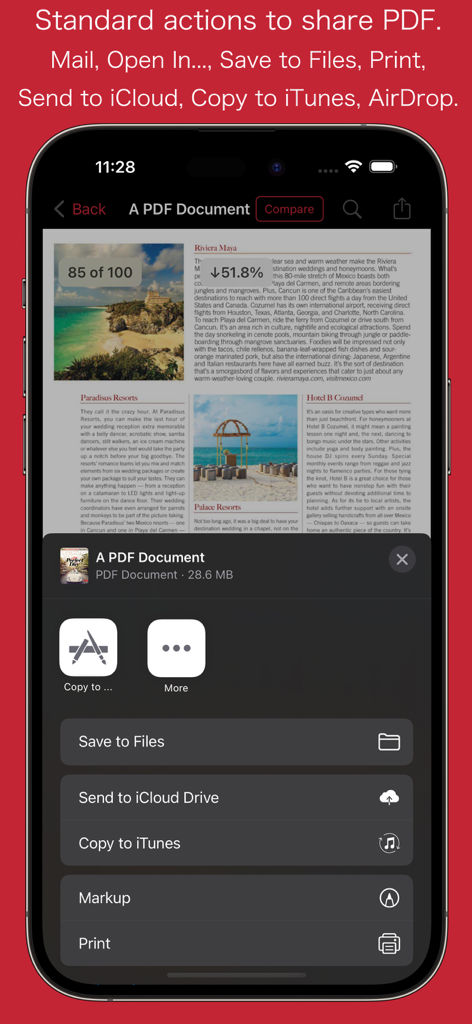
PDFOptim mobile App-Freigabemenü mit Optionen zum Speichern und Drucken von Dokumenten.

PDFOptim mobile App-Freigabemenü mit Optionen zum Speichern und Drucken von Dokumenten.

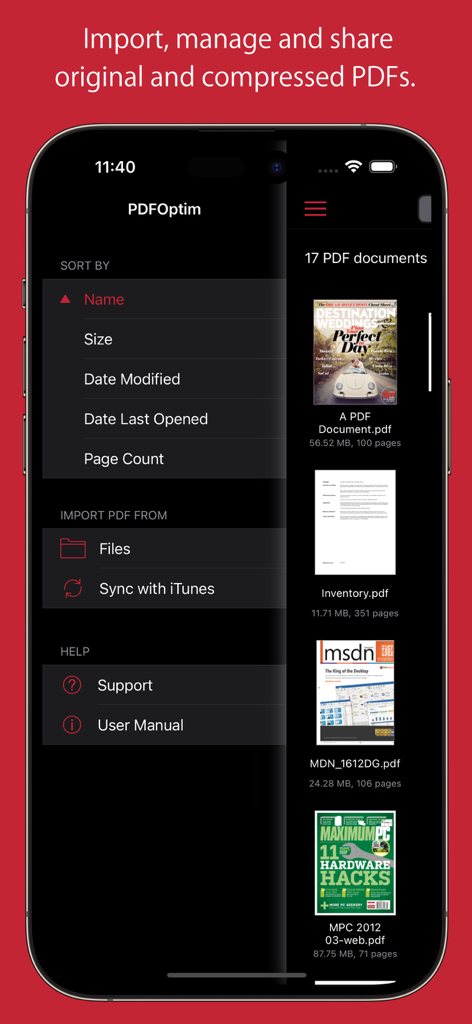
Der Dokumentenverwaltungsbildschirm der PDFOptim App zeigt eine Liste von PDF-Dateien und Sortieroptionen.

Der Dokumentenverwaltungsbildschirm der PDFOptim App zeigt eine Liste von PDF-Dateien und Sortieroptionen.

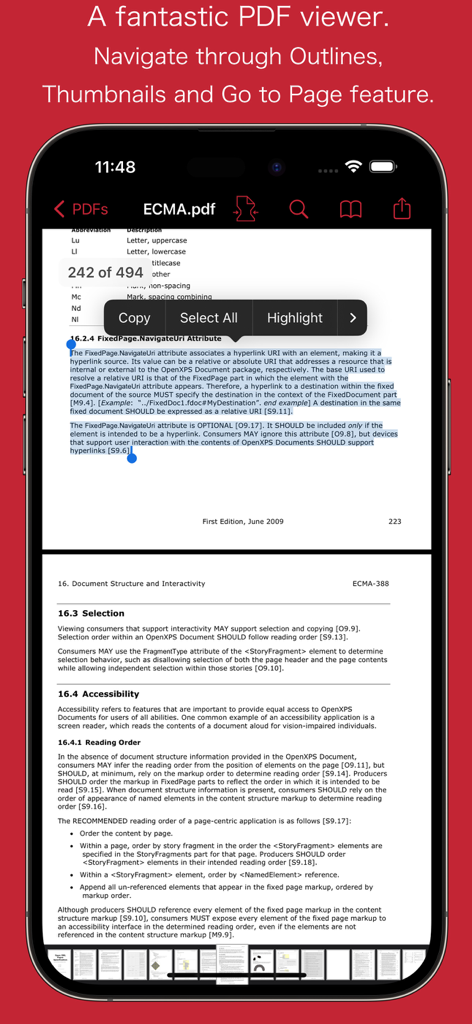
PDFOptim App zeigt ein PDF-Dokument mit Textauswahloptionen wie Kopieren und Hervorheben auf einem iPhone.

PDFOptim App zeigt ein PDF-Dokument mit Textauswahloptionen wie Kopieren und Hervorheben auf einem iPhone.

Beherrschen Sie Ihren mobilen Workflow

Die Tools, die diese App auszeichnen, gewählt von 140K+ Nutzern.

🔍

Side-by-Side-Vergleich

Vergleichen Sie Original- und komprimierte Versionen in Echtzeit, um eine perfekte Lesbarkeit und professionelle Standards sicherzustellen, bevor Sie senden.

📐

Präzisions-Manuell-Modus

Feinabstimmen von Bildauflösung, Farbmodellen und Vektorgrafiken, um strenge Upload-Limits von Portalen einzuhalten und gleichzeitig Ihre handschriftlichen iPad-Notizen zu erhalten.

🛡️

100% privat & sicher

Verarbeiten Sie sensible Verträge und wissenschaftliche Forschung lokal auf Ihrem iPhone oder iPad ohne Cloud-Uploads und mit vollständiger Datensicherheit.

Über die App

Alles, was Sie über wissen müssen PDFOptim.

Beschreibung

PDFOptim is a simple and intuitive way to compress, optimize and reduce PDF documents on iPhones and iPads. PDFOptim provides easy and effective ways to compress large image and graphics heavy PDF files. Inbuilt side-by-side preview to compare original and compressed PDF. * * * PDFOptim for Mac is also available on the Mac App Store. * * * Compressed PDF documents requires less disk space for storage and faster uploads and downloads saves transmission time and cost. PDFOptim rewrites the entire PDF documents using selected compression options as efficiently as possible without compromising the document's integrity. If your PDF documents are in another app (For Example Mail, DropBox or SkyDrive etc.) that uses the Open In… button, tap the button to open the PDF document in PDFOptim. You can also transfer PDF documents from your desktop computer via iTunes into PDFOptim application on your iPhone or iPad. KEY FEATURES: AUTO COMPRESSION MODE - PDFOptim analyze document’s contents and apply algorithm to generate a smallest possible PDF by maintaining the document’s visual quality. Choose one of the four predefined Auto compression methods and let the app do the hard work for you. No further user interaction required to provide technical compression options. MANUAL COMPRESSION MODE - Change compression options manually to generate optimum sized PDF of your need. You can choose compression options to set from Image Color Model, Image Resolution, JPEG Image Quality, Optimise vector graphics level and Advance option. - Image color model to choose from RGB, Gray and Mono. Selecting Monochrome color model option converts raster PDF contents into black and white which helps reduces PDF file size to greater extent. It is very helpful when compressing scanned books mainly containing text. - Image resolution ppi (pixels/inch) control to resize raster image contents. Downsampling at lower resolution decrease the file size dramatically. - Quality control. Set quality from lossless to least for resampling all raster images into PDF. It allows you to control compressed PDF size and viewing quality. -Advance options to remove PDF content properties like alternate images, page thumbnails, documents structure hierarchy and output intent. - Optimize vector graphics option removes superfluous information to reduce vector graphics heavy PDF. Increase in optimize vector from 'Level 1' to 'Level 5' reduces output PDF file size less to more respectively. This option is very useful when PDF content mainly consist of high precision vector graphics, Usually PDF drawing, note-taking and PDF markup apps creates large vector graphics heavy PDF files which can be compressed by this option efficiently. - Password protected PDF documents supported for compression using correct password. - Single or multiple compressed PDFs can be shared as single ZIP (*.zip) file. - Allows Compressed PDFs to Open In… another application, Mail, Message, Print, share PDFs to nearby iOS devices via AirDrop. - Use Copy to iTunes to save and share compressed PDFs on your desktop computer. PDF VIEWER: - Inbuilt PDF viewer with fully selectable and searchable text contents. Select and copy text to clipboard for further use. - Pinch out and Pinch in to ZoomIn and ZoomOut view and search feature to find a character, word and sentence. - Scroll through your document by thumbnail view or Go to page feature. Note: PDFOptim is standalone application running natively to compress PDF documents securely on your iOS device. You can refer User Manual for any assistance Or Contact Support. *The free version has limitation to export one compressed PDF per week. Get Premium to remove all restrictions and start exporting an unlimited number of compressed PDFs. Privacy Policy: http://rootrisetech.com/pdfoptim-privacy-policy Terms of Use(EULA): https://www.apple.com/legal/internet-services/itunes/dev/stdeula/

Neueste Version

6.0

Größe

7.7 MB

Erstveröffentlichung

18. Aug. 2014

Verkleinern Sie Ihre PDFs, nicht Ihre Standards

Schließen Sie sich über 140.000 mobilen Profis an, die PDFOptim für sichere, qualitativ hochwertige Dokumentenkomprimierung vertrauen. Hören Sie auf, Dateigrößenbeschränkungen zu bekämpfen und teilen Sie mit Vertrauen.

Herunterladen auf App Store

App information, icons, screenshots, and descriptions displayed on this page are sourced from the Apple App Store and are the property of their respective developers. Download estimates and rankings are based on MWM's proprietary models and may not reflect actual figures. This page is provided for informational and analytical purposes only.

Believe this page infringes your intellectual property? File a dispute