PICSPLAY 2 - Photo Editor

PICSPLAY 2 - Photo Editor

Herunterladen auf App Store
Logo von PICSPLAY 2 - Photo Editor

PICSPLAY 2: Der ultimative Bildbearbeiter für Ihre professionelle Ästhetik

Verfeinere deinen Social-Feed mit über 290 von Fotografen bevorzugten Filtern, analogen Film-Effekten und professionellen Design-Tools, die auf moderne visuelle Geschichtenerzähler zugeschnitten sind.

Herausgeber

JellyBus Inc.

Kategorie

Photo & Video

Downloads

3M+

Bewertung

4.8/5

Bewertungen gesamt

68K+

Sprachen

18

Vom Schnappschuss zum Studio

Entdecken Sie die Oberfläche, die von 3M+ Nutzern verwendet wird.
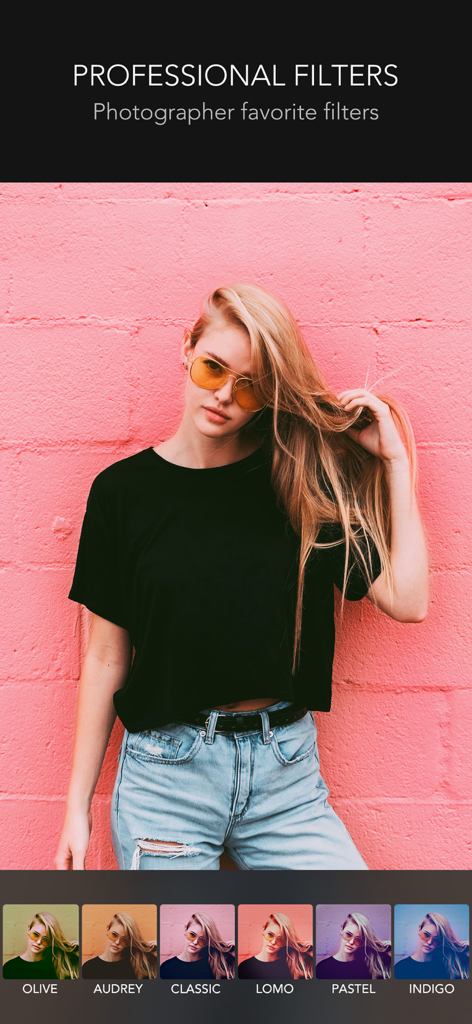
PICSPLAY 2 App-Oberfläche, die professionelle Fotofilter auf einem Porträtbild zeigt

PICSPLAY 2 App-Oberfläche, die professionelle Fotofilter auf einem Porträtbild zeigt

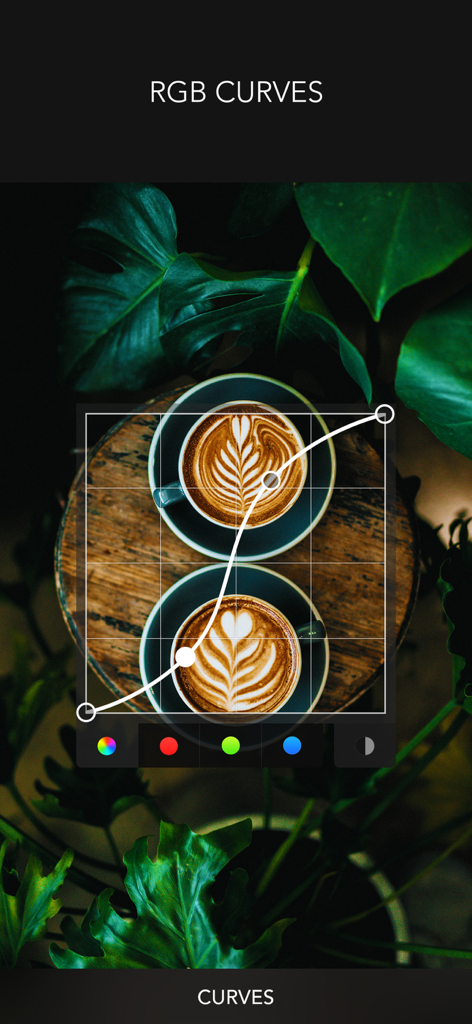
RGB-Kurven-Anpassungswerkzeug in der PICSPLAY 2 Bildbearbeitungs-App

RGB-Kurven-Anpassungswerkzeug in der PICSPLAY 2 Bildbearbeitungs-App

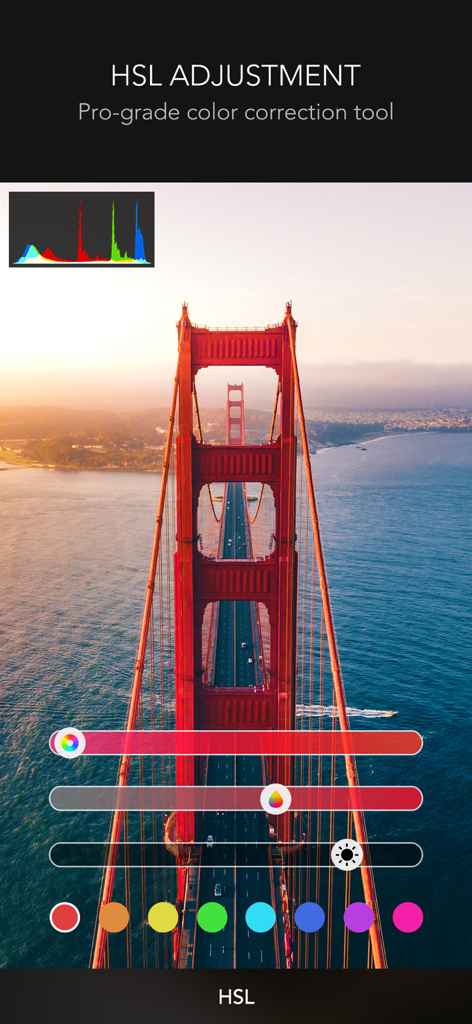
Oberfläche von PICSPLAY 2, die professionelle HSL-Anpassungswerkzeuge und ein Farbhistorogramm zeigt, das auf ein Foto der Golden Gate Bridge angewendet wird

Oberfläche von PICSPLAY 2, die professionelle HSL-Anpassungswerkzeuge und ein Farbhistorogramm zeigt, das auf ein Foto der Golden Gate Bridge angewendet wird

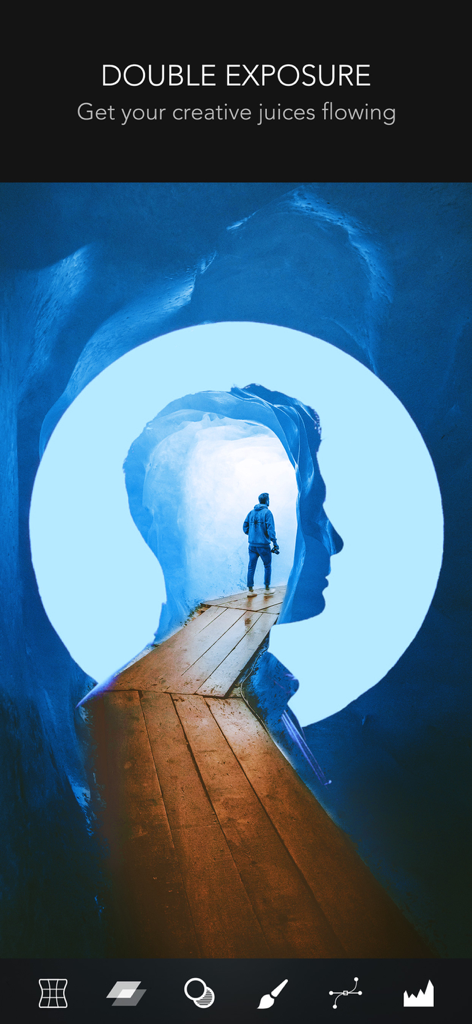
Die Doppelbelichtungsfunktion in der PICSPLAY 2 Bildbearbeitungs-App, die eine Silhouette und eine Landschaftsüberlagerung anzeigt

Die Doppelbelichtungsfunktion in der PICSPLAY 2 Bildbearbeitungs-App, die eine Silhouette und eine Landschaftsüberlagerung anzeigt

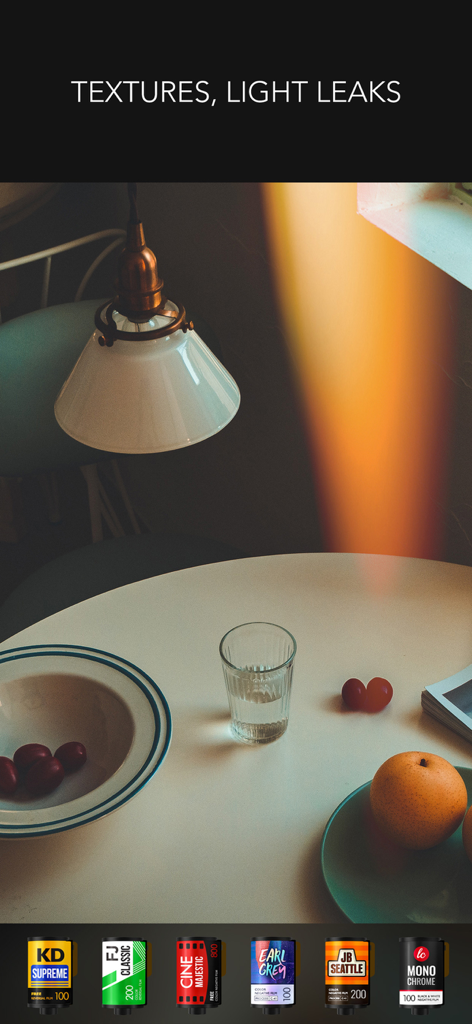
Ein Screenshot von PICSPLAY 2, der Lichtlecks und Vintage-Filmfilter-Optionen demonstriert.

Ein Screenshot von PICSPLAY 2, der Lichtlecks und Vintage-Filmfilter-Optionen demonstriert.

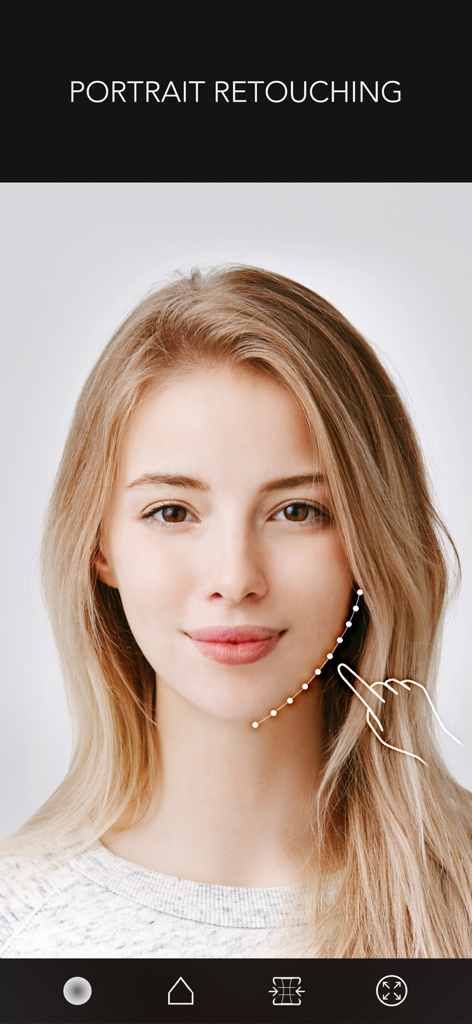
Porträtretusche-Oberfläche in der PICSPLAY 2 App, die das Werkzeug zur Gesichtsformung an der Kieferlinie einer Frau zeigt.

Porträtretusche-Oberfläche in der PICSPLAY 2 App, die das Werkzeug zur Gesichtsformung an der Kieferlinie einer Frau zeigt.

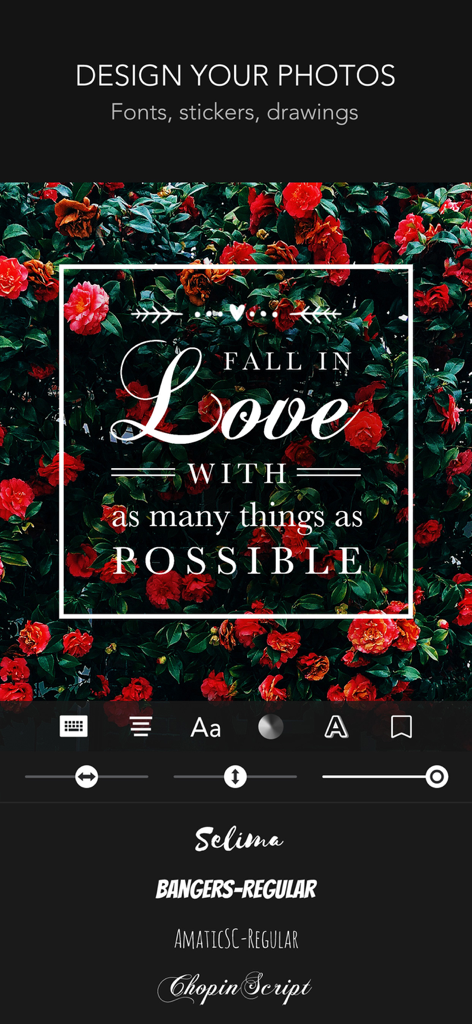
Oberfläche des PICSPLAY 2 Bildbearbeiters, die Typografie- und Designwerkzeuge über einem Blumenbild zeigt.

Oberfläche des PICSPLAY 2 Bildbearbeiters, die Typografie- und Designwerkzeuge über einem Blumenbild zeigt.

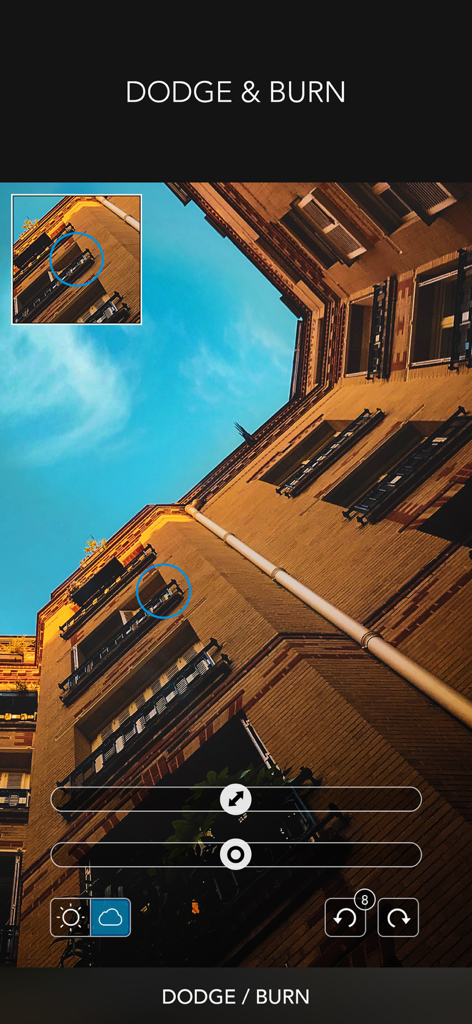
Oberfläche des Abwedler/Nachbelichter-Werkzeugs in der PICSPLAY 2 Bildbearbeitungs-App

Oberfläche des Abwedler/Nachbelichter-Werkzeugs in der PICSPLAY 2 Bildbearbeitungs-App

Verbessern Sie Ihr visuelles Storytelling

Die Tools, die diese App auszeichnen, gewählt von 3M+ Nutzern.

🎞️

Ikonische Analog- & Film-Vibes

Erzielen Sie den von Influencern geliebten Look mit über 290 Filtern, darunter nostalgische Lichtlecks und Einwegkamera-Effekte für das perfekte Vintage-Gefühl.

Makellose Porträtretusche

Glow-up mit intelligenten Hautglättungs- und Gesichtsformungswerkzeugen. Verbessern Sie Ihre natürliche Schönheit mit Präzision und Leichtigkeit für ein müheloses, poliertes Finish.

🛠️

Profi-Werkzeuge für Perfektionisten

Gehen Sie über einfache Filter hinaus. Meistern Sie Ihre Bearbeitungen mit HSL-, Kurven- und selektiven Farbwerkzeugen, die normalerweise teurer Desktop-Software vorbehalten sind.

Über die App

Alles, was Sie über wissen müssen PICSPLAY 2 - Photo Editor.

Beschreibung

PICSPLAY™ is the ultimate photo editor, filled with filters and editing features that professional photographers just can't get enough of! Anyone can create gorgeous photos with this powerful photo editor and unleash the potential in each photo to become a work of art using its design tools. Download now and be ready to be mind-blown by this photographer favorite photo editor! PHOTO EFFECTS THEMES 290+ Filters in 17 themes - photographer favorite! - Premium, Standard, Portrait, Food, Classic, Travel, Professional, Vintage, TTV, Film, Grunge, Monotone, Art, Natural, Elegance, Sexy, Chic FILM: Analog photo effects You can use the analog film effects and disposable camera looks that Instagrammers love. - KD.Supreme, FJ.Portrait, CINE.Majestic, JB.Portrait, FJ.Classic, JB.Seattle, KD.Wedding, Red Rose, FJ.Color, Earl Grey, LC.Monochrome MY PRESETS Create your own presets using the themed filters and various editing tools TEXTURES, LIGHT LEAKS & VIGNETTING Textures that subtly brings all kinds of mood and Light Leaks Vignetting feature that brings the feel of lomo photography BASIC EDITING Crop, Rotate, Straighten, Skew, Clarity, Exposure(Brightness & Contrast), Color(Hue & Saturation, Vibrance), White Balance(Color Temperature & Tint), Fade, Highlights/Shadows, Highlights Tone, Shadows Tone, Sharpen PROFESSIONAL EDITING HSL, Color Shift, Blur, Selective Color, Dodge/Burn, Curves, Levels(Histogram), Double Exposure FACE RESHAPE, SKIN SMOOTHING, DETAIL ENHANCE Make yourself look your best Reshape your face and body, get flawless skin Auto Skin Smoothing feature based on skin detecting technology DESIGN TOOLS Text function with 300+ fonts, 840+ Stickers and Borders, 200+ Shaped frames, Painting, Mosaic, Photo Clipping, Square for Instagram PRO CAMERA 290+ Hand-picked quality filters applied in real time Real-time Blur effect, Photo Booth VIDEO CAMERA Live video filters Amazing motion graphics : Bokehs, particle effects, vintage light leak : Fun animated stickers, video magazine covers, polaroid layouts MORE AWESOME FEATURES Save Session, Load Saved Session, Undo, Redo, Compare with an original photo anytime, EXIF Data, Today Widget(Camera, Edit, Selfie), iMessage Extension(Mosaic Tool) SAVE & SHARE Photo sharing to Instagram, Snapchat, Facebook, Twitter, Flickr etc * Video Review: https://youtu.be/slF-dw-nqo4 * Best New Apps selected by Apple in over 127 countries * Don’t forget to Tag #PICSPLAY when posting on Instagram. You may find your photos featured on the @PICSPLAY_Official account! Have a question or suggestion? We are waiting for your feedback! Facebook: facebook.com/PICSPLAY Instagram: @PICSPLAY_Official PICSPLAY Premium Subscription - PICSPLAY Premium: You can subscribe for unlimited access to all features and content offered for purchase within PICSPLAY 2. - Subscriptions are billed monthly or annually at the rate selected depending on the subscription plan. Alternatively, a one-time payment plan is available (this is not a subscription). - Subscriptions auto-renew at the cost of the chosen package, unless canceled 24-hours in advance prior to the end of the current period. The subscription fee is charged to your iTunes account at confirmation of purchase. You may manage your subscription and turn off auto-renewal by going to your Account Settings after purchase. Per Apple policy, no cancellation of the current subscription is allowed during active subscription period. Once purchased, refunds will not be provided for any unused portion of the term. Terms of Use: https://jellybus.com/terms/ Privacy Policy: https://jellybus.com/privacy/

Neueste Version

3.8.4

Größe

233.7 MB

Erstveröffentlichung

19. März 2015

Bereit, Ihre Ästhetik zu verbessern?

Schließen Sie sich über 3 Millionen visuellen Geschichtenerzählern an, die das beliebte Toolkit von Fotografen verwenden. Laden Sie PICSPLAY 2 noch heute herunter und verwandeln Sie Ihre alltäglichen Momente in professionelle Kunstwerke.

Herunterladen auf App Store

App information, icons, screenshots, and descriptions displayed on this page are sourced from the Apple App Store and are the property of their respective developers. Download estimates and rankings are based on MWM's proprietary models and may not reflect actual figures. This page is provided for informational and analytical purposes only.

Believe this page infringes your intellectual property? File a dispute