PPTControl

PPTControl

Herunterladen auf App Store
Logo von PPTControl

PPTControl: Kommandieren Sie den Raum von Ihrer Apple Watch und Ihrem iPhone aus

Verabschieden Sie sich von sperrigen Hardware-Klickern. Halten Sie professionelle, nahtlose Präsentationen mit müheloser Bluetooth-Steuerung direkt von Ihren bevorzugten Apple-Geräten aus.

Herunterladen auf App Store

Herausgeber

Bastian Aunkofer

Kategorie

Utilities

Downloads

2K+

Bewertung

3.4/5

Bewertungen gesamt

0

Sprachen

2

Nahtlose Steuerung im Blick

Entdecken Sie die Oberfläche, die von 2K+ Nutzern verwendet wird.
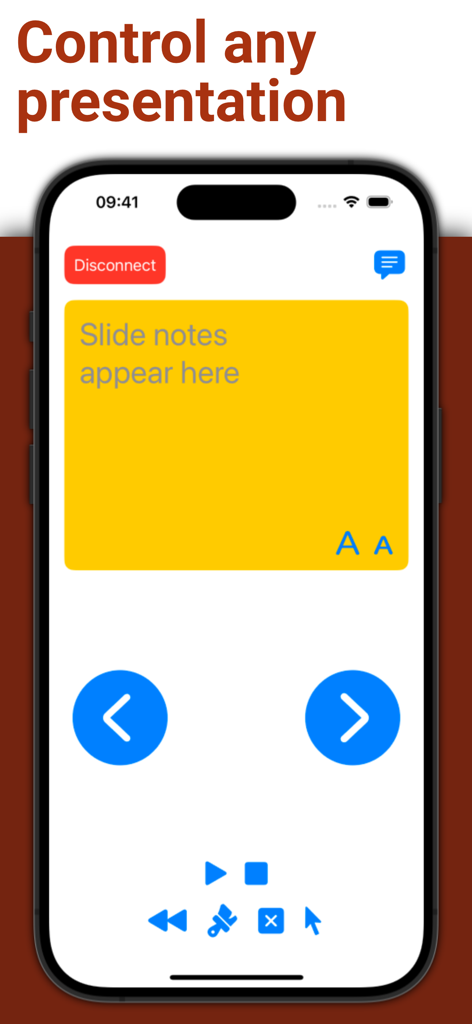
PPTControl iPhone App-Oberfläche mit Foliennotizen und Navigationstasten für Präsentationen

PPTControl iPhone App-Oberfläche mit Foliennotizen und Navigationstasten für Präsentationen

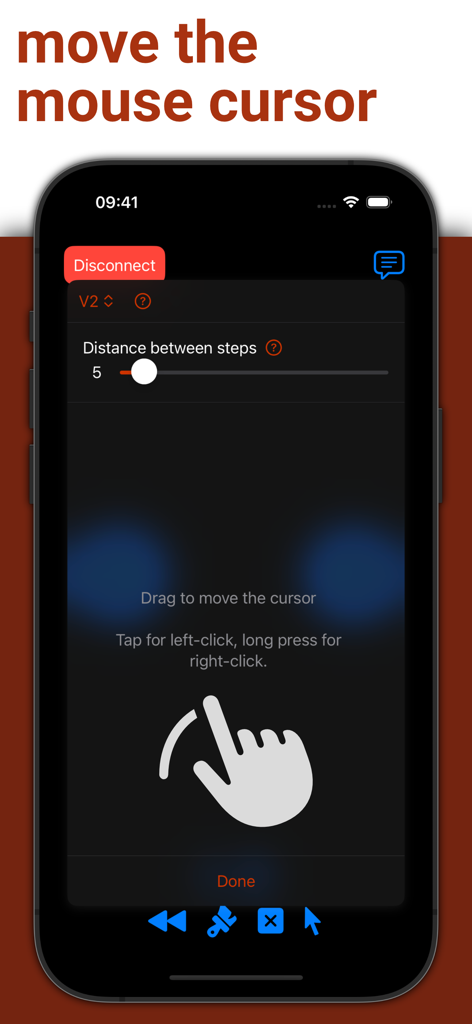
PPTControl App-Oberfläche auf dem iPhone mit Mauszeiger- und Trackpad-Funktionalität per Fernbedienung

PPTControl App-Oberfläche auf dem iPhone mit Mauszeiger- und Trackpad-Funktionalität per Fernbedienung

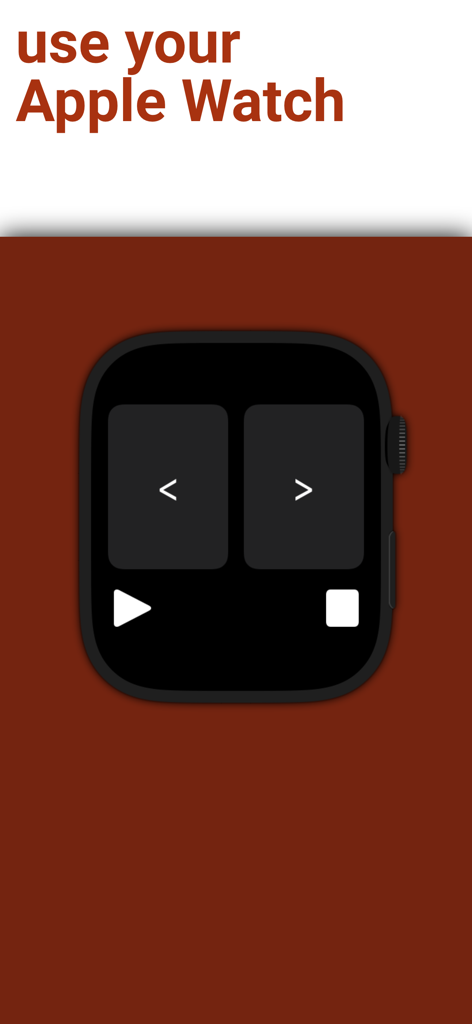
PPTControl App-Oberfläche auf einer Apple Watch mit Navigationstasten für vorherige und nächste Folien

PPTControl App-Oberfläche auf einer Apple Watch mit Navigationstasten für vorherige und nächste Folien

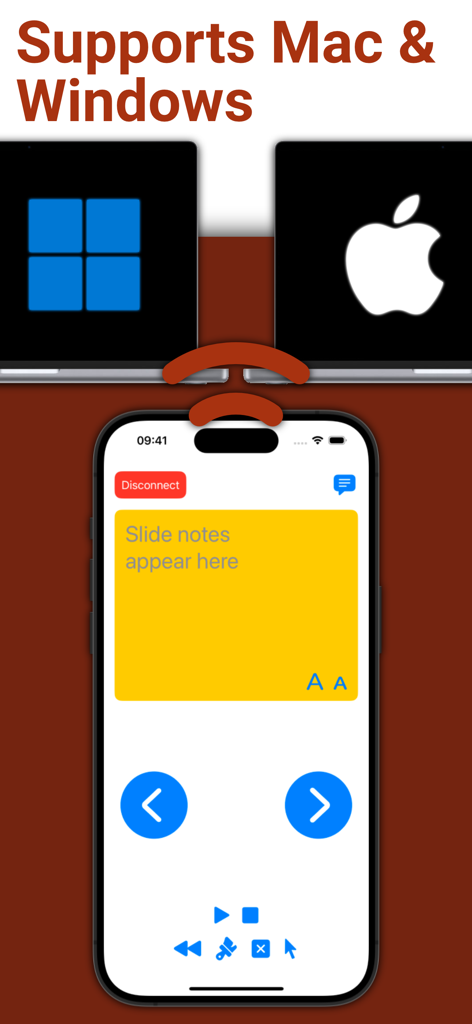
PPTControl Mobile App-Oberfläche auf einem iPhone mit Foliennotizen und Fernbedienungen für Mac- und Windows-Laptops

PPTControl Mobile App-Oberfläche auf einem iPhone mit Foliennotizen und Fernbedienungen für Mac- und Windows-Laptops

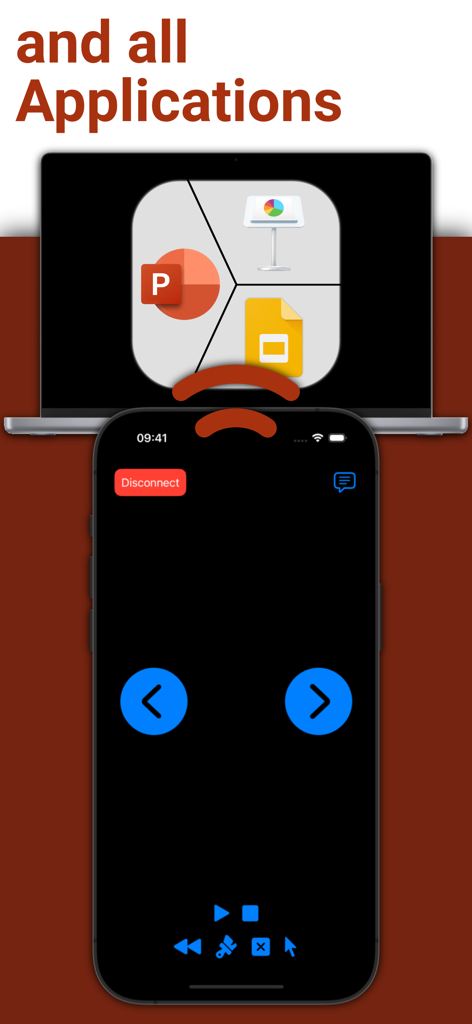
iPhone-Bildschirm mit Fernbedienungs-Oberfläche für Präsentationssoftware auf einem Laptop

iPhone-Bildschirm mit Fernbedienungs-Oberfläche für Präsentationssoftware auf einem Laptop

Kontrollieren Sie jede Präsentation

Die Tools, die diese App auszeichnen, gewählt von 2K+ Nutzern.

Apple Watch-Meisterschaft

Führen Sie Folienübergänge aus und verfolgen Sie Ihre Zeit mit subtilen Fingertipps auf Ihrem Handgelenk – der ultimative Schachzug für jeden Redner.

📶

Zuverlässige Bluetooth-Verbindung

Kein Suchen mehr nach WLAN oder Dongles. Unsere direkte Bluetooth-Verbindung funktioniert sofort, selbst in Hochsicherheits-Unternehmensumgebungen.

Professionelle Mobilität

Befreien Sie sich vom Laptop. Bewegen Sie sich natürlich im Raum, um Ihr Publikum einzubeziehen und gleichzeitig die volle Kontrolle über Ihre Präsentation zu behalten.

Über die App

Alles, was Sie über wissen müssen PPTControl.

Beschreibung

Take full control of your presentations with ease using your iPhone, iPad, or Apple Watch. Simply start PPTControl, follow the steps and connect seamlessly to your computer. With just a few taps, you can navigate through slides, highlight key points, and impress your audience — all from the palm of your hand. Getting started is simple: 1. Install and launch this PPTControl Desktop on the computer. You can download it at: bit.ly/pptl. Make sure you grant required permissions. 2. Open PPTControl and select your computer from the list. 3. Accept the connection on your computer, and you’re ready to go! Requirements: - A Bluetooth connection is necessary, so both your computer and iPhone/iPad must support Bluetooth. - To control via Apple Watch, ensure your iPhone is connected to the presentation device (due to Apple’s restrictions). Elevate your presentations with PPTControl — your remote control for effortless, professional presentations. For more information and downloads, visit https://pptcontrol.app.

Neueste Version

2.3.6

Größe

2.2 MB

Erstveröffentlichung

2. Mai 2022

Kommandieren Sie den Raum mit PPTControl

Verabschieden Sie sich von Dongles und präsentieren Sie mit Zuversicht. Schließen Sie sich Tausenden von Fachleuten an, die ihre Apple Watch und ihr iPhone in die ultimative Präsentationsfernbedienung verwandelt haben.

Herunterladen auf App Store

App information, icons, screenshots, and descriptions displayed on this page are sourced from the Apple App Store and are the property of their respective developers. Download estimates and rankings are based on MWM's proprietary models and may not reflect actual figures. This page is provided for informational and analytical purposes only.

Believe this page infringes your intellectual property? File a dispute