Drucken für iPhone: Die professionelle Lösung für jeden Drucker, den Sie besitzen
Hören Sie auf, sich mit AirPrint-Einschränkungen herumzuschlagen. Drucken Sie Dokumente, Fotos und Webseiten sicher auf über 1.400 Druckermodelle direkt von Ihrem Gerät, Netzwerk oder Cloud-Speicher.
Herausgeber
Ndili Technologies, Inc
Kategorie
Productivity
Downloads
207K+
Bewertung
2.4/5
Bewertungen gesamt
300
Sprachen
1
Einfache Steuerung, leistungsstarke Ergebnisse
Entdecken Sie die Oberfläche, die von 207K+ Nutzern verwendet wird.
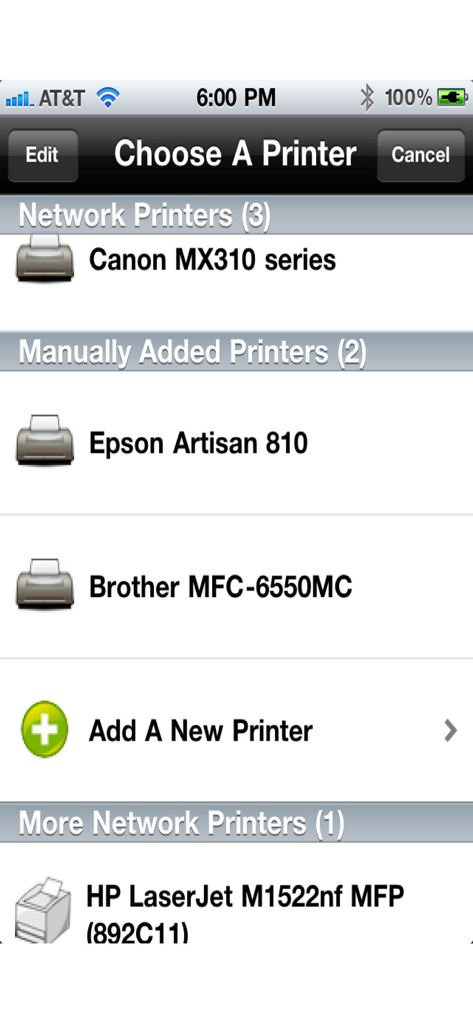
Der Bildschirm "Drucker auswählen" in der App "Drucken für iPhone" listet Netzwerk- und manuell hinzugefügte Drucker wie Canon, Epson und Brother auf.
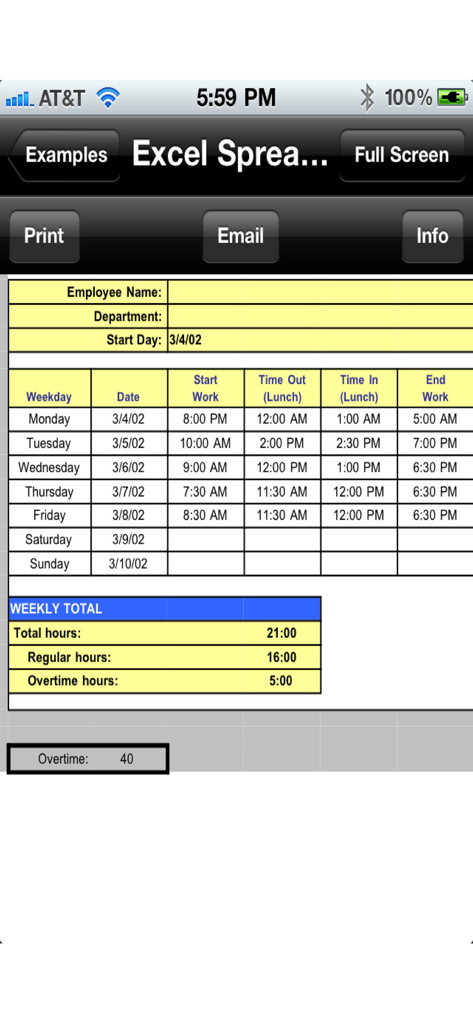
Ein Screenshot der App "Drucken für iPhone", der eine Excel-Tabelle mit Optionen zum Drucken und Senden per E-Mail anzeigt.
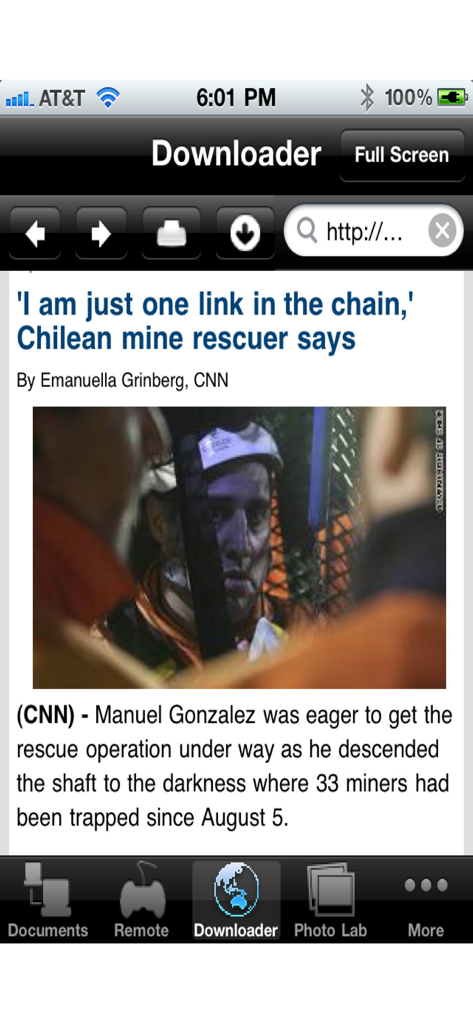
Screenshot der Downloadertabelle in der App "Drucken für iPhone", die eine Webseite anzeigt.
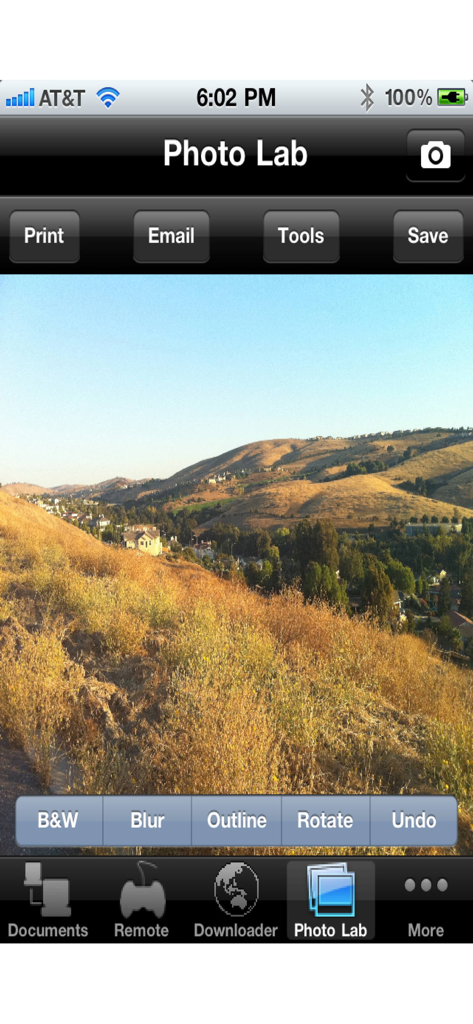
Bildschirm "Fotolabor" in der App "Drucken für iPhone" mit Bildbearbeitungswerkzeugen und einem Landschaftsfoto.
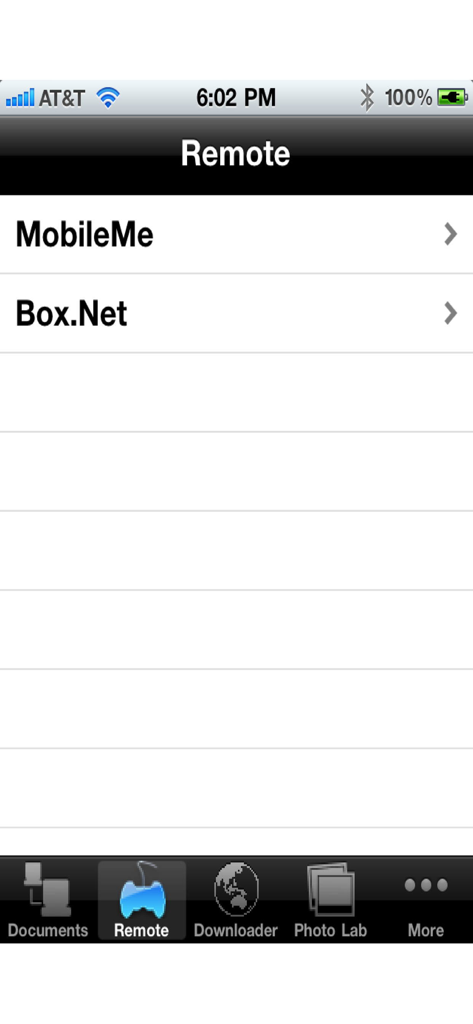
Bildschirm zur Auswahl des Remote-Speichers, der MobileMe und Box.Net in der App "Drucken für iPhone" anzeigt.
Universelles Drucken für Ihr Zuhause und Büro
Die Tools, die diese App auszeichnen, gewählt von 207K+ Nutzern.
🖨️
Unterstützung für über 1.400 Drucker
Geben Sie Ihrer zuverlässigen älteren Hardware neues Leben. Verbinden Sie sich mit HP, Epson, Canon und mehr über WLAN oder manuelle IP-Eingabe, ohne einen neuen Drucker zu benötigen.
📄
Drucken Sie jeden Dokumententyp
Mehr als nur einfache Fotos. Drucken Sie nahtlos professionelle PDFs, Word-Dokumente, Excel-Tabellen und spezialisierte Dateien wie TIFF oder PostScript ganz einfach.
☁️
Cloud- & E-Mail-Integration
Greifen Sie sofort auf Ihren Workflow zu. Laden Sie Anhänge aus Ihrer E-Mail oder Cloud-Diensten wie Dropbox und Box direkt in der App herunter und drucken Sie sie aus.
Über die App
Alles, was Sie über wissen müssen Printing for iPhone.
Beschreibung
Printing for iPhone enables easy printing of photos, web pages, and various document types.
"I have been trying to find an app to print from my iphone4s & out of the many I tried from iTunes this one is different, it actually works!! great to be able to have a free app to check you can print and only pay when you for the full app once you know it defiantely does as it says it will, highly recommend." - Labs42, May 13, 2012
"AWESOME APP. This app is great for using printers that can't be found with air print. It allows you to search for printers to add using wifi, or even manually enter a printer. 10 stars." - D, Dec 9, 2011
"FANTASTIC. This app did have an initial learning phase but everything is explained quite nicely in the help section. And once I understood the ropes, I can print almost everything I want ( haven't found anything yet which I haven't been able to print actually ). Highly recommended." - Ipad atheist turned devotee, Nov 23, 2011
"I can't stop using this app. Regards." - G, Sep 25, 2011
"WOW SWEET FOR NETWORK FILE PRINTING. Networked HP Photosmart 7960 on Jetdirect. I am able to print my MS documents, PDFs, etc from my file shares via Netportal ! Downloader works well for web page printing. Email attachment printing is sweet!" - T, Jul 22, 2011
FEATURES
• View/print many document types, including PDF, Word, Excel, bitmap, TIFF, text, HTML, Open Office, GIF, and encapsulated PostScript.
• Create new text documents.
• Use a web browser to transfer files between your computer and this app.
• Print to networked or shared printers. No additional software is necessary. This app includes support for over 1,400 printers from HP, Epson, Canon, Samsung, Brother, Lexmark, Xerox, Ricoh, Oki, Kyocera, Infotec, NRG, Lanier, and many more!
• Print remote files on MobileMe, Box.net, or Dropbox, or download them into this app.
• Print web-based files or download them into this app.
• Capture and process images from your onboard camera or photo album.
DOES THIS APP SUPPORT MY PRINTER?
See the list of printer models this app supports at http://www.ndilitechnologies.com/help.html.
HOW DO I USE THIS APP TO PRINT FROM MY OTHER APPS?
Import the files from your other iPhone/iPad apps into this app, and then use this app to print them.
iPad/iPhone's iOS is designed such that each app you install is given its own storage space. There is no centralized (shared) storage space on your device. This means that this app's proprietary printing engine only works within this app. To say it another way: the iOS does not support/allow third party system-wide drivers. The iOS cannot use this app to print files within another app's storage space—for example, files stored in Pages, Numbers, Safari, Notes, Mail, etc. Therefore, files created in other apps must be imported into this app.
HOW DO I IMPORT FILES INTO THIS APP?
• Use a web browser to transfer files between your computer and this app.
• Use iTunes to upload files into this app.
• Use a WebDAV server to transfer files.
• Email a file to yourself. Then, open the Mail app, press and hold down the attachment until the "Open In..." menu appears. Select this app from the list of apps displayed.
Optional Toll Free Number Subscription Notes (for fax/voicemail receipt):
• Title: Toll-Free Number Subscription
• Length: 1,3, 6 or 12 month options
• Payment will be charged to iTunes Account at purchase confirmation
• Subscription automatically renews unless auto-renew is turned off at least 24-hours before the end of the current period
• Account will be charged for renewal within 24-hours prior to the end of the current period
• Subscriptions may be managed by the user and auto-renewal may be turned off by going to the user’s Account Settings after purchase
• Privacy policy: https://www.ndilitechnologies.com/privacy.html
• Terms of use: https://www.ndilitechnologies.com/termsofuse.html
Neueste Version
5.1
Größe
171.6 MB
Erstveröffentlichung
22. Okt. 2010
Endlich eine Drucklösung, die wirklich funktioniert.
Schließen Sie sich über 200.000 Nutzern an, die Dokumente, Rechnungen und Fotos auf über 1.400 Druckermodelle drucken. Keine neue Hardware erforderlich – nur professionelle Ergebnisse von Ihrem iPhone.
FAQ
Häufig gestellte Fragen
Alles, was Sie über wissen müssen Printing for iPhone
Ermöglicht das Drucken für iPhone das Drucken von Dokumenten?
Ja, Drucken für iPhone ermöglicht das einfache Drucken von Fotos, Webseiten und verschiedenen Dokumenttypen direkt aus der App.
Welche Dokumenttypen werden von Drucken für iPhone unterstützt?
Drucken für iPhone unterstützt die Dokumenttypen PDF, Word, Excel, Bitmap, TIFF, Text, HTML, Open Office, GIF und Encapsulated PostScript.
Funktioniert Drucken für iPhone mit Netzwerkdruckern?
Ja, Drucken für iPhone unterstützt den Druck auf Netzwerk- oder freigegebene Drucker ohne zusätzliche Software. Es unterstützt über 1.400 Druckermodelle.
Wie importiere ich Dateien in die App Drucken für iPhone?
Dateien können über eine Webbrowser-Übertragung, einen iTunes-Upload, einen WebDAV-Server oder über das Menü „Öffnen in…“ von E-Mail-Anhängen in Drucken für iPhone importiert werden.
Kann Drucken für iPhone direkt aus anderen iOS-Anwendungen drucken?
Nein, Drucken für iPhone druckt nicht direkt aus anderen iOS-Apps. Dateien müssen aufgrund des iOS-App-Speicherdesigns zuerst in die App importiert werden.
Unterstützt Drucken für iPhone Cloud-Speicherdienste?
Ja, Drucken für iPhone ermöglicht das Drucken oder Herunterladen von Remote-Dateien von MobileMe, Box.net oder Dropbox.
Bietet Drucken für iPhone Abonnements an?
Ja, Drucken für iPhone bietet optionale kostenlose Rufnummer-Abonnements für Fax-/Voicemail-Empfang an, die in Laufzeiten von 1, 3, 6 oder 12 Monaten erhältlich sind.
Wo finde ich eine Liste der mit Drucken für iPhone kompatiblen Drucker?
Eine Liste der kompatiblen Druckermodelle für Drucken für iPhone finden Sie auf der Website des Entwicklers unter http://www.ndilitechnologies.com/help.html.
Kann ich mit Drucken für iPhone neue Textdokumente erstellen?
Ja, Drucken für iPhone enthält eine Funktion zur Erstellung neuer Textdokumente direkt in der Anwendung.
Kann ich mit Drucken für iPhone Webseiten drucken?
Ja, Drucken für iPhone ermöglicht das Drucken von webbasierten Dateien oder deren Herunterladen in die App zum direkten Drucken.
App information, icons, screenshots, and descriptions displayed on this page are sourced from the Apple App Store and are the property of their respective developers. Download estimates and rankings are based on MWM's proprietary models and may not reflect actual figures. This page is provided for informational and analytical purposes only.
Believe this page infringes your intellectual property? File a dispute