PTZ Control Panel

PTZ Control Panel

Herunterladen auf App Store
Logo von PTZ Control Panel

PTZ Control Panel: Professionelle Kamerasteuerung für die moderne Ein-Personen-Crew

Verwandeln Sie Ihr iPad oder iPhone in ein leistungsstarkes Kommandozentrum. Verwalten Sie mühelos Auto-Tracking, Presets und sprachgesteuerte Bewegungen für AVer Pro AV-Kameras – entwickelt für Profis, die hochwirksame Ergebnisse ohne die Komplexität einer vollständigen Produktionscrew benötigen.

Herunterladen auf App Store

Herausgeber

AVer Information Inc.

Kategorie

Education

Downloads

1K+

Bewertung

1.0/5

Bewertungen gesamt

0

Sprachen

2

Kontrollieren Sie jeden Winkel

Entdecken Sie die Oberfläche, die von 1K+ Nutzern verwendet wird.
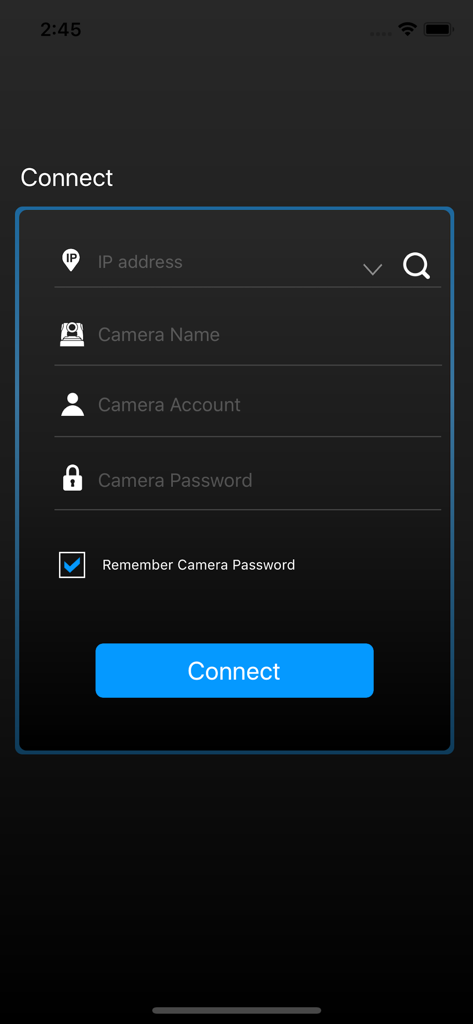
Anmeldebildschirm für die PTZ Control Panel App mit Feldern zur Kameraanmeldung

Anmeldebildschirm für die PTZ Control Panel App mit Feldern zur Kameraanmeldung

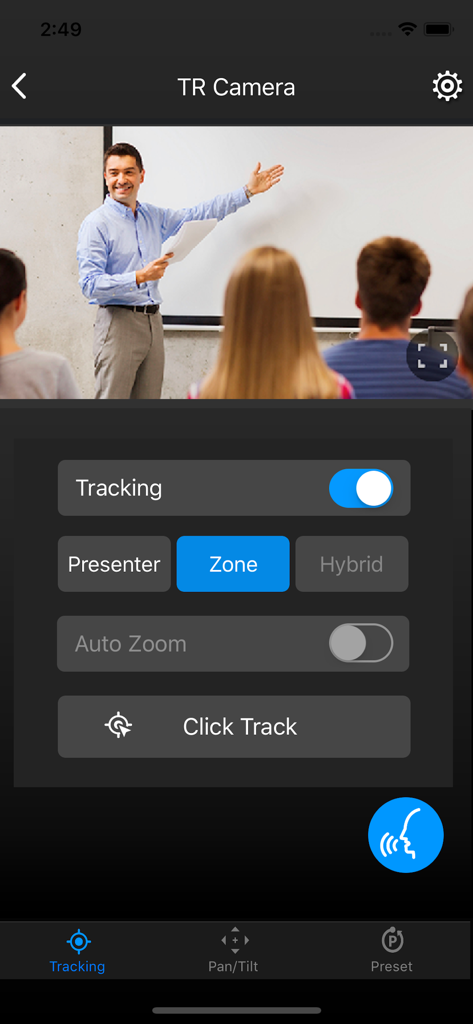
PTZ Control Panel App-Oberfläche mit Auto-Tracking-Einstellungen und einem Live-Videobild eines Lehrers in einem Klassenzimmer

PTZ Control Panel App-Oberfläche mit Auto-Tracking-Einstellungen und einem Live-Videobild eines Lehrers in einem Klassenzimmer

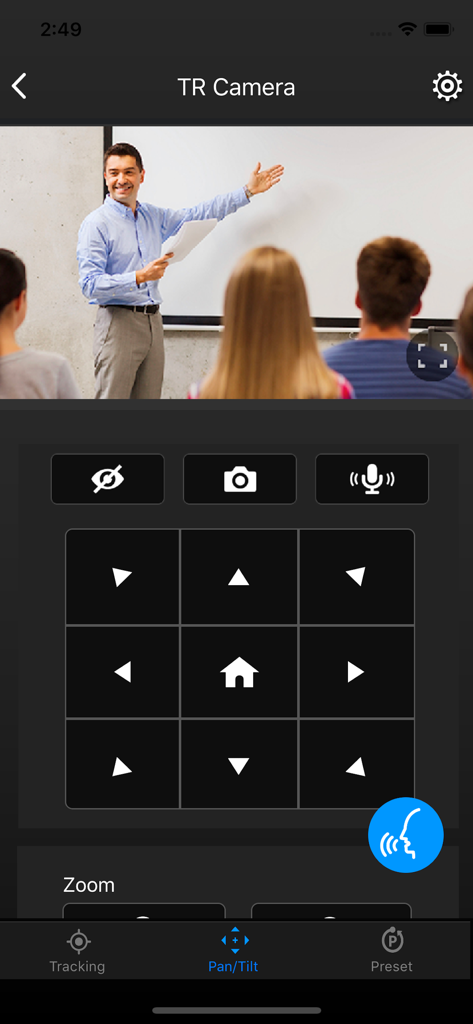
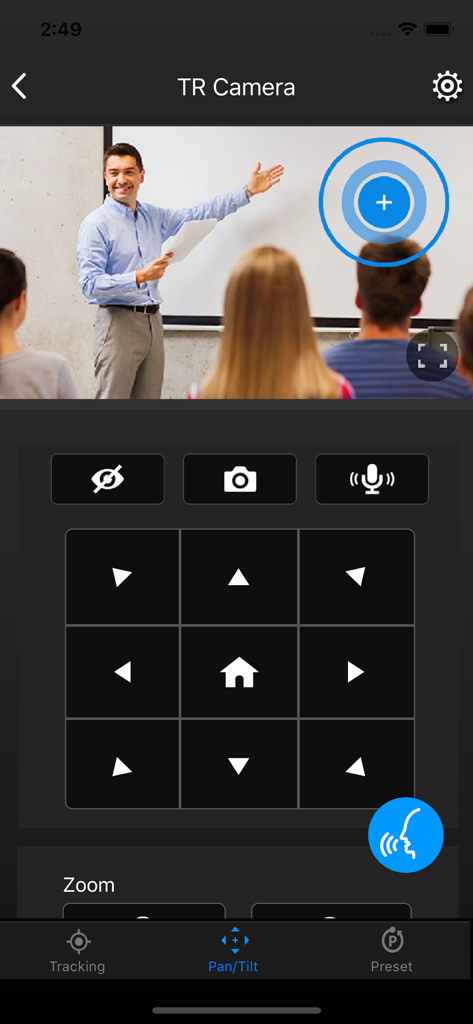
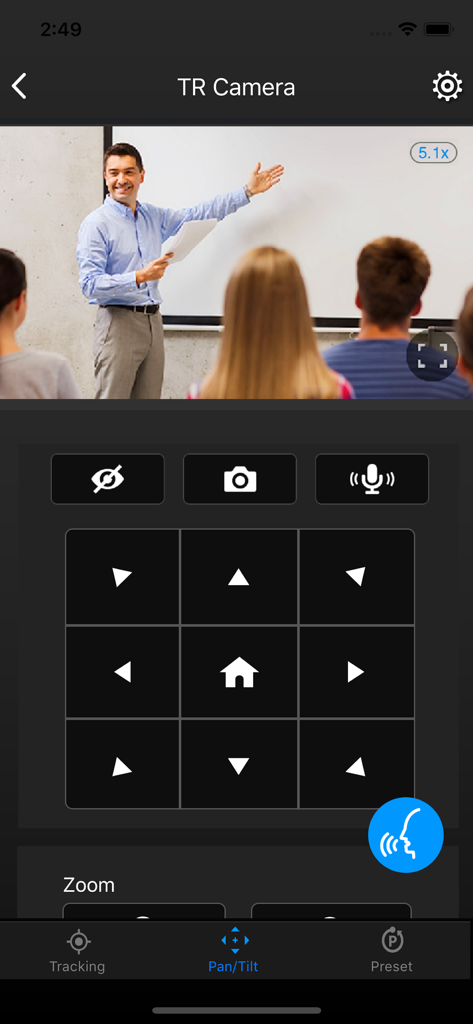
PTZ Control Panel App-Oberfläche mit Schwenk- und Neige-Steuerungen für eine Klassenzimmerkamera

PTZ Control Panel App-Oberfläche mit Schwenk- und Neige-Steuerungen für eine Klassenzimmerkamera

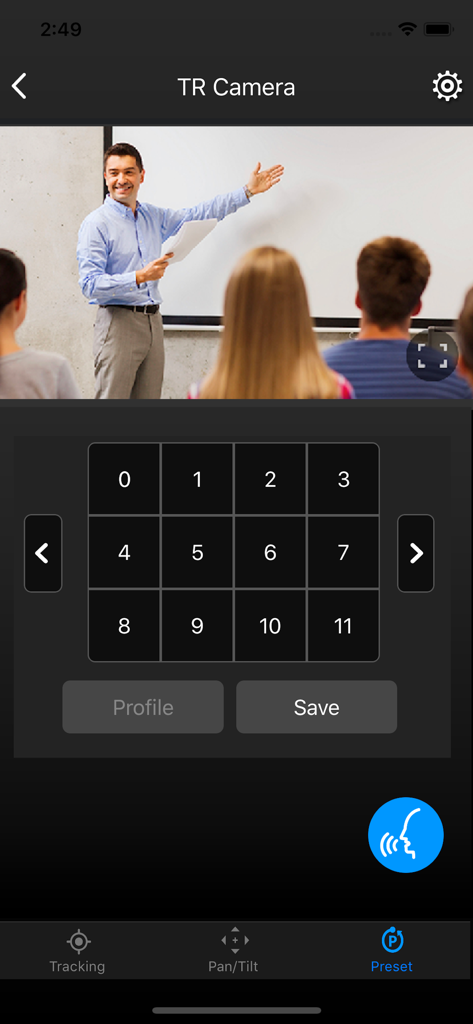
AVer PTZ Control Panel App-Oberfläche mit einem Live-Videostream aus einem Klassenzimmer und numerischen Kamerasteuerungen für Presets

AVer PTZ Control Panel App-Oberfläche mit einem Live-Videostream aus einem Klassenzimmer und numerischen Kamerasteuerungen für Presets

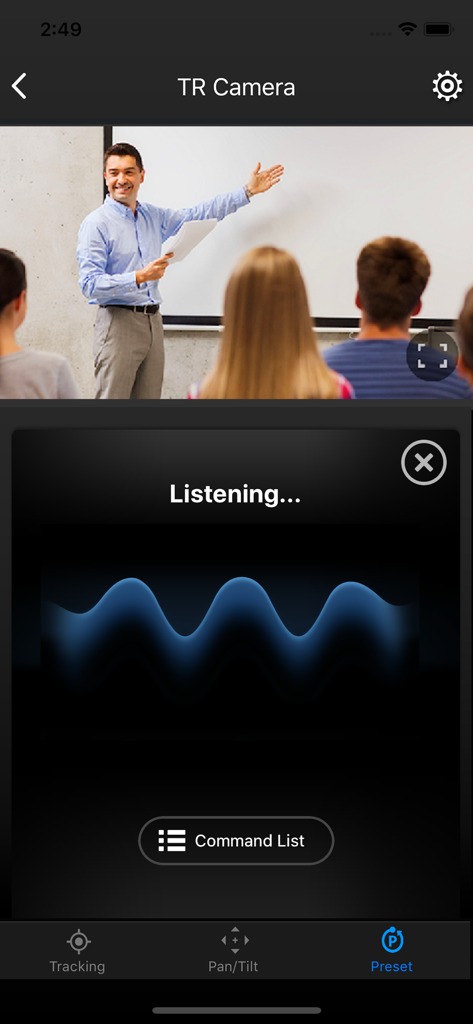
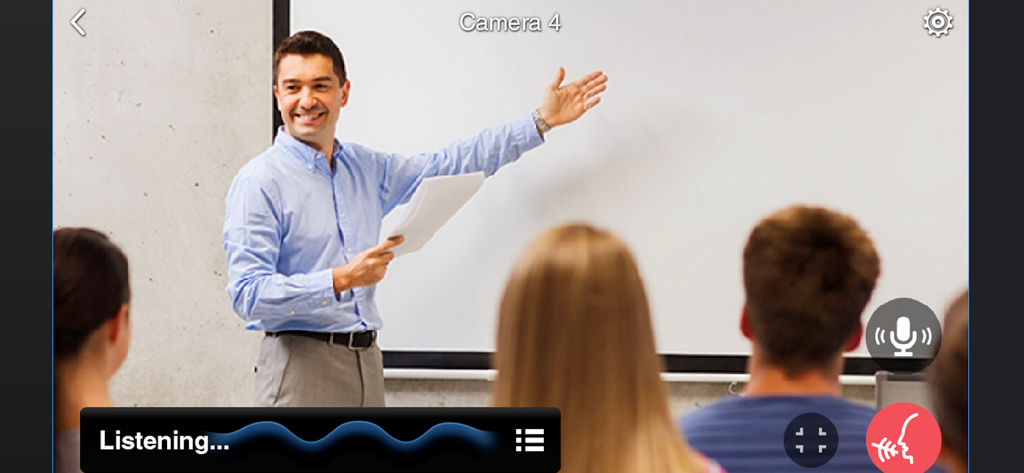
PTZ Control Panel App-Oberfläche mit dem Bildschirm zur Aktivierung von Sprachbefehlen und einem Live-Klassenzimmer-Kamerabild

PTZ Control Panel App-Oberfläche mit dem Bildschirm zur Aktivierung von Sprachbefehlen und einem Live-Klassenzimmer-Kamerabild

PTZ Control Panel App-Oberfläche mit Steuerungen für Schwenken und Neigen und einem Live-Videobild einer Klassenzimmerpredigt.

PTZ Control Panel App-Oberfläche mit Steuerungen für Schwenken und Neigen und einem Live-Videobild einer Klassenzimmerpredigt.

Oberfläche der PTZ Control Panel App mit Kamerasteuerungen für Schwenken und Neigen

Oberfläche der PTZ Control Panel App mit Kamerasteuerungen für Schwenken und Neigen

PTZ Control Panel App-Oberfläche mit aktivierter Sprachsteuerung während einer Klassenzimmerpräsentation

PTZ Control Panel App-Oberfläche mit aktivierter Sprachsteuerung während einer Klassenzimmerpräsentation

Professionelle Produktion ohne Crew

Die Tools, die diese App auszeichnen, gewählt von 1K+ Nutzern.

👤

KI-gestütztes Auto-Tracking

Behalten Sie den Fokus genau dort, wo er hingehört. Wechseln Sie sofort zwischen Präsenz-, Zonen- und Hybridmodus, um sicherzustellen, dass Ihr Publikum keinen Moment der Action verpasst.

🗣️

Freihändige Sprachsteuerung

Passen Sie Ihre Kamera an, ohne jemals einen Bildschirm zu berühren. Perfekt für Dozenten mit vollen Händen oder medizinisches Fachpersonal in sterilen Umgebungen, die nahtlose Kamerabewegungen benötigen.

🔘

256 Präzisions-Presets

Wechseln Sie in Sekundenschnelle zwischen mehreren Blickwinkeln. Speichern und rufen Sie bis zu 256 Preset-Punkte ab, um jede Ecke Ihres Klassenzimmers oder Konferenzraums mit professionellen, sanften Übergängen aufzunehmen.

Über die App

Alles, was Sie über wissen müssen PTZ Control Panel.

Beschreibung

AVer PTZ Control Panel puts you in charge of camera controls in an easy user interface within your internal network. It gives you access to live video and audio streams from AVer Pro AV and DL Series cameras on an iPad or iPhone, and it allows you to control the camera’s capture and PTZ functions, even enables voice command which provides hands-free experience. You can also enable or disable tracking features like Presenter, Zone, or Hybrid mode, store and call up to 256 presets. With the AVer PTZ Control Panel, there’s no need for complicated controllers, heavy software applications, or professional AV operators to run your AVer PTZ cameras. Product Features - Instantly find and connect to available AVer Professional Auto Tracking and PTZ Cameras. - Voice control supported, control your AVer cameras handsfree. - Currently supports only one camera connection at a time. PTZ and Tracking Controls - Capture camera images and save them to the device album. - Pan, tilt, and zoom your camera to capture different areas of your room. - Adjust the pan/tilt speed, and switch between autofocus and manual focus. - Enable and disable tracking features, including Presenter/Zone/Hybrid Mode, and Click Track. - Save and call up to 256 preset points. Compatibility - Requires iOS & iPadOS® 9 and later. Compatible with iPad® and iPhone®. Supported Camera Models -USA TR310/TR311/TR311HN/TR313/TR331/TR333 V0.0.0000.21 and later TR530/TR320/TR530+/TR320+ V0.0.1000.47 and later PTZ310/PTZ310N/PTZ330/PTZ330N V0.0.0000.56 and later DL30 V7.0.0010.13 and later TR313V2 V0.1.0000.18 and later TR333V2/TR333NV2/TR313V2/TR313UV2 V0.1.0000.19 and later PTZ310UV2/PTZ310UNV2/PTZ330UV2/ PTZ330UNV2 V0.0.0000.15 and later MD330 series V1.1.1006.0 and later MD120U 1.1.1003.0 and later TR/211/TR315/TR315N/TR335/TR335N 0.0.0000.12 -Non USA PTC310/PTC310U/PTC310H/PTC310N/PTC310UN/PTC310HN V0.0.0000.21 and later PTC330/PTC330N/PTC330U V0.0.0000.21 and later PTC115/PTC500S/PTC115+/PTC500+ V0.0.1000.47 and later PTZ310/PTZ310N/PTZ330/PTZ330N V0.0.0000.56 and later PTZ310UV2/PTZ310UNV2/PTZ330UV2/ PTZ330UNV2 V0.0.0000.15 and later PTC330UV2/PTC330UNV2/PTC330V2/PTC330NV2 V0.1.0000.19 and later. DL30 V7.0.0010.13 and later DL10 V7.0.0031.32 and later MD330 series V1.1.1006.0 and later MD120U 1.1.1003.0 and later TR211/TR315/TR315N/TR335/TR335N 0.0.0000.12 Visit websites below to get assistance or find user manual: - Global Download Center: https://www.aver.com/download-center Technical Support: https://www.aver.com/technical-support - USA Download Center: https://www.averusa.com/pro-av/support/ Technical Support: https://averusa.force.com/support/s/contactsupport - European Headquarters Download Center: https://www.aver.com/download-center Technical Support: https://www.avereurope.com/technical-support

Neueste Version

1.2.1039.0

Größe

32.7 MB

Erstveröffentlichung

23. Nov. 2020

Meistern Sie Ihre Produktion mit einem einzigen Tippen

Verwandeln Sie Ihr iPad oder iPhone in ein professionelles Kommandozentrum. Optimieren Sie Ihren Workflow mit freihändiger Sprachsteuerung, Auto-Tracking und sofortigem Preset-Zugriff – keine AV-Crew erforderlich.

Herunterladen auf App Store

App information, icons, screenshots, and descriptions displayed on this page are sourced from the Apple App Store and are the property of their respective developers. Download estimates and rankings are based on MWM's proprietary models and may not reflect actual figures. This page is provided for informational and analytical purposes only.

Believe this page infringes your intellectual property? File a dispute