PUB Converter

PUB Converter

Herunterladen auf App Store
Logo von PUB Converter

PUB Converter: Mühelose Konvertierung von Publisher nach PDF und Word

Der zuverlässigste Weg, .pub-Dokumente auf Ihrem iPhone und iPad zu öffnen. Konvertieren Sie Dateistapel nativ, während Layouts, Schriftarten und Grafiken für einen nahtlosen mobilen Workflow erhalten bleiben.

Herunterladen auf App Store

Herausgeber

RootRise Technologies Private Limited

Kategorie

Productivity

Downloads

1K+

Bewertung

1.0/5

Bewertungen gesamt

0

Sprachen

1

Präzision in jedem Pixel

Entdecken Sie die Oberfläche, die von 1K+ Nutzern verwendet wird.
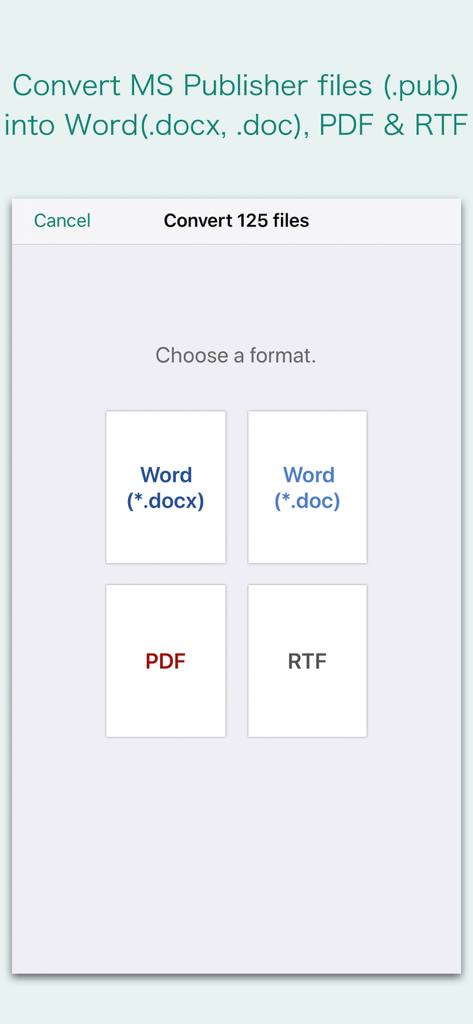
Oberfläche, die Formatoptionen zur Konvertierung von Microsoft Publisher-Dateien in die Formate Word, PDF oder RTF anzeigt

Oberfläche, die Formatoptionen zur Konvertierung von Microsoft Publisher-Dateien in die Formate Word, PDF oder RTF anzeigt

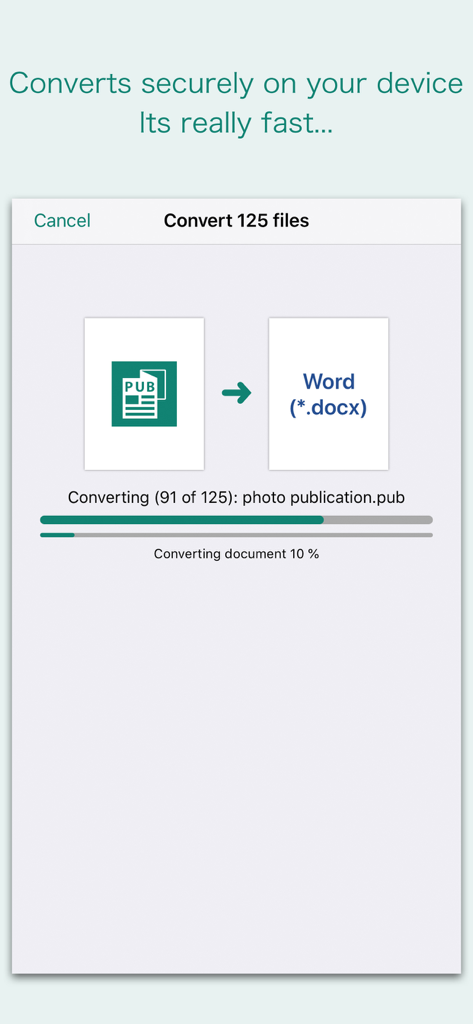
Oberfläche der PUB Converter App, die einen Stapelkonvertierungsprozess von Microsoft Publisher zu Word-Dokumenten zeigt

Oberfläche der PUB Converter App, die einen Stapelkonvertierungsprozess von Microsoft Publisher zu Word-Dokumenten zeigt

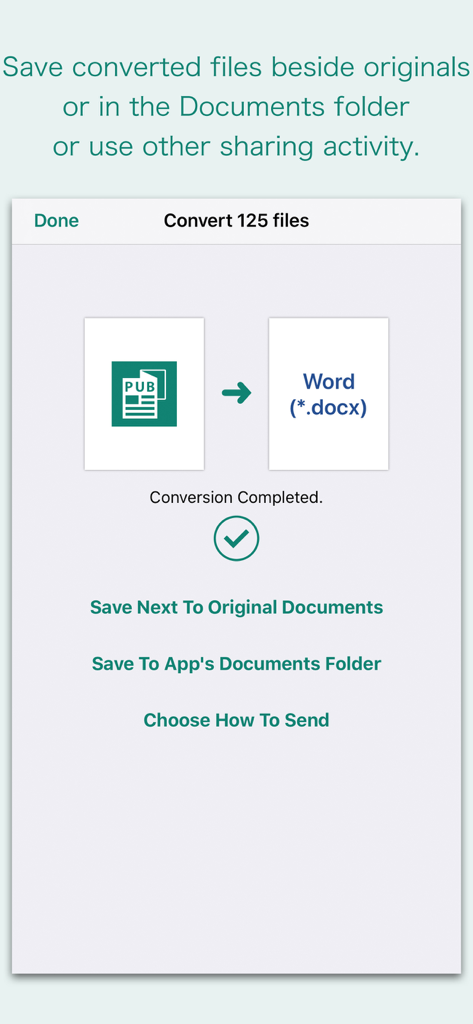
App-Oberfläche, die eine erfolgreiche PUB-zu-Word-Konvertierung mit Optionen zum Speichern oder Teilen von Dateien anzeigt

App-Oberfläche, die eine erfolgreiche PUB-zu-Word-Konvertierung mit Optionen zum Speichern oder Teilen von Dateien anzeigt

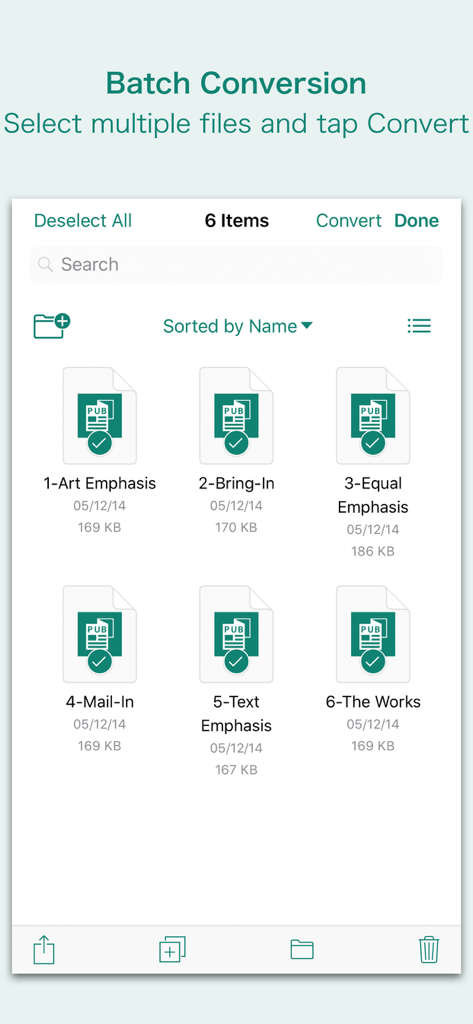
Oberfläche, die mehrere Microsoft Publisher-Dateien zeigt, die für die Stapelkonvertierung in der PUB Converter App ausgewählt wurden

Oberfläche, die mehrere Microsoft Publisher-Dateien zeigt, die für die Stapelkonvertierung in der PUB Converter App ausgewählt wurden

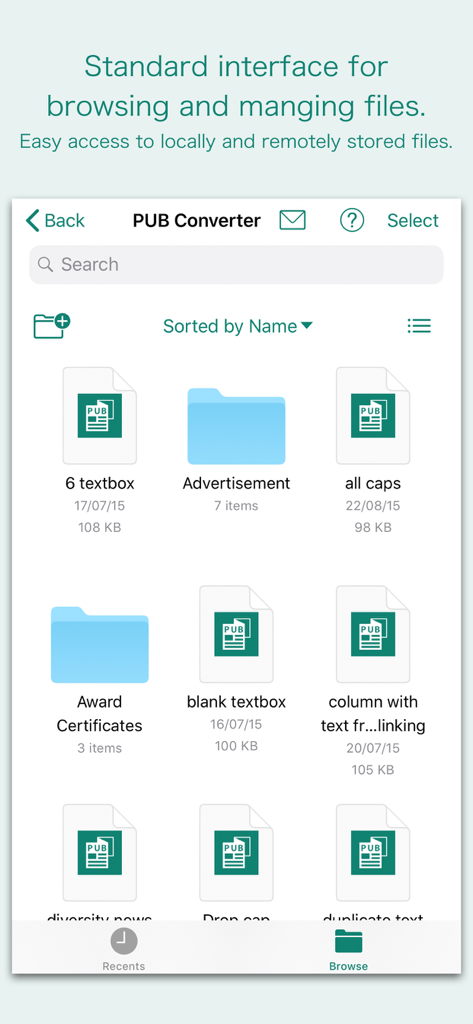
PUB Converter App-Oberfläche zum Durchsuchen und Verwalten von Microsoft Publisher-Dateien

PUB Converter App-Oberfläche zum Durchsuchen und Verwalten von Microsoft Publisher-Dateien

Steigern Sie Ihre Produktivität unterwegs

Die Tools, die diese App auszeichnen, gewählt von 1K+ Nutzern.

📐

Jedes Designdetail beibehalten

Verschwenden Sie keine Stunden mit der Neugestaltung von Flyern oder Newslettern. Unsere Engine behält Textrahmen, Tabellen und Grafiken genau so bei, wie sie in der ursprünglichen Publisher-Datei erschienen sind.

Mühelose Stapelkonvertierung

Zeit ist Ihr wertvollstes Gut. Wählen Sie Dutzende von Dateien aus Ihrer E-Mail oder iCloud aus und konvertieren Sie sie alle auf einmal, damit Ihr Kleinunternehmen oder Ihre gemeinnützige Organisation reibungslos weiterläuft.

🔒

Native & sichere Verarbeitung

Ihre sensiblen Geschäftsdaten bleiben privat. Konvertierungen erfolgen nativ auf Ihrem iPhone oder iPad, was bedeutet, dass Ihre Dokumente niemals auf einen externen Server oder in die Cloud hochgeladen werden.

Über die App

Alles, was Sie über wissen müssen PUB Converter.

Beschreibung

“PUB Converter” offers to batch convert Microsoft Publisher documents (.pub) into Microsoft Word documents (.docx and .doc), PDF and RTF. Converts every Publisher page into an equivalent page in the target conversion format document. Converts the text, text characteristics, paragraphs, text frames linking, text frame columns, tables, graphics and other Publisher objects and properties to the matching Microsoft Word format objects and properties by preserving layout. Do you receive Microsoft Publisher documents (.pub) as email attachments on you iPhone and iPad? Are you having plenty of Microsoft Publisher files that no decent viewer available to open on your iPhone and iPad? The easiest way to circumvent these problems is to convert all such files to either Microsoft Word (.doc, .docx) format, PDF or RTF files using "PUB Converter". “PUB Converter” eliminates the need of recreating the contents of an Publisher file in Microsoft Word resulting in efficient workflow automation that can save time by avoiding cumbersome task. “PUB Converter” supports batch conversion. Select multiple PUB files in document browser view and tap Convert button at top to start batch conversion. DESTINATION PATH : Convenient options to store converted documents at your easily accessible location. Choose from following Save Next to Original Documents - Tap this button to save a converted file into the same location and directory as an existing original document. The converted document with unique name with target format extension will be saved beside original document. Save to App’s Documents Folder - Tap this button to save a converted file with unique name with target format extension into “PUB Converter” Documents folder. Choose How to Send - Tap on this button to popup standard iOS activity controller. Tap one of the option in activity controller for sending, saving or posting a converted document. Choose a location, or provide the requested information (for example, an email address if you are sending an email) then send or post a copy of converted document. DOCUMENT MANAGEMENT - The inbuilt document browse view automatically gives you the option to share documents using the Share button or a drag-and-drop action. It also provides a standard interface for browsing and managing documents. - Automatically handles access to iCloud for you within the app. It also provides access to documents managed by third-party storage service extensions installed on your device. - Browse, find and sort documents to help you locate the document you want. Tap the PUB file that you want to open. - You can move, delete, duplicate and rename a document with document manager in browser view. - In the document manager, you can group related documents into folders so they’re easy to find. Note: “PUB Converter” is standalone application running natively to open and convert Microsoft Publisher documents (.pub) securely right on your iOS device. You can refer inbuilt User Manual for any assistance Or Contact Support.

Neueste Version

3.0

Größe

163.2 MB

Erstveröffentlichung

3. Apr. 2018

Hören Sie auf, neu zu erstellen, fangen Sie an zu konvertieren

Warten Sie nicht, bis Sie wieder an Ihrem Schreibtisch sind. Wandeln Sie Ihre Publisher-Dateien sofort auf Ihrem iPhone oder iPad in professionelle PDF- oder Word-Dokumente um und behalten Sie Ihr perfektes Layout bei.

Herunterladen auf App Store

App information, icons, screenshots, and descriptions displayed on this page are sourced from the Apple App Store and are the property of their respective developers. Download estimates and rankings are based on MWM's proprietary models and may not reflect actual figures. This page is provided for informational and analytical purposes only.

Believe this page infringes your intellectual property? File a dispute