pwSafe 2 - Password Safe

pwSafe 2 - Password Safe


Herunterladen auf App Store
Logo von pwSafe 2 - Password Safe

pwSafe 2 - Passwort-Manager: Der professionelle Standard für Datenhoheit

Nutzen Sie die Kraft von Bruce Schneiers Open-Source-Erbe mit Hardware-YubiKey-Unterstützung, voller .psafe3-Kompatibilität und vollständiger Kontrolle darüber, wo Ihre Daten gespeichert werden – ohne Abonnements.

Herausgeber

Huvisoft B.V.

Kategorie

Utilities

Downloads

247K+

Bewertung

4.7/5

Bewertungen gesamt

10K+

Sprachen

6

Sicherheit auf den ersten Blick

Entdecken Sie die Oberfläche, die von 247K+ Nutzern verwendet wird.
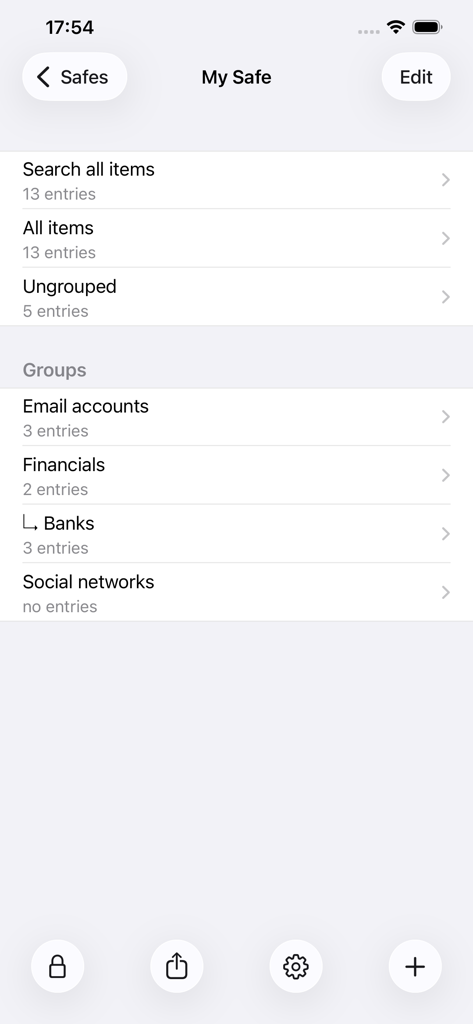
Oberfläche des pwSafe 2 Passwort-Managers mit organisierten Kategorien

Oberfläche des pwSafe 2 Passwort-Managers mit organisierten Kategorien

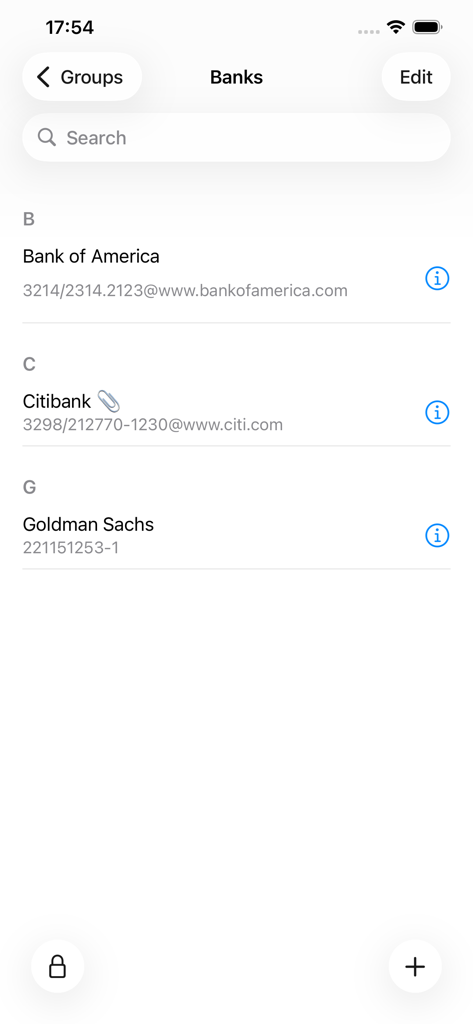
Oberfläche der pwSafe 2 App, die eine Liste gespeicherter Bank-Passwörter in der Gruppe 'Banken' anzeigt

Oberfläche der pwSafe 2 App, die eine Liste gespeicherter Bank-Passwörter in der Gruppe 'Banken' anzeigt

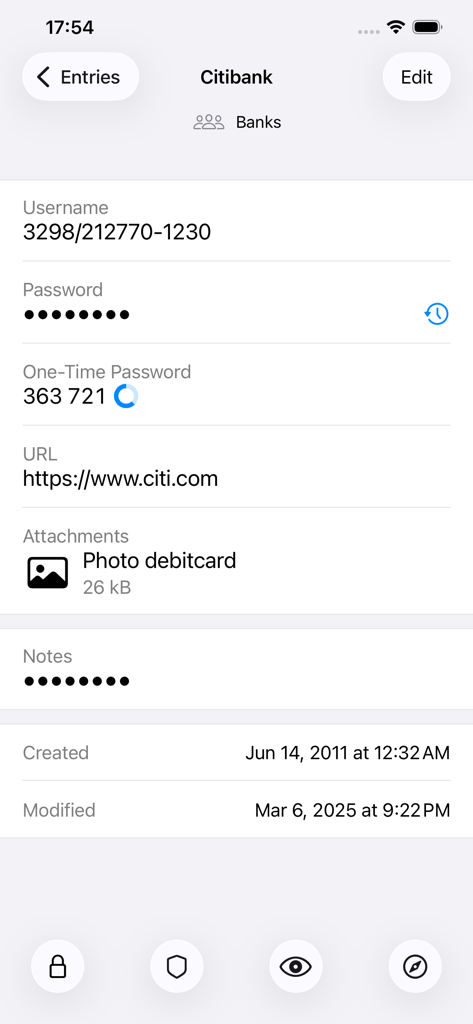
Detailansicht eines gespeicherten Passwort-Eintrags in der pwSafe 2 App.

Detailansicht eines gespeicherten Passwort-Eintrags in der pwSafe 2 App.

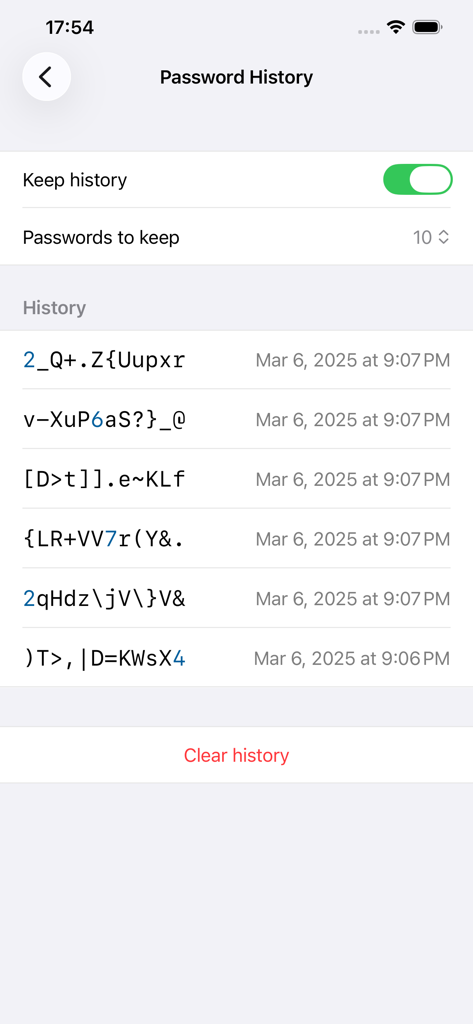
Der Bildschirm mit der Passwortverlauf der pwSafe 2 App, der eine Liste früherer sicherer Passwörter und deren Erstellungsdaten anzeigt

Der Bildschirm mit der Passwortverlauf der pwSafe 2 App, der eine Liste früherer sicherer Passwörter und deren Erstellungsdaten anzeigt

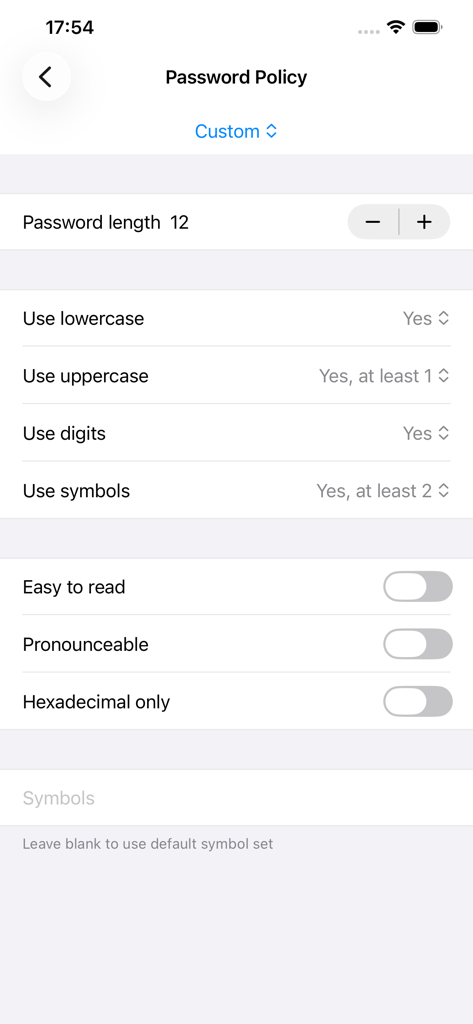
Bildschirm zur Konfiguration benutzerdefinierter Passwortrichtlinien in pwSafe 2

Bildschirm zur Konfiguration benutzerdefinierter Passwortrichtlinien in pwSafe 2

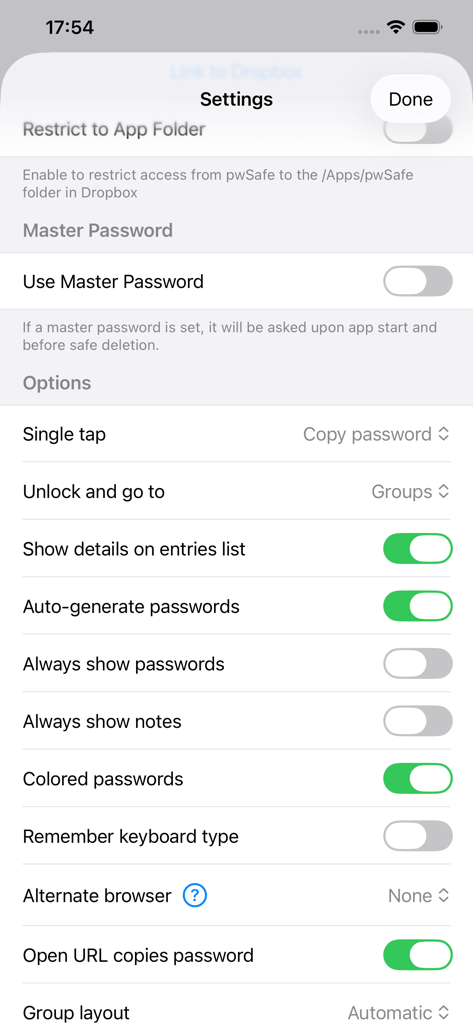
Das Einstellungsmenü der pwSafe 2 Passwort-Manager-App mit Konfigurationsoptionen

Das Einstellungsmenü der pwSafe 2 Passwort-Manager-App mit Konfigurationsoptionen

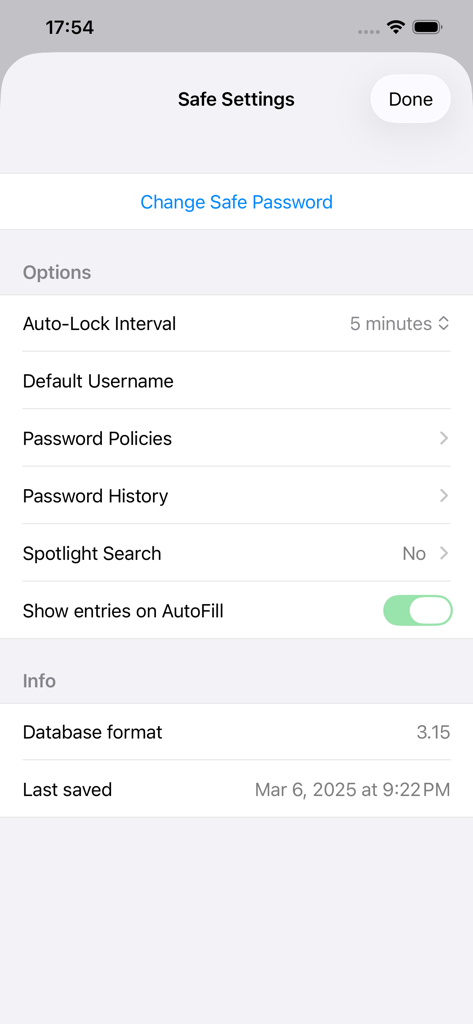
Bildschirm 'Safe-Einstellungen' in der pwSafe 2 App, der Sicherheitsoptionen und Details zum Datenbankformat anzeigt

Bildschirm 'Safe-Einstellungen' in der pwSafe 2 App, der Sicherheitsoptionen und Details zum Datenbankformat anzeigt

Professionelle Sicherheit, absolute Datenkontrolle

Die Tools, die diese App auszeichnen, gewählt von 247K+ Nutzern.

🛡️

Open-Source-Herkunft

Vertrauen Sie einer Tresor, der auf dem Erbe von Bruce Schneier basiert. Wir verwenden die gleichen, erprobten Verschlüsselungsprotokolle wie das ursprüngliche Password Safe, die seit über zwei Jahrzehnten von Experten geprüft werden.

☁️

Echte Datenhoheit

Keine proprietären Server hier. Sie entscheiden, wo Ihre verschlüsselte Datenbank gespeichert wird – synchronisieren über iCloud, Dropbox oder bewahren Sie sie für maximale Privatsphäre vollständig offline auf.

🔐

Sicherheit auf Hardware-Ebene

Erleben Sie Elite-Schutz mit YubiKey-Hardware-Token-Unterstützung, integrierter TOTP-Generierung und Passkey-Kompatibilität für eine Zukunft ohne anfällige Passwörter.

Über die App

Alles, was Sie über wissen müssen pwSafe 2 - Password Safe.

Beschreibung

pwSafe 2 offers Dark Mode, Touch ID, Face ID, Safari and apps autofill, iPhone landscape mode, adaptive text, a new design and much more on top of pwSafe 1. Easy, secure and full featured password management across devices and computers. pwSafe uses iCloud or Dropbox to keep your password databases backed-up and synced between your iOS devices and computers. It is compatible with open source Password Safe. No in-app purchases are needed for unlimited usage, including iCloud sync (see below). Now available for the Mac with iCloud Sync - https://itunes.apple.com/us/app/pwsafe-password-safe-compatible/id520993579?mt=12 This application is not related to any application developed and/or marketed by PSafe Tecnologia S/A, including PSafe Total. == What people are saying about pwSafe: ***** "Brilliant! - Passwords in sync at last!" -- Daddio1946 from Australia ***** "Great integration and support - PasswordSafe is great and this app makes it even better! Easy to setup and use. Their support for big fixes is great and the turn around time is short." -- Joeartz from the USA ***** "Very good, better than it's rivals, does what it's supposed to do AND the copy-feature is EX-CELLENT!" -- WaiWera from New Zealand ***** "I highly recommend this app for anyone who has a large number of usernames or hard-to-remember passwords." -- razor11401 from Canada ***** "Excellent tool for multiplatform password storage - Excellent tool that enhances my online security by creating complex and long passwords without the inconvenience of retyping them time and time again." -- AmberTiara from Neaderland == List of features: - TouchID unlocks - Safari and apps autofill (extension) - Smart Pasteboard: tilt your device face down to switch between username and password when using other apps - Can open safes from any cloud service with an iOS 8 Storage Provider Extension - Print a hardcopy of your data - New iPad with Retina display & iPhone 5 support - iCloud sync, realtime and bi-directional - Dropbox sync**, fully automatic and bi-directional - Password generation - Passcode protection - Universal binary - iPad, iPhone and iPod Touch optimized - Compatible with the famous open source Password Safe desktop app - Search all fields - Organize entries in groups - Single tap password copy to clipboard - Single tap password copy to clipboard and open website - Clear password from clipboard after one minute - Multiple fields (title, username, password, URL, email and notes) - Full unicode support - iTunes file sharing - Receives safes as e-mail attachments (please name your safes with a .psafe3 extension) - Opens safes from Dropbox (free without sync, paid otherwise) - Export to PDF (encrypted, of course) - Password history (per safe and per entry settings) - Named password policies - Fully compatible with Password Safe version 3.31 file format - Multiple safes - Unlimited passwords - Unlimited password groups - Two-factor authentication using YubiKey security token - Generate TOTP authentication codes (two-factor authentication) - Create and use Passkeys for password-free authentication ** Syncing via Dropbox is an In-App purchase. Instead of trusting on a single developer security knowledge, pwSafe borrows all its encryption code directly from the famous Password Safe open source password manager (https://pwsafe.org). Password Safe has been originally created by security guru Bruce Schneier and nowadays is maintained by Rony Shapiro. Since it has been around as an open source project for more than two decades now, it has been extensively reviewed by many experts. Apple’s standard end user license agreement (EULA) applies to the pwSafe app (https://www.apple.com/legal/internet-services/itunes/dev/stdeula/) The (optional) services provided by pwSafe Cloud are subject to our Terms of Use (https://pwsafe.app/terms-of-use/)

Neueste Version

11.6.0

Größe

33.2 MB

Erstveröffentlichung

28. Nov. 2014

Sichern Sie Ihre digitale Welt. Besitzen Sie Ihre Daten.

Schließen Sie sich über 247.000 IT-Profis und Datenschutzbefürwortern an, die geprüfte Open-Source-Verschlüsselung proprietären Clouds vorziehen. Keine Abonnements, keine Verfolgung – nur reine Sicherheit.

Herunterladen auf App Store

App information, icons, screenshots, and descriptions displayed on this page are sourced from the Apple App Store and are the property of their respective developers. Download estimates and rankings are based on MWM's proprietary models and may not reflect actual figures. This page is provided for informational and analytical purposes only.

Believe this page infringes your intellectual property? File a dispute