QR Code Reader: Scanner

QR Code Reader: Scanner


Herunterladen auf App Store
Logo von QR Code Reader: Scanner

QR Code Reader: Scanner - Scannen, Speichern und Organisieren Sie Ihre digitale Welt

Gehen Sie über die einfache Kamera hinaus mit einem professionellen Scanner, der auf Effizienz ausgelegt ist. Verfolgen Sie Ihren Scanverlauf, dekodieren Sie industrielle Barcode-Formate und schalten Sie die besten Angebote frei – alles mit vollständiger Privatsphäre und Offline-Unterstützung.

Herunterladen auf App Store

Herausgeber

Astrum Computing, LLC

Kategorie

Utilities

Downloads

30K+

Bewertung

4.6/5

Bewertungen gesamt

500

Sprachen

5

Präzision auf einen Blick

Entdecken Sie die Oberfläche, die von 30K+ Nutzern verwendet wird.
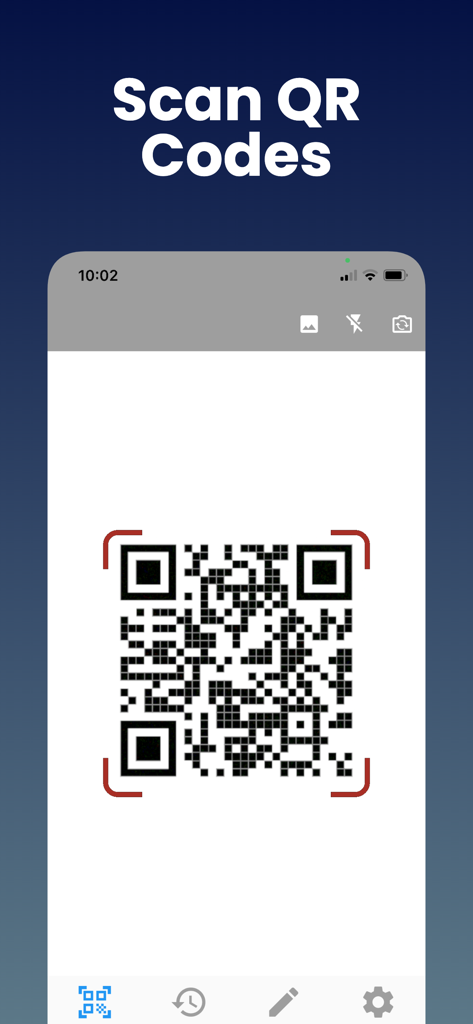
Ein Smartphone-Bildschirm, der die Scan-QR-Codes-Funktion der QR Code Reader App zeigt.

Ein Smartphone-Bildschirm, der die Scan-QR-Codes-Funktion der QR Code Reader App zeigt.

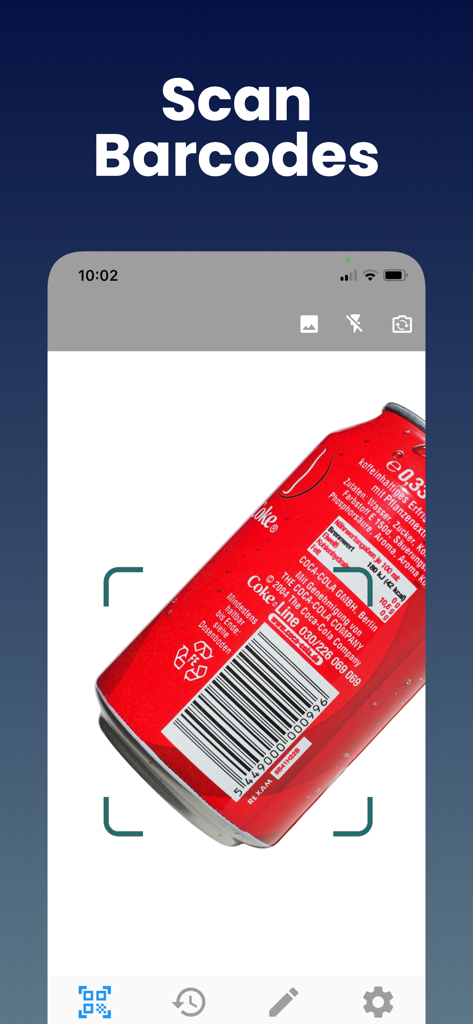
Mobile App-Oberfläche, die die Barcode-Scanfunktion auf einer roten Aluminiumdose zeigt.

Mobile App-Oberfläche, die die Barcode-Scanfunktion auf einer roten Aluminiumdose zeigt.

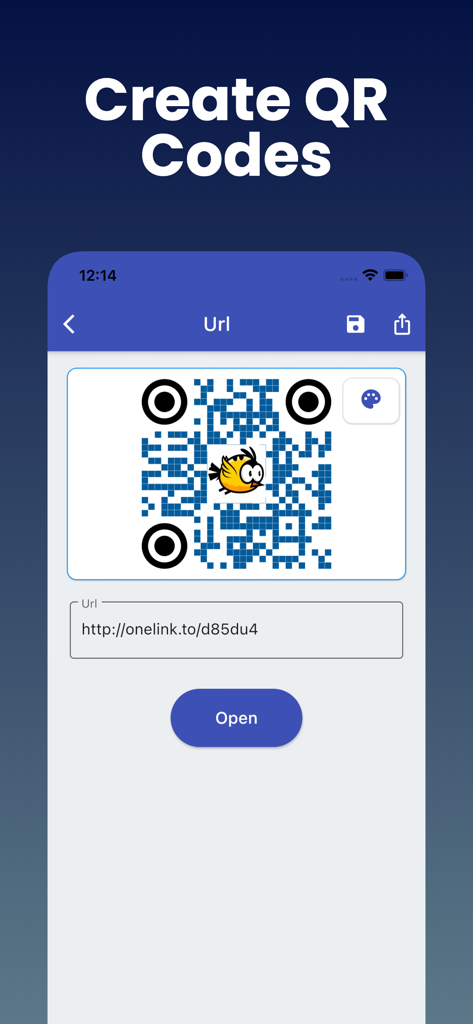
Mobile App-Oberfläche, die zeigt, wie man einen benutzerdefinierten QR-Code aus einem URL-Link erstellt

Mobile App-Oberfläche, die zeigt, wie man einen benutzerdefinierten QR-Code aus einem URL-Link erstellt

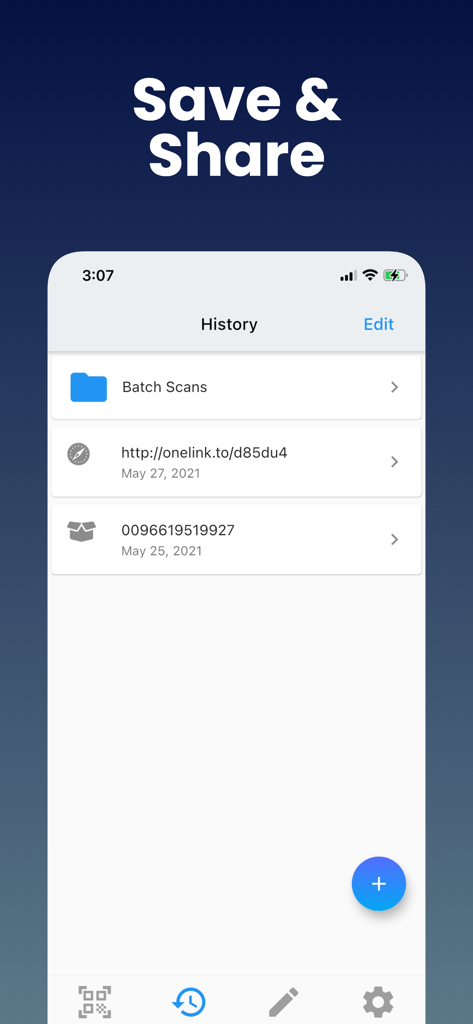
Scanverlauf-Oberfläche, die gespeicherte QR-Links und Barcode-Daten anzeigt

Scanverlauf-Oberfläche, die gespeicherte QR-Links und Barcode-Daten anzeigt

Meistern Sie Ihre alltäglichen Scans

Die Tools, die diese App auszeichnen, gewählt von 30K+ Nutzern.

📑

Organisierter Scanverlauf

Verlieren Sie keine wichtigen Links mehr. Jeder QR- und Barcode, den Sie scannen, wird sofort gespeichert, sodass Sie Produktdetails oder Gutscheine Tage nach dem Scannen finden können.

📦

Universelle Formatdekodierung

Gehen Sie über einfache Links hinaus. Scannen Sie UPC für Preisvergleiche, ISBN für Bücher oder Industriegütercodes wie Data Matrix für professionelle Logistik in einer App.

🔒

Datenschutz & Offline-fähig

Scannen Sie sicher in 'Funklöchern' von Einzelhandelsgeschäften oder Lagern, ohne eine Internetverbindung zu benötigen. Wir respektieren Ihre Daten mit minimalen Berechtigungsanforderungen.

Über die App

Alles, was Sie über wissen müssen QR Code Reader: Scanner.

Beschreibung

QR code Scanner & Barcode Reader app offers the most powerful free tools for scanning QR codes on your iPhone. With this barcode reader, you can scan and recognize all types of codes using your smartphone's camera. Our fast barcode Reader for iPhone, iPad, lets you read barcodes and scan barcodes to share with your friends. This free Barcode scanner app can save QR codes in history. Just scan any QR code or Barcode. QR Reader is the best QR code reader that supports all types of QR code formats, including UPC, ISBN, and more. Why Should You Use Free QR Code Scanner & Barcode Reader? - QR Code App supports all QR and barcode formats - Zoom in and out automatically - Scan history for QR Codes and Barcodes will be saved - Scan QR / barcodes from the gallery - Use a flashlight to scan QR Codes and Barcodes in a dark environment - There is no need for an internet connection - Scan promotion and coupon codes - QR Code Scanner respects your privacy and only asks for the minimal permissions needed to scan your barcodes. Unique Features of Free QR Code & Barcode Scanner App: This Barcode scanner can scan a wide variety of barcodes, like QR codes, Aztecs, Code 39s, Code93, Code128, EAN13, EAN8, PDF417, Data Matrix, and ITF. You can also copy the information from your barcode reader to your clipboard, then paste it into your other applications. Share the QR Code or other barcode via messaging, SMS, or other means. Find the QR Code product online or search the web for the QR Code. It is possible to subscribe to an auto-renewing subscription. When you confirm the purchase, a subscription will be automatically charged to your iTunes account and renewed (for the chosen period of time) unless auto-renew is turned off at least 24 hours before the end of the current period. During the active subscription period, a subscription cannot be canceled; however, after a purchase, you can manage your subscription and/or disable auto-renewal through your iTunes Account Settings. How to use Free QR Code & Barcode Scanner Apps? 1. Download the free QR code scanner and QR barcode scanner app from the App Store. 2. After you have downloaded the free QR code scanner, you need to open the app on your device. 3. Point the camera at the QR code scanner or barcode reader. 4. The QR code scan app will automatically recognize the code and can decode the result after scanning it. 5. Scanner app after scanning QR code, results are displayed with options based on the suggestions. Note: As much as possible, we're working to make it better by adding advanced and exciting features. In order to succeed, we need your constant support. Please feel free to send us your queries/suggestions/feedback at support@astrumcomputing.com. We are always interested in hearing from you. Download the QR Code Scanner, Barcode Reader app and enjoy the best scanning that you deserve. Privacy Policy: https://www.astrumcomputing.com/home/privacylegal Terms of Use: https://www.astrumcomputing.com/home/termsofservice

Neueste Version

1.01.69

Größe

57.3 MB

Erstveröffentlichung

3. Sept. 2019

Optimieren Sie Ihre Scans und speichern Sie jedes Detail

Schließen Sie sich Tausenden von Nutzern an, die dem leistungsstärksten Werkzeug für intelligentes Einkaufen und professionelle Organisation vertrauen. Behalten Sie Ihren Verlauf, scannen Sie jedes Format und bleiben Sie produktiv – auch offline.

Herunterladen auf App Store

App information, icons, screenshots, and descriptions displayed on this page are sourced from the Apple App Store and are the property of their respective developers. Download estimates and rankings are based on MWM's proprietary models and may not reflect actual figures. This page is provided for informational and analytical purposes only.

Believe this page infringes your intellectual property? File a dispute