RemotePC Remote Desktop

RemotePC Remote Desktop


Herunterladen auf App Store
Logo von RemotePC Remote Desktop

RemotePC Remote Desktop: Desktop-Leistung in Ihrer Tasche

Greifen Sie mit blitzschnellem 4K-Streaming bei 60 FPS auf Ihren PC oder Mac zu. Von Dateiübertragungen bis zum Remote-Druck – bleiben Sie überall produktiv mit dem leistungsstärksten Fernzugriffstool für Profis.

Herunterladen auf App Store

Herausgeber

IDrive Incorporated

Kategorie

Productivity

Downloads

148K+

Bewertung

4.6/5

Bewertungen gesamt

3K+

Sprachen

30

Ihr Arbeitsplatz, grenzenlos

Entdecken Sie die Oberfläche, die von 148K+ Nutzern verwendet wird.
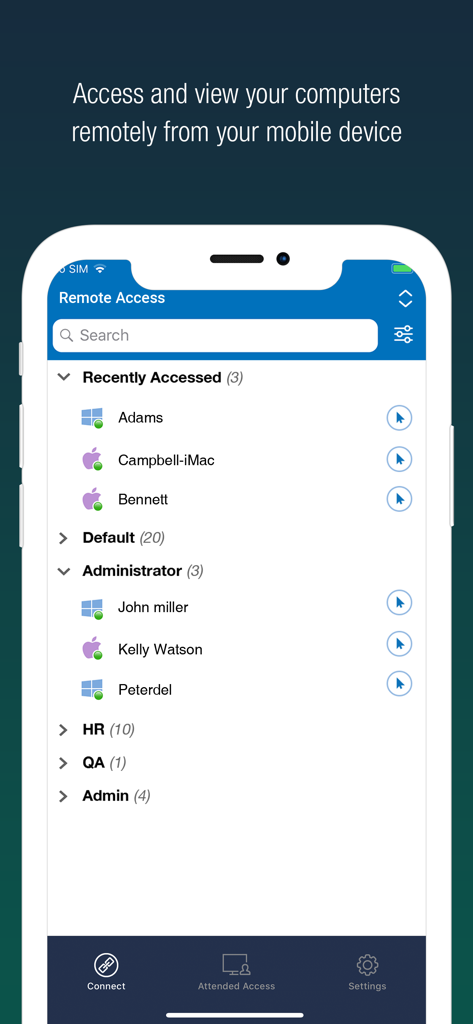
RemotePC Mobile App zeigt eine Liste von Remote-Computern, kategorisiert in Gruppen für schnellen Zugriff

RemotePC Mobile App zeigt eine Liste von Remote-Computern, kategorisiert in Gruppen für schnellen Zugriff

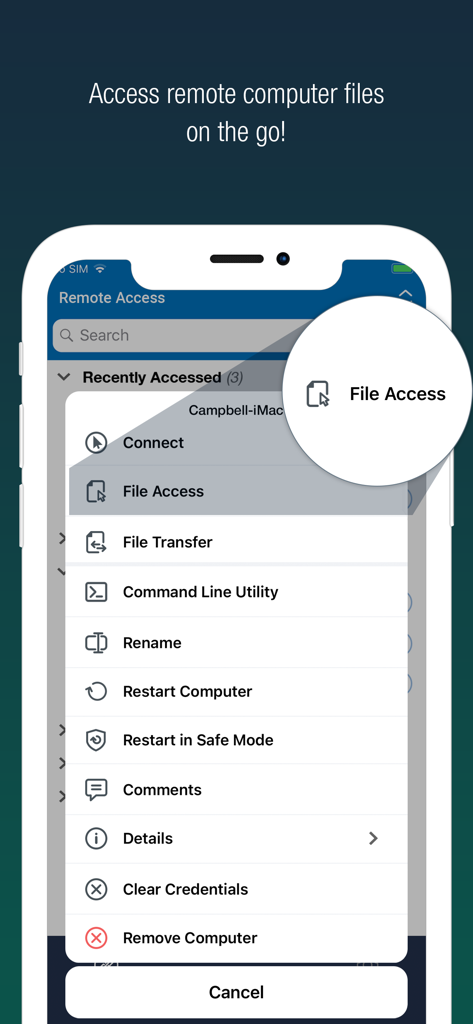
RemotePC Mobile App-Oberfläche zeigt eine Liste von Remote-Management-Tools mit hervorgehobener Datei-Zugriffsoption

RemotePC Mobile App-Oberfläche zeigt eine Liste von Remote-Management-Tools mit hervorgehobener Datei-Zugriffsoption

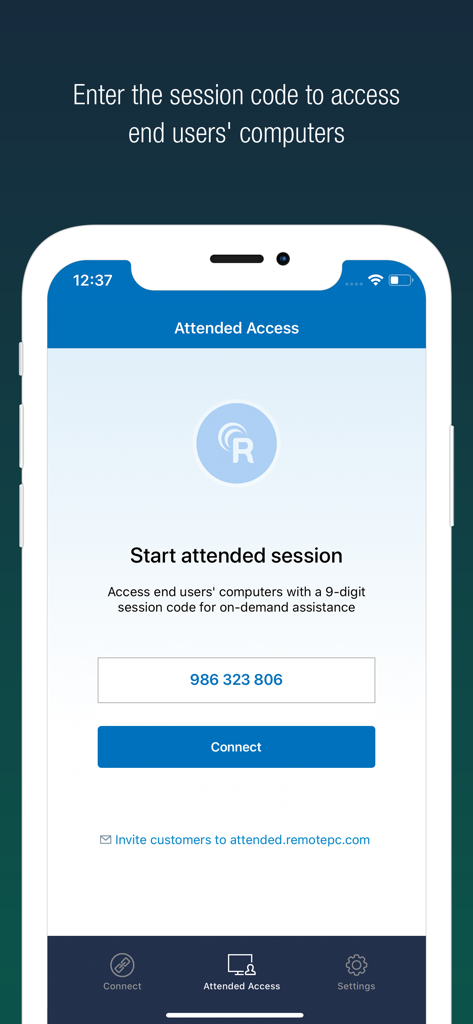
RemotePC Mobile App-Oberfläche zeigt den Bildschirm für den begleiteten Zugriff zur Eingabe eines 9-stelligen Sitzungscodes für Fernunterstützung.

RemotePC Mobile App-Oberfläche zeigt den Bildschirm für den begleiteten Zugriff zur Eingabe eines 9-stelligen Sitzungscodes für Fernunterstützung.

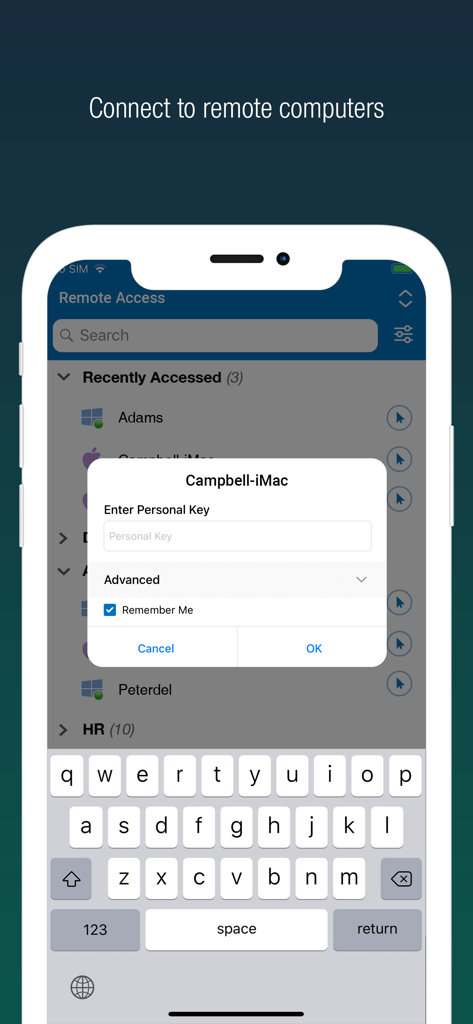
Sichere Anmeldeoberfläche für RemotePC Remote Desktop auf einem Smartphone, die eine Liste von Remote-Computern und eine Abfrage des persönlichen Schlüssels anzeigt.

Sichere Anmeldeoberfläche für RemotePC Remote Desktop auf einem Smartphone, die eine Liste von Remote-Computern und eine Abfrage des persönlichen Schlüssels anzeigt.

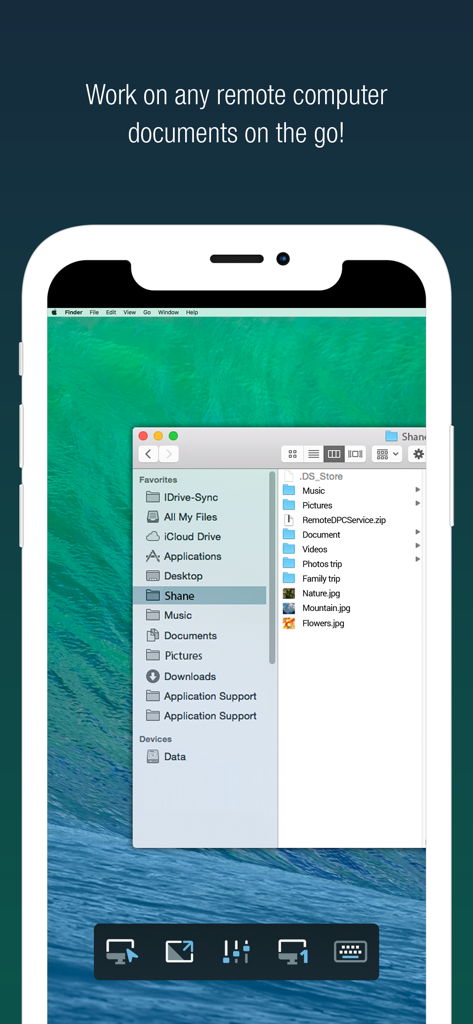
RemotePC App auf dem iPhone zeigt einen Remote-Mac-Desktop mit geöffneten Dateiordnern

RemotePC App auf dem iPhone zeigt einen Remote-Mac-Desktop mit geöffneten Dateiordnern

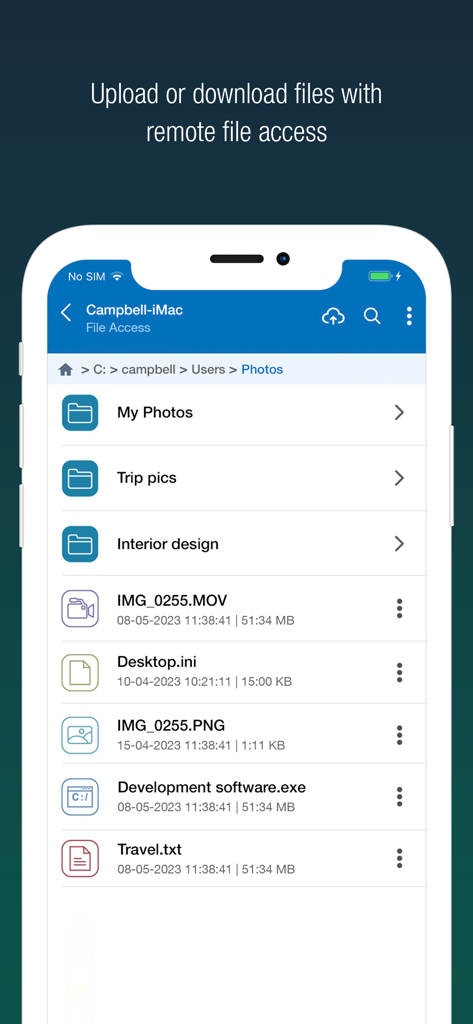
RemotePC Mobile App-Oberfläche zeigt Optionen für den Fernzugriff und die Verwaltung von Dateien

RemotePC Mobile App-Oberfläche zeigt Optionen für den Fernzugriff und die Verwaltung von Dateien

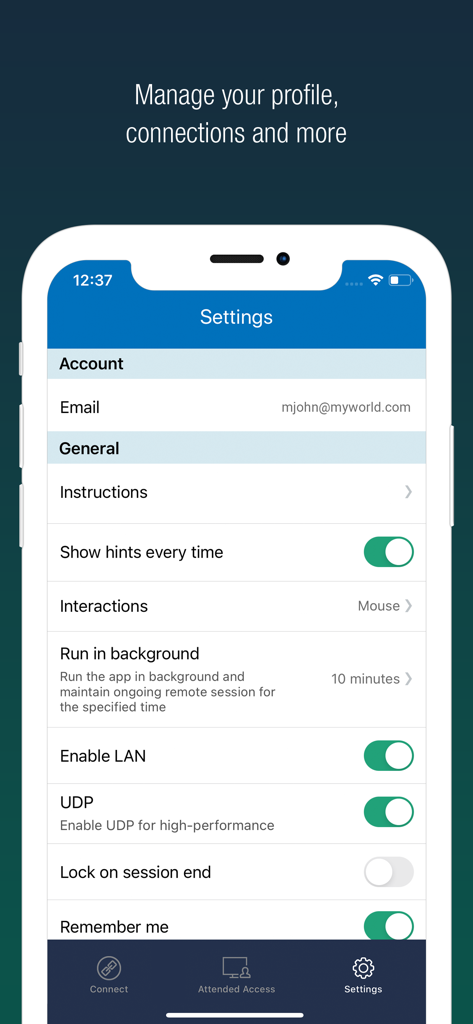
Einstellungen der RemotePC App auf dem iPhone, die Optionen für Leistung und Profil anzeigt.

Einstellungen der RemotePC App auf dem iPhone, die Optionen für Leistung und Profil anzeigt.

Desktop-Leistung, mobile Freiheit

Die Tools, die diese App auszeichnen, gewählt von 148K+ Nutzern.

Professionelle 4K-Leistung

Arbeiten Sie dank 60-FPS-Streaming und 4K-Qualität ohne Verzögerung. Perfekt für Videobearbeitung, Design oder High-End-Gaming.

📁

Nahtlose Workflow-Integration

Übertragen Sie Dateien sofort, drucken Sie Dokumente auf Ihrem lokalen Drucker und arbeiten Sie mit integrierten Whiteboard-Tools in Echtzeit zusammen.

🛡️

Sicherheit auf Enterprise-Niveau

Arbeiten Sie überall privat mit dem Modus 'Leerbildschirm', Fernsystemsperren und Multi-Faktor-Authentifizierung für absolute Sicherheit.

Über die App

Alles, was Sie über wissen müssen RemotePC Remote Desktop.

Beschreibung

Access remote computers anytime by installing the RemotePC application on your iOS devices. Connect to your office or home computers from anywhere with a speed of 60 FPS and 4K quality. Access files, folders, emails, and software applications on remote machines, whether it's after-hours or while on the go. Features: • Instant remote computer access, provided there is an active internet connection and RemotePC application installed on it •. Connect to multiple remote computers at the same time and manage each session independently. • Provides efficient team work with friends or colleagues by accessing their remote computers to work on presentations, documents, view/edit media files, etc. • Access PCs and MACs using your iOS devices. • Enhanced performance and low latency • Cross-platform compatibility • 60 FPS speed allowing 4K quality  • Faster remote streaming for gamers Functionalities: • Transfer files via your iOS devices and computers with/without remote session. • Access files/folders on remote computers from your iOS device. • Perform search, upload, and download operations on files while accessing them on remote computers. • Enable inactivity timeout to retain remote session running in the background for the specified time. • Lock the remote system via your iOS device. • Configure the display quality and speed of the remote session. • Modify the screen resolution of the remote display • Record remote sessions while accessing via iOS devices. • Control clipboard actions (copy and paste) from your iOS devices. • Access and manage logged off and locked devices remotely. • Remote printing of documents and images using a local printer. • Chat with the recipients for effective communication. • Enable ‘Trusted Devices’ for enhanced security of your RemotePC account. • Enable ‘Blank Host Screen’ to work privately on your remote device by turning the screen blank. • View multiple monitors at the same time for Enterprise accounts. • Restart your remote system via the iOS device in a safe mode. • Collaborate effectively by using Whiteboard to draw on the remote screen. • Multiple users can simultaneously access and work on a single remote machine. • Multitask during remote sessions by opening multiple iPad apps simultaneously

Neueste Version

8.9.0

Größe

42.0 MB

Erstveröffentlichung

1. Dez. 2010

Steuern Sie Ihren Desktop von überall aus

Schließen Sie sich über 148.000 Power-Usern an, die unterwegs 4K-Leistung und absolute Sicherheit verlangen. Holen Sie sich RemotePC noch heute für Ihr iOS-Gerät.

Herunterladen auf App Store

App information, icons, screenshots, and descriptions displayed on this page are sourced from the Apple App Store and are the property of their respective developers. Download estimates and rankings are based on MWM's proprietary models and may not reflect actual figures. This page is provided for informational and analytical purposes only.

Believe this page infringes your intellectual property? File a dispute