Roku TV Remote, Control Play

Roku TV Remote, Control Play

Herunterladen auf App Store
Logo von Roku TV Remote, Control Play

Roku TV Remote, Control Play: Der intelligentere Weg, Ihre Unterhaltung zu steuern

Hören Sie auf, in Sofakissen zu wühlen. Verwandeln Sie Ihr iPhone sofort in eine leistungsstarke, reaktionsschnelle Fernbedienung mit vollständiger Tastatur und Touchpad für müheloses Streaming.

Herausgeber

Erica Hughes

Kategorie

Utilities

Downloads

118K+

Bewertung

4.5/5

Bewertungen gesamt

600

Sprachen

1

Steuerung auf Knopfdruck

Entdecken Sie die Oberfläche, die von 118K+ Nutzern verwendet wird.
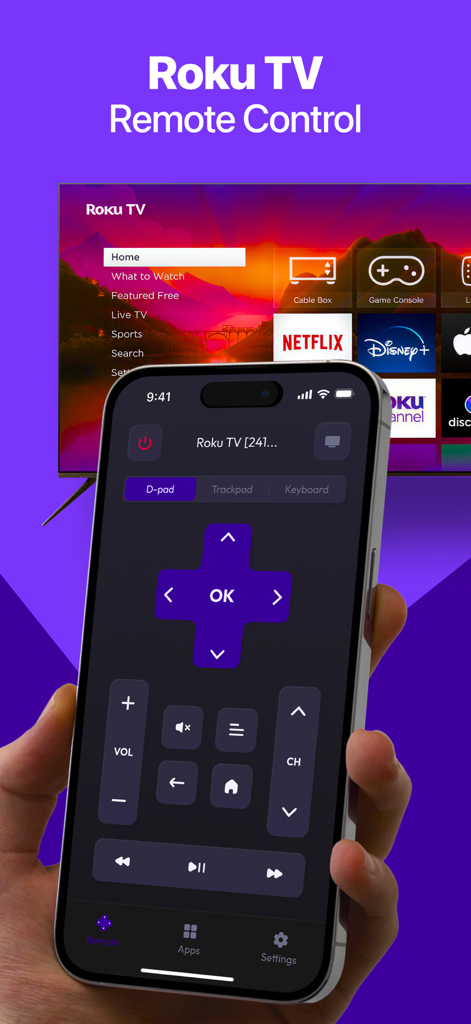
Eine Hand hält ein iPhone, das eine Roku TV-Fernbedienungsoberfläche mit D-Pad und Lautstärkeregelung vor einem Fernsehgerät anzeigt

Eine Hand hält ein iPhone, das eine Roku TV-Fernbedienungsoberfläche mit D-Pad und Lautstärkeregelung vor einem Fernsehgerät anzeigt

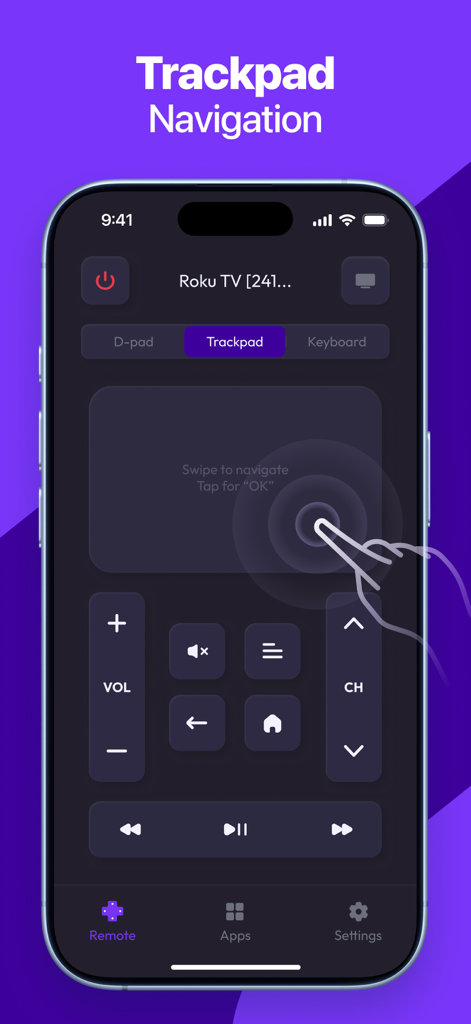
iPhone-Oberfläche einer Roku TV-Fernbedienungs-App, die die Touchpad-Navigationsfunktion hervorhebt

iPhone-Oberfläche einer Roku TV-Fernbedienungs-App, die die Touchpad-Navigationsfunktion hervorhebt

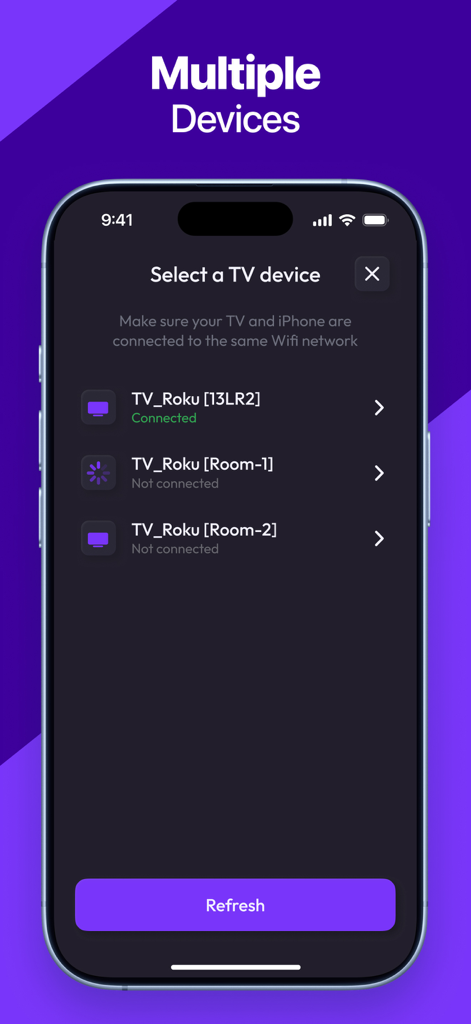
App-Oberfläche zur Auswahl und Verbindung mit verschiedenen Roku TV-Geräten

App-Oberfläche zur Auswahl und Verbindung mit verschiedenen Roku TV-Geräten

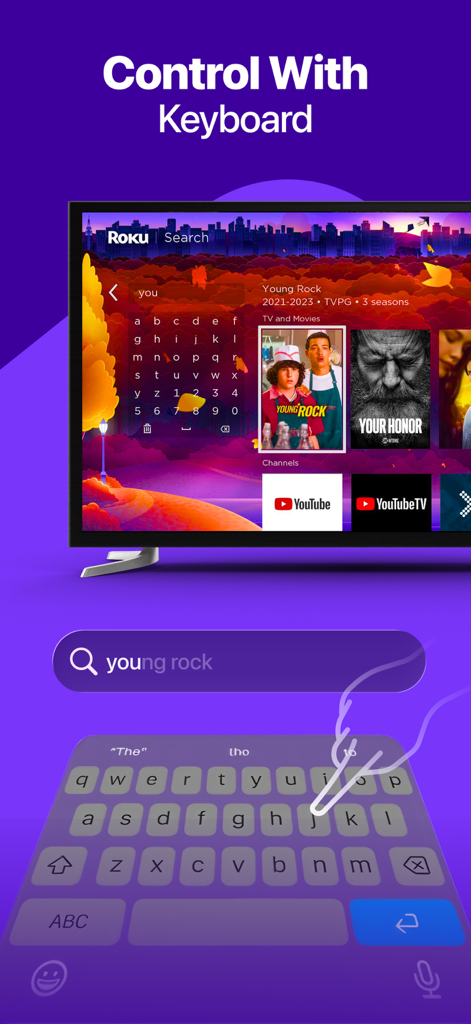
Benutzer tippt auf der Tastatur eines Smartphones, um nach einem Film auf einem Roku TV zu suchen

Benutzer tippt auf der Tastatur eines Smartphones, um nach einem Film auf einem Roku TV zu suchen

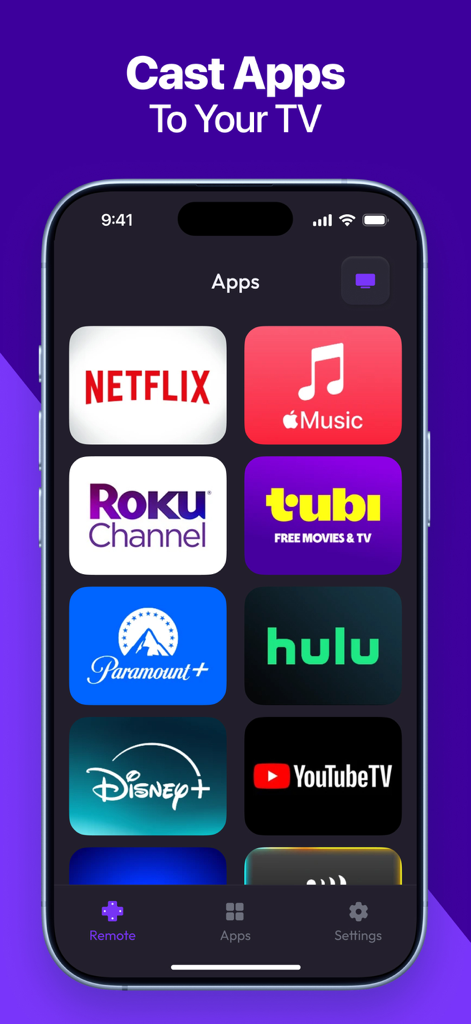
Smartphone-Bildschirm mit verschiedenen Streaming-App-Symbolen wie Netflix, Disney Plus und Hulu zum schnellen Übertragen auf einen Roku TV

Smartphone-Bildschirm mit verschiedenen Streaming-App-Symbolen wie Netflix, Disney Plus und Hulu zum schnellen Übertragen auf einen Roku TV

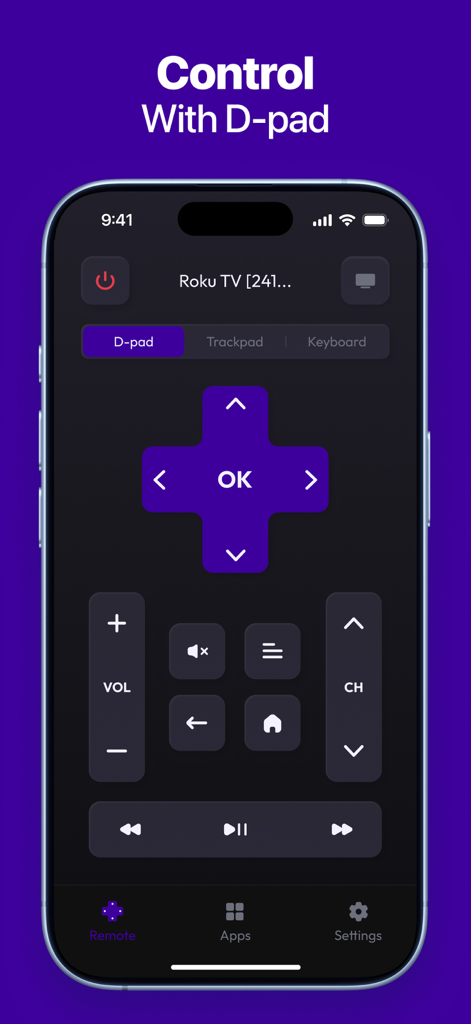
Roku TV Remote App mit digitalem D-Pad-Controller auf einem iPhone

Roku TV Remote App mit digitalem D-Pad-Controller auf einem iPhone

Übernehmen Sie die volle Kontrolle über Ihr Roku-Erlebnis

Die Tools, die diese App auszeichnen, gewählt von 118K+ Nutzern.

⌨️

Tippen und Sprechen zur Suche

Vergessen Sie die langsame Bildschirmtastatur. Verwenden Sie die Tastatur oder Stimme Ihres iPhones, um Ihre Lieblingsfilme und -sendungen in Sekundenschnelle zu finden.

🖱️

Präzise Touchpad-Steuerung

Navigieren Sie Ihren Fernseher mit flüssigen Wischgesten und Bewegungen. Es ist reaktionsschneller als eine physische Fernbedienung und liegt perfekt in Ihrer Hand.

🚀

Sofortiger Kanalwechsel

Durchsuchen und starten Sie Ihre bevorzugten Streaming-Apps wie Netflix, Hulu und Max mit einem einzigen Fingertipp, direkt von Ihrem mobilen Dashboard aus.

Über die App

Alles, was Sie über wissen müssen Roku TV Remote, Control Play.

Beschreibung

Roku TV Remote, Control Play is a fast and easy-to-use app that transforms your smartphone into a fully functional remote for your Roku TV or streaming device. Whether you’ve misplaced your physical remote or simply want a more convenient way to control your TV, this app gives you instant access to all key features — right from your phone. KEY FEATURES: - Full Remote Control: Power on/off, change channels, adjust volume, and control playback. - Touchpad Navigation: Smooth and responsive control with an intuitive touch interface. - Quick App Launch: Open your favorite Roku channels with one tap. - Keyboard & Voice Input: Type or speak for faster search and navigation. - Fast Pairing: Instantly connect your phone to any Roku device on the same network. - Simple & Clean Interface: Designed for ease of use and quick access to controls. Download Roku TV Remote, Control Play today and enjoy a smarter, more convenient way to control your Roku experience! Subscription terms: The App offers auto-renewing subscriptions to provide you with unlimited access to all features with no limits while you maintain an active subscription. Payment will be charged to the credit card connected to your iTunes Account when you confirm the initial subscription purchase. Subscriptions automatically renew unless auto-renew is turned off at least 24-hours before the end of the current subscription period. Your account will be charged for renewal within 24-hours prior to the end of the current period, and the cost of the renewal will be identified. You may manage your subscription and auto-renewal may be turned off by going to your Account Settings after the purchase. Any unused portion of a free trial period, if offered, will be forfeited when you purchase a subscription, where applicable. Privacy Policy: https://docs.google.com/document/d/1shtewogzyXFtpvUPpgdX2ye3YvnthE5LgSCuCkH_i8o/edit?usp=sharing Terms of Use: https://docs.google.com/document/d/1dDhIHxJWI3qWR52FcgKFLCbGHAnd6hW_L_oCBZNyno8/edit?usp=sharing

Neueste Version

1.5

Größe

49.8 MB

Erstveröffentlichung

6. Dez. 2023

Die einzige Roku-Fernbedienung, die Sie nie verlieren werden

Schließen Sie sich über 118.000 Nutzern an, die ihre Unterhaltung aufgewertet haben. Laden Sie jetzt herunter, um sofortige Kopplung, einfache Eingabe und volle Kontrolle über Ihren Roku TV direkt von Ihrem iPhone aus zu genießen.

Herunterladen auf App Store

App information, icons, screenshots, and descriptions displayed on this page are sourced from the Apple App Store and are the property of their respective developers. Download estimates and rankings are based on MWM's proprietary models and may not reflect actual figures. This page is provided for informational and analytical purposes only.

Believe this page infringes your intellectual property? File a dispute