SCUBAPRO LogTRAK 2.0

SCUBAPRO LogTRAK 2.0


Herunterladen auf App Store
Logo von SCUBAPRO LogTRAK 2.0

SCUBAPRO LogTRAK 2.0: Professionelles Tauchmanagement und Datenanalyse

Synchronisieren Sie nahtlos Ihren Galileo-Computer über Bluetooth, um hochpräzise Tauchprofile zu analysieren, Hardwareeinstellungen zu verwalten und die Firmware zu aktualisieren – noch bevor Sie das Boot verlassen.

Herunterladen auf App Store

Herausgeber

Uwatec AG

Kategorie

Sports

Downloads

10K+

Bewertung

3.4/5

Bewertungen gesamt

0

Sprachen

1

Tauchen Sie tiefer in Ihre Daten ein

Entdecken Sie die Oberfläche, die von 10K+ Nutzern verwendet wird.
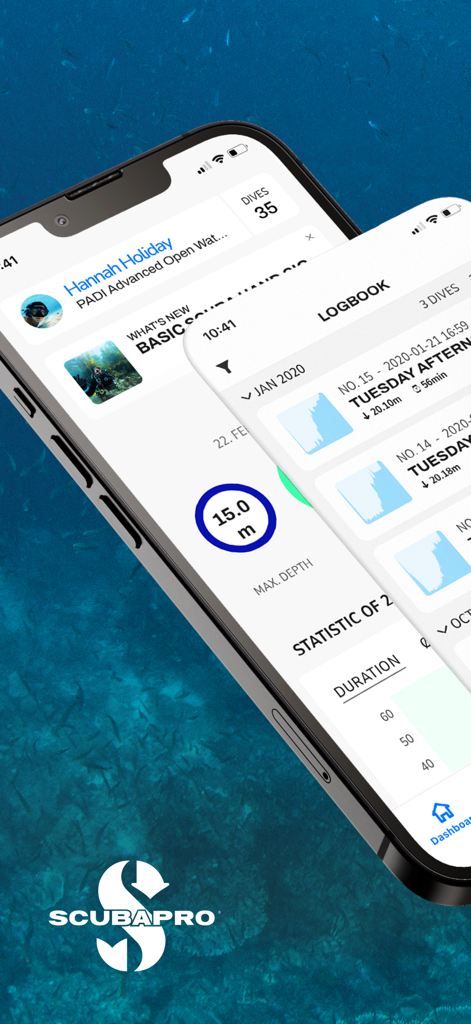
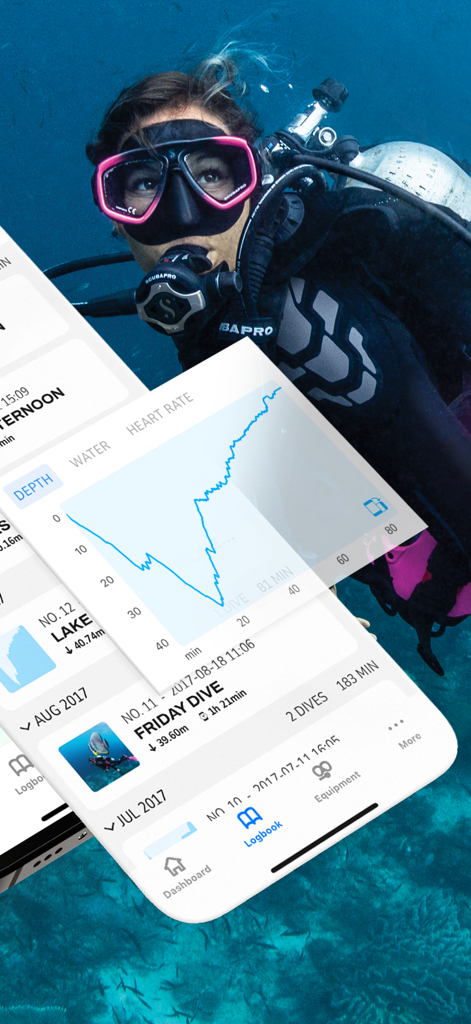
SCUBAPRO LogTRAK 2.0 mobile App zeigt Tauchprotokolle und Statistiken auf einem iPhone an

SCUBAPRO LogTRAK 2.0 mobile App zeigt Tauchprotokolle und Statistiken auf einem iPhone an

Mobile App-Oberfläche zeigt ein Tiefenprofil eines Tauchgangs über einem Hintergrundbild eines Tauchers

Mobile App-Oberfläche zeigt ein Tiefenprofil eines Tauchgangs über einem Hintergrundbild eines Tauchers

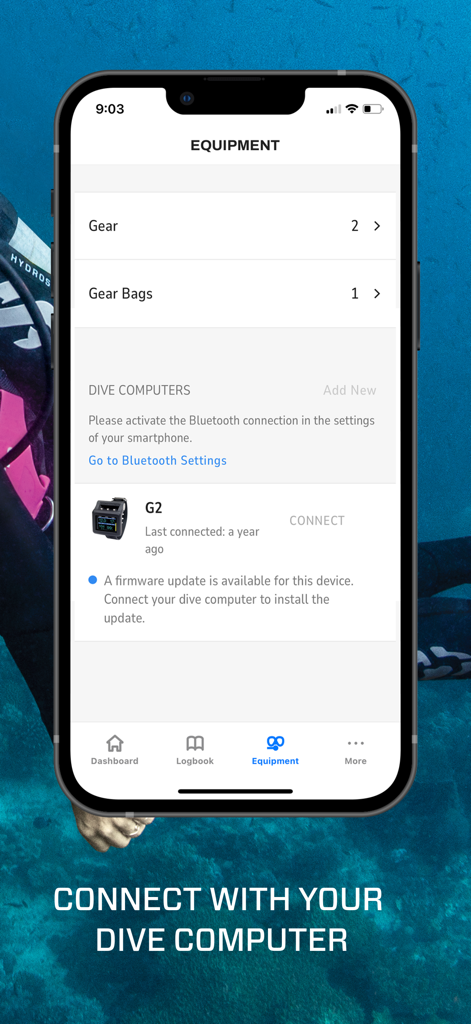
SCUBAPRO LogTRAK 2.0 App-Ausrüstungsbildschirm zeigt die Verbindung des Tauchcomputers und den Status der Firmware-Aktualisierung

SCUBAPRO LogTRAK 2.0 App-Ausrüstungsbildschirm zeigt die Verbindung des Tauchcomputers und den Status der Firmware-Aktualisierung

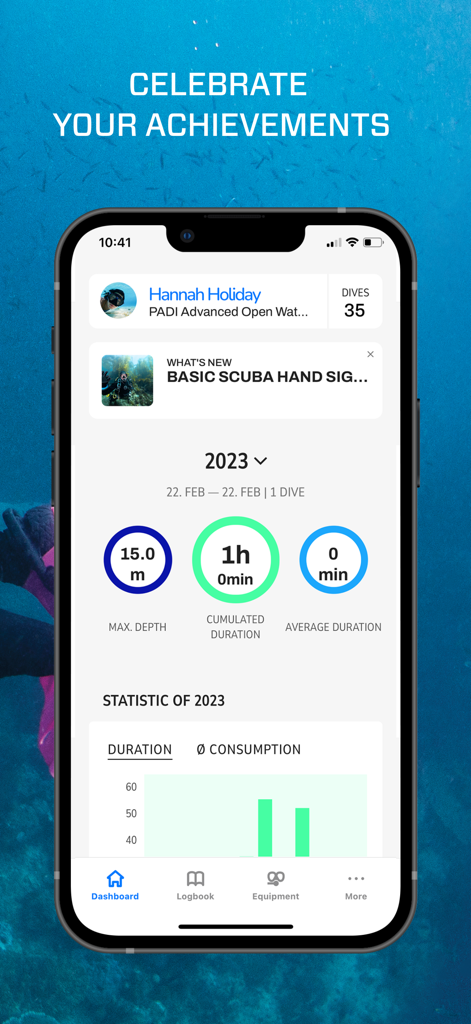
SCUBAPRO LogTRAK 2.0 Dashboard zeigt Taucherfolge und Tiefenstatistiken an

SCUBAPRO LogTRAK 2.0 Dashboard zeigt Taucherfolge und Tiefenstatistiken an

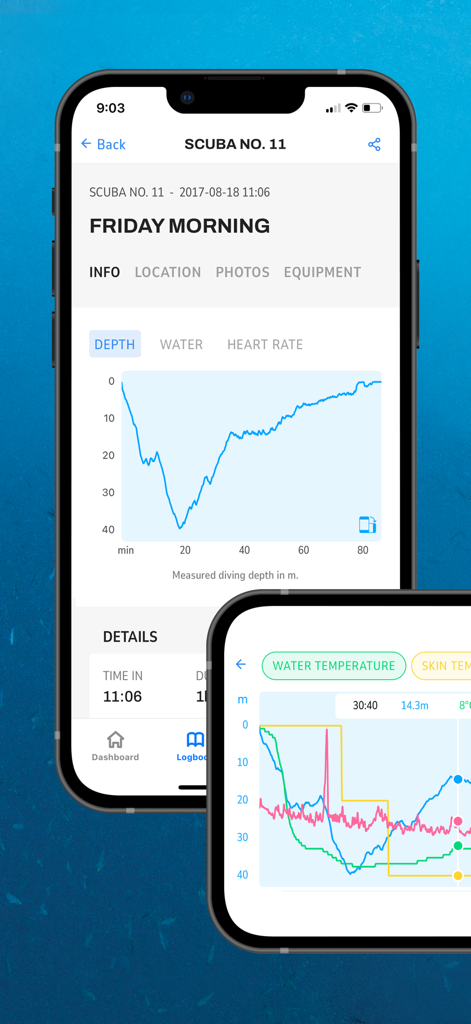
Mobile Tauchlogbuch-App zeigt detaillierte Tauchprofile und Tiefengraphen auf einem iPhone

Mobile Tauchlogbuch-App zeigt detaillierte Tauchprofile und Tiefengraphen auf einem iPhone

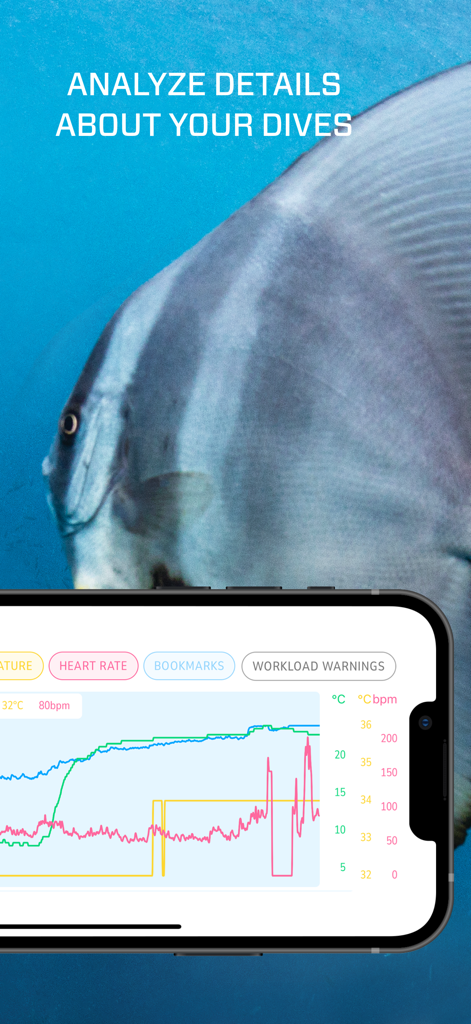
Detaillierter Tauchgangsprofil-Graph zeigt Herzfrequenz und Arbeitslast auf dem iPhone

Detaillierter Tauchgangsprofil-Graph zeigt Herzfrequenz und Arbeitslast auf dem iPhone

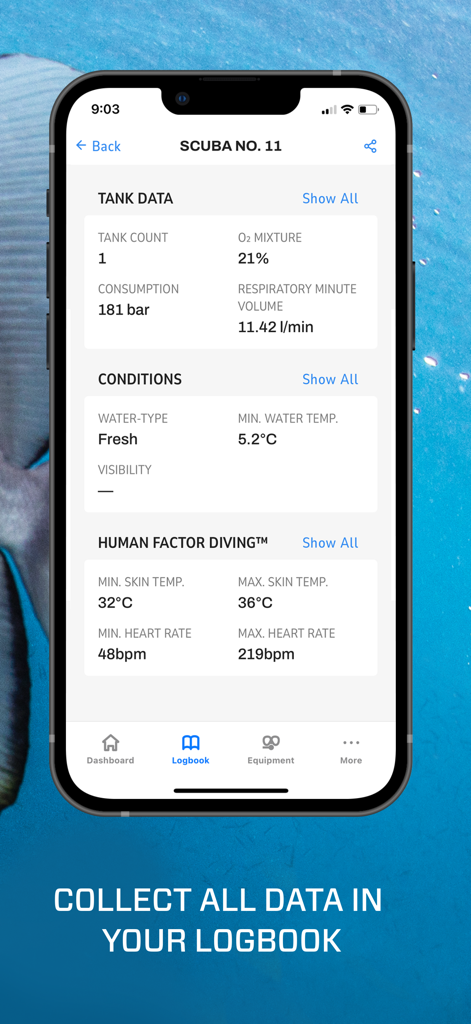
SCUBAPRO LogTRAK App-Bildschirm zeigt Tauchflaschendaten und die Herzfrequenzstatistik des Tauchers an

SCUBAPRO LogTRAK App-Bildschirm zeigt Tauchflaschendaten und die Herzfrequenzstatistik des Tauchers an

Meistern Sie Ihre Tauchdaten

Die Tools, die diese App auszeichnen, gewählt von 10K+ Nutzern.

📊

Präzisions-Analyse nach dem Tauchgang

Visualisieren Sie Ihre Leistung mit hochauflösenden Grafiken von Tiefe, Temperatur und Herzfrequenz, um die Reaktion Ihres Körpers bei jedem Abstieg zu analysieren.

📲

Nahtlose kabellose Steuerung

Überspringen Sie komplexe manuelle Menüs. Aktualisieren Sie die Firmware und passen Sie die Einstellungen Ihres Tauchcomputers sofort per Bluetooth direkt vom Tauchboot aus an.

🌊

Professionelles digitales Logbuch

Halten Sie Ihre Zertifizierungen und Ihren Verlauf organisiert. Speichern und teilen Sie Ihre verifizierten Tauchprofile sicher mit Tauchlehrern auf der ganzen Welt.

Über die App

Alles, was Sie über wissen müssen SCUBAPRO LogTRAK 2.0.

Beschreibung

SCUBAPRO LogTRAK 2.0 for iOS is the mobile dive logbook for iPhone. LogTRAK 2.0 allows you to download and analyze your dive profile data on iOS-based mobile devices. This App is compatible with SCUBAPRO GALILEO HUD, GALILEO 2 (G2), GALILEO 2 CONSOLE (G2C), A series (ALADIN SPORT and ALADIN H dive computers) and the Aladin Watch Series A1 and A2. To interface with your dive computer, you’ll need to enable Bluetooth on your iPhone and set your dive computer to BLE READY mode. LogTRAK 2.0 is the perfect way to view your dives, keep them organized on your mobile device and easily access them wherever you go. Features: • Record and manage your dives • Analyze data like depth, temperature and heart rate profile • Incorporate additional dive information • Adjust dive computer settings from your iPhone • Update dive computer software and firmware from your iPhone

Neueste Version

1.12.0

Größe

61.3 MB

Erstveröffentlichung

20. Mai 2022

Bringen Sie Ihre Tauchdaten an die Oberfläche

Der unverzichtbare kabellose Begleiter für Ihren SCUBAPRO Galileo oder Aladin. Laden Sie LogTRAK 2.0 herunter, um Ihre Profile zu synchronisieren, Ihre Ausrüstung zu verwalten und Ihre Leistung sofort auf Ihrem iPhone zu analysieren.

Herunterladen auf App Store

App information, icons, screenshots, and descriptions displayed on this page are sourced from the Apple App Store and are the property of their respective developers. Download estimates and rankings are based on MWM's proprietary models and may not reflect actual figures. This page is provided for informational and analytical purposes only.

Believe this page infringes your intellectual property? File a dispute